LightBlog

dimanche 31 juillet 2022

Xiaomi 12S Ultra vs Samsung Galaxy S22 Ultra: Battle of the 2022 Ultras

Xiaomi may not publicly confess it, but its Ultra series is clearly aimed to take on Samsung’s own line with the same namesake, and it’s a worthy comparison every year. I say this not just because of the “Ultra” signifier. Heck, ZTE has an Ultra phone too and I would not consider that phone a true competitor to the Samsung Galaxy S22 Ultra. To earn the comparison against Android’s top dog, the new phone must bring the latest cutting-edge tech and back it up with polished software for an overall high-end experience. You have to walk the talk to be Ultra, and the Xiaomi 12S Ultra does so.

I know this comparison can’t be considered a real buyer’s guide for most readers because Xiaomi’s phone is only sold in China — for now. But I have a feeling the 12S Ultra will see a global debut eventually. And even if the 12S Ultra isn’t widely available, it’s still worth a comparison for the sake of curiosity, because in terms of slab phones, the Xiaomi 12S Ultra and Samsung Galaxy S22 Ultra offer the best and “most” hardware right now. I’ve been using both phones heavily, and I have a lot of thoughts, including a very detailed camera section with dozens of samples. Let’s dive in.

    Samsung Galaxy S22 Ultra
    The Samsung Galaxy S22 Ultra has the best zoom lenses in mobile -- and other cameras are really good too
    Xiaomi 12S Ultra
    Xiaomi's 12S Ultra has a whopping 1-inch sensor with Leica optics -- and it lives up to the hype.

Samsung Galaxy S22 Ultra vs Xiaomi 12S Ultra: Specifications

Specifications Samsung Galaxy S22 Ultra Xiaomi 12S Ultra
Build
  • Aluminum mid-frame
  • Gorilla Glass Victus back
  • Gorilla Glass Victus front
  • Aluminum mid-frame
  • Faux-leather back
  • Gorilla Glass Victus front
Dimensions & Weight
  • 163.3 x 77.9 x 8.9mm
  • 229 grams
  • 163.17 x 74.92 x 9.06mm
  • 225g
Display
  • 6.8-inch Dynamic AMOLED 2X curved display
  • Variable refresh rate up between 1Hz to 120Hz
  • 6.73-inch Samsung E5 AMOLED
  • Dolby Vision TrueColor Display
  • 3200 x 1440 resolution, 522PPI
  • 1-120Hz adaptive refresh rate
  • 1,500nits peak brightness
  • 360-degree ambient light sensor
  • Native 10-bit color depth
SoC
  • International: Exynos 2200
  • US, China, India, among others: Qualcomm Snapdragon 8 Gen 1
Qualcomm Snapdragon 8 Gen 1
RAM & Storage
  • 8GB/12GB RAM
  • 128GB/256GB/512GB/1TB
  • 8GB/12GB RAM
  • 256GB/512GB
Battery & Charging
  • 5,000mAh
  • 45W USB Power Delivery 3.0 fast charging
  • 15W wireless charging
  • 4.5 reverse wireless charging
  • No charger in box in most regions
  • 4,860mAh
  • 67W wired fast charging support
  • 50W wireless fast charging support
  • 10W reverse wireless charging support
  • Xiaomi Surge P1 charging chip
  • Xiaomi Surge G1 battery management chip
Security Ultrasonic in-display fingerprint scanner Optical in-display fingerprint scanner
Rear Camera(s)
  • Primary: 108MP wide, f/1.8, 1/1.33″, OIS, Laser AF
  • Secondary: 12MP ultra-wide, f/2.2
  • Tertiary: 10MP telephoto, 3x optical zoom, f/2.4
  • Quarternary: 10MP, Periscope, 10x optical zoom, f/4.9
  • Primary: 50.3MP IMX989, f/1.9, 8P aspherical lens, octa-PD auto-focus
  • Ultra-wide: 48MP IMX586, f/2.2, Leica Summicron 1:1.9-4.1 / 13-120 aspherical lens, dual-PD auto-focus, macro mode support
  • Telephoto: 48MP IMX586, f/4.1, 120x periscope zoom, HyperOIS
  • Leica Authentic Look and Leica Vibrant look photographic styles
Front Camera(s) 40MP 32MP
Port(s) USB-C USB-C
Audio Stereo speakers
  • Symmetrical stereo speakers
  • Tuned by Harman Kardon
  • Dolby Atmos certification
Connectivity
  • 5G (mmWave)
  • Wi-Fi 6 (802.11ax) with 2×2 MIMO
  • Bluetooth 5.0
  • NFC
  • 5G (mmWave)
  • Wi-Fi 6E (802.11ax)
  • Bluetooth 5.1
  • NFC
Software OneUI 4.1 over Android 12 MIUI 13 over Android 12
Other Features Dual physical SIM

S-Pen included

Dual physical SIM

About this comparison: This comparison was done after months and weeks of testing a Samsung Galaxy S22 Ultra and Xiaomi 12S Ultra respectively. Each phone was provided by the company for review purposes, but neither Samsung nor Xiaomi had any input in this article.


Xiaomi 12S Ultra vs Samsung Galaxy S22 Ultra: Hardware and Design

The two Ultra phones actually have a lot in common in terms of camera philosophy and software features, so the biggest areas in which the two devices deviate may actually be here in the design. The Galaxy S22 Ultra is boxy, with hard corners and a minimalistic camera system design without a camera island — the lenses just sit on the phone’s body. Xiaomi’s 12S Ultra, meanwhile, is curvy with rounded corners and a gigantic camera module that screams for attention.

samsung and xiaomi's ultra phones

The back material is different too, obviously. Samsung uses a matte glass panel that’s cold to the touch. Xiaomi uses a faux-leather finish that feels textured, grippy, and warm to the touch. Personally, I like the look of the Galaxy S22 Ultra’s boxy design more, as it gives the device an imposing, mature, monolith slab vibe over the sort of dime-a-dozen rounded shape. But I find the in-hand feel of the boxy design uncomfortable, as the corners dig into my palm. Using a case, however, mostly eliminates the problem.

The other major differentiating factor: the Galaxy S22 Ultra has a stylus included with the device, stored inside the device via a silo at bottom of the device. Xiaomi’s Ultra has no such offering, so it loses out on all of those functions too, naturally.

Display

Other than that, the two phones are beginning to share a lot of similarities. The display panels, for example, are relatively similar in tech despite having different shapes. They’re both WQHD+ 120Hz AMOLED developed by Samsung, and both are absolutely gorgeous panels. To nitpick: the Galaxy S22 Ultra does get slightly brighter, but this is only noticeable if I’m using the phone under scorching sunlight without any covering, like at a beach. In Hong Kong with lots of tall buildings constantly providing some shade, I almost never needed either phone display to go full brightness.

s22 ultra and xiaomi 12s ultra

Xiaomi 12S Ultra (left) and Galaxy S22 Ultra (right).

SoC

The Xiaomi 12S Ultra runs on the Qualcomm Snapdragon 8 Plus Gen 1, the best processor available in the Android space right now. Samsung’s phone, because it’s several months older, runs on either the older Snapdragon 8 Gen 1 or Samsung’s own Exynos 2200, depending on the region of purchase. I have not used the Exynos 2200 at all, but according to my colleague Adam Conway and other media peers, the Exynos 2200 is a problematic SoC that is quite inferior to the Snapdragon 8 Gen 1 chip. So if your region only has access to the Exynos 2200, there is likely a big gap in performance and efficiency between the Xiaomi 12S Ultra and the Samsung Galaxy S22 Ultra.

If you have access to the Snapdragon version of the Galaxy S22 Ultra, then the performance between the two phones is closer. The Snapdragon 8 Plus Gen 1 apparently brings a small improvement in CPU performance, but you’d only notice this in benchmarks. Real-world usage for 99% of people simply won’t ever push the machines hard enough. Where the Snapdragon 8 Plus Gen 1 is noticeably better than the Snapdragon 8 Gen 1 is battery efficiency. I’ve used two phones with the Snapdragon 8 Plus Gen 1 chip now, and both phones offer noticeably better battery life than previous Snapdragon 8 Gen 1 or Snapdragon 888 phones. My usage habits are consistent, all these phones are 120Hz OLED screens, so I believe my conclusion holds weight.

Battery, memory, other hardware bits

The Galaxy S22 Ultra has a larger 5000 mAh battery than the 12S Ultra’s 4,860 mAh, but for me, the Xiaomi phone offers better battery life because the Snapdragon 8 Plus Gen 1 is more efficient than the Snapdragon 8 Gen 1. RAM is the same for both phones, either 8GB or 12GB of RAM, but Samsung offers a higher storage option up to 1TB in addition to the now flagship standard 256GB/512GB variants. The Xiaomi 12S Ultra only comes in the latter two.

galaxy s22 ultra with s-pen and xiaomi 12s ultra

Haptics are speakers are great on both phones. I’d say the Galaxy S22 Ultra has slightly better haptics (just a bit more precise) but the 12S Ultra has a slightly better speaker system (just a bit fuller audio).

Okay, the part deserves its own section, and it’s a long one, because the camera system are the biggest selling point of both phones in my opinion.


Xiaomi 12S Ultra vs Samsung Galaxy S22 Ultra: Cameras

S22 Ultra and Xiaomi 12S Ultra

Main Camera

Samsung’s lead shooter is a 108MP camera using the company’s own ISOCELL HM3 sensor. It’s got a reasonably large 1/1.33-inch size which, coupled with the nona-binning technology (combining nine pixels worth of data into one for a 12MP image) makes for a very capable shooter that grabs a lot of light while keeping contrast.

Xiaomi’s main camera, however, is technically more impressive: it’s a 50MP SonyIMX 989 camera with a 1-inch image sensor that is 86% larger than Samsung’s 1/1.33–inches. It, too, uses pixel binning technology (just four-in-one compared to Samsung’s nine-in-one) to produce a 12.5MP shot. The camera is also covered by an eight-layer lens that (at least according to company marketing) was developed by Leica specifically for this camera.

I’ve snapped over 100 photos with both phones side by side in all lighting conditions in the past two weeks and I’ve noticed two key differences between the two main sensors.

  • Xiaomi’s larger sensor produces an even narrower plane of focus, resulting in noticeably stronger focus dropoff, aka the bokeh effect
  • Xiaomi’s color science consistently keeps shadows darker, which is apparently done on purpose to achieve the Leica look. This is jarring compared to Samsung’s processing which tries to pump more light into scenes

In digital imaging, the sensor size is arguably the most important hardware factor

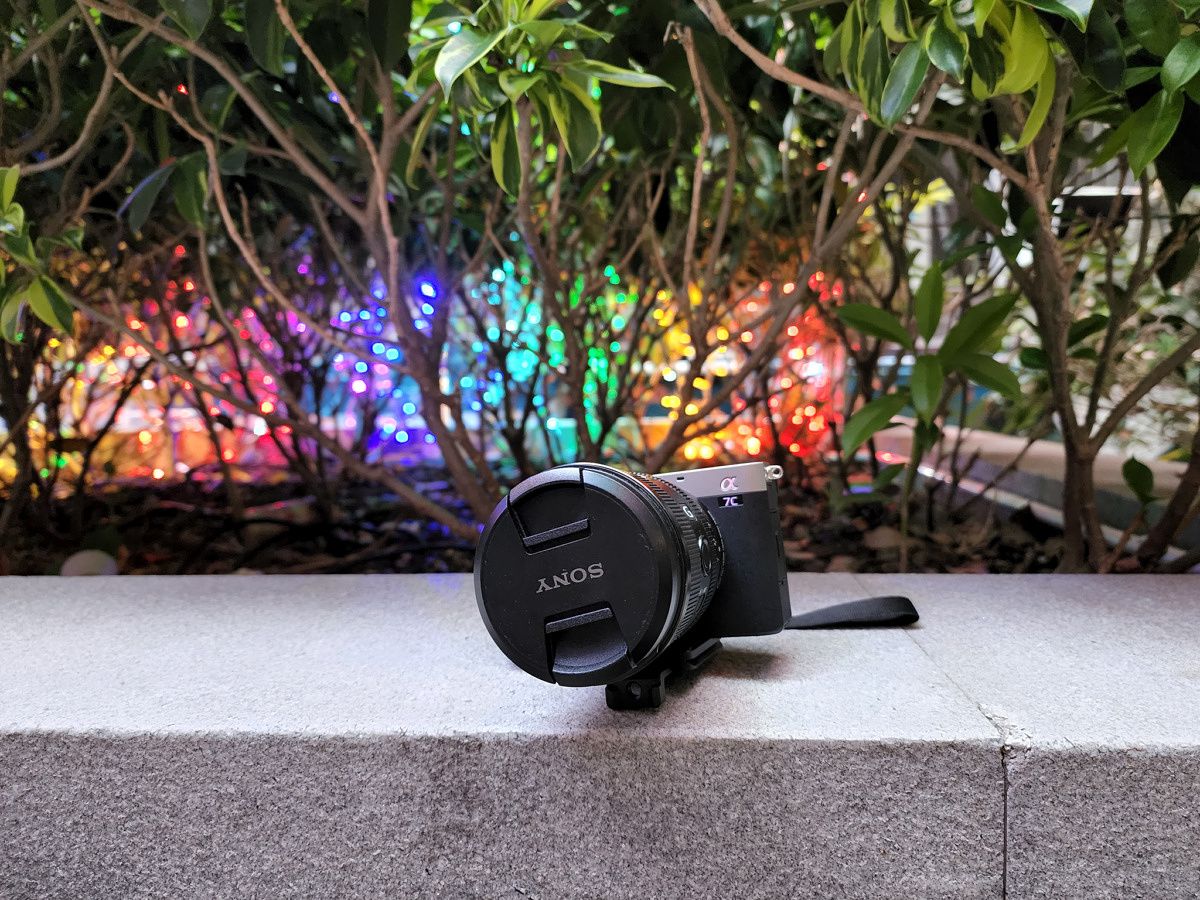
I should explain what a larger image sensor means for readers who may be unfamiliar: in digital imaging, the sensor size is arguably the most important hardware factor, more than megapixels or aperture. A larger image sensor takes in more light information, which allows for shots with more details and dynamic range. A larger sensor usually means stronger bokeh too and this is evident in the first set of samples below. Note that Xiaomi’s shot not only exhibits bokeh between the camera and the plant behind but also between the camera lens and the camera body. Samsung’s image only has bokeh for the background, with the camera body and lens looking entirely in focus. Neither shot is wrong per se, but Xiaomi’s image feels like it has more depth, while Samsung’s image feels a bit flat.

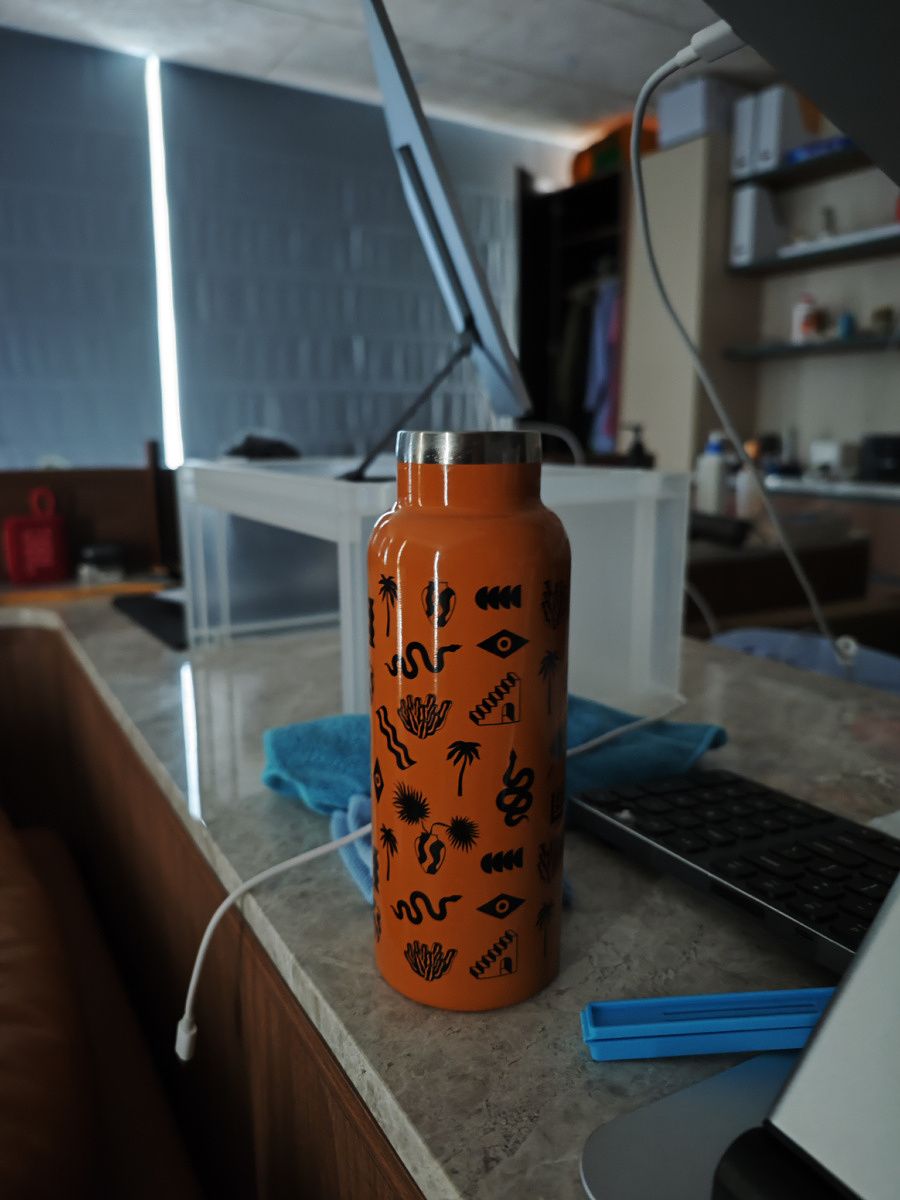
It’s the same story with the below set, taken in low light conditions. Notice the subtle focus dropoff in Xiaomi’s shots — there are layers to the bokeh. The plastic shelf behind the orange water bottle is slightly blurred, then further back in the room shows stronger bokeh. Samsung’s focus pane is much wider, keeping things up to five feet away in focus too. You may notice so far that Samsung’s images seem a bit brighter, with colors that pop a bit more. That’s because the 12S Ultra has two color profiles: Leica authentic or Leica vibrant. Authentic keeps colors a bit closer to real life, but with shadows deeper than usual for that contrasty Leica look. Leica vibrant will punch up the colors and brighten the scene a bit, the way Samsung does in every shot. I mostly shot with Leica authentic and so far all Xiaomi samples are in Leica authentic.
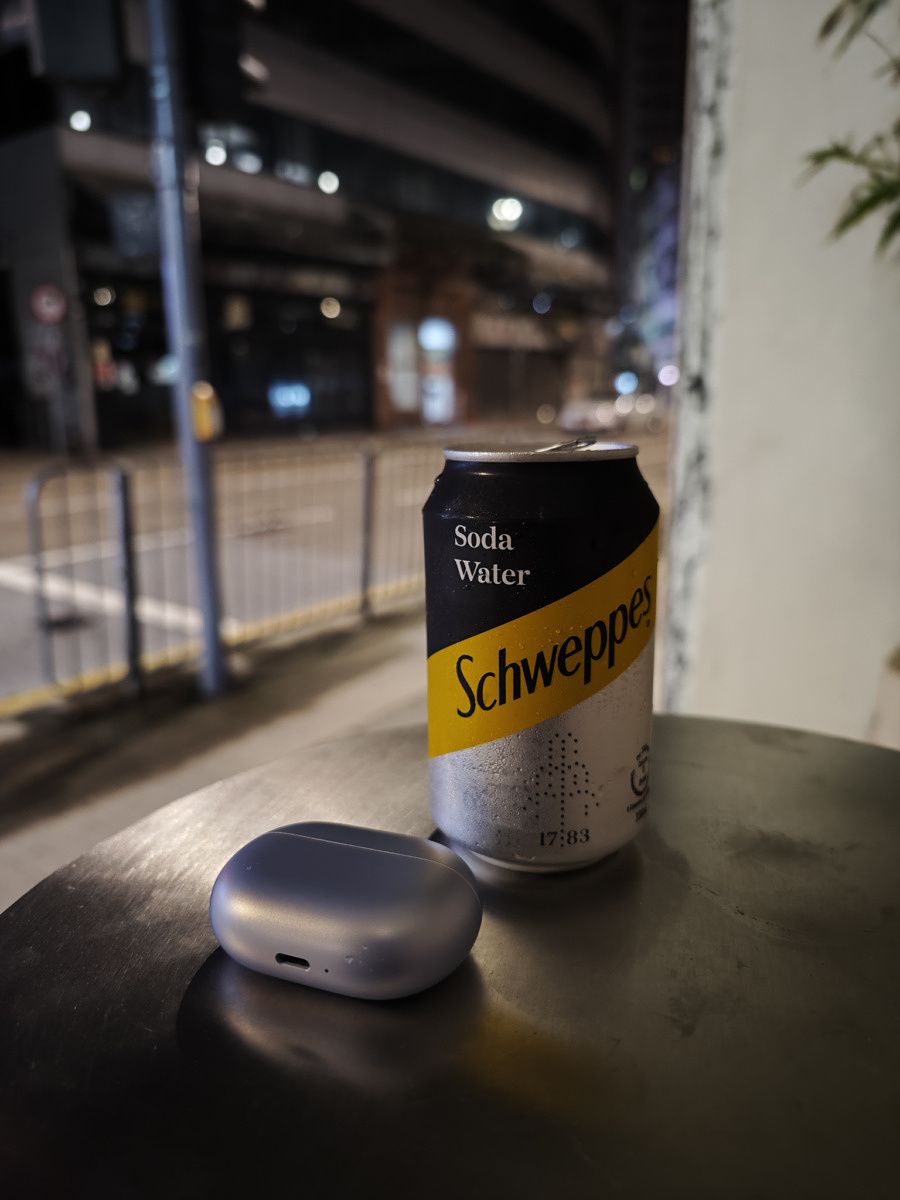
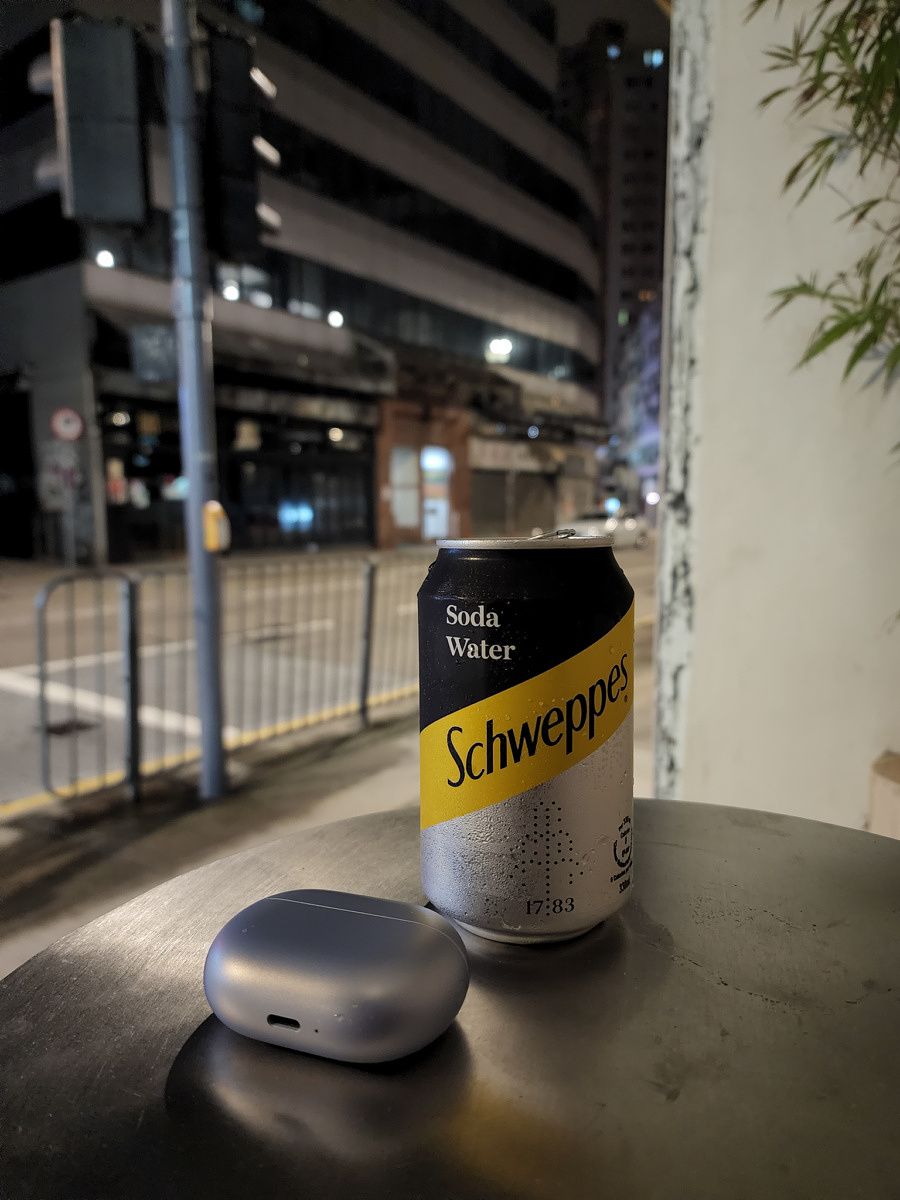
12S Ultra main camera S22 Ultra main camera 12S Ultra main camera S22 Ultra main camera

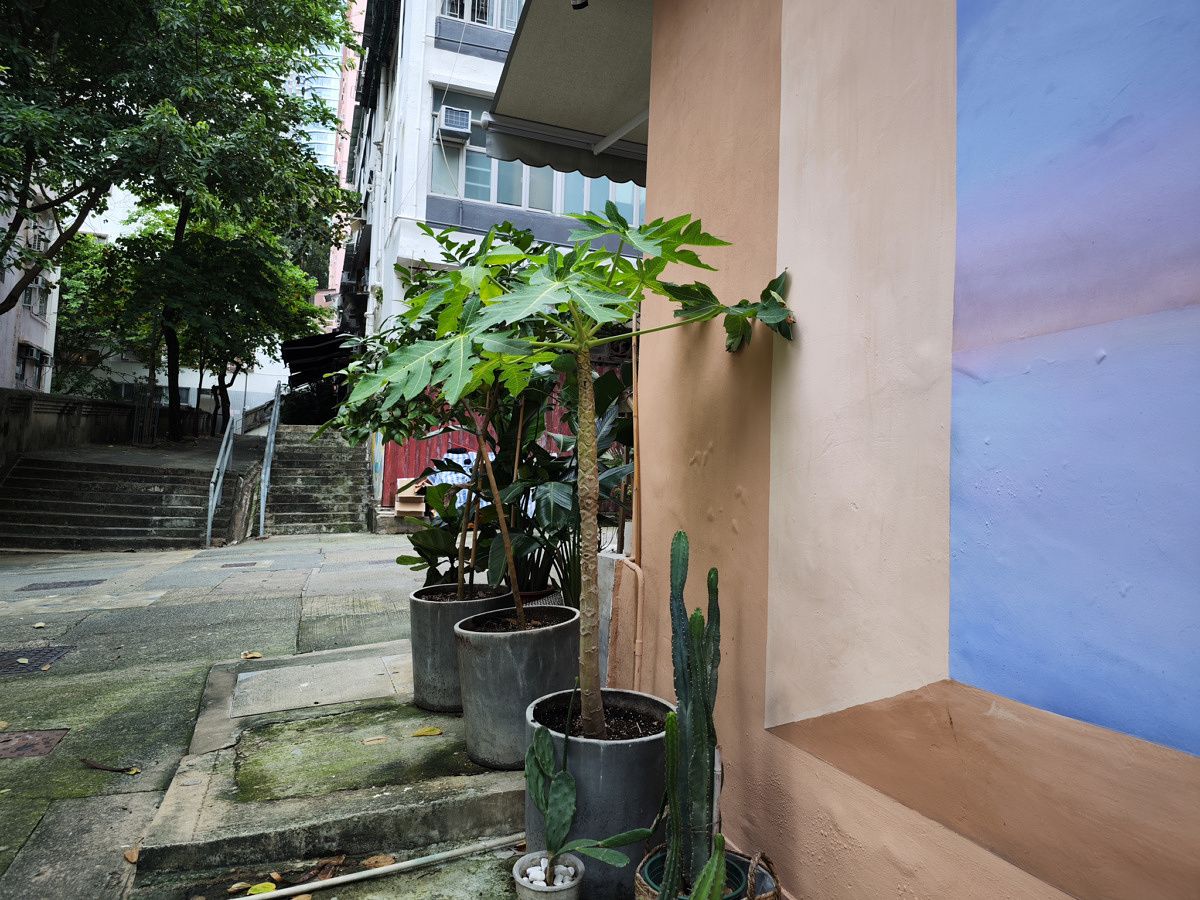
Moving to more general main camera samples, we can see the differing color science on display.
S22 Ultra main camera

But if we zoom in to 100% crops to pixel peep, you can see the Galaxy S22 Ultra does a lot of digital sharpening, to the point it doesn’t look natural. This obviously has to do with the smaller image sensor, but also the fact that 108 million pixels packed into a smaller sensor means an individual pixel in a S22 Ultra image is lower quality than the 12S Ultra’s pixels. Samsung uses binning tech to work around this, but it’s still not enough. If you look at the 100% crops below, Xiaomi’s images exhibit superior details.

100% crops, 12S Ultra (left), S22 Ultra (right) 100% crops, 12S Ultra (left), S22 Ultra (right) 100% crops, 12S Ultra (left), S22 Ultra (right) 100% crops, 12S Ultra (left), S22 Ultra (right)

By the way, I am aware of many readers who want to view full-sized samples and pixel peep themselves. Don’t worry I got you. I have uploaded original full-sized versions of all photos in this article in the Flickr album below.

Xiaomi 12S Ultra vs Samsung S22 Ultra photo samples

So far most of the samples have been very easy shots, captured under ample lighting facing the right direction. Let’s try more challenging shots. Here, I purposely shot against very harsh sunlight


12S Ultra main camera S22 Ultra main camera

Samsung takes the clear win here in my opinion, as its HDR was able to at least find the shape of the scorching sun while keeping the shadowed areas still somewhat visible. Xiaomi’s image blows out the sky, and the shadowed areas are much darker. I pixel peeped both shots at 100% size too. Details and sharpness are a virtual tie.

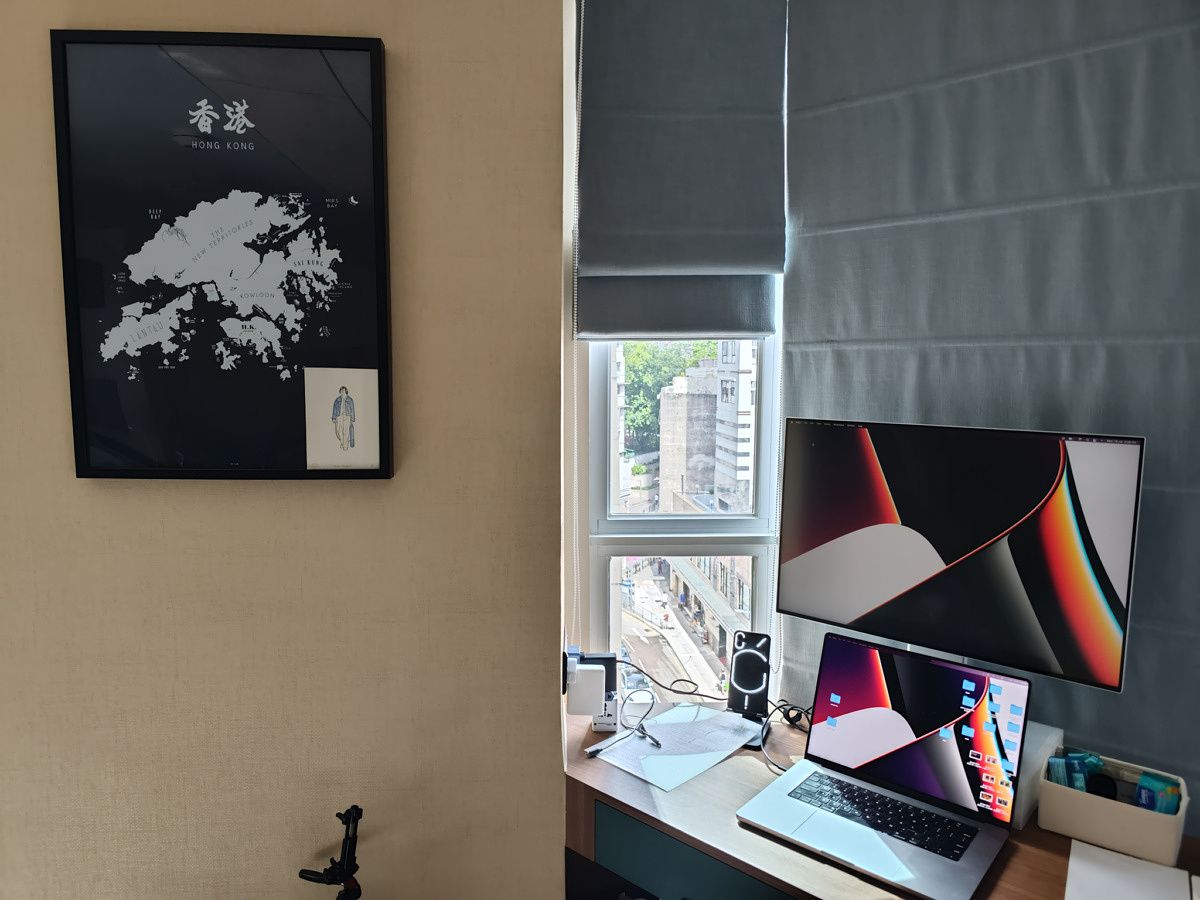
But moving to another set of difficult contrasty scenes and the results are flipped. This time, it’s the Xiaomi that managed the difficult exposure, handling the light coming through the window and the various lights emitting from the Nothing Phone 1 and my screens.
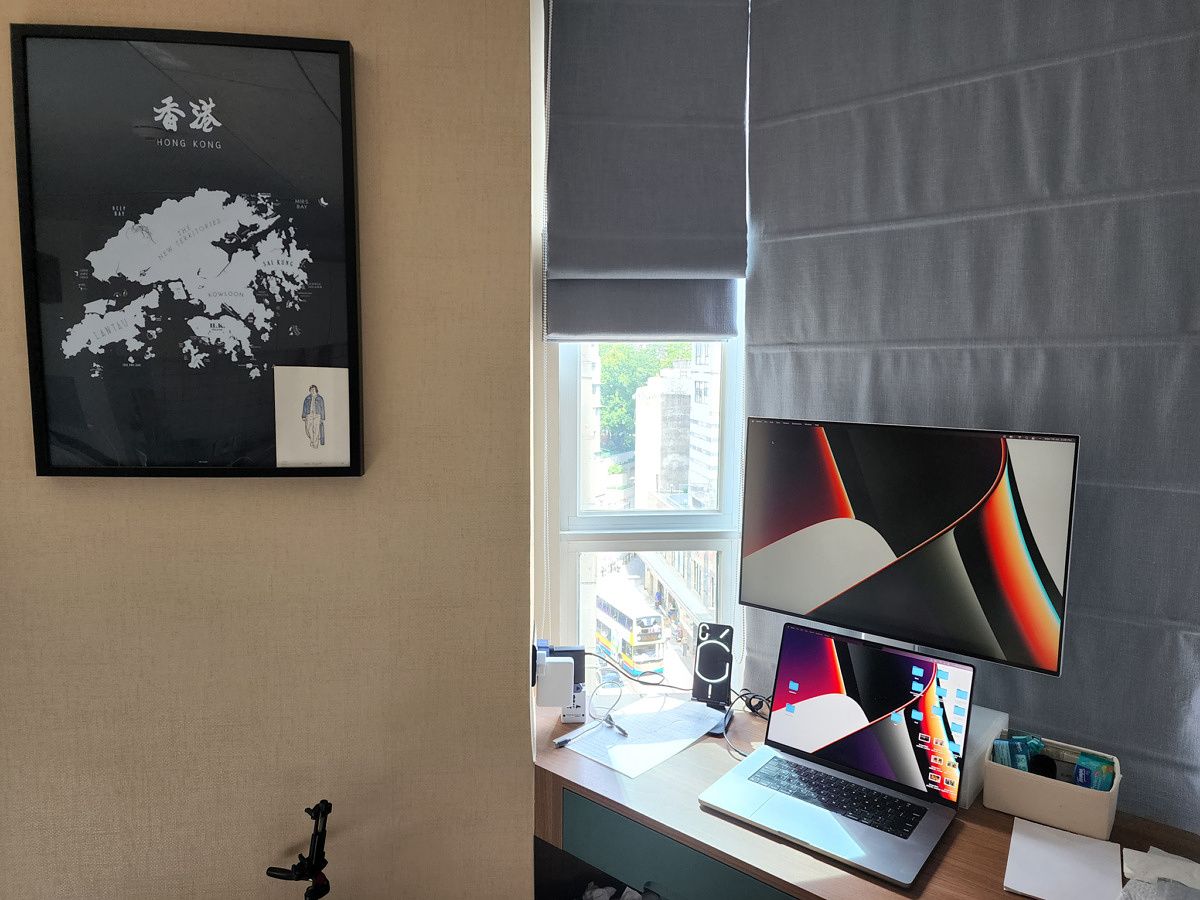
12S Ultra main camera S22 Ultra main camera

And if we zoom in to 100% size, Xiaomi’s image is noticeably sharper and less grainy.

100% crops, 12S Ultra (left), S22 Ultra (right) 100% crops, 12S Ultra (left), S22 Ultra (right)

Moving to low-light images, the first thing to note is Xiaomi 12S Ultra doesn’t use night mode nearly as often as Samsung’s, because, again, the larger sensor can take in more light naturally. For example, in the trio of low light samples below, only in the last set did Xiaomi turn on night mode, the first two sets were just captured normally. Samsung, however, used night mode for all three photos.

The benefit of night mode is apparent in some of these shots. In the first sample, while Xiaomi’s shot is still “brighter” despite not using night mode, Samsung’s processing produced a more visually appealing shot in my opinion. The colors at this park was much more closer in real life to Xiaomi’s shot, but it’s a bit too yellow due to the heavy fluorescent light. Samsung’s image processing cooled the shot, which makes the scene look better. The water in the pond actually looks like water instead of looking like a yellow sheet of glass in Xiaomi’s shot.


This second set below was taken in a relatively dark alley, and again, the 12S Ultra just snapped the photo straight away while the Galaxy S22 Ultra required a one-and-half second night mode. I have pixel peeped this set and honestly, it’s very close in quality. There are some subtle color science differences (Samsung again cools the shot) but it’s a virtual tie. However, keep in mind that night mode only looks good if you are shooting still subjects like a wall, because it takes over one full second to grab the shot.

12S Ultra main camera Galaxy S22 Ultra main camera

Xiaomi finally needed night mode in this last set, taken in my apartment at 2am with lights turned off. We can see Xiaomi’s shot is a bit brighter.

S22 Ultra main camera

Pixel peeping a night mode image captured in a dark room is a bit pointless, but if we do, we can see Samsung’s image is noiser, but you can see the contents on my work desk a bit better.

100% crops

100% crops, 12S Ultra (left), S22 Ultra (right).

Finally, I present one last low-light sample. Below, the 12S Ultra again did not use night mode, while the Galaxy S22 Ultra did. We can see Xiaomi’s shot is darker overall, but exposes the bright lights from the food stall accurately.

S22 Ultra main camera

More damningly for Samsung, if we pixel peep, Samsung’s image is noisy and grainy, while Xiaomi’s image is darker, but cleaner.

100% crops, 12S Ultra (left), S22 Ultra (right).

Going by these samples plus the dozen more I’ve snapped, I’d have to give the main camera category win to the Xiaomi 12S Ultra for consistently producing images that are less noisy, with stronger depth-of-field. It’s just a more organic shot, compared to Samsung’s heavily processed images. This isn’t to say the Galaxy S22 Ultra camera is bad, by the way. It’s still a top-tier shooter. Trust me, I also snapped these same shots with the iPhone 13 Pro and it consistently finished a distant third. But it’s hard to beat a sensor that’s 86% larger unless your software processing is significantly ahead, and Samsung’s isn’t.


Ultra-wide Camera

The Xiaomi 12S Ultra’s ultra-wide camera is a 48MP shooter with f/2.2 aperture, while Samsung Galaxy S22 Ultra packs a 12MP camera also with f/2.2 aperture. This means Xiaomi’s ultra-wide will use binning tech, while Samsung’s ultra-wide will just shoot normally.

The first thing to check is whether the ultra-wide camera produces colors that are consistent with the main camera, and in the below set we can see the Galaxy S22 Ultra does a better job. There’s a noticeable color shift in reds and yellows in Xiaomi’s main and ultra-wide cameras.


100% crops, 12S Ultra (left), S22 Ultra (right)

There really isn’t much point in pixel-peeping ultra-wide shots because the point of shooting ultra-wides is to view a sweeping image, but just for sake of nitpicking we’ll do one set. When viewed at 100%, I can see that the center of Xiaomi’s ultra-wide shot is much cleaner looking than Samsung’s, which is again showing that heavily processed, digitally sharpened look. But move to the edges of the photo to the four corners, and the S22 Ultra’s ultra-wide loses less detail than Xiaomi’s. All ultra-wide cameras will be sharper in the middle than in the corners, but Xiaomi’s particularly more so.

100% crops, 12S Ultra (left), S22 Ultra (right)

Low light scenes are where ultra-wide cameras generally suffer because they usually are not backed by the large sensors that the main cameras get. From afar, these shots are sort of even. I think Xiaomi’s ultra-wide looks better in the first set of the food stall, while Samsung’s ultra-wide looks better in the park with the pagoda-type structure. But if you pixel peep, the Galaxy S22 Ultra’s ultra-wide is significantly noisier and softer on details.

Samsung deserves props for keeping the ultra-wide color consistent with the main camera, but Xiaomi's ultra-wide handles dynamic range a bit better

But again, as I said, there’s really no point in zooming into an ultra-wide and nitpick, so the point is mostly moot. Any of these shots are way better than what most other phones’ ultra-wide can do.

Samsung deserves props for keeping the ultra-wide color consistent with the main camera, but Xiaomi’s ultra-wide handles dynamic range a bit better. We can call this one a tie?


Zoom camera(s)

This is where Samsung should take the win. Not only does the Galaxy S22 Ultra have two zoom lenses (both 10MP), but its periscope is also a 10X optical zoom lens that has consistently dropped my jaw over the past half a year of use. Xiaomi’s sole periscope zoom lens is a 48MP shooter with a 5X optical zoom range.

S22 Ultra 10X zoom

The samples do indeed give the win to Samsung. It may be hard to see if you’re just viewing the images in this article on a phone, but if you view the full-sized images on a screen, you can see the Xiaomi 12S Ultra’s 10X zoom features the digital sharpening and heavier processing. The same advantages carry over to low light. What’s more, Samsung’s software has a very intelligent automatic subject lock that allows the viewfinder to remain steadier than usual, even when zoomed in 20X or more.

Xiaomi 12S Ultra’s periscope zoom lens is really good, but the Galaxy S22 Ultra’s periscope zoom is the best in the business.

As mentioned, the Galaxy S22 Ultra also has a shorter 3X telephoto zoom lens, while the 12S Ultra does not. This means the Galaxy S22 Ultra is a bit more versatile too.

Portraits

Because Xiaomi’s 5X zoom lens is far too long for portrait shots, the phone will snap portraits with main camera, but digitally cropped in to resemble a 50mm focal length. The Galaxy S22 Ultra, meanwhile, can snap portraits with either its 3X telephoto or main camera.

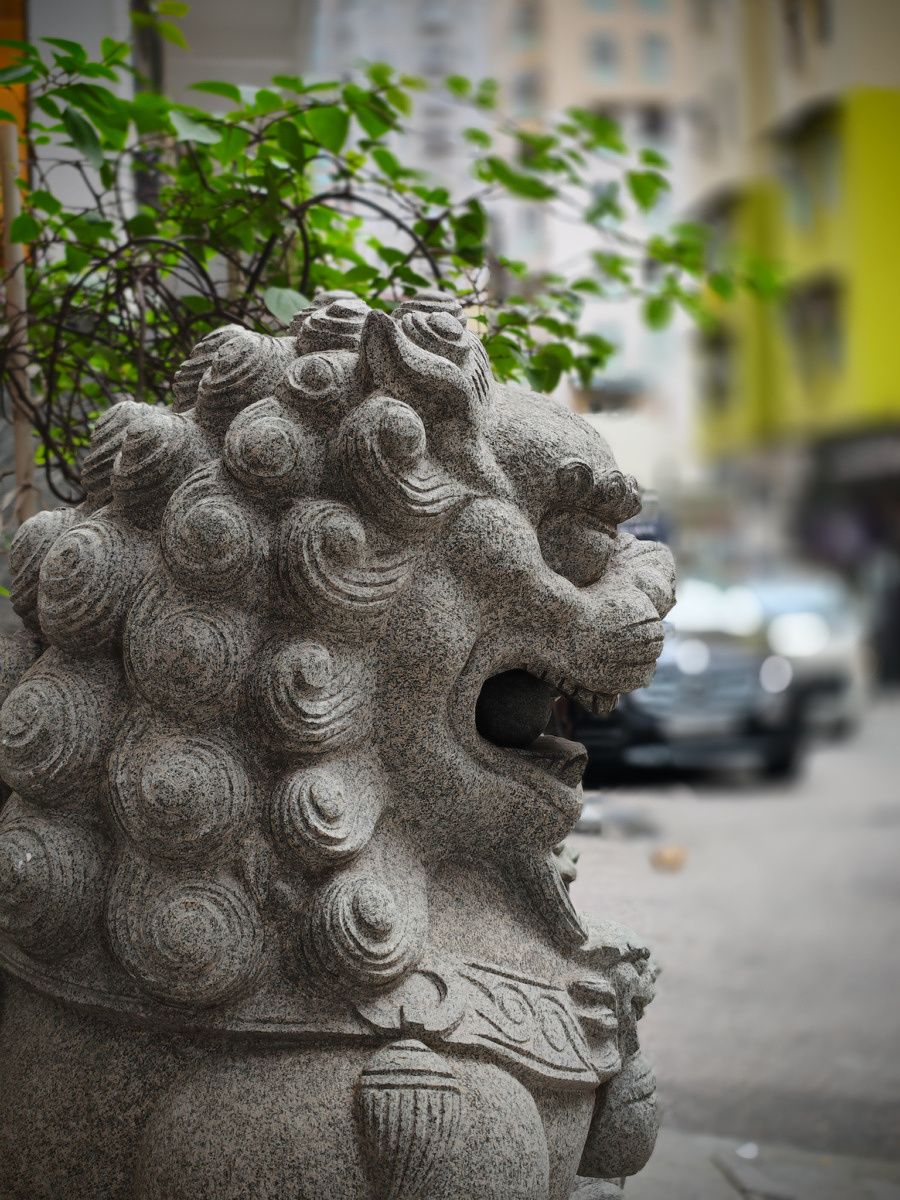
I think the Galaxy S22 Ultra’s portraits are consistently a bit more aesthetically pleasing, with slightly more accurate edge detection as well. Particularly in the below set, we can see that the Xiaomi 12S Ultra’s artificial bokeh is really wonky, messing up the blur around the second lion statue. In fact, the second lion statue should not be so in focus due to its positioning behind the first lion. Samsung’s portrait shot has a much more realistic focus drop-off. So if you’re keeping score at home: the Xiaomi 12S Ultra’s natural bokeh is better than Samsung’s, but Samsung’s artificial bokeh is much better than Xiaomi’s.


Video

Both phones can record video clips at up to 8K resolution, but I stuck to 4K/30 because that’s the best overall format. During the day, I find the footage to be neck and neck ending in a virtual tie, but at night, the Galaxy S22 Ultra’s stabilization seems a bit more susceptible to micro-jitters with each step I take. However, the Galaxy S22 Ultra’s audio is better, capturing my voice while isolating background noise a bit better. See for yourself.


Selfie camera

Ah, my least favorite category to test, but alas, one that must be done. The Xiaomi 12S Ultra’s 32MP camera is, in a word, underwhelming. It consistently grabs images with blown-out highlights and random smoothening of my skin, even when I thought I turned it off. Samsung’s 40MP selfie shooter will also apply a heavy beauty filter (Asian brands, please stop this), but at least it’s consistently there. I know what I’m getting with a Galaxy S22 Ultra selfie. Xiaomi 12S Ultra selfies quality varies from shot to shot.

When you consider that the 12S Ultra also can’t shoot 4K selfie videos but the Galaxy S22 Ultra can, then this category is a clear win for Samsung.


Xiaomi 12S Ultra vs Samsung Galaxy S22 Ultra: Which camera is better?

By my count, I had Xiaomi winning the main camera battle, while ultra-wide is a tie. Samsung wins the zoom lens, portrait shots, and selfies. Video performance is close, but I’d give the edge to Xiaomi for having creamier, stronger bokeh. Technically, Samsung won three categories to Xiaomi’s two, but I’d argue the main category holds the most weight and is the most important win.

Xiaomi 12S Ultra camera module with gold ring s22 ultra

Both of these cameras are really, really good — and in my top four smartphone cameras overall (along with the Vivo X80 Pro and Google Pixel 6 Pro). While Samsung’s zoom lens has proven very useful for me, I am just mesmerized by that 1-inch sensor in the Xiaomi 12S Ultra. The natural bokeh is so good, in fact, I’ve snapped some product shots with the 12S Ultra instead of my usual camera. For example, in this Xiaomi 12 Lite review I wrote last week, most of the product shots in it were captured by the 12S Ultra.


Xiaomi 12S Ultra vs Samsung Galaxy S22 Ultra: Software and Performance

Both phones run Android 12 with each brand’s Android skin on top: OneUI for Samsung, MIUI for Xiaomi. Both sets of software are not too far apart in aesthetics, colorful icons, more than a few brand-specific “bloatware” apps (Samsung and Xiaomi each want you to use their own browser, for example), and generally behave the same as far as what a swipe down will do, etc. Both Android skins are great at multi-tasking, allowing for apps to run in split-screen and floating window mode. For the most part, both MIUI and OneUI offer enough bonus features and customization options over stock Android without getting in the way.
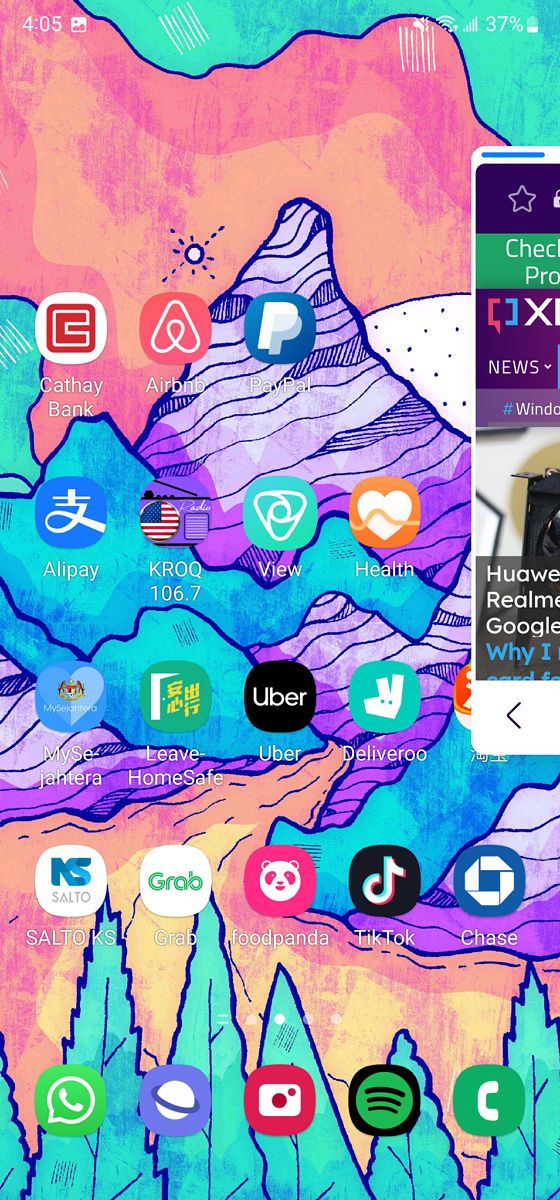
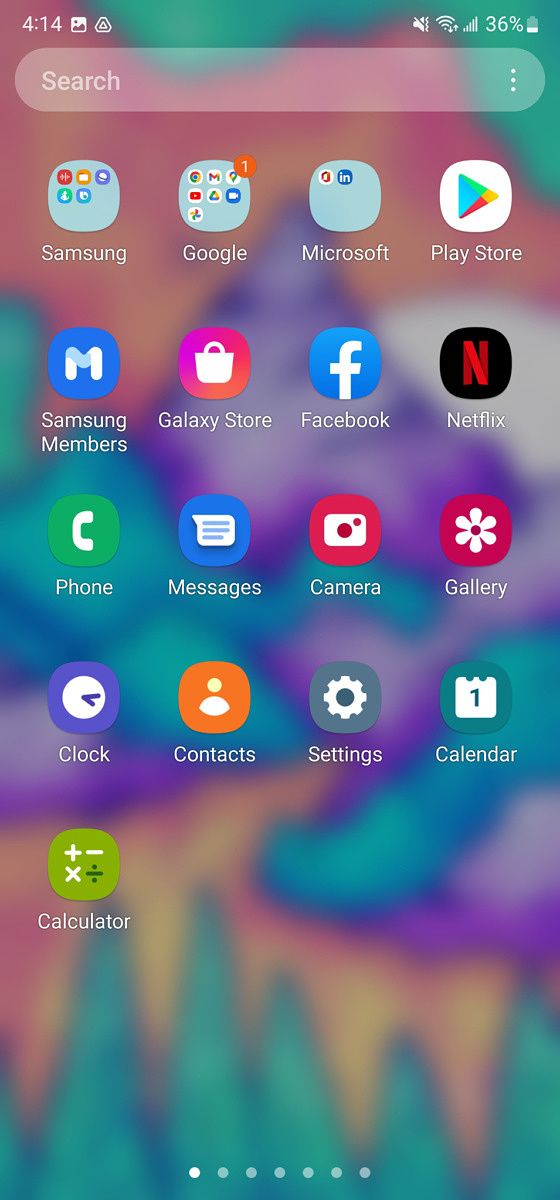
MIUI 13 MIUI 13 MIUI 13 MIUI 12 based on Android 10 on the Xiaomi Mi 10T Pro

But if I nitpick, then the Galaxy S22 Ultra has better software than the 12S Ultra in particular. One, the Xiaomi phone is only sold in China, so it’s a China ROM version of MIUI, which is less optimized for western users. Google apps, for example, do not come with the 12S Ultra out of the box; you must install them yourself. While the process is easy enough, it still takes a good five to ten minutes before you have the core Google apps that most of the world outside of China uses.

Samsung’s OneUI also offers Samsung DeX for the Galaxy S22 Ultra, which allows the phone to output to an external monitor a Windows desktop-like UI, which makes working much easier if you have an extra keyboard and mouse/trackpad in hand.

Then, of course, there’s the additional S-Pen stylus, which just lets the Galaxy S22 Ultra do more things. You can sketch with the stylus, or use it as a Bluetooth remote for taking hands-free photos.

S-Pen in action

For general performance, both phones are great performers — provided you’re using the Snapdragon version of the Galaxy S22 Ultra. But as I said, the Xiaomi 12S Ultra gives me better battery life. I’m a power user with all features set to maximum and I shoot a lot of videos and even will edit them on the spot (via the app Power Director) and share to Instagram, I also get and respond to something like 50-80 messages a day via Slack, WeChat, WhatsApp, etc.

If I nitpick, then the Galaxy S22 Ultra has better software than the 12S Ultra in particular

The Galaxy S22 Ultra can barely, barely squeak by a 12-hour day for me on a single charge. The Xiaomi 12S Ultra can go another hour or two longer consistently. This sort of matters because on Saturdays I tend to be out all day and most Snapdragon 888 or Snapdragon 8 Gen 1 flagships with 120Hz/WQHD+ screens will either run out of juice or barely hang on for life by the end of my day. The Xiaomi 12S Ultra has been the only Android flagship with a 120Hz/WQHD+ screen that has not given me that battery concern during the last part of my day. The charging situation is also a whole lot better on the Xiaomi 12S Ultra than on the Samsung Galaxy S22 Ultra, no competition.


Xiaomi 12S Ultra vs Samsung Galaxy S22 Ultra: Which phone is for you?

This is sort of a trick question because only one of these phones is widely available around the world. Yes, there are import options, but importing marks up the price, plus you’ll likely not have a warranty, and the Xiaomi 12S Ultra isn’t guaranteed to work on your carrier. So for the majority of people outside of China, you should just get the Galaxy S22 Ultra.

But this piece was never meant to be a typical buyer’s guide. This piece is for gadget enthusiasts, those who care about mobile technology and its advancements. This comparison is for mobile collectors and phone nerds. It’s about answering the question, “is the Galaxy S22 Ultra the most awesome hardware in smartphones still,” and “does the 1-inch sensor matter?”

I hoped this piece helped addressed those questions.

    Samsung Galaxy S22 Ultra
    The Samsung Galaxy S22 Ultra has the best zoom lenses in mobile -- and other cameras are really good too
    Xiaomi 12S Ultra
    Xiaomi's 12S Ultra has a whopping 1-inch sensor with Leica optics -- and it lives up to the hype.

Just in case you weren’t able to draw your own conclusion, I can lend some of mine, but note that these conclusions are heavily compressed and thus bereft of a lot of the nuance that we painted in the article above. The Xiaomi 12S Ultra has a better camera, better performance, better battery and charging situation, and a better in-hand feel. Samsung retains a slight edge on the software situation with more frequent security updates and a longer update promise, as well as with goodies like DeX and the included S Pen stylus and the features around it. For most of the criterion that do practically matter, the Xiaomi 12S Ultra comes out as the better smartphone over the Samsung Galaxy S22 Ultra. But once again, we note that the difference between the two remains very, very small, and both remain excellent smartphones.

The post Xiaomi 12S Ultra vs Samsung Galaxy S22 Ultra: Battle of the 2022 Ultras appeared first on XDA.


from XDA https://ift.tt/YUXOv2l
via IFTTT

Asus Kunai 3 Gamepad Review: A great accessory for gaming on ROG phones

There are so many great games on Android, and with our smartphones nowadays being computing powerhouses, you’ll never be stuck on the choice of what to play. From games on the Play Store to emulators such as AetherSX2, you can play both new games and the classics. However, finicky touch controls make it so that your phone may not necessarily be the most comfortable to play games on. There are controllers you can get for phones though that makes it a bit easier, and the Asus Kunai 3 Gamepad is one such controller.

The Asus Kunai 3 Gamepad launched in white alongside the Asus ROG Phone 6 Pro, though the controller itself has been out for quite a while now. If you have an ROG phone, you can buy it with a shell that will let you slot your phone in between both ends of the controller, a bit like a Nintendo Switch. If you don’t, though, the controller can still be used entirely detached from the phone and works over Bluetooth. While I’ve seen some say that it works with PC, I wasn’t able to get it working.

To put a long story short, the Asus Kunai 3 Gamepad works great when you have an Asus ROG Phone to use it with. When you can use the controller wired by connecting it to the shell for the phone, that’s when it’s at its best. Otherwise, there are other controllers you can get that might be better if you have another phone, even though the Kunai 3 is so good. Using it wirelessly just isn’t the same, and you’ll need to prop your phone up against something then, too.

    Asus Kunai 3 Gamepad
    The Asus Kunai 3 Gamepad is a great controller if you have an ROG phone, though make sure you get it for the right model.

      Features:

      Pros:

      Cons:

Asus Kunai 3 Gamepad

Asus Kunai 3 Gamepad: Specifications

Specification Asus Kunai 3 Gamepad
Dimensions & Weight
  • 154.8 x 110.3 x 66.8 mm
  • 198.8g
Inputs
  • Two analog thumbsticks with clickable buttons (L3/R3)
  • One mechanical D-pad
  • ABXY face buttons
  • Two triggers (L2/R2)
  • Two bumpers (L1/R1)
  • M1 and M2 macro keys
  • Menu and Options buttons (labeled Start and Select in some games)
Ports
  • USB-C plug for Asus phone connections
  • USB-C  in mobility mode
Compatibility
  • Over Bluetooth v4.2 with most Android phones (six hours battery)
  • USB-C connection with Asus ROG phones

About this review: I received the Asus ROG Phone 6 Pro from Asus on the 17th of June, 2022 alongside the Asus Kunai 3 Gamepad. My colleague, Aamir Siddiqui, also received the device from Asus, but did not receive the Kunai 3 Gamepad. While the company provided us with review units, it did not have any input into the contents of this review.


Asus Kunai 3 Gamepad: Look and feel

Asus Kunai 3 Gamepad in its box Asus Kunai 3 Gamepad in its box, with the box open

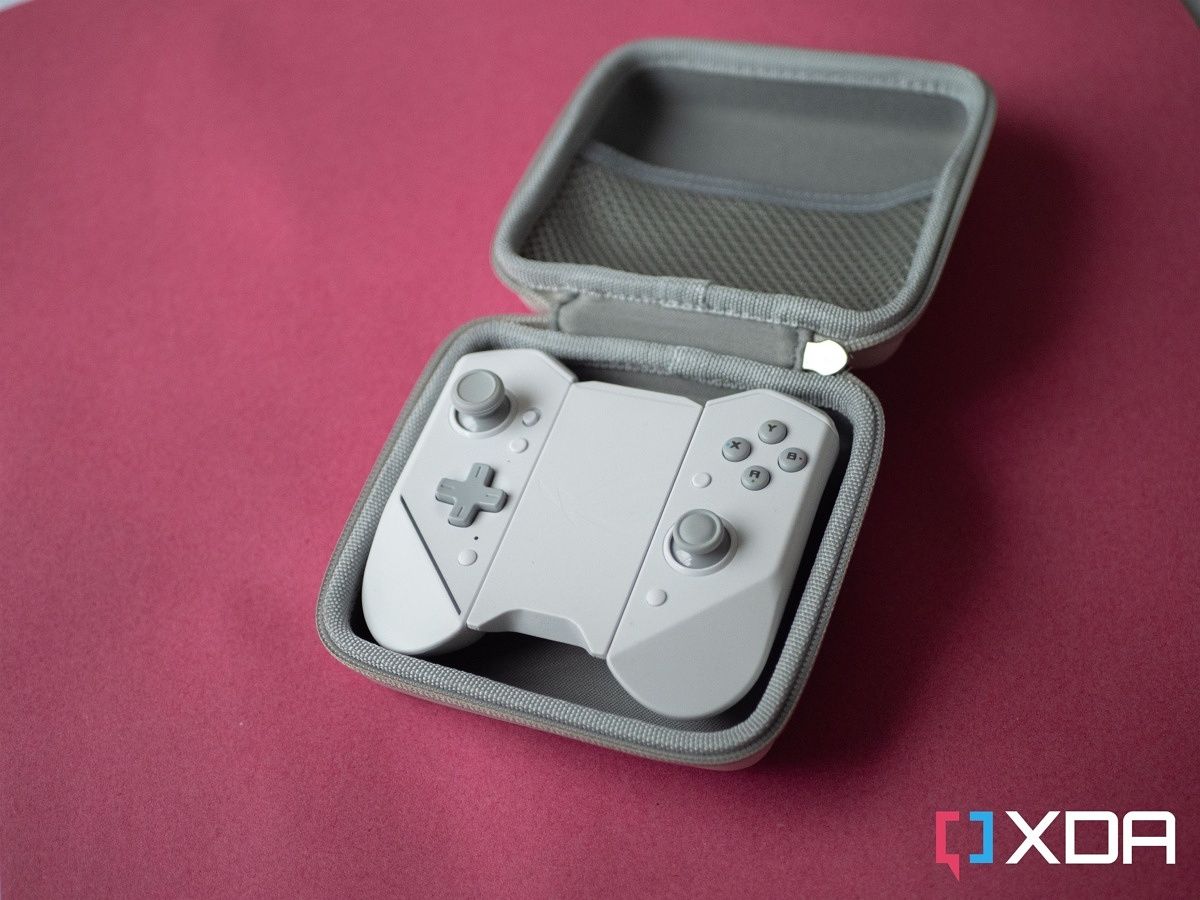
The Asus Kunai 3 Gamepad is really lightweight, and it’s made of plastic. It feels a little bit cheap (especially when in “mobility mode” — that is, the way you see it above), but that’s not always a bad thing. It doesn’t add much weight to your phone (and the Asus ROG Phone 6 Pro is a bit of a hefty beast anyway), and if you’re worried, it comes with a carry case that you can bring it around in.

The Asus Kunai 3 Gamepad is comfortable to use for long periods of time

The controller itself will be familiar to anyone who has used a Nintendo Switch, and the buttons are clicky and tactile. They’re comfortable to use for long stretches of time, and the Asus Kunai 3 Gamepad has accompanied me on a few flights at this stage for a few hours at a time. It works in the likes of AetherSX2, so I’ve been playing games like The Simpsons: Hit & Run while on the go, thanks to this controller. My unit doesn’t have any dead zones or drifting, either.

asus kundai 3 gamepad tester app

I tested the sensitivity of the joystick using the Gamepad Tester app. (Note: I didn’t draw in the full circles of the X and Y axes).

Gamepad tester (Free, Google Play) →

ASUS ROG Phone 6 Pro in the Kunai 3 gamepad

There’s not a whole lot else to the controller, really. If you’re using it docked on an Asus ROG phone, then keep in mind it will cover the headphone jack so you won’t be able to use wired audio when playing. You can charge when playing thanks to the side USB-C port, and it’s also possible to plug in the Asus AeroActive Cooler 6 at the same time, too.

Basically, the best experience I’ve had with this controller is using the speakers over my phone, as it’s the only way I can play without frustration from audio latency. The Asus ROG Phone 6 Pro has front-facing speakers so it’s not a problem in that regard. As well, it’s not usually an issue for me to be able to play out loud in my apartment, but if it would be for you, then it may not be worth it.


Asus Kunai 3 Gamepad: Gaming Experience

The Kunai 3's integration with Asus phones is incredible

The gaming experience on the Asus Kunai 3 Gamepad will wildly differ depending on the device you’re using it with. If using it with an Asus ROG phone, it’ll be up there as one of the best mobile gaming experiences that you’ve ever had. If you’re not, though, then it will probably be fairly subpar. Its integration with Asus phones is incredible, and the ability to turn your phone into a Nintendo Switch and how cool that is can’t be understated. If you have to use the controller in its mobility mode, though, then it’s probably not worth it.

Here’s the thing, controllers that are full controllers and are used externally to a device (i.e. controllers that don’t attach to the phone) often have some kind of attachment that will at least hold your phone up. Given that this is clearly a product designed for the company’s own phones first, and other devices are an afterthought, that’s not the case here. You’ll need to prop your phone up against something to look at it while playing, which means that it’s not particularly portable for most people.

As well, keep in mind that in the most popular Android titles like Call of Duty: Mobile and PUBG Mobile, you won’t be able to use this controller. That’s because both of those games have disabled controller inputs as the developers feel they make the game unfair for users who don’t have additional peripherals. Your best bet is to map the controller inputs to touches on the display, but that’s a lot more trouble than it’s worth and nigh-on impossible unless you’re using an Asus phone with this controller.

You'll have a great time with emulators

That’s another thing, too. There is no dedicated app for this controller on other phones, and even the pairing process over Bluetooth is a bit of a nuisance. You’ll need to slide the slider to Bluetooth mode (which, by the way, is really difficult to tell if it’s in it or not), tap the home button once, then hold it for 3-5 seconds and let go. Then it will enter pairing mode. Pairing it to my phone this way took multiple tries but it eventually worked, though there’s no way to set up any custom binds or inputs. Even using the Armoury Crate app on the Play Store didn’t do anything.

On the bright side, anything that supports standard controller inputs will support the Kunai 3’s buttons, as it just sends standard key events that can be read by any app. You’ll have a great time with emulators, and AetherSX2 works too, though you need to go to controller settings, “port 1”, and select “automatic mapping”. If you have an ROG phone, then all of this is moot, as you can modify all applicable settings right from your phone.

All of this is to say that if you have a phone that isn’t an Asus ROG phone, you should look at alternatives, like the Razer Kishi v2 instead. Not only will that work with an app on any of your Android devices, but it can also attach to practically any Android phone and wrap it in a way similar to what Asus does here.


Should you buy the Asus Kunai 3 Gamepad?

asus kunai 3 gamepad

The problem with the Asus Kunai 3 Gamepad is that it’s a super good controller, but it’s only that good when used with one specific phone. If you’re using it with other devices, it instantly loses a lot of its appeal, and I don’t really think there’s any reason to get it over something like the Razer Kishi v2. However, if you have an Asus ROG phone, then I think this is probably the best controller available to you on the market. It integrates seamlessly with Asus’ software, and not only that, it’s built for ROG phones. I’d love to see it even be used with a PC, but from what I can see, that just isn’t happening. I plug it in, my PC identifies it as a Kunai 2 (for some reason?), and then it doesn’t work.

In short, if you have an Asus ROG phone of some kind, then this controller is a must-have if you’re gaming. I’d still pick up the active cooler first (just because that also has control buttons on it), but this is a close second. When emulating games and playing other titles, it’s a fantastic addition to my gaming setup, and it’s been serving me well on my travels when I just want to kick back and relax a bit. Not having wired audio sucks, but that’s the biggest criticism I can make of it when using it with an ROG phone. Everything else is pretty much perfect.

Buying this peripheral will set you back a fair bit, as it will cost around $200. It’s a steep price to pay, but it’s also a stellar product for ROG phones. If you have another device from another manufacturer, I’d think long and hard about why you want this exact controller, rather than picking up any of the others on the market that do the same for less — a lot less.

    Asus Kunai 3 Gamepad
    The Asus Kunai 3 Gamepad is a great controller if you have an ROG phone, though make sure you get it for the right model.

The post Asus Kunai 3 Gamepad Review: A great accessory for gaming on ROG phones appeared first on XDA.


from XDA https://ift.tt/Sz8hDbQ
via IFTTT

Asus Kunai 3 Gamepad Review: A great accessory for gaming on ROG phones

There are so many great games on Android, and with our smartphones nowadays being computing powerhouses, you’ll never be stuck on the choice of what to play. From games on the Play Store to emulators such as AetherSX2, you can play both new games and the classics. However, finicky touch controls make it so that your phone may not necessarily be the most comfortable to play games on. There are controllers you can get for phones though that makes it a bit easier, and the Asus Kunai 3 Gamepad is one such controller.

The Asus Kunai 3 Gamepad launched in white alongside the Asus ROG Phone 6 Pro, though the controller itself has been out for quite a while now. If you have an ROG phone, you can buy it with a shell that will let you slot your phone in between both ends of the controller, a bit like a Nintendo Switch. If you don’t, though, the controller can still be used entirely detached from the phone and works over Bluetooth. While I’ve seen some say that it works with PC, I wasn’t able to get it working.

To put a long story short, the Asus Kunai 3 Gamepad works great when you have an Asus ROG Phone to use it with. When you can use the controller wired by connecting it to the shell for the phone, that’s when it’s at its best. Otherwise, there are other controllers you can get that might be better if you have another phone, even though the Kunai 3 is so good. Using it wirelessly just isn’t the same, and you’ll need to prop your phone up against something then, too.

    Asus Kunai 3 Gamepad
    The Asus Kunai 3 Gamepad is a great controller if you have an ROG phone, though make sure you get it for the right model.

      Features:

      Pros:

      Cons:

Asus Kunai 3 Gamepad

Asus Kunai 3 Gamepad: Specifications

Specification Asus Kunai 3 Gamepad
Dimensions & Weight
  • 154.8 x 110.3 x 66.8 mm
  • 198.8g
Inputs
  • Two analog thumbsticks with clickable buttons (L3/R3)
  • One mechanical D-pad
  • ABXY face buttons
  • Two triggers (L2/R2)
  • Two bumpers (L1/R1)
  • M1 and M2 macro keys
  • Menu and Options buttons (labeled Start and Select in some games)
Ports
  • USB-C plug for Asus phone connections
  • USB-C  in mobility mode
Compatibility
  • Over Bluetooth v4.2 with most Android phones (six hours battery)
  • USB-C connection with Asus ROG phones

About this review: I received the Asus ROG Phone 6 Pro from Asus on the 17th of June, 2022 alongside the Asus Kunai 3 Gamepad. My colleague, Aamir Siddiqui, also received the device from Asus, but did not receive the Kunai 3 Gamepad. While the company provided us with review units, it did not have any input into the contents of this review.


Asus Kunai 3 Gamepad: Look and feel

Asus Kunai 3 Gamepad in its box Asus Kunai 3 Gamepad in its box, with the box open

The Asus Kunai 3 Gamepad is really lightweight, and it’s made of plastic. It feels a little bit cheap (especially when in “mobility mode” — that is, the way you see it above), but that’s not always a bad thing. It doesn’t add much weight to your phone (and the Asus ROG Phone 6 Pro is a bit of a hefty beast anyway), and if you’re worried, it comes with a carry case that you can bring it around in.

The Asus Kunai 3 Gamepad is comfortable to use for long periods of time

The controller itself will be familiar to anyone who has used a Nintendo Switch, and the buttons are clicky and tactile. They’re comfortable to use for long stretches of time, and the Asus Kunai 3 Gamepad has accompanied me on a few flights at this stage for a few hours at a time. It works in the likes of AetherSX2, so I’ve been playing games like The Simpsons: Hit & Run while on the go, thanks to this controller. My unit doesn’t have any dead zones or drifting, either.

asus kundai 3 gamepad tester app

I tested the sensitivity of the joystick using the Gamepad Tester app. (Note: I didn’t draw in the full circles of the X and Y axes).

Gamepad tester (Free, Google Play) →

ASUS ROG Phone 6 Pro in the Kunai 3 gamepad

There’s not a whole lot else to the controller, really. If you’re using it docked on an Asus ROG phone, then keep in mind it will cover the headphone jack so you won’t be able to use wired audio when playing. You can charge when playing thanks to the side USB-C port, and it’s also possible to plug in the Asus AeroActive Cooler 6 at the same time, too.

Basically, the best experience I’ve had with this controller is using the speakers over my phone, as it’s the only way I can play without frustration from audio latency. The Asus ROG Phone 6 Pro has front-facing speakers so it’s not a problem in that regard. As well, it’s not usually an issue for me to be able to play out loud in my apartment, but if it would be for you, then it may not be worth it.


Asus Kunai 3 Gamepad: Gaming Experience

The Kunai 3's integration with Asus phones is incredible

The gaming experience on the Asus Kunai 3 Gamepad will wildly differ depending on the device you’re using it with. If using it with an Asus ROG phone, it’ll be up there as one of the best mobile gaming experiences that you’ve ever had. If you’re not, though, then it will probably be fairly subpar. Its integration with Asus phones is incredible, and the ability to turn your phone into a Nintendo Switch and how cool that is can’t be understated. If you have to use the controller in its mobility mode, though, then it’s probably not worth it.

Here’s the thing, controllers that are full controllers and are used externally to a device (i.e. controllers that don’t attach to the phone) often have some kind of attachment that will at least hold your phone up. Given that this is clearly a product designed for the company’s own phones first, and other devices are an afterthought, that’s not the case here. You’ll need to prop your phone up against something to look at it while playing, which means that it’s not particularly portable for most people.

As well, keep in mind that in the most popular Android titles like Call of Duty: Mobile and PUBG Mobile, you won’t be able to use this controller. That’s because both of those games have disabled controller inputs as the developers feel they make the game unfair for users who don’t have additional peripherals. Your best bet is to map the controller inputs to touches on the display, but that’s a lot more trouble than it’s worth and nigh-on impossible unless you’re using an Asus phone with this controller.

You'll have a great time with emulators

That’s another thing, too. There is no dedicated app for this controller on other phones, and even the pairing process over Bluetooth is a bit of a nuisance. You’ll need to slide the slider to Bluetooth mode (which, by the way, is really difficult to tell if it’s in it or not), tap the home button once, then hold it for 3-5 seconds and let go. Then it will enter pairing mode. Pairing it to my phone this way took multiple tries but it eventually worked, though there’s no way to set up any custom binds or inputs. Even using the Armoury Crate app on the Play Store didn’t do anything.

On the bright side, anything that supports standard controller inputs will support the Kunai 3’s buttons, as it just sends standard key events that can be read by any app. You’ll have a great time with emulators, and AetherSX2 works too, though you need to go to controller settings, “port 1”, and select “automatic mapping”. If you have an ROG phone, then all of this is moot, as you can modify all applicable settings right from your phone.

All of this is to say that if you have a phone that isn’t an Asus ROG phone, you should look at alternatives, like the Razer Kishi v2 instead. Not only will that work with an app on any of your Android devices, but it can also attach to practically any Android phone and wrap it in a way similar to what Asus does here.


Should you buy the Asus Kunai 3 Gamepad?

asus kunai 3 gamepad

The problem with the Asus Kunai 3 Gamepad is that it’s a super good controller, but it’s only that good when used with one specific phone. If you’re using it with other devices, it instantly loses a lot of its appeal, and I don’t really think there’s any reason to get it over something like the Razer Kishi v2. However, if you have an Asus ROG phone, then I think this is probably the best controller available to you on the market. It integrates seamlessly with Asus’ software, and not only that, it’s built for ROG phones. I’d love to see it even be used with a PC, but from what I can see, that just isn’t happening. I plug it in, my PC identifies it as a Kunai 2 (for some reason?), and then it doesn’t work.

In short, if you have an Asus ROG phone of some kind, then this controller is a must-have if you’re gaming. I’d still pick up the active cooler first (just because that also has control buttons on it), but this is a close second. When emulating games and playing other titles, it’s a fantastic addition to my gaming setup, and it’s been serving me well on my travels when I just want to kick back and relax a bit. Not having wired audio sucks, but that’s the biggest criticism I can make of it when using it with an ROG phone. Everything else is pretty much perfect.

Buying this peripheral will set you back a fair bit, as it will cost around $200. It’s a steep price to pay, but it’s also a stellar product for ROG phones. If you have another device from another manufacturer, I’d think long and hard about why you want this exact controller, rather than picking up any of the others on the market that do the same for less — a lot less.

    Asus Kunai 3 Gamepad
    The Asus Kunai 3 Gamepad is a great controller if you have an ROG phone, though make sure you get it for the right model.

The post Asus Kunai 3 Gamepad Review: A great accessory for gaming on ROG phones appeared first on XDA.


from XDA https://ift.tt/SmlzTts
via IFTTT

Balmuda Phone Review: A small Android phone that surprisingly finds a market in Japan

Despite Balmuda’s history, the company is probably best known for its products like its relatively pricey toaster and electric kettle. So what happens when a modern design company wants to dip its toe into the smartphone market? It creates its smartphone, of course. The Balmuda Phone launched in Japan towards the tail end of 2021, and due to its poor reception, it was allegedly discontinued only a few months after its launch.

Despite this, the smartphone is still sold in stores and can be readily purchased on or off contract. So how does a phone that wasn’t well received get a second chance? It gets repurposed by those selling it. Rather than being marketed as a high-end Balmuda, it is sold as an affordable and compact smartphone that is great for first-timers. Best of all, the phone costs virtually nothing when purchased under contract. You can see how at this point, it might become alluring. For most, this is enough to make a sale. But is a compact smartphone with the Balmuda name any good? Let’s find out.

Balmuda Phone: Specifications

Specifications Balmuda Phone
Build
  • IP4X
  • Colors:
    • Black
    • White
Dimensions & Weight
  • 123mm x 69mm x 13.7mm | 138g
Display
  • 4.9-inch Full HD LCD display
SoC
  • Qualcomm Snapdragon 765
RAM & Storage
  • 6GB RAM + 128GB internal storage
Battery & Charging 
  • USB-C wired charging
  • Wireless charging
  • Charger not included
Security
  • In-display fingerprint scanner
Rear Camera(s)
  • 48MP f/1.8
Front Camera(s)
  • 8MP f/2.0
Port(s)
  • USB-C
Audio
  • Single rear-firing speaker
Connectivity
  • 5G  – n3/n28/m77/n78
  • LTE – Band 1/2/3/4/8/12/17/18/19/28/41/42
  • 3G – Band 1/2/4/5/8
  • GSM – 850/900/1800/1900
Software
  • Android 11
Other features
  • n/a

Balmuda Phone: Design

Balmuda Phone front with Stripe

The Balmuda Phone is a unique piece of technology, not because it packs interesting features, but because it is a smartphone made by a non-smartphone company. It shows what comes to market when a company isn’t accustomed to the landscape it’s entering and truly believes in its vision. While this approach has been successful in the past for a limited few, the chances of it amounting to success are truly rare.

The Balmuda Phone quickly sets itself apart from the crowd by having a design that, upon first glance, looks nothing like what’s currently on the market. But if we go back, maybe a decade ago, when there were more experimental devices, we can see where the Balmuda Phone might have gotten its inspiration. The phone has glimpses of the Palm Pre, Microsoft Kin One, and others. While Palm found design inspiration from an ostrich egg, Balmuda was more concerned with avoiding hard lines, making every effort to incorporate sloping curves on every angle of its phone.

On the front, we get a small but usable 4.9-inch Full HD display with a punch hole cut out in the upper right corner for a front-facing camera. The display is crisp (449 PPI) and works well in most conditions, but the panel is an LCD, so you shouldn’t expect deep blacks or colors that pop. Another thing to note is that there are two different color options for the Balmuda Phone, black and white. If you have the black model, the bezels surrounding the display aren’t as noticeable, but with the white model, you’ll probably see some extra space towards the top and bottom of the display.

The device’s rear has a distinct look, housing the circular power button/fingerprint sensor on the left-hand side and a camera lens on the right. There is a speaker grill and flash between the power button and camera, with a small LED indicator light that sits right next to the camera. Imagine my surprise the first time I received a message and saw it flashing: it was delightful because it’s not something you often see these days. Unfortunately, looking through the settings menu, there isn’t a way to customize the color or pattern, so you’ll be stuck with a soft white illumination for all alerts.

Thanks to its smaller footprint, sloping curves, and 138g weight, the Balmuda Phone should feel pretty good in the hand. The device cradles your palm, and to be frank, feels like the complete opposite of what you’re used to when handling a smartphone. The phone is made from plastic, which feels somewhat cheap in 2022, and the textured surface on the rear provides just enough grip to feel comfortable. Oddly, the carefully crafted design by Balmuda is something I couldn’t appreciate, perhaps due to years of using squared-off slabs constantly etching themselves into my palm.

Regarding environmental protection, the Balmuda Phone offers an official IPX4 rating. The device is certified for use near water and can take occasional splashes, but it cannot be submerged and is not considered waterproof. The rating also means that it can most likely protect against sweat.


Balmuda Phone: The software

The Balmuda Phone comes loaded with Android 11, and as of July 2022, it has received the June 2022 security update. Since this is a carrier-branded device, a few carrier-specific apps are included that aren’t part of Android, but nothing intrusive. The Android 11 experience is clean with little added touches by Balmuda here and there. These “touches” are one of the most surprising aspects of the phone’s software because they are thoughtful additions.

The “Stripe” functions are an interesting part of the home screen, giving users quick access to shortcuts by swiping the stripes set in the background. You can set the stripe function to perform a predetermined action or set it to launch your favorite app. Best of all, it’s customizable. You can adjust the stripes to conform to a right-hand or left-hand grip, or you can disable it altogether. You can also set up the colors to suit your mood.

balmuda stripe

Balmuda has tools and accompanying widgets like schedule, clock, notes, and calculator. This is nothing new, as most phones have these apps installed, but Balmuda’s take on them is pretty good. For example, on its Scheduler app, the layout is beautiful and intuitive. You can pinch to zoom in and out of your schedule, showing you your day, week, or even monthly schedule. There is also integrated weather, showing what the weather will be like up to a week in advance within the calendar view.

Balmuda Apps

image via Balmuda

The clock app is also beautiful, offering time, weather integration, a stopwatch, alarms, and a countdown timer. It’s hard to describe, but the look and feel make the experience seem elegant. The same goes for its notes and calculator apps, with small touches giving just a bit more energy than your standard apps on other devices. The sound design is also charming, with elegant and fun tones for ring tones, notifications, and even charging. Everyone will have their preference with these kinds of things, but for a first try, Balmuda nailed it, giving a captivating and memorable experience.


Balmuda Phone: Camera and Entertainment

The camera is an essential part of any smartphone’s arsenal. Without a proper camera, the phone could be pretty much DOA to many discerning consumers. If you’re someone that wants excellent photos from your smartphone, the Balmuda Phone isn’t for you. It has a single 48MP camera, which means you will be limited in the kinds of photos and videos that you shoot.

Balmuda Phone Sample Daytime Photos

Perhaps what’s surprising about the phone is that it doesn’t perform well in bright environments. Enabling HDR does help the quality but to see this kind of quality from a new smartphone is kind of appalling. As you can imagine, it doesn’t do so well once the lighting gets dimmer. For those that like the ability to dial in camera settings, there aren’t those kinds of choices. At best, you’ll be able to select a mode comprised of movie, photo, dish, portrait, and night sight. I have my opnions, but I’ve left some samples of photos so you can be the judge.

Balmuda Phone Sample Night time Photos

When watching movies on the Balmuda, the smaller screen doesn’t look all that bad. But an area that does need improvement is the audio. The single speaker on the rear is not enough and will exercise your muscle memory from years past, having you cupping the back of the phone to channel the sound forward. If that wasn’t enough, the audio isn’t crisp and often gets distorted when played out at louder volumes. It isn’t the worst thing in the world, but those that want to use this as a media consumption device might want to look elsewhere. Also, this device has no audio jack, with Bluetooth and USB-C audio passthrough being the only options.


Balmuda Phone: Battery and Performance

The Balmuda Phone isn’t packing the fastest SoC or even the biggest battery; in day-to-day use, it shows. While the Qualcomm Snapdragon 765 processor is okay for the most part, sometimes you can feel or even see the slight jitters or stutters now and then when scrolling through web pages, watching YouTube, or playing games.

As far as the 2,500mAh battery goes, it is possible to get through a day of use. Suppose you’re an average user like myself. In that case, you’ll maybe use the phone for a few hours of music streaming, web browsing, some light social media use with apps like Instagram and Twitter, and occasionally message with apps like WhatsApp, Voice, Slack, etc. If this is the way you use your phone, you’ll get through a day without issue, but you might feel a bit nervous when you head home with only around 30 percent battery remaining.

If you’re a power user, you’ll tack on navigation, taking photos and videos, watching videos like YouTube, taking calls, and more on top of the average experience. With this kind of use, you can expect the battery to be pushing its limits, leaving roughly under 10 percent left at the end of the day. Luckily, you will have the option to charge your phone wired via USB-C or wirelessly.


Final Thoughts

Balmuda is well-known in Japan for offering designer goods like toasters, vacuums, electric kettles, and more. While not always the most practically priced, there is a following. Unfortunately, the company stepped out of its lane with the Balmuda Phone and tried to approach the smartphone business like its other projects, and it didn’t quite nail the landing.

With that said, there is a market in Japan for smaller smartphones. The Balmuda Phone is probably the best example of this, with a few others like the Rakuten Mini and the Sharp シンプルスマホ (Simple Smartphone). While these aren’t generally marketed as compact smartphones, they are marketed with ease of use and first-time buyers in mind. Despite reports of the extremely high asking price for the Balmuda Phone, since that time, the price of the phone has dipped quite a bit and can be purchased for under $200. Furthermore, the phone is just a penny if you sign a contract with a wireless carrier.

    Balmuda Phone
    The Balmuda Phone offers a design like no other.

But I think even at the adjusted rate, this is a niche device that not many will pick up. Plus, if you step into the mid-range market, where the Balmuda should sit, plenty of better options are available. I don’t think there has ever been a company outside of the phone industry that has produced a genuinely successful product. The space is just too competitive, and things are bound to go wrong without a strong foothold. Hopefully, this will be a lesson to not only Balmuda but others, and maybe one day, we will get an impressive smartphone from a company on the outside looking in.

If you want a good small phone, consider picking up the Asus Zenfone 9 instead.

The post Balmuda Phone Review: A small Android phone that surprisingly finds a market in Japan appeared first on XDA.


from XDA https://ift.tt/wsRSnfy
via IFTTT

Balmuda Phone Review: A small Android phone that surprisingly finds a market in Japan

Despite Balmuda’s history, the company is probably best known for its products like its relatively pricey toaster and electric kettle. So what happens when a modern design company wants to dip its toe into the smartphone market? It creates its smartphone, of course. The Balmuda Phone launched in Japan towards the tail end of 2021, and due to its poor reception, it was allegedly discontinued only a few months after its launch.

Despite this, the smartphone is still sold in stores and can be readily purchased on or off contract. So how does a phone that wasn’t well received get a second chance? It gets repurposed by those selling it. Rather than being marketed as a high-end Balmuda, it is sold as an affordable and compact smartphone that is great for first-timers. Best of all, the phone costs virtually nothing when purchased under contract. You can see how at this point, it might become alluring. For most, this is enough to make a sale. But is a compact smartphone with the Balmuda name any good? Let’s find out.

Balmuda Phone: Specifications

Specifications Balmuda Phone
Build
  • IP4X
  • Colors:
    • Black
    • White
Dimensions & Weight
  • 123mm x 69mm x 13.7mm | 138g
Display
  • 4.9-inch Full HD LCD display
SoC
  • Qualcomm Snapdragon 765
RAM & Storage
  • 6GB RAM + 128GB internal storage
Battery & Charging 
  • USB-C wired charging
  • Wireless charging
  • Charger not included
Security
  • In-display fingerprint scanner
Rear Camera(s)
  • 48MP f/1.8
Front Camera(s)
  • 8MP f/2.0
Port(s)
  • USB-C
Audio
  • Single rear-firing speaker
Connectivity
  • 5G  – n3/n28/m77/n78
  • LTE – Band 1/2/3/4/8/12/17/18/19/28/41/42
  • 3G – Band 1/2/4/5/8
  • GSM – 850/900/1800/1900
Software
  • Android 11
Other features
  • n/a

Balmuda Phone: Design

Balmuda Phone front with Stripe

The Balmuda Phone is a unique piece of technology, not because it packs interesting features, but because it is a smartphone made by a non-smartphone company. It shows what comes to market when a company isn’t accustomed to the landscape it’s entering and truly believes in its vision. While this approach has been successful in the past for a limited few, the chances of it amounting to success are truly rare.

The Balmuda Phone quickly sets itself apart from the crowd by having a design that, upon first glance, looks nothing like what’s currently on the market. But if we go back, maybe a decade ago, when there were more experimental devices, we can see where the Balmuda Phone might have gotten its inspiration. The phone has glimpses of the Palm Pre, Microsoft Kin One, and others. While Palm found design inspiration from an ostrich egg, Balmuda was more concerned with avoiding hard lines, making every effort to incorporate sloping curves on every angle of its phone.

On the front, we get a small but usable 4.9-inch Full HD display with a punch hole cut out in the upper right corner for a front-facing camera. The display is crisp (449 PPI) and works well in most conditions, but the panel is an LCD, so you shouldn’t expect deep blacks or colors that pop. Another thing to note is that there are two different color options for the Balmuda Phone, black and white. If you have the black model, the bezels surrounding the display aren’t as noticeable, but with the white model, you’ll probably see some extra space towards the top and bottom of the display.

The device’s rear has a distinct look, housing the circular power button/fingerprint sensor on the left-hand side and a camera lens on the right. There is a speaker grill and flash between the power button and camera, with a small LED indicator light that sits right next to the camera. Imagine my surprise the first time I received a message and saw it flashing: it was delightful because it’s not something you often see these days. Unfortunately, looking through the settings menu, there isn’t a way to customize the color or pattern, so you’ll be stuck with a soft white illumination for all alerts.

Thanks to its smaller footprint, sloping curves, and 138g weight, the Balmuda Phone should feel pretty good in the hand. The device cradles your palm, and to be frank, feels like the complete opposite of what you’re used to when handling a smartphone. The phone is made from plastic, which feels somewhat cheap in 2022, and the textured surface on the rear provides just enough grip to feel comfortable. Oddly, the carefully crafted design by Balmuda is something I couldn’t appreciate, perhaps due to years of using squared-off slabs constantly etching themselves into my palm.

Regarding environmental protection, the Balmuda Phone offers an official IPX4 rating. The device is certified for use near water and can take occasional splashes, but it cannot be submerged and is not considered waterproof. The rating also means that it can most likely protect against sweat.


Balmuda Phone: The software

The Balmuda Phone comes loaded with Android 11, and as of July 2022, it has received the June 2022 security update. Since this is a carrier-branded device, a few carrier-specific apps are included that aren’t part of Android, but nothing intrusive. The Android 11 experience is clean with little added touches by Balmuda here and there. These “touches” are one of the most surprising aspects of the phone’s software because they are thoughtful additions.

The “Stripe” functions are an interesting part of the home screen, giving users quick access to shortcuts by swiping the stripes set in the background. You can set the stripe function to perform a predetermined action or set it to launch your favorite app. Best of all, it’s customizable. You can adjust the stripes to conform to a right-hand or left-hand grip, or you can disable it altogether. You can also set up the colors to suit your mood.

balmuda stripe

Balmuda has tools and accompanying widgets like schedule, clock, notes, and calculator. This is nothing new, as most phones have these apps installed, but Balmuda’s take on them is pretty good. For example, on its Scheduler app, the layout is beautiful and intuitive. You can pinch to zoom in and out of your schedule, showing you your day, week, or even monthly schedule. There is also integrated weather, showing what the weather will be like up to a week in advance within the calendar view.

Balmuda Apps

image via Balmuda

The clock app is also beautiful, offering time, weather integration, a stopwatch, alarms, and a countdown timer. It’s hard to describe, but the look and feel make the experience seem elegant. The same goes for its notes and calculator apps, with small touches giving just a bit more energy than your standard apps on other devices. The sound design is also charming, with elegant and fun tones for ring tones, notifications, and even charging. Everyone will have their preference with these kinds of things, but for a first try, Balmuda nailed it, giving a captivating and memorable experience.


Balmuda Phone: Camera and Entertainment

The camera is an essential part of any smartphone’s arsenal. Without a proper camera, the phone could be pretty much DOA to many discerning consumers. If you’re someone that wants excellent photos from your smartphone, the Balmuda Phone isn’t for you. It has a single 48MP camera, which means you will be limited in the kinds of photos and videos that you shoot.

Balmuda Phone Sample Daytime Photos

Perhaps what’s surprising about the phone is that it doesn’t perform well in bright environments. Enabling HDR does help the quality but to see this kind of quality from a new smartphone is kind of appalling. As you can imagine, it doesn’t do so well once the lighting gets dimmer. For those that like the ability to dial in camera settings, there aren’t those kinds of choices. At best, you’ll be able to select a mode comprised of movie, photo, dish, portrait, and night sight. I have my opnions, but I’ve left some samples of photos so you can be the judge.

Balmuda Phone Sample Night time Photos

When watching movies on the Balmuda, the smaller screen doesn’t look all that bad. But an area that does need improvement is the audio. The single speaker on the rear is not enough and will exercise your muscle memory from years past, having you cupping the back of the phone to channel the sound forward. If that wasn’t enough, the audio isn’t crisp and often gets distorted when played out at louder volumes. It isn’t the worst thing in the world, but those that want to use this as a media consumption device might want to look elsewhere. Also, this device has no audio jack, with Bluetooth and USB-C audio passthrough being the only options.


Balmuda Phone: Battery and Performance

The Balmuda Phone isn’t packing the fastest SoC or even the biggest battery; in day-to-day use, it shows. While the Qualcomm Snapdragon 765 processor is okay for the most part, sometimes you can feel or even see the slight jitters or stutters now and then when scrolling through web pages, watching YouTube, or playing games.

As far as the 2,500mAh battery goes, it is possible to get through a day of use. Suppose you’re an average user like myself. In that case, you’ll maybe use the phone for a few hours of music streaming, web browsing, some light social media use with apps like Instagram and Twitter, and occasionally message with apps like WhatsApp, Voice, Slack, etc. If this is the way you use your phone, you’ll get through a day without issue, but you might feel a bit nervous when you head home with only around 30 percent battery remaining.

If you’re a power user, you’ll tack on navigation, taking photos and videos, watching videos like YouTube, taking calls, and more on top of the average experience. With this kind of use, you can expect the battery to be pushing its limits, leaving roughly under 10 percent left at the end of the day. Luckily, you will have the option to charge your phone wired via USB-C or wirelessly.


Final Thoughts

Balmuda is well-known in Japan for offering designer goods like toasters, vacuums, electric kettles, and more. While not always the most practically priced, there is a following. Unfortunately, the company stepped out of its lane with the Balmuda Phone and tried to approach the smartphone business like its other projects, and it didn’t quite nail the landing.

With that said, there is a market in Japan for smaller smartphones. The Balmuda Phone is probably the best example of this, with a few others like the Rakuten Mini and the Sharp シンプルスマホ (Simple Smartphone). While these aren’t generally marketed as compact smartphones, they are marketed with ease of use and first-time buyers in mind. Despite reports of the extremely high asking price for the Balmuda Phone, since that time, the price of the phone has dipped quite a bit and can be purchased for under $200. Furthermore, the phone is just a penny if you sign a contract with a wireless carrier.

    Balmuda Phone
    The Balmuda Phone offers a design like no other.

But I think even at the adjusted rate, this is a niche device that not many will pick up. Plus, if you step into the mid-range market, where the Balmuda should sit, plenty of better options are available. I don’t think there has ever been a company outside of the phone industry that has produced a genuinely successful product. The space is just too competitive, and things are bound to go wrong without a strong foothold. Hopefully, this will be a lesson to not only Balmuda but others, and maybe one day, we will get an impressive smartphone from a company on the outside looking in.

If you want a good small phone, consider picking up the Asus Zenfone 9 instead.

The post Balmuda Phone Review: A small Android phone that surprisingly finds a market in Japan appeared first on XDA.


from XDA https://ift.tt/hbzS4df
via IFTTT