LightBlog

samedi 16 juillet 2022

Amazfit T-Rex 2 Review: Heavy-duty fitness tracking

Amazfit has been able to leave the competition behind with its relatively affordable smartwatches and the promise of great battery life. The company’s T-Rex 2 smartwatch– which I’ve been using for the better part of the last few weeks — costs less than $200 and it has lasted me well over two weeks on a single charge. It falls short of the company claims about its battery life, but I’d say it’s still quite commendable given my usage was also on the heavier side.

The T-Rex 2 isn’t the most premium-looking device in the world but this rugged smartwatch pulls off a reasonable G-Shock imitation, just like the original T-Rex smartwatch. It has learned some new tricks, so it’s better equipped to help you with your fitness regime, even if it is a little more adventurous than just a quick walk in your neighborhood. It packs a lot of bells and whistles including an AMOLED display, 10ATM water resistance, and a bunch of sensors to track your heart rate and blood oxygen levels at all times.

The Amazfit T-Rex 2 is a good device, but it lacks the polish on a software level. Zepp OS (previously Amazfit) has improved over the years, but it needs a bit more time in the oven. It’s not necessarily a deal-breaker as the T-Rex 2 can be used as a reliable activity tracker as long as you keep your expectations in check when it comes to the “smart” features. I can easily recommend it to those who are looking to buy a relatively affordable and reliable watch with long battery life. If it sounds like something you’re interested to buy, then read on to find out more about the T-Rex 2 and to know why I think this smartwatch has a lot going for it.

    Amazfit T-Rex 2
    The Amazfit T-Rex 2 is a good rugged smartwatch for those who have an active lifestyle. It offers reliable activity tracking and impressive battery life.

      Features:

      Pros:

      Cons:

Navigate this review:


Specifications

Specification Amazfit T-Rex 2
Dimensions & weight 47.1 x 47.1 x 13.65mm, 66.5g
Body Material Polymer Alloy
Display 1.39-inch AMOLED
Sensors BioTracker™ 3.0 PPG bio-tracking optical sensor, 3- axis acceleration sensor, 3-axis gyroscope sensor, Geomagnetic sensor, Ambient light sensor, Barometric altimeter
Water-resistance 10ATM
Military standard Passed 15 military-grade tests, U.S. military standard 810G
Satellite + other support Dual-band GPS/GLONASS/Beidou/GALILEO/ QZSS
Connectivity Bluetooth 5.0 BLE
Battery 500mAh

About this review: We received the T-Rex 2 smartwatch on loan from Amafit India for testing. The company had no input on this review.


Pricing and Availability

  • The Amazfit T-Rex 2 is available to purchase for $179 in the US or ₹16,000 in India.

The Amazfit T-Rex 2 is available to purchase for $179 in the US at the time of writing this article. You can purchase it directly from Amazfit’s website or Amazon. It’s available in Ember Black, Wild Green, Desert Khaki, and Astro Black & Gold colorways. In India, the Amazfit T-Rex 2 is available to purchase for just ₹16,000.


Design and Hardware

  • The Amazfit T-Rex 2 has a rugged build with 10ATM water resistance and STD-MIL-810G certification.
  • The T-Rex 2 is bigger and bulkier than a lot of other smartwatches, but it’s surprisingly light and comfortable to wear.
  • It has a 1.39-inch AMOLED panel on the front, and it also packs a BioTracker 3.0 PPG bio-tracking optical sensor at the back.

Amazfit T-Rex 2 smartwatch body

The Amazfit T-Rex 2, just like its predecessor, is unapologetic in its rugged look and feel. I don’t consider myself an adventurous person, but I like wearing rugged timepieces and this one fits the bill. I don’t mind the apparent G-Shock design inspiration because it screams rugged and sporty, but your opinion may vary. Design is entirely subjective, after all. Unlike me, if you like minimal-looking sports watches like the Galaxy Watch Active or the Apple Watch, then the Amazfit T-Rex 2 is not for you.

The Amazfit T-Rex 2 is unapologetic in its rugged look and feel

The T-Rex 2 is also quite big, so it may not be the best choice if you have small hands or slim wrists. It measures 47.1 x 47.1 x 13.65 mm in dimensions, which means it is both bigger and bulkier than, say, the Samsung Galaxy Watch 4 Classic. The T-Rex 2 is made out of a polymer alloy and it’s a tough-looking mold, emphasized by metal screw heads, textured buttons, and chunky guard pieces. The circular watch face also has raised bumpers for protection, but there’s no Gorilla Glass this time around.

The T-Rex 2 comes with impressive ingress protection ratings

What I like the most about the T-Rex 2 is that it’s not too heavy despite being built like a tank. Coming in at 66.5g, the T-Rex 2 is surprisingly light for its size and design. Just to put things into perspective, even the smaller G-Shock watches hover around the 100g mark. The lightweight design makes the T-Rex 2 more comfortable to wear. The T-Rex 2 comes with impressive ingress protection ratings — 10ATM water resistance and STD-MIL-810G certification. The watch is also validated to withstand extreme temperatures and environmental conditions from 70-degree to all the way down to -40-degree temperatures. These levels of ingress protection are mostly seen only in watches from more reputable brands like Garmin and Casio, so this goes in favor of the T-Rex 2.

Amazfit T-Rex 2 display

The Amazfit T-Rex 2 sports a 1.39-inch AMOLED panel with a resolution of 454 x 454. That’s 326PPI for those counting the pixels. It delivers beautiful colors and crisp visuals. I also found the display to be bright enough to remain perfectly usable under direct sunlight. The automatic brightness adjustment feature isn’t as reliable as I expected it to be, so I just let it sit at 50-percent brightness at all times. The OLED panel was easy on the battery, and it also makes the T-Rex 2 look more expensive than it is, which is great.

The touch sensitivity and accuracy weren’t really an issue for me either. The Amazfit software makes it easier with some big UI elements too. The T-Rex 2 also has four physical buttons on the sides that let you access most of the UI elements without having to touch the screen, really. I found myself falling back to these buttons to navigate the UI once I got used to the software.

Amazfit T-Rex 2 sensor

The T-Rex 2 watch has a BioTracker 3.0 PPG bio-tracking optical sensor at the back. It sits on top of a separate surface protruding from the surface of the watch itself. It’s an interesting design choice, which is perhaps for the better as it keeps the sensor as close to your skin as possible for accurate measurements. The watch also comes with a soft and elastic strap which I think is super sturdy and comfortable. That’s good because you can’t swap out or replace the strap that easily as it uses a non-standard attachment design, just like its predecessor.


Software

  • The Amazfit T-Rex 2 works with both Android phones as well as iPhones.
  • The watch runs Zepp OS and requires the Zepp companion app installed on your phone for syncing data.
  • The software needs a little more time in the oven as it seems to lack some key features.

Amazfit T-Rex 2 zepp companion app

I am not a huge fan of custom software and interface, but the bespoke Zepp OS on the T-Rex 2 is now an exception. It’s very easy to navigate around the interface and I also like how the watch presents all the useful functions right on the front. All the important functions that you’d use on a day-to-day basis are just a few clicks away. I never find myself fiddling with the menu all that much to find what I need.

Zepp(formerly Amazfit) (Free, Google Play) →

The T-Rex 2 smartwatch works with both Android phones and iPhones, and you can pair them easily with the help of the companion app called Zepp. This app will also help you manage all the watch settings as well as the apps. While there’s no shortage of pre-installed apps on the T-Rex 2, I don’t find a lot of value in most of them. There are some thoughtful additions like the Pomodoro Timer and menstrual cycle tracking, but others like the Calendar and To-Do apps are quite useless as they don’t sync with accounts on your phone.

The T-Rex 2 works with both Android phones and iPhones

Sure, you can open the calendar on your watch to check the dates, but it’s not really useful if it can’t sync to my accounts on phone to show me the events, is it? The T-Rex 2 can display notifications from almost all the apps that are installed on your phone, but there is no way to compose a custom response while interacting with message notifications. The lack of internal memory and the support for Bluetooth earbuds also seem like a glaring omission, forcing me to carry my phone with me during my morning walks.

You get a decent selection of customizable watch faces on the T-Rex 2 along with an option to download and add more via the companion app. Similarly, you can also install a handful of other applications via the Zepp app.


Performance and Battery Life

  • The Amazfit T-Rex 2 can track more than 150 different sports, with support for automatic detection on a select few.
  • It also has a PPG heart rate sensor that can measure blood oxygen (SpO2) and stress levels, GPS, and more.
  • Activity and sleep tracking on the Amazfit T-Rex 2 work well.

Amazfit doesn’t talk much about the hardware on a chip level, so it’s hard to tell what kind of processor the T-Rex 2 is using. It is, however, quite kitted when it comes to the sensors for activity tracking. It packs a PPG heart rate sensor that can measure blood oxygen (SpO2) and stress levels. Notably, it also has a dual-band, five-satellite GPS, a compass, and a barometric altimeter for reading your location and altitude.

The Amazfit T-Rex 2 can also track more than 150 different sports, some of which it can automatically detect if you allow it. Even the ones which it can’t detect automatically can be made to show on the top by customizing the list. The activity detection itself is reliable too. The T-Rex 2 was able to tell when I was out for a walk or a swim in my neighborhood swimming pool. The watch is also quite accurate and consistent with its activity tracking too. It seems pretty good at ignoring ghost steps, and I am yet to face any GPS dropouts during my walks in the evening too.

Amazfit T-Rex 2 treadmill workout

The sleep tracking also seems to work well, and I like the detailed sleep analysis which tells me how I slept the night before and how I could improve over time. I’ve been using the watch quite heavily with almost all the features enabled to track all the metrics. The T-Rex 2 measures my heart rate every 10 minutes and is also continuously monitoring my exercise status to detect the selected workouts. The automatic sleep tracking is also enabled and so is the always-on display to show the time when the screen is off. Some watch faces show more elements on the always-on screen than others but it shouldn’t really be an issue considering it’s an OLED panel.

Despite all of these functions, the T-Rex 2 doesn’t struggle with battery life. This particular watch packs a 500mAh battery, a step up from its predecessor. I was looking at two weeks between charges, which is quite impressive for a watch that’s tasked with so many things to do. I am inclined to believe that you’ll get anywhere between ten days to about two weeks if you’re doing serious exercising every day and get a ton of notifications. I didn’t push the watch to its limits when it comes to activity tracking, but it still performed admirably in the battery department with my usage.

Amazfit T-Rex 2 charger

The T-Rex 2 also has an extreme battery saver mode that can reportedly keep the lights on for up to 45 days. I haven’t had the watch long enough with me to actually test this but it’ll probably come close as it only records steps and basic sleep info when this mode is enabled.

The T-Rex 2 uses a proprietary charger with magnetic pins to charge. The charger clips onto the watch from behind and takes around 2 hours for a full recharge.


Should you buy the Amazfit T-Rex 2 smartwatch?

The Amazfit T-Rex 2, as you can see, offers an exhaustive list of features for the price. Its rugged construction offers great protection for those with an active lifestyle, without looking overtly obnoxious in more casual settings, in my opinion. The T-Rex 2 also knows a thing or two about withstanding extreme weather and environmental conditions if that’s something of interest to you.

Zepp OS can use a little bit of work, though. It’s not bad by any stretch of the imagination, but it misses some key functions like being able to compose a custom response to messages. The companion app is also a letdown due to the lack of polish. You’ll still have to look at other options like, say, the Garmin watches if you want something that is more than just a reliable activity tracker, but you’re also looking at higher prices in such a scenario. The best thing about the Amazfit T-Rex 2 has got to be its amazing battery life. You only have to charge the Amazfit T-Rex 2 twice or maybe thrice a month to take advantage of all its features.

You should buy the Amazfit T-Rex 2 if:

  • You want an affordable rugged smartwatch to keep up with your active lifestyle.
  • You want a smartwatch that you don’t have to charge every other day.
  • You want a reliable device to help you with your fitness journey.

You should not buy the Amazfit T-Rex 2 if:

  • You want a sleek and minimal-looking watch as this one is unapologetically rugged.
  • If you want to respond to message notifications directly with your watch.
  • If you want to use a lot of third-party apps on your watch.
    Amazfit T-Rex 2
    The Amazfit T-Rex 2 is a good rugged smartwatch for those who have an active lifestyle. It offers reliable activity tracking and impressive battery life.

The post Amazfit T-Rex 2 Review: Heavy-duty fitness tracking appeared first on XDA.


from XDA https://ift.tt/lM0VfRb
via IFTTT

vendredi 15 juillet 2022

Facebook might soon let you create multiple profiles with the same account

Facebook is testing a new option to help users create multiple profiles with a single account. The idea behind this move is to help users differentiate profiles based on the groups they wish to connect with on the platform. For instance, the feature will let you create a dedicated profile to connect with your friends and another one for your colleagues.

According to TechCrunch, Facebook says that the new feature aims to “help people tailor their experience based on interests and relationships.” The company is currently testing the feature with a small number of users. If you’re one of the lucky few, you can now create up to five profiles with your current Facebook account.

Each profile can have a different profile name and username, as long as it’s unique and doesn’t include any numbers or special characters. However, your main profile needs to have your real name. To prevent misuse, Facebook says that all additional profiles will be subject to its policies, and you can’t use them to misrepresent your identity or impersonate others. Facebook will flag additional profiles for such violations, which will impact your main account.

While you can do pretty much everything on your additional Facebook profiles, the company will limit a few features to the main profile. Creating and managing Facebook Pages and using Facebook Dating will be limited to the main profile.

As mentioned earlier, Facebook is currently testing the feature with a handful of users and it may not be available for most of you. The company has not shared any details about a wider rollout so far. We’ll make sure to let you know as soon as additional profile support starts rolling out widely.

Facebook’s decision to introduce multiple profiles seems to be an attempt to retain more users on the platform. Earlier this year, the company reported a decline in daily users for the first time in its history.

What do you think of Facebook’s latest experiment? Will the ability to create multiple profiles improve your experience on the social media platform? Let us know in the comments section below.


Via: TechCrunch

The post Facebook might soon let you create multiple profiles with the same account appeared first on XDA.


from XDA https://ift.tt/oabv03k
via IFTTT

Facebook might soon let you create multiple profiles with the same account

Facebook is testing a new option to help users create multiple profiles with a single account. The idea behind this move is to help users differentiate profiles based on the groups they wish to connect with on the platform. For instance, the feature will let you create a dedicated profile to connect with your friends and another one for your colleagues.

According to TechCrunch, Facebook says that the new feature aims to “help people tailor their experience based on interests and relationships.” The company is currently testing the feature with a small number of users. If you’re one of the lucky few, you can now create up to five profiles with your current Facebook account.

Each profile can have a different profile name and username, as long as it’s unique and doesn’t include any numbers or special characters. However, your main profile needs to have your real name. To prevent misuse, Facebook says that all additional profiles will be subject to its policies, and you can’t use them to misrepresent your identity or impersonate others. Facebook will flag additional profiles for such violations, which will impact your main account.

While you can do pretty much everything on your additional Facebook profiles, the company will limit a few features to the main profile. Creating and managing Facebook Pages and using Facebook Dating will be limited to the main profile.

As mentioned earlier, Facebook is currently testing the feature with a handful of users and it may not be available for most of you. The company has not shared any details about a wider rollout so far. We’ll make sure to let you know as soon as additional profile support starts rolling out widely.

Facebook’s decision to introduce multiple profiles seems to be an attempt to retain more users on the platform. Earlier this year, the company reported a decline in daily users for the first time in its history.

What do you think of Facebook’s latest experiment? Will the ability to create multiple profiles improve your experience on the social media platform? Let us know in the comments section below.


Via: TechCrunch

The post Facebook might soon let you create multiple profiles with the same account appeared first on XDA.


from XDA https://ift.tt/R0sPEip
via IFTTT

Nothing Phone 1 Review: Good phone, better marketing

I am not sure if this is the case all around the world, but in American sports culture, fans love to argue not just which athlete is better, but also which has been properly rated. The gist is that being good isn’t enough, the athlete has to be at least as good or better as the hype bestowed on them (usually by media or apparel companies like Nike). Not living up to the hype results in the dreaded “overrated” moniker, and the athlete usually receives criticism or mockery.

That’s sort of what’s happened with the Nothing Phone 1. It’s been hyped so much that I’ve been seeing snark from tech media peers on the phone, even though it’s an absolutely fine phone that’s not overpriced. And to be honest, at its £399 ($470) starting price, there are not many complaints to be had in my opinion. Are there better value offerings? Sure, Xiaomi’s 12 Lite is arguably a better phone at an even lower price, but Nothing’s phone is available in more markets right now, and it has a cleaner Android software and a different, original design. The Indian market is more hotly contested, which is where Nothing Phone 1 sees a whole lot more competition, so depending on your needs, you can swing this way or that.

Nothing Phone 1

Nothing Phone 1: Price and Availability

The Nothing Phone 1 is available for purchase starting July 21 in select markets including UK, France, Germany, Japan, Hong Kong, India, Malaysia, Finland, Portugal, among a half dozen more countries. Prices, in British pounds, Indian rupees, and Hong Kong dollars, are as follows.

  • 8+128GB: £399/₹32,999/HK$3,699
  • 8+256GB: £449/₹35,999/ HK$3,999
  • 12+256GB: £499/₹38,999/HK$4,399
    Nothing Phone 1
      Nothing's first phone brings a flashy hardware design with minimal software and a good main camera.

        Pros:

        Cons:


    Nothing Phone 1: Specifications

    Specification Nothing Phone 1
    Build
    • IP53 dust and water resistance
    • Colors:
      • white
      • black
    Dimensions & Weight
    • 159.2 x 75.8 x 8.3mm
    • 193.5g
    Display
    • 6.55-inch OLED
    • Gorilla Glass (did not specify which version)
    • 2400 x 1080
    • 120Hz
    • 1,200nits peak brightness
    • HDR10+
    SoC Qualcomm Snapdragon 778G Plus
    RAM & Storage
    • 8GB + 128GB
    • 8GB + 256GB
    • 12GB + 256GB
    Battery & Charging
    • 4,500mAh
    • 33W wired fast charging support
    • 15W wireless fast charging support
    • Charger not included
    Security In-display optical fingerprint scanner
    Rear Camera(s)
    • Primary: 50MP IMX766, f/1.9, 1/1.56-inch
    • Ultra-wide: 50MP JN1, f/2.2, 114-degree field-of-view
    Front Camera(s) 16MP selfie camera
    Port(s) USB Type-C
    Audio Stereo speakers
    Connectivity
    • 5G
    • 4G LTE
    • Wi-Fi 6
    • Bluetooth 5.2
      • BLE Audio support
      • Snapdragon sound support
      • AAC/LDAC/LHDC/aptX Adaptive
    Software Nothing OS over Android 12
    Other Features Glyph lighting interface

    About this hands-on: Nothing sent me a Phone 1 to test. This review was written after about seven days with the device. Nothing had no input in this article.


    Nothing Phone 1: Design Overview

    • The overall shape and in-hand feel is very similar to iPhone 12/13 Pro Max, but slightly smaller
    • Symmetrical bezels on all four sides — a rarity in Android phones
    • Transparent back with light strips that seem cool or gimmick depending on opinion

    Nothing Phone 1

    The overall shape and in-hand feel of the Nothing Phone 1 is very similar to the iPhone 12 and 13 series, particularly the Pro Max phones, with very flat sides and rounded corners. When you hold this phone, your palm feels mostly the aluminum frame, as the hard angles stop the phone’s back from sitting on your palm. The Nothing Phone 1 is less wide horizontally and quite a bit lighter, which makes it slightly more comfortable to hold.

    Nothing Phone 1 and iPhone 13 Pro Max

    I have been vocal in saying I don’t find the iPhone 12/13 design language comfortable to hold and it’s the same story here. The flat sides give the phone a mature, powerful machine vibe, but it just doesn’t nestle in the palm as softly as curved sides do. I am not necessarily talking about curved screen phones, even the older iPhone X/11 type design had sides that were rounded. It’s worth mentioning that Xiaomi and Oppo also recently released phones with flat sides, but those brands added subtle chamfered corners to soften the sharp edges. The Nothing Phone 1 doesn’t do this, going the entire iPhone route in which the sides of the phone end at an abrupt 90-degree angle.

    This design looks cool but is not as comfortable to hold as phones with curvier sides

    I suppose a big reason for my gripe is because I tend to use my phones naked, while a case will significantly soften the sharp corners of these flat-sides designs.

    nothing phone 1

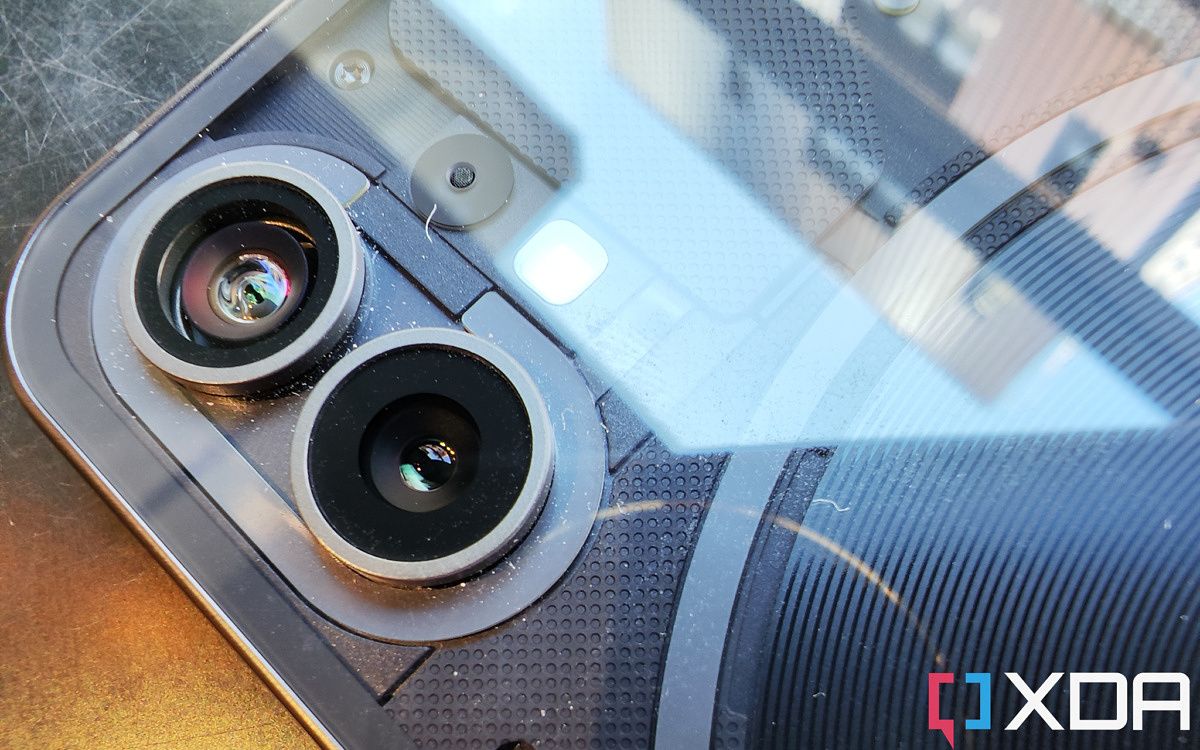
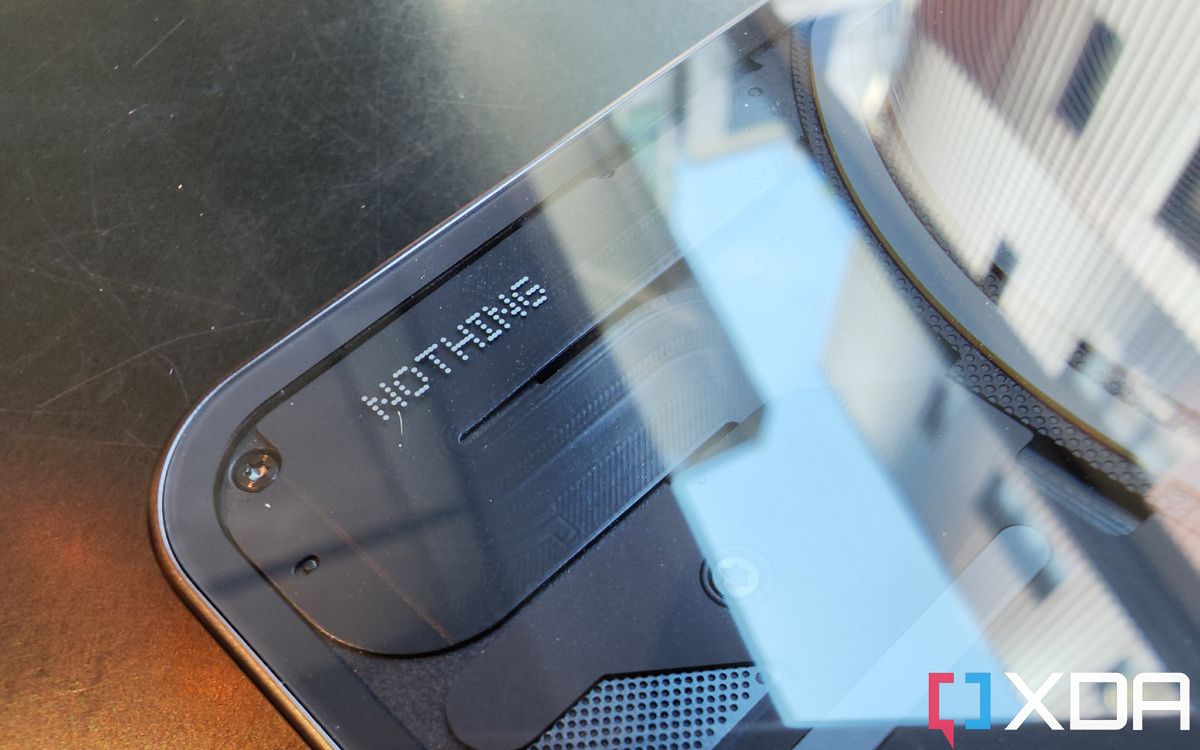
    The most attention-grabbing feature of the Phone 1 is obviously the back design: a semi-transparent look that seemingly offers a glimpse at the phone’s internals. Most of what we see is actually a design piece covering the actual guts of the phone, but we can see the wireless charging coil and some carefully placed screws.

    Nothing Phone 1 bottom

    The bottom left part of the phone’s back design is meant to resemble Manhattan in the New York City subway map.

    The bottom part of the back plate design looks like an elephant to some people, but Nothing tells me it was actually patterned after the New York City subway map, particularly Manhattan (the lower left corner part definitely resembles Manhattan). I personally really like this look, with the center-placed wireless charging coil’s spiral design adding a nice bullseye-like aesthetic that draws eyeballs.

    Nothing Phone 1 renders

    Nothing Phone 1 camera module Nothing Phone 1 back

    The Glyph Interface

    There are four strips of lights on the backside of the phone, including two that wrap around the camera module and the wireless charging coil respectively. This is what Nothing calls the “glyph interface” and the lights aren’t entirely for decoration. Nothing has designed the lights to flash specific patterns for various smartphone tasks, like when the phone is ringing, receiving a notification, or when Google Assistant is being summoned. The sound effects that play along with the flashing lights are, according to Nothing, inspired by the classic Nintendo Entertainment System and Casio electronic watches, meaning they have this retro electronics vibe. If you are wondering why they chose this specific “C, Forward Slash, G, Exclamation Point” design, we don’t actually know why.

    Nothing Phone 1 glypth

    I can see the so-called glyph interface being useful for some people. Being able to set a specific light pattern for a specific contact can be useful for people who get a lot of calls. There’s also the option to turn off notification sounds when you flip the phone face down yet still have the light strips flare up (Nothing calls this “flip to glyph”). The idea is you can decide if the notification is worth checking before picking up the phone.

    None of these situations apply to me, however. I almost never call anyone anymore, and the only voice calls I take are from my work supervisors. All my family and friends contact me via WhatsApp text or voice messages. I also never feel the need to put my phone face down, because I rarely attend events where it’d be “rude” to check my phone.

    The lights’ brightness can be adjusted in settings, and can also be used as a fill light for taking photos in low light situations, because the lights are more spread out than a typical smartphone flashlight, it does illuminate a human face slightly less harshly than a typical smartphone flashlight. Still, you should avoid using any smartphone flashlight when snapping pics of human faces in my opinion — it is never flattering unless the subject has flawless skin texture.

    Nothing Phone 1 in black

    Processor

    The Nothing Phone 1 is powered by the Qualcomm Snapdragon 778G Plus, which is a tried-and-trusted mid-range SoC that’s more than capable enough for 99% of smartphone users. Nothing says they chose this chip because it offers enough performance without running too hot, which I agree with. This “plus” version of the chip is a relatively new iterative update to allow it to support wireless charging.

    Display

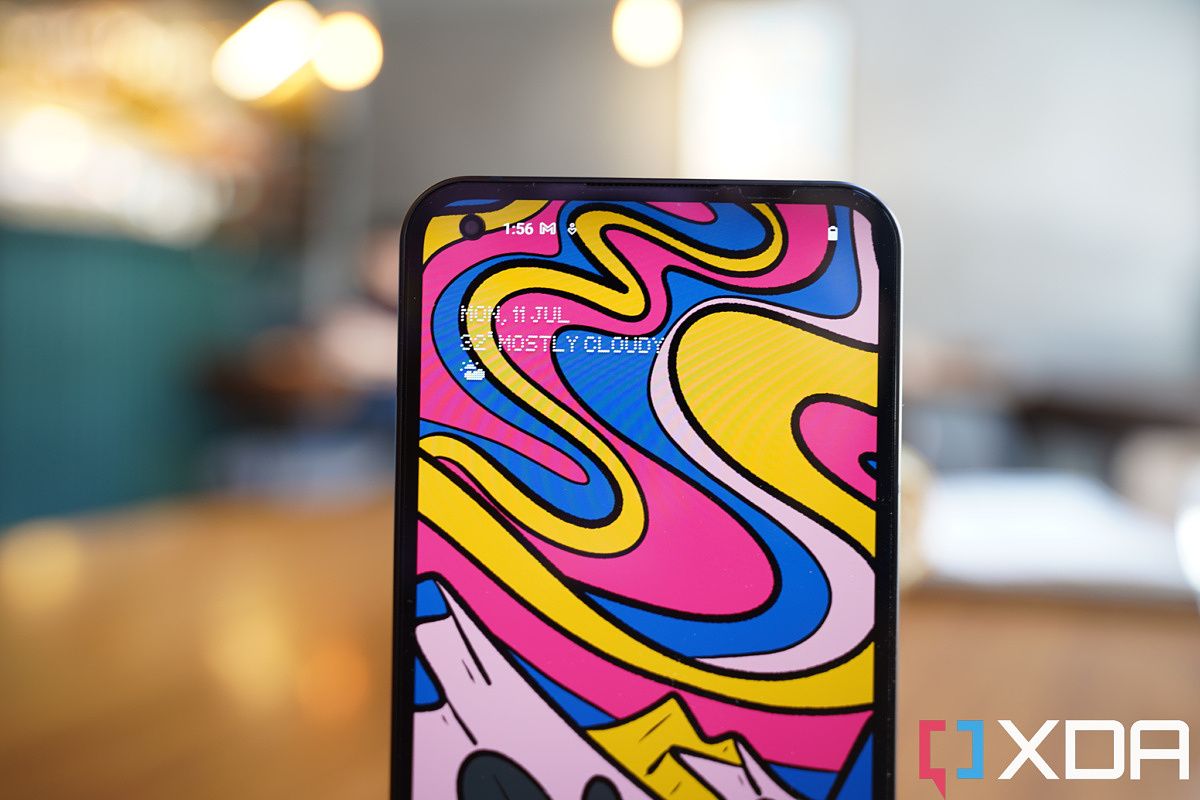
    The 6.55-inch OLED screen is vibrant, with a typical max brightness of 500 nits and a peak max brightness of 1,200 nits. The screen looks great most of the time, with a 120Hz refresh rate providing smooth animations, colors looking punchy, and aesthetically pleasing symmetrical bezels on all four sides. Maximum brightness is a bit lower than most 2022 flagship phones, but unless I’m using it on a very harsh sunny day, this screen brightness is fine.

    Nothing Phone 1

    It’s worth noting the display is not an LTPO panel, meaning the refresh rate can be either 60Hz or 120Hz. This means the screen isn’t as battery efficient, but it’s also to be expected at this price range. There is an optical in-display fingerprint scanner located very low on the screen (similar to the location of the scanner in the OnePlus 9 or 2020-era BBK phones). The location isn’t ideal but not a big deal, instead, I am annoyed by its slow speed. The phone just takes a beat longer to unlock. Do note I’m comparing to Chinese mid-rangers like the Xiaomi 12 Lite or Oppo Reno phones, which all have excellent scanners. Some non-Chinese phones, like the Samsung Galaxy A53, or even the Google Pixel 6 series, have terrible in-display fingerprint scanners that are even slower.

    Nothing Phone 1 bezels Nothing Phone 1 bezels

    Haptics, Speakers, Battery, and Memory

    Good haptics aren’t always guaranteed in phones cheaper than $500 or $600, and thankfully the Nothing Phone 1 has a good haptic engine that offers strong and precise haptics. I enjoy typing on this phone with vibrations turned on.

    Also good are the dual speakers and UFS 3.1 memory, again, not always guaranteed in phones at this price point. The 4,500 mAh battery, IP53 water and dust resistance rating, and just 15W wireless charging are a bit less than what you could get from other brands at a similar price point, but it’s fine.


    Nothing Phone 1: Cameras

    • 50MP Sony IMX766 main camera and 50MP Samsung JN1 ultra-wide
    • The main camera is capable, but ultra-wide is just okay
    • Videos have a weird orange tint to them right now

    Nothing Phone 1 cameras

    The Phone 1 packs very familiar cameras to phones from Carl Pei’s former company, OnePlus. The rear camera system comprises of a 50MP Sony IMX766 sensor with an f/1.9 aperture and a 50MP Samsung JN1 ultra-wide. The former was used in the OnePlus Nord 2T, and the latter was used most recently in the OnePlus 10 Pro, and a bunch of other BBK phones like the Iqoo 9 Pro too.

    These are capable, proven sensors, but also firmly mid-tier components. The image sensor size of the IMX766, for example, is just a pedestrian 1/1.56-inch, far smaller than what’s in, say, the Galaxy S22 Ultra or Xiaomi 12S Ultra. But again, we must remember, this is a sub-$500 phone. And Nothing’s software image processing is quite good.

    Check out these shots: not bad at all for a $470-ish phone from a first-time company.

    Nothing Phone 1 photo sample Nothing Phone 1 photo sample Nothing Phone 1 photo sample Nothing Phone 1 photo sample Nothing Phone 1 photo sample

    The last two shots in the above set, in particular, are not easy shots — they’re high contrast shots with bright lights blasting through the window, for a mid-ranger, this is really good dynamic range and exposure.

    As is usual with mid-range phones, it’s when we move to ultra-wide where the camera shows that it is, indeed, not a flagship. Ultra-wide shots during the day are fine in a vacuum but noticeably softer than what the main camera produces. And at night, the quality gap widens significantly. There is also a major shift in colors.

    Speaking of colors, some of the videos I’ve shot with the Nothing Phone 1 has also exhibited very wonky colors, such as an extremely warm tone that makes my skin tone look orange. Stabilization is good (for its price range) with the main camera, but ultra-wide has very poor electronic image stabilization. There’s also a bit of jelly effect as I pan. You can see all the issues in the video sample below. I must mention I am reviewing a pre-release model of the phone and Nothing has already sent two software updates in the week I’ve had the device, so perhaps these issues can be fixed with more updates. But as of right now, the video performance is below par even for a mid-ranger, as something like a Xiaomi 12 Lite can shoot better videos. Video resolution also maxes out at 4K/30fps, not 60fps or 8K options, but that’s absolutely fine.

    If you want to see full sized versions of all photo samples I shared here, I’ve uploaded them to the Flickr album.

    Nothing photo samples


    Nothing Phone 1: Performance and Software

    • Super clean Android skin with no third-party bloatware
    • Fluid animations (except in the Twitter app)
    • Good performance overall

    Nothing Phone 1

    Software

    The Nothing Phone 1 runs a very light, but stylish, Android skin named Nothing OS over Android 12. The first thing I noticed that stood out about Nothing OS is the initial phone setup interface was entirely black, including the Google sign-up screen. I have gone through this Android setup process probably like 100 times in the last few years and the Google sign-in screen is always white. I think this all-black aesthetic is specific to my black model, I think the white model will likely have a more conventional white setup screen.

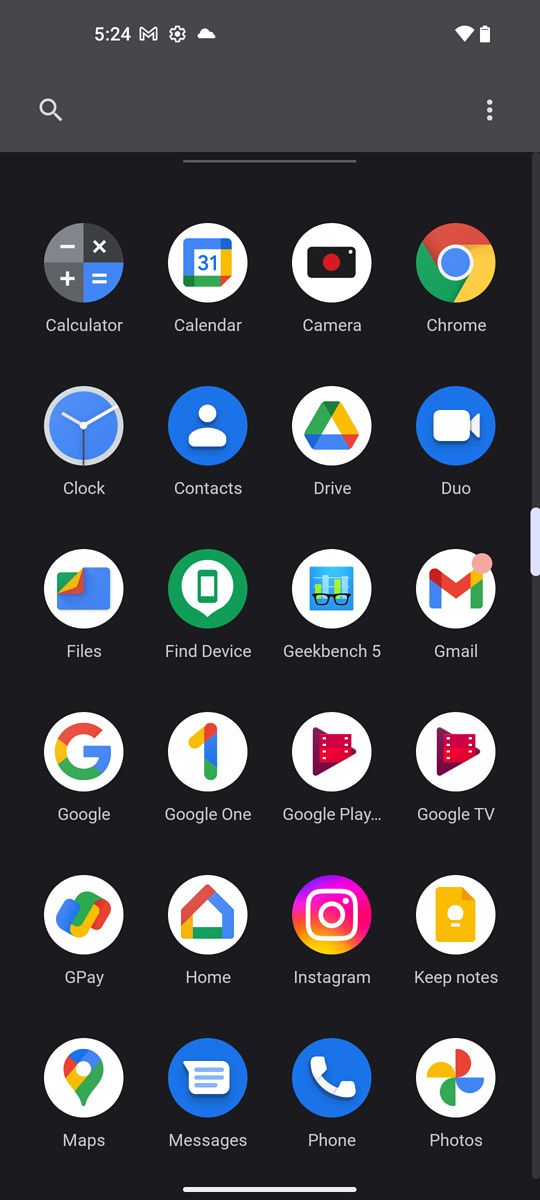
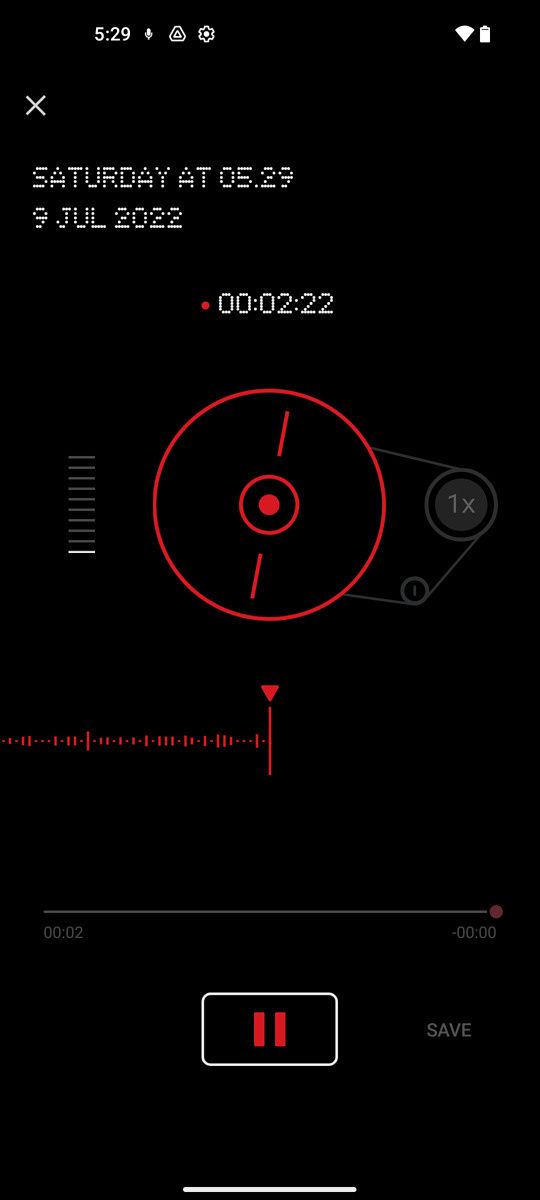
    Once finished with setup and you’re in Nothing OS, the next thing you’ll likely notice is the phone only ships with Google’s core apps, with no bloatware — or at least, the conventional definition of bloatware (third-party apps that are pre-installed). I actually find Google’s increasingly large suite of apps overbearing and annoying. Sure, it makes sense to have Google Play, YouTube, Chrome, Google Contacts, and Maps pre-installed on all Android phones. But I do not give a damn about Google TV, Google Play Music, YouTube Music, Google One, Google Home, Google Pay, and Google Duo, and the fact these apps are now all crammed into recent Android phones, most of them can’t be uninstalled, means these are still bloatware. This is a GMS issue and not a Nothing issue, so no complaints on Phone 1 on this end. After all, the Nothing Phone 1 ships with the fewest pre-installed apps than any phone I’ve ever tested. The only non-Google apps pre-installed are the camera, calculator, and recorder apps.

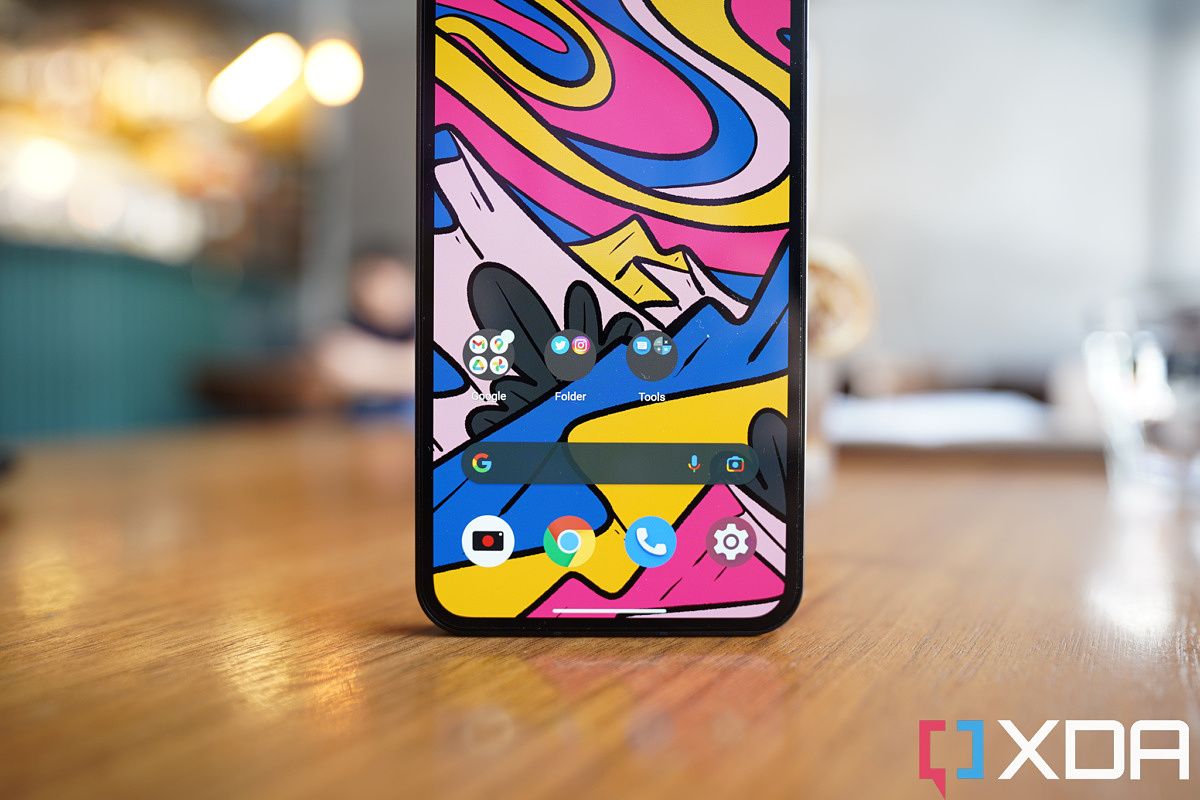
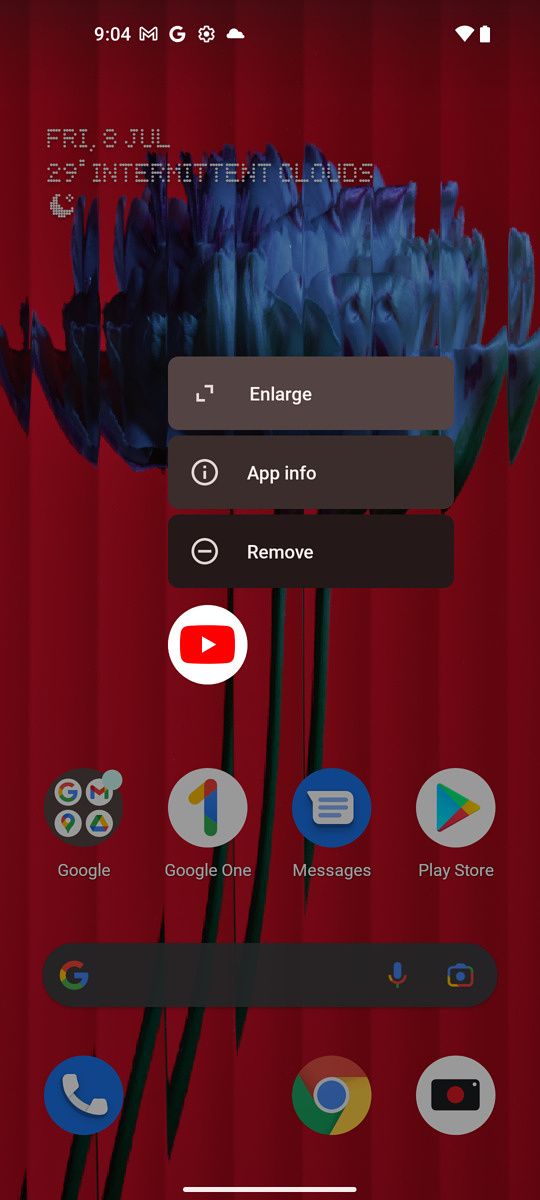
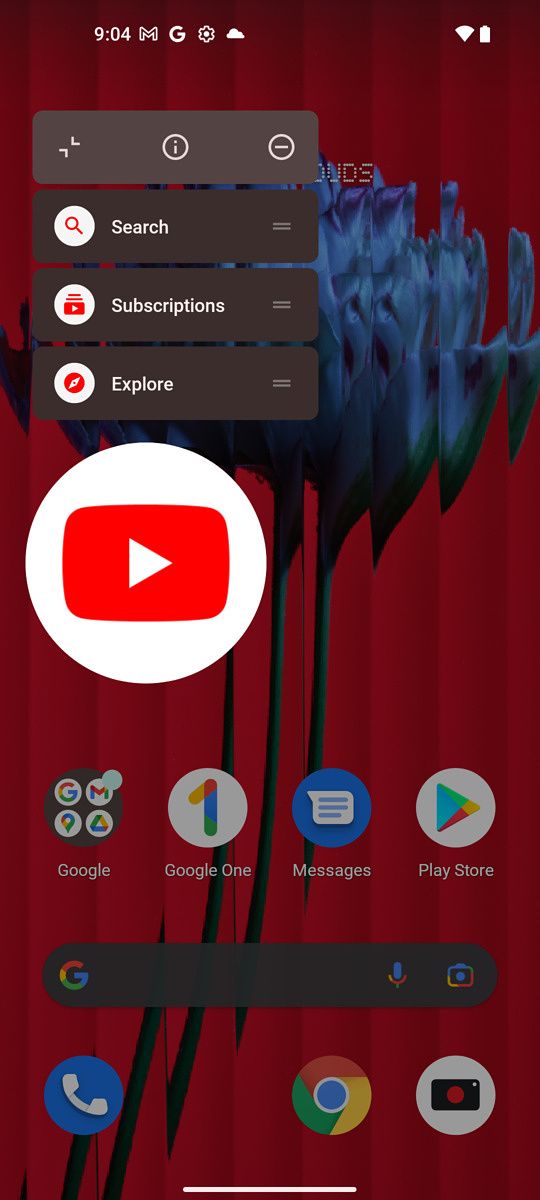
    The main interface feels very similar to typical stock Android, with only two changes. The first is the ability to make an app icon look giant on the homescreen (see the second image in the below set), which could be useful for those who want one or two apps to stand out from the pack on the homescreen for easier access or accessibility reasons.

    The other is that the shortcut toggle buttons in the notification shade have been simplified. In almost all Android phones, there are separate buttons for WiFi, cellular data, and mobile hotspot. Nothing combines all three of these into one larger-than-usual button (see the third pic in the above set) through which the user can cycle via horizontal swipes. This makes sense to me, as these are all related to getting an internet connection on the phone. I reckon some others may disagree here.

    The Nothing Phone 1 ships with the fewest apps on the phone of any phone I've ever tested

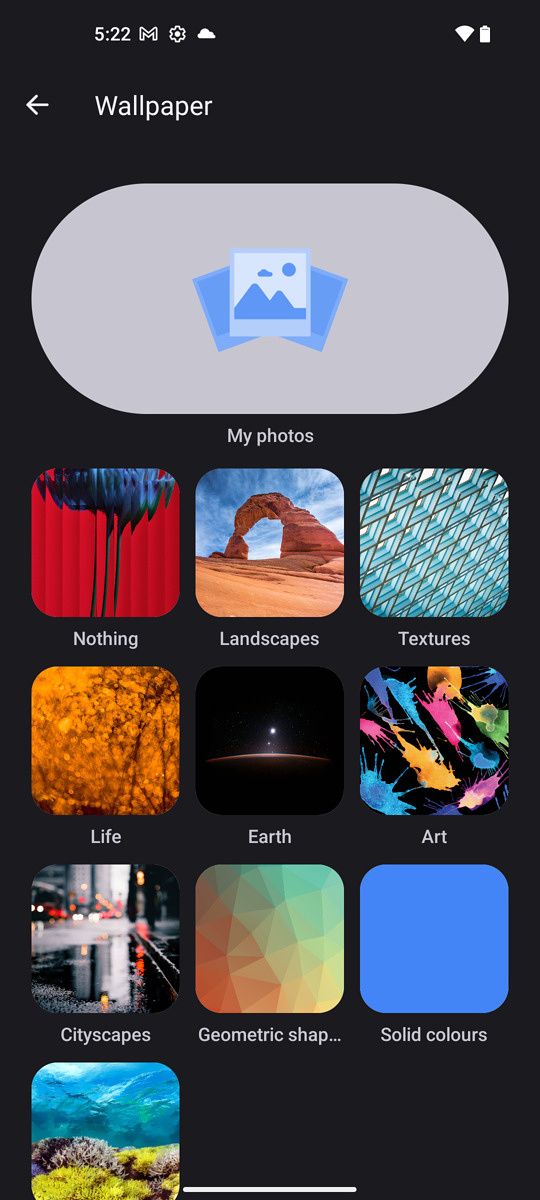
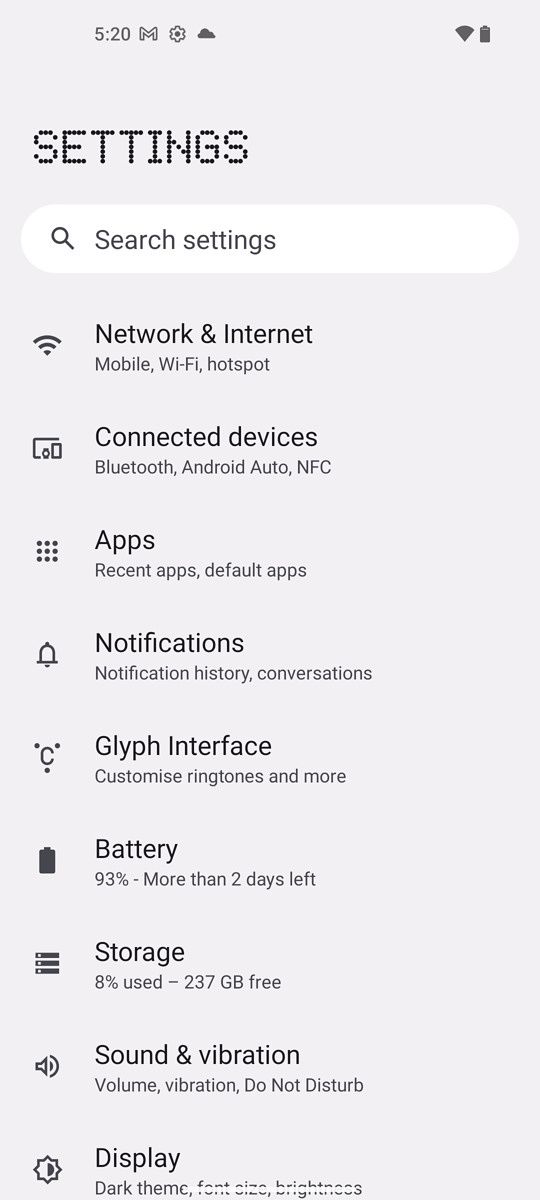
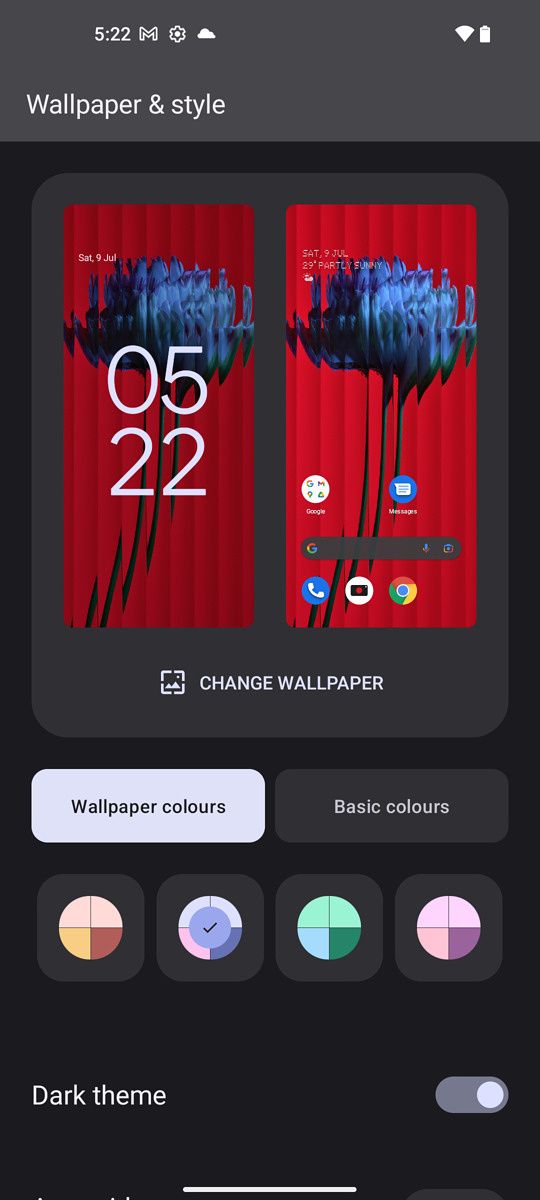
    Dive into the settings page and it, too, looks just like a stock Android settings, with the exception of Nothing’s dot-based font being used for each settings page header. As far as I can see, there are two Nothing-exclusive settings pages that aren’t on most Android phones: “Glyph Interface” and “Experimental Features.” The first is where you customize the interface (assign contacts, change light brightness, etc); the latter will let the phone connect to Tesla cars. I don’t think this feature is ready yet, and even if it were, I don’t have a Tesla to test.

    General Performance

    The Nothing OS has very fluid animations that zip around the phone with noticeable faster speed and more animation flare than something like Samsung’s OneUI. It reminds me a lot of OxygenOS or Oppo’s ColorOS, in that even a simple pull of the notification panel brings buttery smooth animations.

    Just like Samsung’s Galaxy S22 Ultra, however, the animations stutter occasionally when scrolling through Twitter. I’m not sure what the problem is with Twitter specifically, but it happens enough to be visually jarring. But as I said, Samsung’s $1,200 phone has the same issue. Another bug is the phone’s auto-brightness setting often leaves the phone screen too dark, particularly when I’m in the camera mode. And as I said, the fingerprint scanner is slower than most other optical scanners.

    The auto-brightness issue, along with the very orange tint in videos, are major bugs that need to be addressed. Otherwise, I didn’t encounter any issues using the phone for several days out, navigating on Google Maps, streaming Spotify, and sending messages in Slack and WhatsApp.

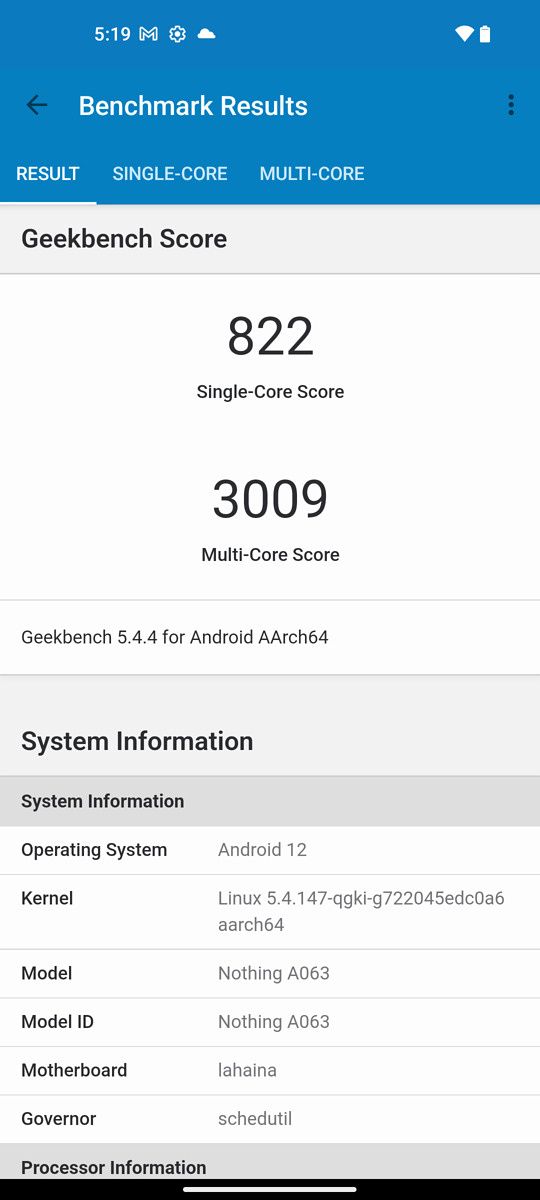
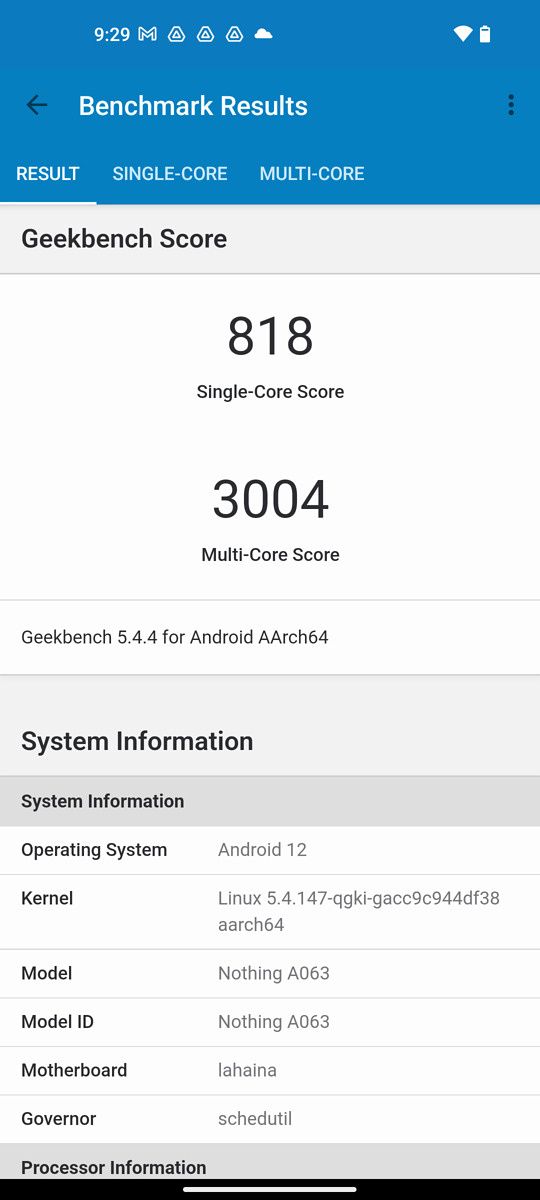
    As for benchmarks, the XDA team had concerns initially because our senior technical editor Adam Conway found a line of code in the software that hinted the software considered manipulating benchmarks — essentially, a phone deciding to throttle performance for real-world apps but not benchmark apps to achieve a higher score — but after running tests including running two versions of GeekBench (one official, one modded) and the scores were close enough that means no such benchmark cheating shenanigans are in place. Great!

    Standard daily performance has been fine, I’ve been using the phone at home and out around town, and apps have been launching fine, I haven’t encountered crashes or anything out of the ordinary.

    Battery life has been okay, with the 4,500 mAh cell able to finish a typical work day easily, but tapping out at around the 12-hour mark on weekends when I’m using the phone much more heavily. It’s an acceptable battery that’s not great, not bad.


    Should you buy the Nothing Phone 1?

    Nothing Phone 1 in the hand.

    You should buy the Nothing Phone 1 if:

    • You like the design and find the Glyph Interface cool or useful.
    • You don’t want to pay more than the equivalent of $500 for a phone and you don’t like using (or don’t have access to) Xiaomi’s various mid-tier phones.
    • You want a phone with clean software that has more character than the typical vanilla stock Android phones.

    You should not buy the Nothing Phone 1 if:

    • You shoot a lot of videos with your phone and don’t have time to wait for a potential software patch to fix the current orange tint issue.
    • You want the absolute best value and the Xiaomi 12 Lite is available in your region. If you are in India, you have other options for value-for-money.
    Nothing phone 1

    Nothing Phone 1 in the hand.

    As I said, the Nothing Phone 1 is a perfectly fine mid-range phone with some interesting ideas. I like the transparent back design and the minimal software. And even if I get no practical benefits from the light strips on the back, I do think they look good.

    But is it the revolutionary, different and unique device that Pei and Nothing’s marketing have been hinting at for months? No. Xiaomi’s 12 Lite is cheaper, with the same SoC, better fingerprint scanner, and video performance.

    If you ignore the glyph interface, the Phone 1 is almost just like any other Xiaomi/Poco/Iqoo/Realme mid-ranger. There is nothing wrong with that — those brands make good phones — but it’s completely fair for the more jaded/cynical/snarky part of techies to scoff and call the phone overrated.

      Nothing Phone 1
      The Nothing Phone 1 is a stylish looking phone with a cool semi-transparent back and fast, zippy UI.

    The post Nothing Phone 1 Review: Good phone, better marketing appeared first on XDA.


    from XDA https://ift.tt/vPw2MAd
    via IFTTT