LightBlog

vendredi 5 novembre 2021

XDA Basics: How to check storage on a Mac

Macs are Apple’s personal computer lineup — iMac, Mac Mini, MacBook Air, MacBook Pro, and more. They offer great capabilities that rivals, in some cases, find hard to catch up with. Protecting your MacBook Pro with a case will only make it last longer, so make sure to buy one if you haven’t yet. Sometimes we’re curious about how much space we still have on our computers, so here’s how to check storage on a Mac.

How to check storage on a Mac

  • Tap on the Apple logo in the top left corner.

Free up space on macOS 1

  • Click on About This Mac.
  • Go to the Storage section in the middle of the top bar.
  • There you will find a summary of your Mac’s storage — its total capacity, what’s available, and the categories of data occupying space.

Free up space on macOS 2

  • Click on Manage to view more storage details

Free up space on macOS 3

  • On top of the sidebar, you will see a Recommendations section, where there are suggestions to clear up space.

Free up space on macOS 5

  • Right below Recommendations, you will be able to view the detailed categories of data that are occupying your Mac’s space. This includes installed applications, documents, Mail and Messages attachments, photos and videos, trashed items, and more.
  • Below the categories you can view how much the actual operating system is taking space.

Viewing storage details on your Mac is a very simple process, as you have seen above. Just follow the steps we’ve provided and you will be able to take a look whenever there’s a need to. It’s important to leave some empty space on your Mac’s hard drive. So we have prepared for you another guide on how to free up space on a Mac. The procedure is very simple to follow, as well, even if you aren’t very tech savvy.

How much storage do you use on your Mac? Let us know in the comments section below.

The post XDA Basics: How to check storage on a Mac appeared first on xda-developers.


from xda-developers https://ift.tt/3k87LDU
via IFTTT

XDA Basics: How to change the wallpaper on a Mac

Macs are Apple’s personal computer lineup — iMac, Mac Mini, MacBook Air, MacBook Pro, and more. They offer great capabilities that rivals, in some cases, find hard to catch up with. Protecting your MacBook Pro with a case will only make it last longer, so make sure to buy one if you haven’t yet. One of the handy features of macOS is customizing the look of your desktop. Here’s how to change the wallpaper on a Mac.

How to change the wallpaper on a Mac

change password on macOS Mac 1

  • Launch the System Preferences app from the Launcher, Spotlight Search, or by clicking on the Apple logo in the top left corner > System Preferences.

change wallpaper macOS Mac 1

  • Head to Desktop & Screen Saver on the top-ish left.

change wallpaper macOS Mac 4

  • You will find three sections on the left — Apple, Photos, and Folders.
  • If you want to choose a default macOS wallpaper or a solid color, click on Apple.
  • For a personal image from the Photos app library, click on Photos.
  • If you want to choose a picture saved in your folders, choose Folders.

change wallpaper macOS Mac 3

  • Some Apple wallpapers offer a Dark/Light/Dynamic mode. Dark/Light wallpapers adapt to the system’s Dark mode. Dynamic wallpapers change throughout the day. So in the morning it would be a Light wallpaper. By nighttime it’ll be a Dark wallpaper. The change happens gradually in-between.

change wallpaper macOS Mac 2

  • You can also set it to change the wallpaper automatically every certain amount of time, in a random order or otherwise.
  • Once you click on the photo you want, it’ll instantly become your new wallpaper, and you may quit System Preferences.

That’s it! You can easily change your wallpaper whenever you get bored of it by following the steps listed above. And remember that there are plenty of decent wallpapers online for you to download if Apple’s and yours aren’t enough.

How often do you change your Mac’s wallpaper? Let us know in the comments section below.

The post XDA Basics: How to change the wallpaper on a Mac appeared first on xda-developers.


from xda-developers https://ift.tt/2YjW31r
via IFTTT

Microsoft issues another fix for expiring app certificates in Windows 11

Microsoft recently acknowledged that some built-in Windows 11 apps may have stopped working in the last few days due to expired certificates. A few apps were affected, including the Snipping Tool, Tips, and Getting Started. A new fix for this issue is now rolling out for Windows Insiders in the Beta and Release Preview channels with the KB5008295 update for Windows 11.

This is actually the second round of fixes Microsoft has issued for this problem. A couple of weeks ago, Microsoft rolled out KB5006746, which carries build number 22000.282. This update fixed broken apps including the Input Method Editor, Touch Keyboard, and a few other apps, but it’s an optional update, and you have to download it manually from Windows Update. Plus, the Snipping Tool was still suffering from this problem, and if you use Windows 11 in S mode, some system features like the Start menu and the Accounts page in the Settings app were also broken.

The KB5008295 update for Windows 11 fixes the expired certificates for the remaining app and the system features that were broken. However, once again, this update isn’t readily available for everyone. You’ll need to join the Windows Insider Program on your PC if you want to grab this update right away. This update won’t change the build number of your OS, so if you want to confirm you’ve installed the fix, you’ll need to look at your update history in Windows Update.

If you need the fix right now, there isn’t much of a risk in joining the Release Preview channel. It’s essentially the same version as the stable Windows 11 release, and you can easily opt out after installing the fix. However, if you can wait, this fix will likely be included in next week’s Patch Tuesday. On that day, Microsoft will release another cumulative update containing all the fixes that are currently in preview, and then some.

Windows 11 has suffered from a few hiccups since its initial release, which is not uncommon with any big software launch. These issues include lower performance on AMD processors, which has also been partly fixed with the aforementioned KB5006746 that’s currently in preview. Another fix is available directly from AMD as it has to do with the chipset driver. As these issues get ironed out, upgrading to Windows 11 should be even more compelling.

The post Microsoft issues another fix for expiring app certificates in Windows 11 appeared first on xda-developers.


from xda-developers https://ift.tt/3CQJ7yX
via IFTTT

Surface Laptop 5: Release date, specs, and everything we expect

Microsoft’s Surface family has long been one of the most well-known brands in the PC space. Among them, the Surface Laptop line is probably the most “standard” . While other Surface devices have more unique or uncommon form factors, the Surface Laptop series is just that – a series of laptops. That’s not to say they’re bad, though. The Surface Laptop 4 is a fantastic premium laptop, and one of the best Surface devices available today. But with other Surface devices recently getting a refresh, what can we expect from the Surface Laptop 5?

It’s a valid question because the Surface Laptop 5 is likely the next Surface launch in line. The Surface Pro and Go families were refreshed in October, and we got a brand-new line, the Surface Laptop Studio, at the same time. Only the regular Surface Laptop hasn’t been upgraded in over half a year. Suffice it to say, there’s a lot of potential for it to evolve because of that.

What’s the release date for the Surface Laptop 5?

Microsoft has yet to announce the Surface Laptop 5 in any way, so there’s nothing pointing to a specific release date just yet. However, the Surface Laptop series has been one of Microsoft’s most consistent, with releases every year or so. Sometimes it takes up to a year and a half. As such, we could either be looking at a Surface Laptop 5 next spring, or we may have to wait until we’re closer to the fall. Either way, we are almost certain to get a new Surface Laptop at some point in 2022.

What new features will the Surface Laptop 5 have?

The first thing we can expect from the Surface Laptop 5 is a refresh of its internals. The current model is powered by Intel’s 11th-generation Core processors or custom AMD Ryzen 4000-series chipsets. Looking back at the past couple of generations, Microsoft has typically used older AMD processors compared to the Intel models, even when newer ones are available. So, if it launches in the spring, there’s a high chance we’ll be looking at 12th-generation Alder Lake processors from Intel and custom versions of AMD’s Ryzen 5000 series mobile chips inside the Surface Laptop 5. It would be nice to see if Microsoft used AMD’s newest hardware, but you shouldn’t count on that.

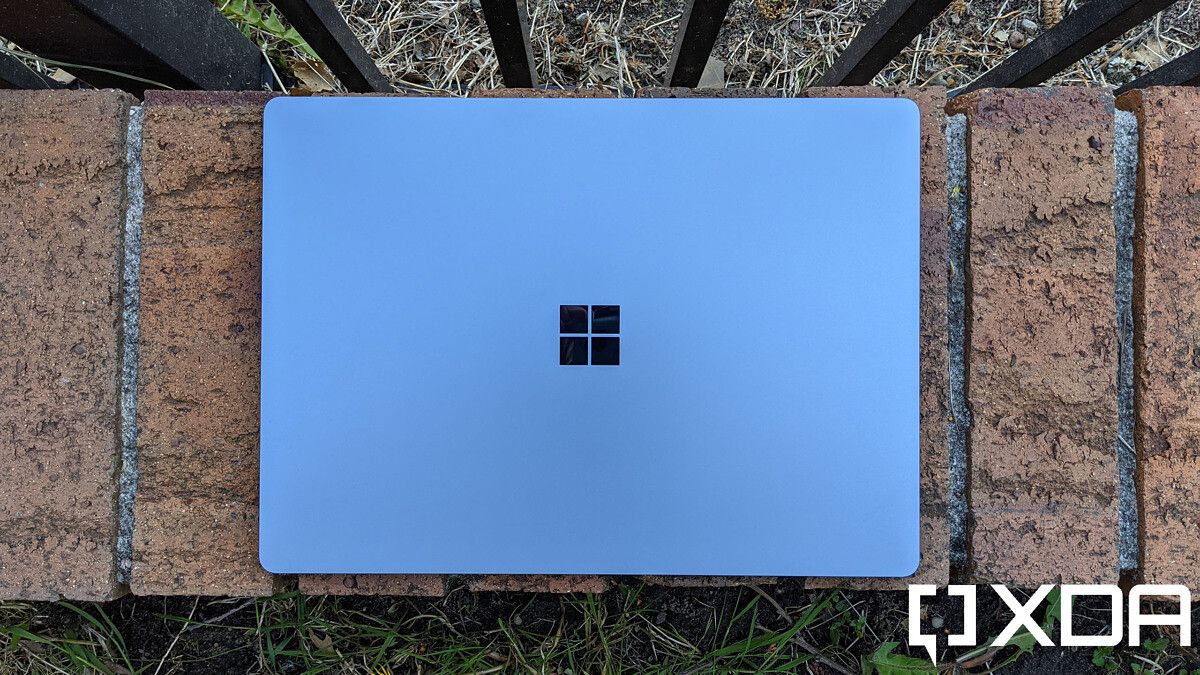
Surface Laptop 4 top-down view

Of course, the new Surface Laptop 5 will also debut with Windows 11, and it’ll be the first one in the family to do so. But that’s just scratching the surface (no pun intended) of what we might see in this new laptop. Microsoft made quite a splash with the new Surface Pro 8 and Surface Laptop Studio, both of which brought a few features that are brand new to Surface devices. It would make sense for some of these to make their way to the Surface Laptop 5, so we’ll break them down.

120Hz refresh rate

One thing the Surface Pro 8 and Surface Laptop Studio have is a 120Hz refresh rate display, which is certainly something we’d love to see the Surface Laptop 5 copy. High refresh rate displays have typically been reserved for gaming laptops, but with Microsoft bringing it to its premium tablet, it’s only natural to expect it in the next Surface Laptop, too. We could also see support for haptic feedback in the Surface Slim Pen 2, which the two aforementioned devices also have.

Thunderbolt support?

This one is tricky because one of the reasons that was often brought up for why Microsoft didn’t add Thunderbolt support to Surface devices was to maintain parity between Intel and AMD variants. Now, the company has added to the Surface Pro 8 and Laptop Studio, but Thunderbolt is Intel proprietary technology, so bringing it to non-Intel PCs is more complicated. But that’s not to say it’s impossible.

Side view of Surface Laptop Studio

Thunderbolt ports on the Surface Laptop Studio

There are a few routes Microsoft can take here. First, it could bring Thunderbolt to both Intel and AMD models, which could result in a more expensive device. We know that it’s possible for non-Intel laptops to support Thunderbolt because Apple supports Thunderbolt 4 in its latest MacBook Pro powered by the Apple M1 Pro and M1 Max chips. Another option would be to bring Thunderbolt only to the Intel version, leaving the AMD variant as a less capable, but also potentially cheaper alternative. It could also just discontinue the AMD variants of the Surface Laptop, seeing as the company typically favors Intel in its devices anyway.

The last option would be to not include Thunderbolt support at all, but that would make the Surface Laptop 5 visibly less appealing than the rest of the Surface family. Hopefully, that’s not what happens.

A better webcam

While it took years (and some very unusual circumstances) for most companies to see any value in webcams, Microsoft has long been offering great webcams in most of its Surface devices. The Surface Pro line has supported 1080p video for years, including a 5MP sensor for the webcam, and even the Surface Go has one.

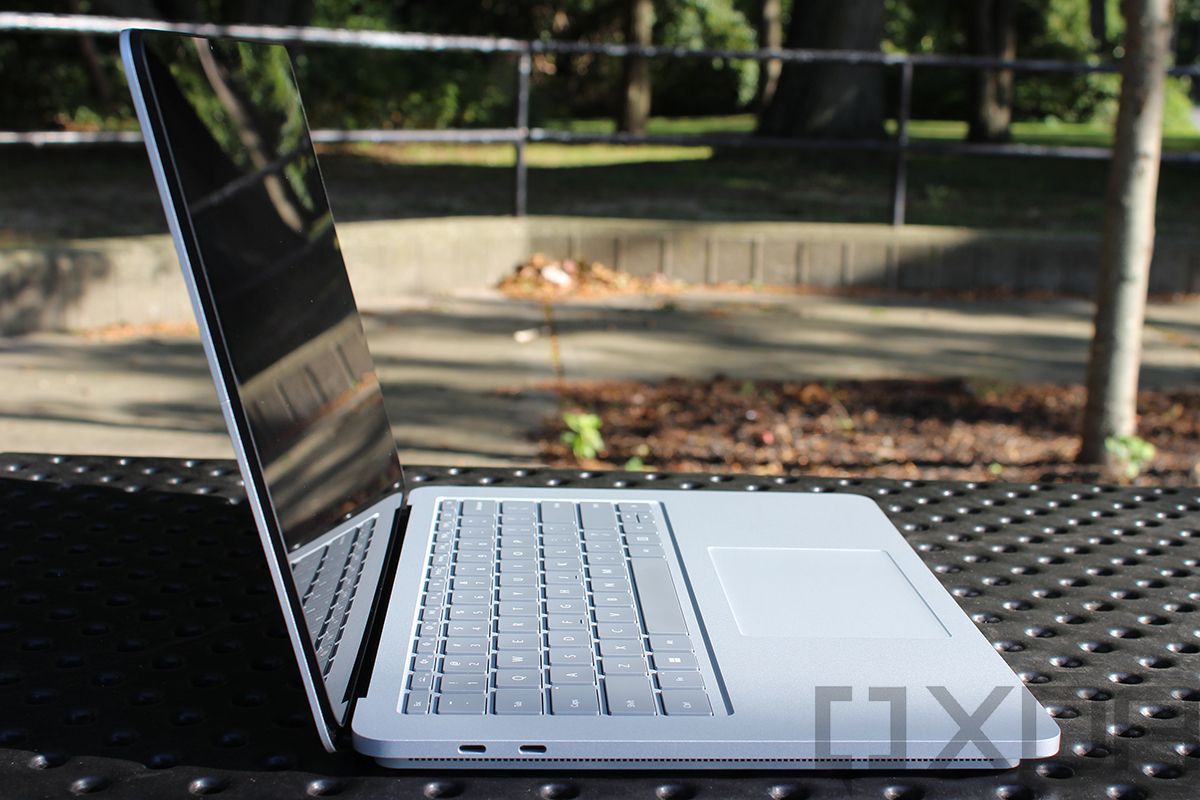
Surface Laptop 4 display

Oddly enough, though, the Surface Laptop family has stuck with 720p webcams, even with the Surface Laptop 4 already released during a time when remote work was much more common. The Surface Laptop Studio brought with it a 1080p webcam, however, and it would certainly be good to see it come to the Surface Laptop 5 as well.

A new design

Microsoft hasn’t really brought a huge external redesign to the Surface Laptop series since its introduction, outside of adding a 15-inch model with the Surface Laptop 3 and making the keyboard cover removable. While it’s fair to expect a minimal amount of changes considering it’s just a traditional laptop, we could be looking at some tweaks to the design. Specifically, with the Surface Pro 8 and Laptop Studio promoting the Surface Slim Pen 2 as the primary pen option, it’s possible that Microsoft will try to make the Surface Laptop 5 more friendly to this new pen, too.

To be fair, the Surface Laptop family has never been the most welcoming to the Surface Pen, since you can’t really attach it anywhere. But with the flat and thin design of the Surface Slim Pen, it would be interesting to see the company try to incorporate it into the Surface Laptop 5. An approach similar to the Surface Laptop Studio, where the pen is stored on the underside of the laptop, could be ideal for a form factor like this.

Pen stored under Surface Laptop Studio

Pen storage on the Surface Laptop Studio

How much will the Surface Laptop 5 cost?

Depending on how many of the improvements mentioned above make it to the final product, the price of the Surface Laptop 5 could vary somewhat. The current Surface Laptop 4 already starts at $999, so one could argue Microsoft can’t afford to push the entry barrier much higher. But with a high refresh rate display and Thunderbolt support, it’s certainly possible we’d see that price increase at least to some extent with the Surface Laptop 5. Of course, we won’t know for sure until Microsoft announces it, and that’s not happening so soon.


And that’s about all we can say about the Surface Laptop 5 right now. Even though it’s the next Surface device due for a refresh, it’s still a few months away, and it’s early to know anything about it at this point. There haven’t been any rumors or reports regarding the device, either. If you need a new laptop in the meantime and can’t afford to wait, check out our list of the best 15-inch laptops you can buy today. There are plenty of great options from other brands, as well as Surface.

The post Surface Laptop 5: Release date, specs, and everything we expect appeared first on xda-developers.


from xda-developers https://ift.tt/3mPEIHb
via IFTTT

Microsoft issues another fix for expiring app certificates in Windows 11

Microsoft recently acknowledged that some built-in Windows 11 apps may have stopped working in the last few days due to expired certificates. A few apps were affected, including the Snipping Tool, Tips, and Getting Started. A new fix for this issue is now rolling out for Windows Insiders in the Beta and Release Preview channels with the KB5008295 update for Windows 11.

This is actually the second round of fixes Microsoft has issued for this problem. A couple of weeks ago, Microsoft rolled out KB5006746, which carries build number 22000.282. This update fixed broken apps including the Input Method Editor, Touch Keyboard, and a few other apps, but it’s an optional update, and you have to download it manually from Windows Update. Plus, the Snipping Tool was still suffering from this problem, and if you use Windows 11 in S mode, some system features like the Start menu and the Accounts page in the Settings app were also broken.

The KB5008295 update for Windows 11 fixes the expired certificates for the remaining app and the system features that were broken. However, once again, this update isn’t readily available for everyone. You’ll need to join the Windows Insider Program on your PC if you want to grab this update right away. This update won’t change the build number of your OS, so if you want to confirm you’ve installed the fix, you’ll need to look at your update history in Windows Update.

If you need the fix right now, there isn’t much of a risk in joining the Release Preview channel. It’s essentially the same version as the stable Windows 11 release, and you can easily opt out after installing the fix. However, if you can wait, this fix will likely be included in next week’s Patch Tuesday. On that day, Microsoft will release another cumulative update containing all the fixes that are currently in preview, and then some.

Windows 11 has suffered from a few hiccups since its initial release, which is not uncommon with any big software launch. These issues include lower performance on AMD processors, which has also been partly fixed with the aforementioned KB5006746 that’s currently in preview. Another fix is available directly from AMD as it has to do with the chipset driver. As these issues get ironed out, upgrading to Windows 11 should be even more compelling.

The post Microsoft issues another fix for expiring app certificates in Windows 11 appeared first on xda-developers.


from xda-developers https://ift.tt/3CQJ7yX
via IFTTT

Surface Laptop 5: Release date, specs, and everything we expect

Microsoft’s Surface family has long been one of the most well-known brands in the PC space. Among them, the Surface Laptop line is probably the most “standard” . While other Surface devices have more unique or uncommon form factors, the Surface Laptop series is just that – a series of laptops. That’s not to say they’re bad, though. The Surface Laptop 4 is a fantastic premium laptop, and one of the best Surface devices available today. But with other Surface devices recently getting a refresh, what can we expect from the Surface Laptop 5?

It’s a valid question because the Surface Laptop 5 is likely the next Surface launch in line. The Surface Pro and Go families were refreshed in October, and we got a brand-new line, the Surface Laptop Studio, at the same time. Only the regular Surface Laptop hasn’t been upgraded in over half a year. Suffice it to say, there’s a lot of potential for it to evolve because of that.

What’s the release date for the Surface Laptop 5?

Microsoft has yet to announce the Surface Laptop 5 in any way, so there’s nothing pointing to a specific release date just yet. However, the Surface Laptop series has been one of Microsoft’s most consistent, with releases every year or so. Sometimes it takes up to a year and a half. As such, we could either be looking at a Surface Laptop 5 next spring, or we may have to wait until we’re closer to the fall. Either way, we are almost certain to get a new Surface Laptop at some point in 2022.

What new features will the Surface Laptop 5 have?

The first thing we can expect from the Surface Laptop 5 is a refresh of its internals. The current model is powered by Intel’s 11th-generation Core processors or custom AMD Ryzen 4000-series chipsets. Looking back at the past couple of generations, Microsoft has typically used older AMD processors compared to the Intel models, even when newer ones are available. So, if it launches in the spring, there’s a high chance we’ll be looking at 12th-generation Alder Lake processors from Intel and custom versions of AMD’s Ryzen 5000 series mobile chips inside the Surface Laptop 5. It would be nice to see if Microsoft used AMD’s newest hardware, but you shouldn’t count on that.

Surface Laptop 4 top-down view

Of course, the new Surface Laptop 5 will also debut with Windows 11, and it’ll be the first one in the family to do so. But that’s just scratching the surface (no pun intended) of what we might see in this new laptop. Microsoft made quite a splash with the new Surface Pro 8 and Surface Laptop Studio, both of which brought a few features that are brand new to Surface devices. It would make sense for some of these to make their way to the Surface Laptop 5, so we’ll break them down.

120Hz refresh rate

One thing the Surface Pro 8 and Surface Laptop Studio have is a 120Hz refresh rate display, which is certainly something we’d love to see the Surface Laptop 5 copy. High refresh rate displays have typically been reserved for gaming laptops, but with Microsoft bringing it to its premium tablet, it’s only natural to expect it in the next Surface Laptop, too. We could also see support for haptic feedback in the Surface Slim Pen 2, which the two aforementioned devices also have.

Thunderbolt support?

This one is tricky because one of the reasons that was often brought up for why Microsoft didn’t add Thunderbolt support to Surface devices was to maintain parity between Intel and AMD variants. Now, the company has added to the Surface Pro 8 and Laptop Studio, but Thunderbolt is Intel proprietary technology, so bringing it to non-Intel PCs is more complicated. But that’s not to say it’s impossible.

Side view of Surface Laptop Studio

Thunderbolt ports on the Surface Laptop Studio

There are a few routes Microsoft can take here. First, it could bring Thunderbolt to both Intel and AMD models, which could result in a more expensive device. We know that it’s possible for non-Intel laptops to support Thunderbolt because Apple supports Thunderbolt 4 in its latest MacBook Pro powered by the Apple M1 Pro and M1 Max chips. Another option would be to bring Thunderbolt only to the Intel version, leaving the AMD variant as a less capable, but also potentially cheaper alternative. It could also just discontinue the AMD variants of the Surface Laptop, seeing as the company typically favors Intel in its devices anyway.

The last option would be to not include Thunderbolt support at all, but that would make the Surface Laptop 5 visibly less appealing than the rest of the Surface family. Hopefully, that’s not what happens.

A better webcam

While it took years (and some very unusual circumstances) for most companies to see any value in webcams, Microsoft has long been offering great webcams in most of its Surface devices. The Surface Pro line has supported 1080p video for years, including a 5MP sensor for the webcam, and even the Surface Go has one.

Surface Laptop 4 display

Oddly enough, though, the Surface Laptop family has stuck with 720p webcams, even with the Surface Laptop 4 already released during a time when remote work was much more common. The Surface Laptop Studio brought with it a 1080p webcam, however, and it would certainly be good to see it come to the Surface Laptop 5 as well.

A new design

Microsoft hasn’t really brought a huge external redesign to the Surface Laptop series since its introduction, outside of adding a 15-inch model with the Surface Laptop 3 and making the keyboard cover removable. While it’s fair to expect a minimal amount of changes considering it’s just a traditional laptop, we could be looking at some tweaks to the design. Specifically, with the Surface Pro 8 and Laptop Studio promoting the Surface Slim Pen 2 as the primary pen option, it’s possible that Microsoft will try to make the Surface Laptop 5 more friendly to this new pen, too.

To be fair, the Surface Laptop family has never been the most welcoming to the Surface Pen, since you can’t really attach it anywhere. But with the flat and thin design of the Surface Slim Pen, it would be interesting to see the company try to incorporate it into the Surface Laptop 5. An approach similar to the Surface Laptop Studio, where the pen is stored on the underside of the laptop, could be ideal for a form factor like this.

Pen stored under Surface Laptop Studio

Pen storage on the Surface Laptop Studio

How much will the Surface Laptop 5 cost?

Depending on how many of the improvements mentioned above make it to the final product, the price of the Surface Laptop 5 could vary somewhat. The current Surface Laptop 4 already starts at $999, so one could argue Microsoft can’t afford to push the entry barrier much higher. But with a high refresh rate display and Thunderbolt support, it’s certainly possible we’d see that price increase at least to some extent with the Surface Laptop 5. Of course, we won’t know for sure until Microsoft announces it, and that’s not happening so soon.


And that’s about all we can say about the Surface Laptop 5 right now. Even though it’s the next Surface device due for a refresh, it’s still a few months away, and it’s early to know anything about it at this point. There haven’t been any rumors or reports regarding the device, either. If you need a new laptop in the meantime and can’t afford to wait, check out our list of the best 15-inch laptops you can buy today. There are plenty of great options from other brands, as well as Surface.

The post Surface Laptop 5: Release date, specs, and everything we expect appeared first on xda-developers.


from xda-developers https://ift.tt/3mPEIHb
via IFTTT

Apple is encouraging people to use Apple Card Family by offering $10

Apple first announced its Apple Card Family feature back in April. It allows iCloud family members to share expenses and build credit together. Two adults in a family can co-own the card and add up to four 13+ year old members to spend within limits and earn Daily Cash. The co-owners will have equal benefits, even if one of them doesn’t have an Apple Card of their own. To encourage people to use the feature, Apple is now offering $10 of Daily Cash when you add a family member to your card.

According to 9to5Mac, Apple sent out emails to Apple Card users stating the following:

Apple Card Family lets you share the great features and benefits of Apple Card with anyone you call family. Add a new Apple Card user to your account by November 30, 2021, and they’ll receive $10 Daily Cash from us when they make their first purchase with Apple Card within 30 days.

Daily Cash is stored on your Apple Cash card in Wallet and can be spent like real cash with Apple Pay or transferred to a bank account.

So if you add a new family member before the end of this month, they’ll have 30 days to claim the $10 by making a purchase. Once claimed, users will be able to spend the $10 through Apple Pay or transfer it to a bank account of their choice. This promo is pretty tempting, considering the requirements aren’t hard to meet. Any average Apple Card user can easily take advantage of it, if they have a family to share it with.

The full terms of this promo can be found below:

Subject to credit approval. Valid only for new Apple Card users who are added to an Apple Card Family account from November 4, 2021, to November 30, 2021, and the new user must make a purchase within 30 days of being added to the Apple Card Family account. Users added before November 4, 2021, and after November 30, 2021, do not qualify. Not valid for existing Apple Card users who merge their Apple Card accounts to become Co-Owners with other existing Apple Card users. Each Apple Card Family account is eligible to allow maximum five (5) people to redeem offer. Limit one offer per natural person per unique Apple Card account. $10 cash back is earned as Daily Cash and is transferred to your Apple Cash card after qualifying purchase has posted to your Apple Card account. A return of a purchase on which you earned $10 Daily Cash bonus may result in a $10 Daily Cash adjustment charge to your account. An additional purchase made during the offer period will qualify you for re-fulfillment of the $10 Daily Cash bonus, but re-fulfillment may be delayed. Changes to your account status during the offer period may delay the fulfillment of your Daily Cash bonus. An Apple Cash card is required for the accumulation of Daily Cash. Participants under 18 on Apple Card Family accounts must have the family organizer of their Apple Cash Family set up their own Apple Cash card. If you do not have an Apple Cash account, Daily Cash can be applied as a credit on account Owner’s statement balance by contacting Goldman Sachs Bank USA. The Apple Cash card is issued by Green Dot Bank, Member FDIC. Daily Cash is subject to exclusions, and additional details apply. See the Apple Card Customer Agreement for more details. If we determine that you have engaged in or plan to engage in abuse or gaming in connection with this offer, you will not be eligible for this offer.

Do you use Apple Card? If so, will you be claiming this offer? Let us know in the comments section below.

The post Apple is encouraging people to use Apple Card Family by offering $10 appeared first on xda-developers.


from xda-developers https://ift.tt/3ETvvnr
via IFTTT