LightBlog

mercredi 3 février 2021

Microsoft makes it easy to switch from Chrome to Authenticator for password management

Microsoft Authenticator is a two factor (2FA) authentication app that adds an extra layer of security to your accounts and apps. Although the app was primarily designed to provide 2FA protection for Microsoft accounts and products, it can be used with any app or website which supports two-factor authentication for login. In December, the app gained a password management feature, allowing users to autofill saved passwords and log-in credentials.

The Microsoft Authenticator is now receiving (via Windows Central) a new beta on Android and iOS that expands the scope of the password management feature even further. Earlier the app could only sync passwords and login info saved to your Microsoft Edge browser. But the new beta now lets you import passwords directly from Google Chrome or any CSV file.

The new feature is only available in the latest beta of Microsoft Authenticator, version 6.21, to be precise. If you’re on the stable version, you can join the beta program here.

Microsoft Authenticator (Free, Google Play) →

After installing the beta app, head to the Passwords tab, and at the top, you should see a message inviting you to try out the new import feature — alternatively, you can also find the option under the Settings. Microsoft says it can import passwords directly from Google Chrome or a .CSV file. To import Google Chrome passwords, follow these steps:

  1. Open the Chrome browser and head to Settings > Passwords.
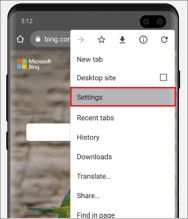
  2. Tap on the three-dot menu in the upper right-hand side corner and select “Export Passwords.”
  3. Verify your identity using your PIN or fingerprint.
  4. From the Share menu, select the Authenticator app. You’ll be again asked to verify your identity using your PIN or fingerprint.
  5. All your passwords should now have been successfully imported to the Microsoft Authenticator app

Apart from Google Chrome, you can also import your passwords from Firefox, Lastpass, Bitwarden, and Roboform. To do so, simply export your data in a .CSV file and then share the file to the Authenticator app.

The post Microsoft makes it easy to switch from Chrome to Authenticator for password management appeared first on xda-developers.


from xda-developers https://ift.tt/2NXepQ5
via IFTTT

Here are the Best Cheap Laptops that you can buy today: Lenovo IdeaPad 3, ASUS VivoBook 15, and more!

The laptop market is flourishing due to the coronavirus pandemic. One of the biggest reasons has been the fact that a majority of office goers, as well as students, have moved to a work-from-home or study-from-home environment. This also means that some of them have no option but to invest in a new computer. However, if you still haven’t got your hands on a decent notebook for your everyday work, then you’ve come to the right place.

Today we are checking out some of the best cheap laptops that you can buy on a tight budget. We have restricted the budget within the $350-$600 range, which should be good for decent machines that can handle most of your daily tasks like making presentations, attending video calls, writing notes, or just a casual movie when you want to take a break.

Lenovo IdeaPad 3
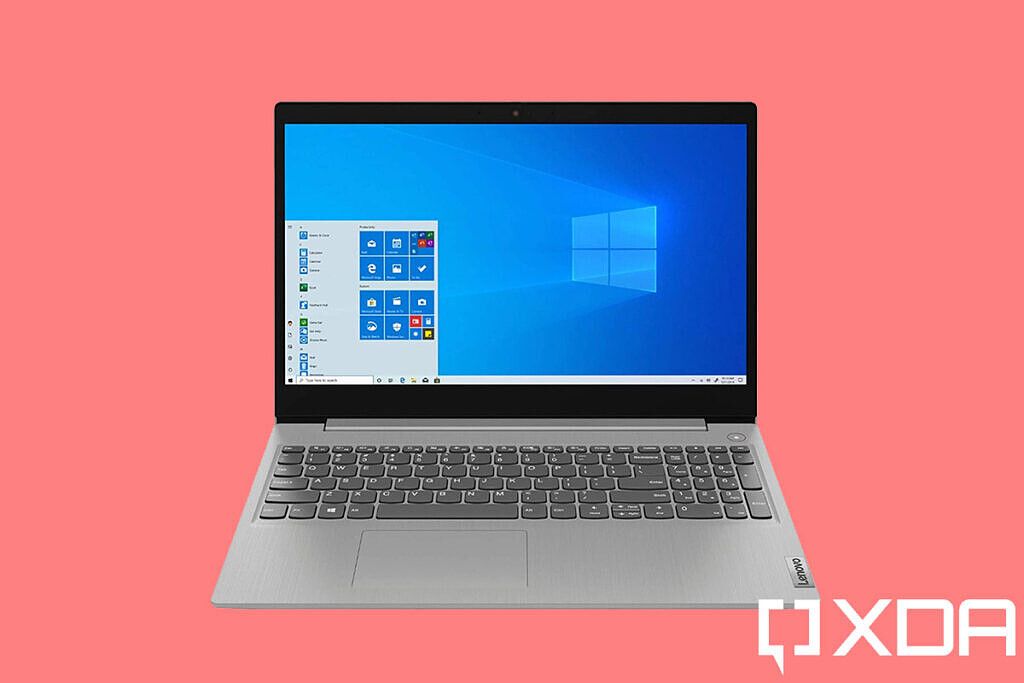
Lenovo Ideapad 3 product image

The IdeaPad series from Lenovo is a recommended option thanks to its fairly slim design and worthy hardware. The IdeaPad 3 is available in a variety of options ranging from the Intel Pentium Gold processor with 4GB of RAM priced under $300 to a 10th-gen Intel Core i5 variant that offers 12GB of RAM and a touchscreen with a 256GB SSD for about $540. There is also an AMD Ryzen 5 3500U variant that is available for just under $500. The IdeaPad series is quite reliable but make sure that you double-check the screen resolution before buying as some of the models only offer an HD resolution display.

    Lenovo IdeaPad 3
    The Lenovo IdeaPad 3 is an excellent budget option if you are looking for good balance of performance and a slim design.

Acer Aspire 5

Acer Aspire 5 product image

Similar to the Lenovo IdeaPad 3, Acer offers the Aspire 5 in multiple SKUs ranging from the 10th-gen Intel Core i3 to the Core i7. You can choose the appropriate configuration depending on your needs and budget. Additionally, Acer is also offering a touchscreen if you are willing to pay extra. It doesn’t look as good as the offering by Lenovo, but it does offer a few extra features like a fingerprint scanner, an IPS display, and Wi-Fi 6.

    Acer Aspire 5
    The Aspire 5 packs some really good features for its price and is available with the 10th-gen Intel Core i3, Core i5 and Core i7 processor options.

ASUS VivoBook 15

ASUS VivoBook 15 product image

The VivoBook 15 by ASUS is a sleek notebook and features the company’s Ergo Lift design that lifts up the keyboard deck when you open the lid. You can choose between the 10th-gen Intel Core i3 and Core i5 processor options with up to 8GB of RAM and 512GB of SSD storage. It also features slim bezels with an 88% screen to body ratio, a backlit keyboard, and a fingerprint scanner for Windows Hello authentication.

    ASUS VivoBook 15
    The VivoBook range from ASUS is an entry-to-mid range offering and features a premium design with option of a 10th-gen Intel Core i3 or Core i5 processor.

Lenovo Chromebook Flex 5

Lenovo Chromebook Flex 5 product image

If Windows is not your cup of tea, then the next best option on a budget is a Chromebook. Go for the Lenovo Chromebook Flex 5 if you want solid performance as it is loaded with the 10th-gen Intel Core i3 processor with 4GB of RAM. It features a 2-in-1 design which means that the 13.3-inch FHD display can be flipped all the way to transform it into a tablet. Lenovo also claims a battery life of up to 10 hours which should be good enough to last you all day.

    Lenovo Chromebook Flex 5
    The Lenovo Chromebook Flex 5 is a great notebook if you don't want to fiddle about with Windows. Since it features a 2-in-1 design, you can also use it in tablet mode.

HP 15 Laptop

HP 15 Laptop product image

This is one of the only laptops that we could find with the latest 11th-gen Intel Tiger Lake processor. The HP 15 Laptop is available with a Core i5-1135G7 processor with the new Intel Iris Xe graphics, 8GB RAM, 256GB SSD Storage, and a 15.6-inch Full HD IPS display. The notebook also comes with Wi-Fi 6, a USB Type-C port as well as a sleek and attractive looking design.

    HP 15 Laptop
    If you are looking for a budget notebook with the latest 11th-gen Intel Tiger Lake processor, then the HP 15 Laptop might be one of the only options out there.

These are some of the best cheap laptops currently on the market. Having said that, Intel’s new 11th-gen Tiger Lake processors, as well as AMD’s new Ryzen 5000 series mobile processors, are expanding to more notebooks as we speak. This means that we can expect more options in the coming weeks. If you have a wider budget, you can check out the best laptops that we recommend. Also, check out some of the best and highly recommended Chromebooks that you can buy today as they are usually better-value options on lower budgets.

The post Here are the Best Cheap Laptops that you can buy today: Lenovo IdeaPad 3, ASUS VivoBook 15, and more! appeared first on xda-developers.


from xda-developers https://ift.tt/36D04z4
via IFTTT

Download: Xiaomi Mi 10T and Mi 10T Pro are getting Android 11 update with MIUI 12

Xiaomi’s Mi 10T series was launched in September 2020 with MIUI 12 on top of Android 10, and the good-looking smartphone duo made its way to India a month later. Being a flagship grade device, users expected that the underlying Android layer would receive fairly quick updates to the latest version of Android and it did happen. The Redmi K30S, i.e. the Chinese variant of the Mi 10T, picked up the Android 11 update a while ago through the closed beta channel of MIUI. Although the China beta ROM can be flashed on the Indian and global variants, there are a few shortcomings such as the lack of Google Play Services that are keeping most people away. The waiting period is finally over, as Xiaomi has now begun the rollout for the stable version of Android 11 to Mi 10T/10T Pro owners in India.

Xiaomi Mi 10T XDA Forums

Xiaomi Mi 10T Pro Performance and Gaming Review: T is for Terrific

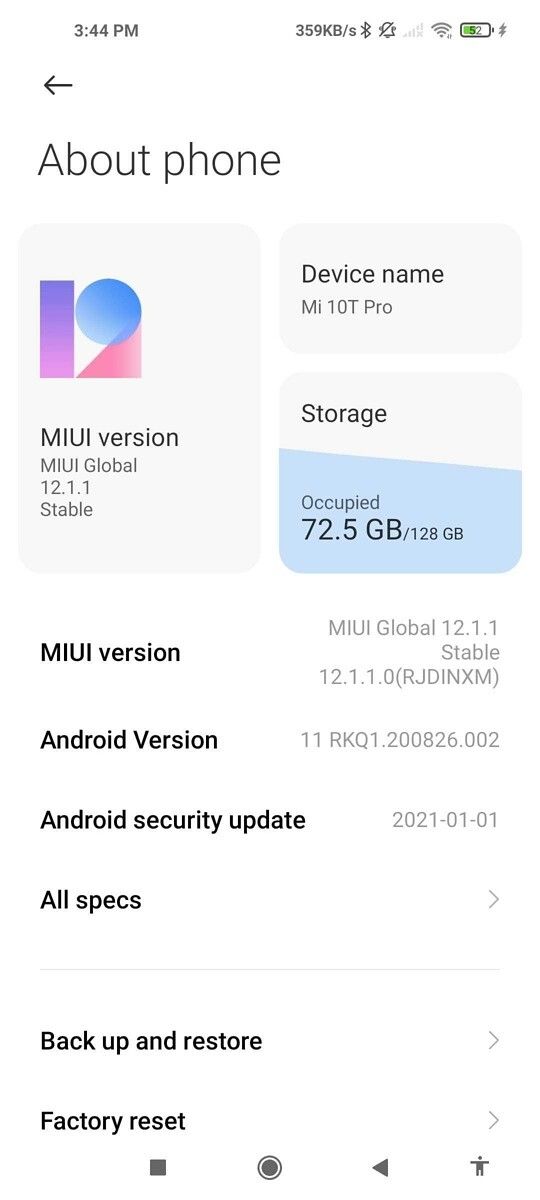
The Android 11 update for the Indian Mi 10T series carries build version V12.1.1.0.RJDINXM and it ships with January 2021 security patches. The build is still based on MIUI 12 — not MIUI 12.5 — which is a bit disappointing. But for what it’s worth, unlike the Chinese ROM, this version does not have any limitation related to Google apps as it is made for the Indian model.

Xiaomi Mi 10T Android 11 OTA Xiaomi Mi 10T Android 11 About

As of now, Xiaomi internally marks the current Android build for the Mi 10T as “stable beta”. For those not familiar with the Chinese OEM’s update policy, it means an authorized Mi Account might be required to manually install the ZIP file on your phone. However, the validation routine can be bypassed under a custom recovery environment. Thus, all you need to do to flash this build is to unlock the bootloader, install TWRP, and then flash this ROM.

Download Android 11 with MIUI 12 for the Mi 10T series (codename: apollo) — V12.1.1.0.RJDINXM

Once Xiaomi marks it to be stable enough, they are going to flip a server-side switch that will eventually remove the need for such authorization before flashing. Alternatively, they could also release new builds with additional bug fixes.


Thanks to XDA Recognized Developer yshalsager for providing the download link!

The post Download: Xiaomi Mi 10T and Mi 10T Pro are getting Android 11 update with MIUI 12 appeared first on xda-developers.


from xda-developers https://ift.tt/3av8x8n
via IFTTT

Here are the Best Cheap Laptops that you can buy today: Lenovo IdeaPad 3, ASUS VivoBook 15, and more!

The laptop market is flourishing due to the coronavirus pandemic. One of the biggest reasons has been the fact that a majority of office goers, as well as students, have moved to a work-from-home or study-from-home environment. This also means that some of them have no option but to invest in a new computer. However, if you still haven’t got your hands on a decent notebook for your everyday work, then you’ve come to the right place.

Today we are checking out some of the best cheap laptops that you can buy on a tight budget. We have restricted the budget within the $350-$600 range, which should be good for decent machines that can handle most of your daily tasks like making presentations, attending video calls, writing notes, or just a casual movie when you want to take a break.

Lenovo IdeaPad 3

Lenovo Ideapad 3 product image

The IdeaPad series from Lenovo is a recommended option thanks to its fairly slim design and worthy hardware. The IdeaPad 3 is available in a variety of options ranging from the Intel Pentium Gold processor with 4GB of RAM priced under $300 to a 10th-gen Intel Core i5 variant that offers 12GB of RAM and a touchscreen with a 256GB SSD for about $540. There is also an AMD Ryzen 5 3500U variant that is available for just under $500. The IdeaPad series is quite reliable but make sure that you double-check the screen resolution before buying as some of the models only offer an HD resolution display.

    Lenovo IdeaPad 3
    The Lenovo IdeaPad 3 is an excellent budget option if you are looking for good balance of performance and a slim design.

Acer Aspire 5

Acer Aspire 5 product image

Similar to the Lenovo IdeaPad 3, Acer offers the Aspire 5 in multiple SKUs ranging from the 10th-gen Intel Core i3 to the Core i7. You can choose the appropriate configuration depending on your needs and budget. Additionally, Acer is also offering a touchscreen if you are willing to pay extra. It doesn’t look as good as the offering by Lenovo, but it does offer a few extra features like a fingerprint scanner, an IPS display, and Wi-Fi 6.

    Acer Aspire 5
    The Aspire 5 packs some really good features for its price and is available with the 10th-gen Intel Core i3, Core i5 and Core i7 processor options.

ASUS VivoBook 15

ASUS VivoBook 15 product image

The VivoBook 15 by ASUS is a sleek notebook and features the company’s Ergo Lift design that lifts up the keyboard deck when you open the lid. You can choose between the 10th-gen Intel Core i3 and Core i5 processor options with up to 8GB of RAM and 512GB of SSD storage. It also features slim bezels with an 88% screen to body ratio, a backlit keyboard, and a fingerprint scanner for Windows Hello authentication.

    ASUS VivoBook 15
    The VivoBook range from ASUS is an entry-to-mid range offering and features a premium design with option of a 10th-gen Intel Core i3 or Core i5 processor.

Lenovo Chromebook Flex 5

Lenovo Chromebook Flex 5 product image

If Windows is not your cup of tea, then the next best option on a budget is a Chromebook. Go for the Lenovo Chromebook Flex 5 if you want solid performance as it is loaded with the 10th-gen Intel Core i3 processor with 4GB of RAM. It features a 2-in-1 design which means that the 13.3-inch FHD display can be flipped all the way to transform it into a tablet. Lenovo also claims a battery life of up to 10 hours which should be good enough to last you all day.

    Lenovo Chromebook Flex 5
    The Lenovo Chromebook Flex 5 is a great notebook if you don't want to fiddle about with Windows. Since it features a 2-in-1 design, you can also use it in tablet mode.

HP 15 Laptop

HP 15 Laptop product image

This is one of the only laptops that we could find with the latest 11th-gen Intel Tiger Lake processor. The HP 15 Laptop is available with a Core i5-1135G7 processor with the new Intel Iris Xe graphics, 8GB RAM, 256GB SSD Storage, and a 15.6-inch Full HD IPS display. The notebook also comes with Wi-Fi 6, a USB Type-C port as well as a sleek and attractive looking design.

    HP 15 Laptop
    If you are looking for a budget notebook with the latest 11th-gen Intel Tiger Lake processor, then the HP 15 Laptop might be one of the only options out there.

These are some of the best cheap laptops currently on the market. Having said that, Intel’s new 11th-gen Tiger Lake processors, as well as AMD’s new Ryzen 5000 series mobile processors, are expanding to more notebooks as we speak. This means that we can expect more options in the coming weeks. If you have a wider budget, you can check out the best laptops that we recommend. Also, check out some of the best and highly recommended Chromebooks that you can buy today as they are usually better-value options on lower budgets.

The post Here are the Best Cheap Laptops that you can buy today: Lenovo IdeaPad 3, ASUS VivoBook 15, and more! appeared first on xda-developers.


from xda-developers https://ift.tt/36D04z4
via IFTTT
Download: Xiaomi Mi 10T and Mi 10T Pro are getting Android 11 update with MIUI 12

Xiaomi’s Mi 10T series was launched in September 2020 with MIUI 12 on top of Android 10, and the good-looking smartphone duo made its way to India a month later. Being a flagship grade device, users expected that the underlying Android layer would receive fairly quick updates to the latest version of Android and it did happen. The Redmi K30S, i.e. the Chinese variant of the Mi 10T, picked up the Android 11 update a while ago through the closed beta channel of MIUI. Although the China beta ROM can be flashed on the Indian and global variants, there are a few shortcomings such as the lack of Google Play Services that are keeping most people away. The waiting period is finally over, as Xiaomi has now begun the rollout for the stable version of Android 11 to Mi 10T/10T Pro owners in India.

Xiaomi Mi 10T XDA Forums

Xiaomi Mi 10T Pro Performance and Gaming Review: T is for Terrific

The Android 11 update for the Indian Mi 10T series carries build version V12.1.1.0.RJDINXM and it ships with January 2021 security patches. The build is still based on MIUI 12 — not MIUI 12.5 — which is a bit disappointing. But for what it’s worth, unlike the Chinese ROM, this version does not have any limitation related to Google apps as it is made for the Indian model.

Xiaomi Mi 10T Android 11 OTA Xiaomi Mi 10T Android 11 About

As of now, Xiaomi internally marks the current Android build for the Mi 10T as “stable beta”. For those not familiar with the Chinese OEM’s update policy, it means an authorized Mi Account might be required to manually install the ZIP file on your phone. However, the validation routine can be bypassed under a custom recovery environment. Thus, all you need to do to flash this build is to unlock the bootloader, install TWRP, and then flash this ROM.

Download Android 11 with MIUI 12 for the Mi 10T series (codename: apollo) — V12.1.1.0.RJDINXM

Once Xiaomi marks it to be stable enough, they are going to flip a server-side switch that will eventually remove the need for such authorization before flashing. Alternatively, they could also release new builds with additional bug fixes.


Thanks to XDA Recognized Developer yshalsager for providing the download link!

The post Download: Xiaomi Mi 10T and Mi 10T Pro are getting Android 11 update with MIUI 12 appeared first on xda-developers.


from xda-developers https://ift.tt/3av8x8n
via IFTTT

OxygenOS Open Beta 6 rolls out for the OnePlus 8/8 Pro with new “Dock” dashboard, January 2021 patches, and more

OnePlus has started rolling out OxygenOS Open Beta 6 for the OnePlus 8 and the OnePlus 8 Pro, its 2020 flagship smartphones. The last OxygenOS Open Beta for the phone duo, Open Beta 5, introduced a “Rewind Recording” feature in the Game Space and December 2020 security patches. Now, the latest build from the beta channel adds “Dock” — a Digital Wellbeing-like dashboard — to the OnePlus Shelf and finally brings the January 2021 security patches.

OnePlus 8 Pro OxygenOS Open Beta 6

Thanks to OnePlus Community member lkysmruti for the screenshot!

As usual, the changelog for both devices is exactly the same. Apart from the aforementioned changes, there are also a few other optimizations. For one, the stability of the overall system has been optimized for a better gaming experience. The browser app crashing issue has been fixed, and the cloud service interface in the stock gallery app gets a fresh coat of paint. Finally, the the transmission rate of Bluetooth when connecting watches has been improved and general bugs are said to have been fixed.

The full changelog for OxygenOS Open Beta 6 for the OnePlus 8 series can be found below:

  • System
    • Optimized the UI display of the status bar
    • Optimized the stability of frame rate and improved the experience when playing games
    • Optimized the interface of the Community homepage and make notifications more eye-catching
    • Fixed the crash issue where the drop-down menu of Browser
    • Updated Android Security Patch to 2021.01
  • Shelf
    • Newly added Dock, a dashboard that displays various information, including daily steps, screen usage time, etc.
    • Optimized weather animation effects to improve fluency
  • Weather
    • Optimized animations for sunny and cloudy days for a clearer dynamic display
  • Gaming Space
    • Fixed the issue where notifications could not be turned off in the game in some cases
  • Gallery
    • Optimized the layout of the cloud service interface in the Gallery for a better operation experience
  • Bluetooth
    • Improved the transmission rate of Bluetooth when connecting watches

OnePlus 8 Forums  ||| OnePlus 8 Pro Forums

Download: OxygenOS Open Beta 6 for the OnePlus 8 series

You can either download the full OTA if you want to upgrade from OnePlus 8/8 Pro’s stable Android 10 release or you’re rooted, or you can download the incremental package if you’re already on Open Beta 5 and you haven’t modified the software. Either way, you can sideload the OTA by copying it to your phone’s internal storage and then choosing the “Local upgrade” option in the system updater app.

OnePlus 8

OnePlus 8 Pro


Thanks to XDA Senior Member Some_Random_Username for providing the download links!

The post OxygenOS Open Beta 6 rolls out for the OnePlus 8/8 Pro with new “Dock” dashboard, January 2021 patches, and more appeared first on xda-developers.


from xda-developers https://ift.tt/2Mo7jE6
via IFTTT

OxygenOS Open Beta 6 rolls out for the OnePlus 8/8 Pro with new “Dock” dashboard, January 2021 patches, and more

OnePlus has started rolling out OxygenOS Open Beta 6 for the OnePlus 8 and the OnePlus 8 Pro, its 2020 flagship smartphones. The last OxygenOS Open Beta for the phone duo, Open Beta 5, introduced a “Rewind Recording” feature in the Game Space and December 2020 security patches. Now, the latest build from the beta channel adds “Dock” — a Digital Wellbeing-like dashboard — to the OnePlus Shelf and finally brings the January 2021 security patches.

OnePlus 8 Pro OxygenOS Open Beta 6

Thanks to OnePlus Community member lkysmruti for the screenshot!

As usual, the changelog for both devices is exactly the same. Apart from the aforementioned changes, there are also a few other optimizations. For one, the stability of the overall system has been optimized for a better gaming experience. The browser app crashing issue has been fixed, and the cloud service interface in the stock gallery app gets a fresh coat of paint. Finally, the the transmission rate of Bluetooth when connecting watches has been improved and general bugs are said to have been fixed.

The full changelog for OxygenOS Open Beta 6 for the OnePlus 8 series can be found below:

  • System
    • Optimized the UI display of the status bar
    • Optimized the stability of frame rate and improved the experience when playing games
    • Optimized the interface of the Community homepage and make notifications more eye-catching
    • Fixed the crash issue where the drop-down menu of Browser
    • Updated Android Security Patch to 2021.01
  • Shelf
    • Newly added Dock, a dashboard that displays various information, including daily steps, screen usage time, etc.
    • Optimized weather animation effects to improve fluency
  • Weather
    • Optimized animations for sunny and cloudy days for a clearer dynamic display
  • Gaming Space
    • Fixed the issue where notifications could not be turned off in the game in some cases
  • Gallery
    • Optimized the layout of the cloud service interface in the Gallery for a better operation experience
  • Bluetooth
    • Improved the transmission rate of Bluetooth when connecting watches

OnePlus 8 Forums  ||| OnePlus 8 Pro Forums

Download: OxygenOS Open Beta 6 for the OnePlus 8 series

You can either download the full OTA if you want to upgrade from OnePlus 8/8 Pro’s stable Android 10 release or you’re rooted, or you can download the incremental package if you’re already on Open Beta 5 and you haven’t modified the software. Either way, you can sideload the OTA by copying it to your phone’s internal storage and then choosing the “Local upgrade” option in the system updater app.

OnePlus 8

OnePlus 8 Pro


Thanks to XDA Senior Member Some_Random_Username for providing the download links!

The post OxygenOS Open Beta 6 rolls out for the OnePlus 8/8 Pro with new “Dock” dashboard, January 2021 patches, and more appeared first on xda-developers.


from xda-developers https://ift.tt/2Mo7jE6
via IFTTT