LightBlog

lundi 10 août 2020

POCO M2 Pro gets an unofficial LineageOS 17.1 and PitchBlack Recovery builds

The POCO M2 Pro (our review) may not feature a flagship chipset like the first-gen POCO F1 or even a high refresh rate display panel like the POCO X2, but the smartphone does offer some solid specifications for a very competitive price. The Qualcomm Snapdragon 720G SoC is specifically tuned for mobile gaming on a budget, while the massive 5,000 mAh battery with 33W fast charging support is capable enough to deliver a marathon battery life. Since the first POCO-branded device was quite a big hit among aftermarket development enthusiasts and custom ROM developers, we expect that this mid-ranger will continue that legacy. In fact, development on our forums has been in high gear right from the beginning, and here’s our first custom development roundup for the POCO M2 Pro.

POCO M2 Pro XDA Forums ||| Buy the POCO M2 Pro from Flipkart

Unofficial LineageOS 17.1

LineageOS is undoubtedly one of the most popular custom ROMs out there, and an unofficial build of the ROM is already available for this phone. Based on the contributions of XDA Recognized Developer erfanoabdi and Cosmin Tanislav AKA Demon000, XDA Senior Member ChaitanayaMittal has ported LineageOS 17.1, based on Android 10, to the POCO M2 Pro. Most of the features are reportedly working fine, however, it might not be ready yet to be a daily driver. If you’re a fan of the stock Android look, then head over to the thread linked below and follow the instructions to get the ROM up and running on your device.

Unofficial LineageOS 17.1 for the POCO M2 Pro

Unofficial PitchBlack Recovery

If you wish to install the aforementioned LineageOS 17.1 build, you will first need a custom recovery on your device. Thankfully, an unofficial build of the PitchBlack Recovery (a fork of TWRP) is now available for the phone, courtesy of the same developer who compiled the LineageOS build. The recovery solution is also compatible with stock MIUI OTA packages, which means you can install incremental MIUI updates without modifying the updater script.

Unofficial PitchBlack Recovery for the POCO M2 Pro

The post POCO M2 Pro gets an unofficial LineageOS 17.1 and PitchBlack Recovery builds appeared first on xda-developers.


from xda-developers https://ift.tt/33LXtSt
via IFTTT

Nreal’s new augmented reality smart glasses will be bundled with a Samsung Galaxy Note 20 or LG Velvet on Korea’s LG U+

The Samsung Galaxy Note 20 and LG Velvet are the latest and greatest Android smartphones from the two Korean tech giants, and both Samsung and LG are competing to offer the most value to consumers in their home country. When you purchase either device on South Korea’s LG U+ carrier, you’ll get a discount on the new Nreal Light augmented reality smart glasses as part of a promotional bundle.

The Nreal Light and 5G smartphone bundle bring the price of the glasses down to 349,000 KRW ($295) from 699,000 KRW ($586). Consumers can tether the glasses to the Samsung or LG device, allowing them to experience what the Nreal Light has to offer.

Nreal Light’s form factor offers all the hallmarks of a consumer-grade AR device that’s lightweight and compact enough to wear like sunglasses. Nreal Light offers 52 degree Field of View and a brilliant display, which simulates the experience of watching your favorite shows or playing games on a 100-inch Micro OLED screen. But with Nreal Light, the advantage is that you can enjoy the experience anywhere.

According to Nreal, its AR smartglasses transform 2D apps onto a user-defined 3D interface using a system named Nebula. Through Nebula, users can apparently arrange “dozens of screens” within their field of view, so they can do things such as watch shows and browse the internet at the same time.

Nreal Light UI

Hundreds of the world’s most popular apps will be available to use with Nreal Light at launch, including Google Chrome, Facebook, Instagram, and more. LG U+ will also launch a series of exclusive apps on Nreal Light later this year.

Nreal Light owners will get several accessories included with the smartglasses, such as a corrective lens frame and four different sized magnetically attachable nose pads. There’s also a VR Cover, which will block your view in an effort to offer an immersive VR experience for gaming and video.

Nreal Light consumer kit

Nreal calls the Nreal Light’s launch a “historic moment” in the world of smart glasses. Bundling them with two of the market’s biggest new smartphones and a 5G data plan will go a long way to elevating their chances of finding an audience, but whether they can go mainstream remains to be seen.

Samsung Galaxy Note 20 Forums ||| Samsung Galaxy Note 20 Ultra Forums ||| LG Velvet Forums

If you’re interested, you can purchase the bundle through LG U+ starting today, or you can buy the glasses by themselves at LG U+ retail locations on August 21. Though we saw Nreal at CES earlier this year, there’s no word yet on international availability for the Nreal Light.

The post Nreal’s new augmented reality smart glasses will be bundled with a Samsung Galaxy Note 20 or LG Velvet on Korea’s LG U+ appeared first on xda-developers.


from xda-developers https://ift.tt/2DI7ohj
via IFTTT

Nreal’s new augmented reality smart glasses will be bundled with a Samsung Galaxy Note 20 or LG Velvet on Korea’s LG U+

The Samsung Galaxy Note 20 and LG Velvet are the latest and greatest Android smartphones from the two Korean tech giants, and both Samsung and LG are competing to offer the most value to consumers in their home country. When you purchase either device on South Korea’s LG U+ carrier, you’ll get a discount on the new Nreal Light augmented reality smart glasses as part of a promotional bundle.

The Nreal Light and 5G smartphone bundle bring the price of the glasses down to 349,000 KRW ($295) from 699,000 KRW ($586). Consumers can tether the glasses to the Samsung or LG device, allowing them to experience what the Nreal Light has to offer.

Nreal Light’s form factor offers all the hallmarks of a consumer-grade AR device that’s lightweight and compact enough to wear like sunglasses. Nreal Light offers 52 degree Field of View and a brilliant display, which simulates the experience of watching your favorite shows or playing games on a 100-inch Micro OLED screen. But with Nreal Light, the advantage is that you can enjoy the experience anywhere.

According to Nreal, its AR smartglasses transform 2D apps onto a user-defined 3D interface using a system named Nebula. Through Nebula, users can apparently arrange “dozens of screens” within their field of view, so they can do things such as watch shows and browse the internet at the same time.

Nreal Light UI

Hundreds of the world’s most popular apps will be available to use with Nreal Light at launch, including Google Chrome, Facebook, Instagram, and more. LG U+ will also launch a series of exclusive apps on Nreal Light later this year.

Nreal Light owners will get several accessories included with the smartglasses, such as a corrective lens frame and four different sized magnetically attachable nose pads. There’s also a VR Cover, which will block your view in an effort to offer an immersive VR experience for gaming and video.

Nreal Light consumer kit

Nreal calls the Nreal Light’s launch a “historic moment” in the world of smart glasses. Bundling them with two of the market’s biggest new smartphones and a 5G data plan will go a long way to elevating their chances of finding an audience, but whether they can go mainstream remains to be seen.

Samsung Galaxy Note 20 Forums ||| Samsung Galaxy Note 20 Ultra Forums ||| LG Velvet Forums

If you’re interested, you can purchase the bundle through LG U+ starting today, or you can buy the glasses by themselves at LG U+ retail locations on August 21. Though we saw Nreal at CES earlier this year, there’s no word yet on international availability for the Nreal Light.

The post Nreal’s new augmented reality smart glasses will be bundled with a Samsung Galaxy Note 20 or LG Velvet on Korea’s LG U+ appeared first on xda-developers.


from xda-developers https://ift.tt/2DI7ohj
via IFTTT

Download: OnePlus 8 and OnePlus 8 Pro receive HydrogenOS 11 Developer Preview based on Android 11

OnePlus phones sold in China come with HydrogenOS instead of the OxygenOS skin. These two user interfaces share a somewhat common codebase, which means you can easily cross-flash the HydrogenOS package on the international variant of a OnePlus phone, albeit you will miss Google Play Services or any pre-installed Google apps. Now, you can finally take a look and experience the upcoming iteration of these skins when rebased on top of Android 11, as OnePlus is offering the first set of HydrogenOS 11 builds for the OnePlus 8 and the OnePlus 8 Pro.

XDA Forums: OnePlus 8 || OnePlus 8 Pro

While the company did publish Android 11-based beta builds for the OnePlus 8 family in the past, today’s release is rather significant. As teased by a week ago, these HydrogenOS 11 builds are more-or-less feature complete. OnePlus has integrated a bunch of custom functionalities, including the long-anticipated always-on display support, with all the typical new features that Google offers with Android 11, thus you should treat it like the near-final version of OnePlus’ take on Android 11.

The complete changelog of this update is as follows:

HydrogenOS 11 changelog for the OnePlus 8 and OnePlus 8 Pro

  • System
    • Overall visual refresh (including more immersive weather, more comfortable browsing of photo albums and notes, etc.)
    • Fully optimize the large-screen operating experience, comfortable and convenient with one hand
    • Built-in two brand-new fonts (Cang Er Jin Kai, Huakang Round Type), OnePlus Ying Hei font is upgraded to OnePlus Sans
    • Added a new live wallpaper, combined with the time point of sunrise to sunset, the color of the wallpaper changes accordingly, echoing the changes in the sky
  • Information screen display
    • Added the function of constant light display on the information screen, which can be selected as scheduled/all day. The setting method is: setting-display-the screen display is always on
    • Added a custom style for the “Time” screen display. 10 clocks are available for the regular style. The setting method is: Settings-Personalization-Clock Style
  • Dark mode
    • Added a shortcut switch for dark mode, pull down the shortcut settings to open
    • The dark mode supports the setting of automatic opening and time period. The setting method is: setting-display-dark mode-automatic opening-according to sunset and sunrise / custom time opening
  • Zen mode
    • Added three new themes (ocean, space, grassland) and provide more duration options
    • Added support for multi-person meditation mode, you can invite friends to meditation together
  • Photo album
    • The smart album newly supports a week review function, which can intelligently generate videos according to the material situation to retain memories.
  • OnePlus
    • Add OnePlus mutual transfer, quickly share files to surrounding devices, support OPPO, vivo, Realme, Xiaomi, Meizu and other brands

According to OnePlus, the HydrogneOS 11 builds for the OnePlus 8 series are still based on the second Developer Preview build of Android 11. They are strictly meant for the developers, so the OEM has yet to include them under the “Open Beta” program.


Download: HydrogenOS 11 Developer Preview for the OnePlus 8 and OnePlus 8 Pro

Caution: The builds are not intended to be used by end-users. These builds are early releases and may contain bugs and various instabilities. They also wipe your device completely, so it is highly recommended that you backup your data before proceeding. Please exercise your own discretion.

You can download the builds from the links below. Downgrade builds are also mentioned:

To install, download the appropriate package for your phone from the link above. Then go to Settings > System > System Updates, and then click on the top-right icon and select Local Upgrade option. From there, select the update package that you have downloaded and proceed. The update should successfully flash on your device.

Buy from Amazon.in: OnePlus 8 || OnePlus 8 Pro

In case you don’t feel comfortable installing HydrogenOS, a similar Developer Preview of OxygenOS for the OnePlus 8/8 Pro is on its way as well.


Source: OnePlus China Forums

The post Download: OnePlus 8 and OnePlus 8 Pro receive HydrogenOS 11 Developer Preview based on Android 11 appeared first on xda-developers.


from xda-developers https://ift.tt/3gFkV7E
via IFTTT

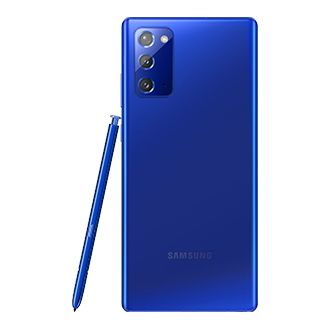
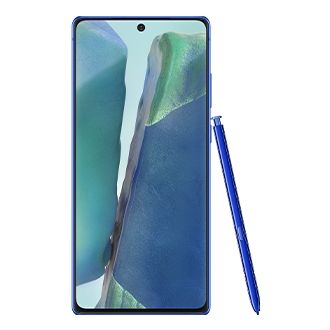
Samsung Galaxy Note 20 gets Mystic Blue color in India for ₹77,999

At Samsung Unpacked 2020, Samsung finally unveiled the Samsung Galaxy Note 20 and the Samsung Galaxy Note 20 Ultra. These devices are a culmination of the best flagship technologies that Samsung has to offer in the conventional smartphone realm. The latest Galaxy Note 20 flagships from Samsung feature top-of-the-line hardware, including Qualcomm’s flagship Snapdragon 865 Plus SoC or Samsung’s Exynos 990 chip (depending on your region), up to 12GB of fast LPDDR5 RAM, and up to 512GB of high-speed UFS 3.x storage. Now, Samsung is introducing another color variant of the Galaxy Note 20 in India in the form of the Mystic Blue color.

The Samsung Galaxy Note 20 is available in India in Mystic Bronze and Mystic Green colors, with 8GB of RAM and 256GB of internal storage. Samsung’s latest announcement adds another color variant to the mix, making India one of the few countries that gets the Blue color option.

To note, this color option is not available on the Galaxy Note 20 Ultra just yet. Samsung’s press release does not mention whether we will see more color variants of the Note 20 or Ultra. Samsung’s press release also does not explicitly mention the presence of the Exynos 990 SoC, but past experience dictates that India will get the Exynos SoC instead of the Qualcomm Snapdragon 865 Plus.

Pricing on the device remains the same as the other color variants, so you can pick it up for ₹77,999 (~$1,041). Pre-bookings for the phone has begun on Samsung.com and other leading retail stores. Pre-booking offers include benefits of ₹7,000, which can be redeemed on other Samsung products. HDFC Bank Credit and Debit card users are eligible for cashback up to ₹6,000. The device will go on open sale starting from August 21, 2020, on Samsung.com and August 28, 2020, from Amazon.in.

    Samsung Galaxy Note 20
    Unleash the power of the next Galaxy with the new Galaxy Note 20, which comes equipped with an octa-core Exynos processor, 8GB of RAM and 256GB of storage. There's also a triple camera setup, featuring two 12MP cameras and a 64MP telephoto, as well as a 10MP front camera, 6.7-inch display, and 4,300mAh battery. Pre-order now!

Samsung Galaxy Note 20 XDA Forums

Samsung has committed to delivering 3 generations of Android OS updates to the Note 20 series, which makes this a good purchase for those looking for device security. Though, for several other reasons, the Note 20 fails to make as much of an impact as the Galaxy Note 20 Ultra does.

The post Samsung Galaxy Note 20 gets Mystic Blue color in India for ₹77,999 appeared first on xda-developers.


from xda-developers https://ift.tt/2DGaJ0l
via IFTTT

Download: OnePlus 8 and OnePlus 8 Pro receive HydrogenOS 11 Developer Preview based on Android 11

OnePlus phones sold in China come with HydrogenOS instead of the OxygenOS skin. These two user interfaces share a somewhat common codebase, which means you can easily cross-flash the HydrogenOS package on the international variant of a OnePlus phone, albeit you will miss Google Play Services or any pre-installed Google apps. Now, you can finally take a look and experience the upcoming iteration of these skins when rebased on top of Android 11, as OnePlus is offering the first set of HydrogenOS 11 builds for the OnePlus 8 and the OnePlus 8 Pro.

XDA Forums: OnePlus 8 || OnePlus 8 Pro

While the company did publish Android 11-based beta builds for the OnePlus 8 family in the past, today’s release is rather significant. As teased by a week ago, these HydrogenOS 11 builds are more-or-less feature complete. OnePlus has integrated a bunch of custom functionalities, including the long-anticipated always-on display support, with all the typical new features that Google offers with Android 11, thus you should treat it like the near-final version of OnePlus’ take on Android 11.

The complete changelog of this update is as follows:

HydrogenOS 11 changelog for the OnePlus 8 and OnePlus 8 Pro

  • System
    • Overall visual refresh (including more immersive weather, more comfortable browsing of photo albums and notes, etc.)
    • Fully optimize the large-screen operating experience, comfortable and convenient with one hand
    • Built-in two brand-new fonts (Cang Er Jin Kai, Huakang Round Type), OnePlus Ying Hei font is upgraded to OnePlus Sans
    • Added a new live wallpaper, combined with the time point of sunrise to sunset, the color of the wallpaper changes accordingly, echoing the changes in the sky
  • Information screen display
    • Added the function of constant light display on the information screen, which can be selected as scheduled/all day. The setting method is: setting-display-the screen display is always on
    • Added a custom style for the “Time” screen display. 10 clocks are available for the regular style. The setting method is: Settings-Personalization-Clock Style
  • Dark mode
    • Added a shortcut switch for dark mode, pull down the shortcut settings to open
    • The dark mode supports the setting of automatic opening and time period. The setting method is: setting-display-dark mode-automatic opening-according to sunset and sunrise / custom time opening
  • Zen mode
    • Added three new themes (ocean, space, grassland) and provide more duration options
    • Added support for multi-person meditation mode, you can invite friends to meditation together
  • Photo album
    • The smart album newly supports a week review function, which can intelligently generate videos according to the material situation to retain memories.
  • OnePlus
    • Add OnePlus mutual transfer, quickly share files to surrounding devices, support OPPO, vivo, Realme, Xiaomi, Meizu and other brands

According to OnePlus, the HydrogneOS 11 builds for the OnePlus 8 series are still based on the second Developer Preview build of Android 11. They are strictly meant for the developers, so the OEM has yet to include them under the “Open Beta” program.


Download: HydrogenOS 11 Developer Preview for the OnePlus 8 and OnePlus 8 Pro

Caution: The builds are not intended to be used by end-users. These builds are early releases and may contain bugs and various instabilities. They also wipe your device completely, so it is highly recommended that you backup your data before proceeding. Please exercise your own discretion.

You can download the builds from the links below. Downgrade builds are also mentioned:

To install, download the appropriate package for your phone from the link above. Then go to Settings > System > System Updates, and then click on the top-right icon and select Local Upgrade option. From there, select the update package that you have downloaded and proceed. The update should successfully flash on your device.

Buy from Amazon.in: OnePlus 8 || OnePlus 8 Pro

In case you don’t feel comfortable installing HydrogenOS, a similar Developer Preview of OxygenOS for the OnePlus 8/8 Pro is on its way as well.


Source: OnePlus China Forums

The post Download: OnePlus 8 and OnePlus 8 Pro receive HydrogenOS 11 Developer Preview based on Android 11 appeared first on xda-developers.


from xda-developers https://ift.tt/3gFkV7E
via IFTTT

Android TV gets Google Play Instant Apps, PIN code purchases, and more

Android TV is Google’s platform for smart TVs, boasting of more than 7,000 apps for Google Play on Android TV. The platform has seen steady success despite stiff competition from other homegrown alternatives. Android TV now boasts of 80% YoY growth in monthly active users, alongside adoption by 7 out of the top 10 smart TV OEMs around the world and over 160 TV operators. Google recently had announced the Android 11 Developer Preview for Android TV, and today, as part of its 11 Weeks of Android series, Google is highlighting the changes and improvements that the latest update to Android TV will bring to smart TVs. What’s even better is the fact that most of these features will be made available to older versions of Android TV (9 and 10) as well.

Google Play Instant on TV

Android Instant Apps were first showcased at Google I/0 2016. With Instant Apps, users could try out apps without the hassle of actually installing them. Instant Apps worked by breaking down a native app into small parts, which could be loaded faster and downloaded, then executed quickly. It displayed the UI screen for an app, and as soon as it was closed, it was removed and did not need to be uninstalled, because it hadn’t been installed in the first place.

Now, Google is bringing the Instant Apps experience to TV with Google Play Instant. Developers for Android TV apps can now allow users to try out their apps instantly on Google Play with Google Play Instant on TV. Users can choose to install the app after they have experienced it. This should come in handy as smart TVs usually come with limited storage capacities as compared to smartphones.

Google Play Instant on Android TV

Android TV Emulator with Play Store support

Google is also making it easier for developers to test their apps as the official Android TV emulator now supports Google Play. Developers will now be able to test subscriptions faster through the emulator instead of needing to test on a real device all the time, which would have been fairly cumbersome on TVs.

PIN Code Purchases

Google Play on Android TV will now make it easier for users to make purchases by allowing them to input PIN code instead of a password.

Gboard TV

Gboard for Android TV is now getting new layouts and features that make better use of speech-to-text and predictive typing. This should make it easier to input data, especially through remotes that aren’t designed to be used heavily for typing.

Gboard TV for Android TV

Auto Low Latency Mode

Auto Low Latency Mode (ALLM) was first spotted in June 2020 as a feature for the upcoming Google “Sabrina” Android TV dongle. Auto Low Latency Mode is a feature of the HDMI 2.1 specification that allows the device to send a signal to the connected TV to get it to disable any post-processing features that might add latency to displaying the video. A lot of televisions will market this feature as a “Game Mode” because it’s most useful for reducing lag when gaming.

As Google mentions, in Android 11 and later, a window can request that auto low latency mode or game mode be used, if available, by requesting minimal post-processing. This is particularly useful for game and videoconferencing applications, where low latency is more important than having the best possible graphics. Google also clarified to us that this is the only feature that is exclusive to Android 11 on Android TV, and it further needs to be adopted by device makers individually.

App developers can prepare their apps by including the ALLM option in their Android Manifest or branch their code by OS version (see example below), and then the OS will automatically use ALLM if it is available or operate normally if it isn’t.

if (isAndroidROrGreater()) {
pleaseEnableAllm();
} else {
Log.i("Sorry, no ALLM")
}

Leanback Library Improvements

The latest leanback library focuses on simplifying app navigation and compatibility with improvements such as simpler top tab navigationpaging through media titles and shared codebases across mobile and TV.


As mentioned before, only Auto Low Latency Mode is an Android 11 exclusive feature. Other features will be made available to Android TV based on Android 9 and Android TV based on Android 10 as well.

The post Android TV gets Google Play Instant Apps, PIN code purchases, and more appeared first on xda-developers.


from xda-developers https://ift.tt/33M5GpU
via IFTTT