LightBlog

samedi 23 mai 2020

How to add any app to OxygenOS Parallel Apps space on OnePlus phones

Back in 2017, OnePlus introduced a new feature in an OxygenOS Open Beta for the OnePlus 3/3T called “Parallel Apps”. This feature lets you clone select applications so you can run a separate account on them, even if the app itself did not support quick account switching. Supported apps include Facebook, Facebook Messenger, Instagram, WhatsApp, Twitter, LinkedIn, Quora, and others. However, not every app is supported in parallel space. Fortunately, there’s an easy workaround.

What Parallel Apps does is create a new user profile with the ID “999”. OxygenOS integrates apps installed on this user profile onto the main user profile and also hides this profile from the lockscreen so you can’t sign into it. This hidden user profile has Google Play Services installed, but not the Google Play Store. Thankfully, it’s possible to sideload apps onto the user profile for Parallel Space. For the purposes of getting whatever app we want running as a Parallel App, we’re going to install the “Aurora Store” app, which is a fully open-source unofficial client of the Google Play Store. In case you wonder why we are not preferring the actual Google Play Store to be installed under the Parallel App user profile, it’s due to a bug with the Play Store and Parallel Apps that won’t let you install any apps that have already been installed on the main profile since the Play Store thinks those apps have already been installed on the Parallel Apps profile.

To install the Aurora Store app to Parallel Apps and thus enable the ability to install any other app, simply do the following:

  1. Download the APK file for the Aurora Store from its XDA Thread.
  2. Set up ADB shell access. You can find a handy guide by clicking here.
  3. Run the following ADB command: adb install --user 999 <aurora_store_apk_name>.apk
  4. This will install the Aurora Store to user profile 999, which is the profile for Parallel Apps. Now you can simply open the Aurora Store and download whatever other apps you want.
  5. Alternatively, you can download the APK file for whatever app you want to be cloned and run the command in step #3.
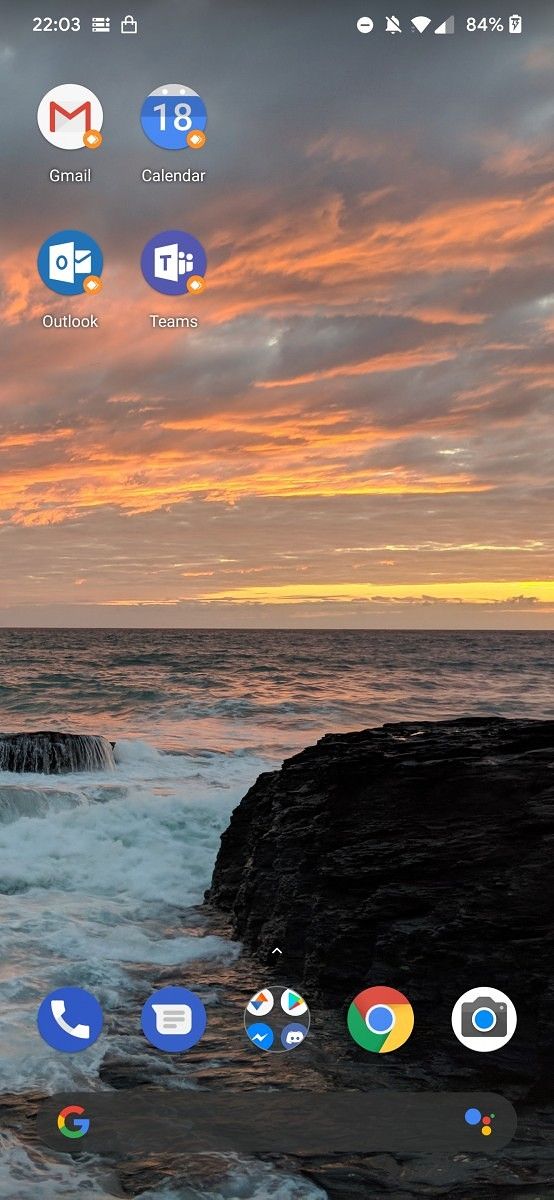
OxygenOS Parallel Apps any app

Credits go to XDA Recognized Developer Quinny899 for this screenshot!

If you don’t want to go down this route, you can also use a third-party app like Shelter or Island to create a work profile on your device and then install whatever app you want.

Do you find this feature useful? Let us know in the comments below!

The post How to add any app to OxygenOS Parallel Apps space on OnePlus phones appeared first on xda-developers.


from xda-developers https://ift.tt/2LUOB32
via IFTTT

vendredi 22 mai 2020

Official Citra for Android releases as the first mobile Nintendo 3DS emulator

We’ve already covered Nintendo 3DS emulation on Android numerous times, though earlier attempts were made possible by unofficial Android ports of the incredibly popular Citra emulator on PC. With the help of both developers of those unofficial ports, there’s now an official build of Citra for Android. What’s more, this Nintendo 3DS emulator is available on the Google Play Store for free!

There are a lot of features present in the official port released today that weren’t available in the initial port, and all of these features work to provide a rather full-fledged Nintendo 3DS emulation experience. That includes amiibo support, motion controls, microphone and camera support, and gamepad support, just to name a few. The team behind the Citra 3DS emulator documented and published the story of the entire development process on their website, which goes in-depth as to how the two previous unofficial ports affected the development of this official version. If you remember the first attempt at emulating 3DS games on Android, it barely worked as it was slow and had a lot of issues. The second (and ongoing) “MMJ” unofficial ports were much better in terms of performance, but the average user will likely want to stick with official builds that are now available.

I did some brief testing on the official build and found that Nintendo 3DS games like Mario Kart 7 and Animal Crossing: New Leaf ran extremely well on my OnePlus 8 Pro powered by the Qualcomm Snapdragon 865. We also played a bit of Fire Emblem: Fate on the OPPO Find X2 Pro powered by the Qualcomm Snapdragon 865, and it mostly ran at a stable 60fps. We’ll be doing some more in-depth testing over the weekend to see just how viable Citra is across a number of devices with different chipsets. Currently, the team behind Citra recommends that your device has the Qualcomm Snapdragon 835 or better, though performance will also be heavily dependant on the device’s GPU drivers. In general, Qualcomm Snapdragon devices will run Citra better than Samsung Exynos or HiSilicon Kirin devices. Your smartphone must also be running Android 8.0 Oreo at minimum and support OpenGL ES 3.2. You may run into graphical glitches and other problems on unsupported devices.

Left: Bugged (Player is transparent) ||| Right: Working

You can download the Citra for Android app from the Google Play Store below. There is a $4.99 in-app purchase to unlock premium features that, for now, include a dark mode theme and a texture filtering option that increases the fidelity of the graphics. Although the base app is free, the Citra team asks that you support their development efforts by contributing to them on Patreon.

Citra Emulator (Free+, Google Play) →

Here are the developers who worked to make this Android port of Citra possible:

  • bunnei for leading the project
  • The developers of the Dolphin emulator for the frontend (UI) that we heavily borrowed from and the Aarch64 machine code emitter.
  • BreadFish64 for OpenGL ES improvements, Motion Control support, and Texture Filtering.
  • liushuyu for OpenGL ES bug fixes.
  • SachinVin for originally repurposing the Dolphin UI, adding initial OpenGL ES support, and implementing most of the Aarch64 dynarmic backend.
  • Tobi for Amiibo support, Mic support, translations, bug fixes, porting frontend changes from Dolphin upstream, and more.
  • weihuoya for implementing AAC decoding for Android
  • zhaowenlan1779 for the software keyboard applet and camera support implementation.

Source: Citra

The post Official Citra for Android releases as the first mobile Nintendo 3DS emulator appeared first on xda-developers.


from xda-developers https://ift.tt/36q9BrW
via IFTTT

Official Citra for Android releases as the first mobile Nintendo 3DS emulator

We’ve already covered Nintendo 3DS emulation on Android numerous times, though earlier attempts were made possible by unofficial Android ports of the incredibly popular Citra emulator on PC. With the help of both developers of those unofficial ports, there’s now an official build of Citra for Android. What’s more, this Nintendo 3DS emulator is available on the Google Play Store for free!

There are a lot of features present in the official port released today that weren’t available in the initial port, and all of these features work to provide a rather full-fledged Nintendo 3DS emulation experience. That includes amiibo support, motion controls, microphone and camera support, and gamepad support, just to name a few. The team behind the Citra 3DS emulator documented and published the story of the entire development process on their website, which goes in-depth as to how the two previous unofficial ports affected the development of this official version. If you remember the first attempt at emulating 3DS games on Android, it barely worked as it was slow and had a lot of issues. The second (and ongoing) “MMJ” unofficial ports were much better in terms of performance, but the average user will likely want to stick with official builds that are now available.

I did some brief testing on the official build and found that Nintendo 3DS games like Mario Kart 7 and Animal Crossing: New Leaf ran extremely well on my OnePlus 8 Pro powered by the Qualcomm Snapdragon 865. We also played a bit of Fire Emblem: Fate on the OPPO Find X2 Pro powered by the Qualcomm Snapdragon 865, and it mostly ran at a stable 60fps. We’ll be doing some more in-depth testing over the weekend to see just how viable Citra is across a number of devices with different chipsets. Currently, the team behind Citra recommends that your device has the Qualcomm Snapdragon 835 or newer, though performance will also be heavily dependant on the device’s GPU drivers. In general, Qualcomm Snapdragon devices will run Citra better than Samsung Exynos or HiSilicon Kirin devices. Your smartphone must also be running Android 8.0 Oreo at minimum and support OpenGL ES 3.2. You may run into graphical glitches and other problems on unsupported devices.

Left: Bugged (Player is transparent) ||| Right: Working

You can download the Citra for Android app from the Google Play Store below. There is a $4.99 in-app purchase to unlock premium features that, for now, include a dark mode theme and a texture filtering option that increases the fidelity of the graphics.

Citra Emulator (Free+, Google Play) →


Source: Citra

The post Official Citra for Android releases as the first mobile Nintendo 3DS emulator appeared first on xda-developers.


from xda-developers https://ift.tt/36q9BrW
via IFTTT

TCL 10 Pro and TCL 10L will get at least Android 11 and 2 years of security updates

TCL kicked off 2020 by announcing a slew of phones for a big push into the US market. The TCL 10 Pro and TCL 10L eventually launched last month as solid phones under $500. Both devices launched with Android 10 and TCL’s own UI on top, but the question with mid-range devices is always how many updates will they get? TCL has clarified the update plans for the TCL 10 Pro and 10L.

“We can confirm both the TCL 10 Pro and TCL 10L will, at minimum, receive one major OS update as well as SMR updates every two months for 2 years.”

-TCL Spokesperson

Seeing as how the TCL 10 Pro and 10L launched with Android 10, that means they will at least get Android 11. TCL does say “at minimum,” so there is the possibility that it could get Android 12 as well, though they aren’t committing to that. The “SMR updates” are “Security Maintenance Release,” essentially the monthly security patches. TCL will release those updates every 2 months for 2 years.

TCL 10L Forums ||| TCL 10 Pro Forums

We reviewed both devices and found they offer great value for mid-range phones in the US. The TCL 10L starts at only $250, which is extremely affordable for the US market. The TCL 10 Pro starts at $450 and faces much stiffer competition. When you get around the $500 price point there are plenty of options, including the Galaxy A51, iPhone SE, and the Pixel 4a, which may be even cheaper. The good news is the TCL 10 series will be updated for a while.

Specifications TCL 10L TCL 10 Pro
Dimensions & Weight
  • 162.2 x 75.6 x 8.4 mm
  • 180g
  • 158.5 x 72.4 x 9.2 mm
  • 177g
Display
  • 6.53-inch LCD LTPS Dotch display
  • FHD+ 2340 x 1080 resolution
  • 395 ppi
  • 19.5:9 aspect ratio
  • 91% screen-to-body ratio
  • 1500:1 contrast ratio
  • Dedicated display engine
  • Real-time SDR to HDR conversion
  • Gorilla Glass 3
  • Top left hole punch
  • 6.47-inch curved AMOLED display
  • FHD+ 2340 x 1080 resolution
  • 398 ppi
  • 19.5:9 aspect ratio
  • 93% screen-to-body ratio
  • 2,000,000:1 contrast ratio
  • Dedicated display engine
  • Real-time SDR to HDR conversion
  • Always-on-display
  • Teardrop notch
SoC Qualcomm Snapdragon 665:
  • 4x Kryo 260 Gold @ 2.0GHz
  • 4x Kryo 260 Silver @ 1.8GHz

Adreno 610

Qualcomm Snapdragon 675:
  • 2x Kryo 460 Gold @ 2.0 GHz
  • 6x Kryo 460 Silver @ 1.7 GHz

Adreno 612

RAM & Storage
  • 6GB RAM + 64GB EMMC
  • 6GB RAM+ 128GB UFS

Micro SD card, up to 256GB

  • 6GB RAM + 128GB UFS 2.1

Micro SD card, up to 256GB

Battery & Charging
  • 4,000 mAh
  • 4,500 mAh
  • Quick Charge 3.0, 18W (50% in 35 minutes)
Rear Cameras Photo:
  • Primary: 48MP S5KGM1, f/1.8, 1/2.25″ sensor, 0.8µm pixels
  • Secondary: 8MP GC8034, super-wide-angle, f/2.2, 1/4″ sensor, 1.12µm pixels
  • Tertiary: 2MP GC2385, macro, f/2.4, 1/5″ sensor, 1.65µm pixels
  • Quarternary: 2MP GC2385, depth, f/2.4, 1/5″ sensor, 1.65µm pixels

Video:

  • 4K @ 30fps
  • 1080 @ 120fps
  • 720p @ 240fps
Photo:
  • Primary: 64MP GW1, f/1.8, 1/1.7″ sensor, 0.8µm pixels, PDAF, CDAF, LDAF
  • Secondary: 16MP 3P9, super-wide-angle, f/2.4, 1/3″, 1.0µm pixels
  • Tertiary: 5MP GC5035, macro, f/2.2, 1/5″ sensor, 1.12µm pixels
  • Quarternary: 2MP OV02K10, depth, f/1.8, 1/2.8″ sensor, 2.9µm pixels

Video:

  • 4K/1080p/720p @ 30 fps
  • 1080p/720p @ 120fps
  • 720p @ 24ofps
  • 720p @ 960fps
Front Cameras 16MP S5K3P9SP04, f/2.2, Single Hole Punch 24MP OV24B, f/2.0, Teardrop Notch
Other Features
  • Rear fingerprint scanner
  • NFC
  • Bluetooth 5.0, Super Bluetooth
  • Wi-Fi: 802.11b/g/n for 2.4GHz
  • Wi-Fi: 802.11a/n/ac for 5GHz
  • Smart key
  • In-Display fingerprint scanner
  • NFC
  • Bluetooth 5.0, Super Bluetooth
  • Wi-Fi: 802.11b/g/n for 2.4GHz
  • Wi-Fi: 802.11a/n/ac for 5GHz
  • Smart key
Audio
  • Audio chipset: WCD9370
  • Audio amplifier: NXP TFA9890
  • 3.5mm audio jack
  • Bottom firing mono speaker
  • Super Bluetooth
  • Audio chipset: WCD9370
  • Audio amplifier: NXP TFA9890
  • 3.5mm audio jack
  • Bottom firing mono speaker
  • Super Bluetooth
Android Version TCL UI based on Android 10 TCL UI based on Android 10

The post TCL 10 Pro and TCL 10L will get at least Android 11 and 2 years of security updates appeared first on xda-developers.


from xda-developers https://ift.tt/2Zuqyj9
via IFTTT

Win a Huawei P40 Pro+ [Open to all Countries] [Extended]


Win a P40 Pro! [All countries]

This is your chance to win one of the best phones of 2020. The Huawei P40 Pro+ has an amazing 6.58″ OLED display with 2640 x 1200 Pixels. The 90 Hz frame refresh rate makes games look smoother with more detail. Powering this phone is the Kirin 990 5G chipset with 8GB of RAM. The camera is one of the best in the world with a 50+40+8+8MP setup. The battery has a 4200mAh capacity with a max of 40w fast charging.

Speak for yourself with the Ultra Vision Leica Penta Camera by capturing photos and videos anytime and anywhere you want. Revolutionize your experience of speed and power with the cutting-edge Kirin 990 5G Chipset. The innovative design upgrades your visual entertainment and ergonomic comfort. Explore now and future with HUAWEI P40 Pro+

Huawei

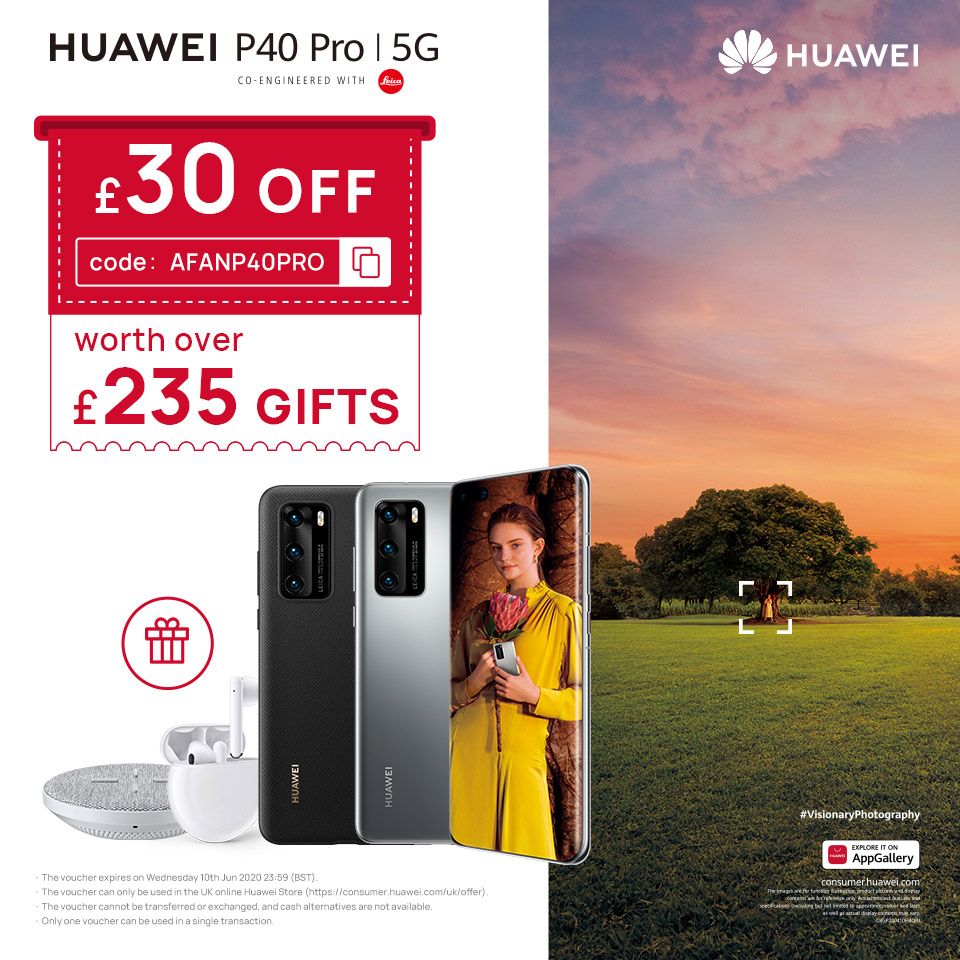
Get the HUAWEI P40 Pro Today with an Extra £30 Off and Exclusive £235 of Gifts

Click here to buy the HUAWEI P40 Pro [Use code: AFANP40PRO]

Huawei P40 Pro Promotion

Promotion date: 

  • 5/20/2020 – 6/10/2020

Promotion details:

  • £30 off regular price
  • Free Huawei Freebuds 3
  • Free super-fast wireless charging pad
  • Free classy PU case

How to Recieve your Free Gifts After your Purchase

After you have received your Huawei P40 Pro using the promotion code, you’ll be able to fill out a form online to redeem your £235-value gift. Click here to shop P40 Pro!

Also, join the NEXT-IMAGE 2020 in HUAWEI Community to Win $10K USD!

Huawei is giving you the chance to win up to $10,000 with their Next-Image event! This is your opportunity to flex your photography skills and win some prizes along the way.

Event Timeline:

  1. The event begins March 26th 2020
  2. Submissions close on July 31st 2020
  3. Community Champions in August 2020
  4. Final Announcement on October 2020

You can submit your entries in the Gallery section of the Huawei Community. Your entry should be categorized into the appropriate contestant section.

Prizes:

Grand Prize (3 Winners):

  • $10,000
  • 1 Huawei P40 Pro (8GB+256GB)
  • E-Certificate

Best in Category (15Winners)

  • $1,000
  • 1 Huawei P40 Pr0 (8GB+256GB)
  • E-Certificate

Runner-up (50 Winners)

  • 1 Huawei P40 Pro (8GB+256GB)
  • E-Certificate

Honorable Mentions (5 Winners)

  • 1 Huawei P40 Pro (8GB+256GB)
  • E-Certificate

Learn more about the Huawei Next-Image event here.

We thank Huawei for sponsoring this post. Our sponsors help us pay for the many costs associated with running XDA, including server costs, full time developers, news writers, and much more. While you might see sponsored content (which will always be labeled as such) alongside Portal content, the Portal team is in no way responsible for these posts. Sponsored content, advertising and XDA Depot are managed by a separate team entirely. XDA will never compromise its journalistic integrity by accepting money to write favorably about a company, or alter our opinions or views in any way. Our opinion cannot be bought.

The post Win a Huawei P40 Pro+ [Open to all Countries] [Extended] appeared first on xda-developers.


from xda-developers https://ift.tt/2y3Tqna
via IFTTT

Here Are the Best VPNs on Sale for Memorial Day

Over the past few weeks, many of us have been spending more time online than usual. With this trend likely to continue for a while yet, you might want to think about using a VPN to protect your privacy and unlock new content. This Memorial Day, you can save an extra 20% on these VPN deals at the XDA Developers Depot with code SUMMERSAVE20.

KeepSolid VPN Unlimited: Lifetime Subscription

Trusted by 10 million customers, KeepSolid VPN Unlimited offers fast connections across 400 servers. Named PC Mag’s Top VPN, this service also provides military-grade encryption, multiple VPN protocols, and a kill switch on all major platforms. Worth $199.99, lifetime subscriptions are now just $39.

Note: code does not apply

BulletVPN: Lifetime Subscription

#

As the name suggests, BulletVPN offers speedy service that is perfect for streaming. You can use this VPN to access Netflix, Hulu, Amazon Prime, and other platforms around the world, with strong encryption to protect your privacy. Normally $540, lifetime subscriptions are now $31.19 with the code.

KeepSolid VPN Unlimited: Infinity Plan

Want to protect your entire family? With the VPN Unlimited Infinity Plan, you can. One subscription covers 10 devices, with uncapped speed and bandwidth. Usually $299, lifetime service is currently just $47.20 with the code.

NordVPN: 2-Yr Subscription

Rated at 5 stars by both CNET and PC Mag, NordVPN uses double encryption to make your connection totally secure. The service also provides access to 3,521 servers in 61 countries around the world, with a strict no-logging policy. Usually priced at $286.80, two-year subscriptions are now $76.79 with the code.

Ivacy Lifetime Subscription

Covering up to 10 devices with 256-bit encryption and 1,000 servers, Ivacy VPN is a great all-arounder. Named Fastest VPN by BestVPN.com, this service offers full support for P2P file-sharing and a strict no-logging policy. Worth $2,338, lifetime protection is now only $47.99 with the code.

SlickVPN: Lifetime Subscription

Great for browsers on a budget, SlickVPN combines good speed and solid protection. You get a choice of 125 servers, with 256-bit encryption, support for torrenting, and no logging. Order now for $15.99 with the code to get lifetime protection, worth $1,200.

LightyearVPN: Fast & Safe Internet

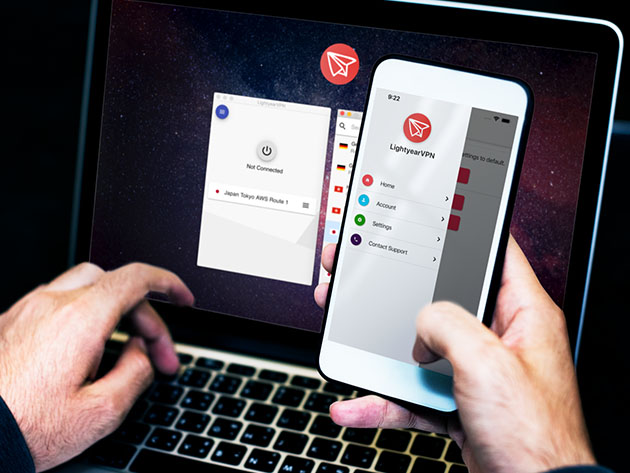
LightyearVPN offers one-click protection on Windows, Mac, Android, and iOS. You get unlimited bandwidth on up to five devices and impressive speed across the board. Worth $119.40, one year of service is just $39.99 with the code.

SurfShark VPN: 2-Year Subscription

SurfShark is more than a VPN. This service blocks ads, trackers, and malware as you browse, with zero-knowledge DNS and IPv6 leak protection. You also get full 256-bit encryption, no logging, and full support for torrenting. Usually $290, two years of service is now only $55.20 with the code.

Seed4.Me VPN: Lifetime Subscription

As featured by Wired and CNET, this lightweight VPN covers unlimited devices with full encryption and good speeds. You have 30 servers to choose from, and Seed4.Me works on most popular platforms. Order now for just $31.99 with the code to get lifetime service, worth $432.

Hola VPN Plus: Lifetime Subscription

With over 210 million users and 300,000 5-star reviews on the Chrome store, Hola VPN is the most popular VPN on the planet. It also happens to be fast and packed full of features, including split tunneling, instant unblocking, and a choice of protocols. Worth $717, lifetime subscriptions are now only $34.99.

Note: code does not apply

Prices subject to change 

More from the XDA Developers Depot

The post Here Are the Best VPNs on Sale for Memorial Day appeared first on xda-developers.


from xda-developers https://ift.tt/2XlaJZB
via IFTTT

Win a Huawei P40 Pro+ [Open to all Countries] [Extended]


Win a P40 Pro! [All countries]

This is your chance to win one of the best phones of 2020. The Huawei P40 Pro+ has an amazing 6.58″ OLED display with 2640 x 1200 Pixels. The 90 Hz frame refresh rate makes games look smoother with more detail. Powering this phone is the Kirin 990 5G chipset with 8GB of RAM. The camera is one of the best in the world with a 50+40+8+8MP setup. The battery has a 4200mAh capacity with a max of 40w fast charging.

Speak for yourself with the Ultra Vision Leica Penta Camera by capturing photos and videos anytime and anywhere you want. Revolutionize your experience of speed and power with the cutting-edge Kirin 990 5G Chipset. The innovative design upgrades your visual entertainment and ergonomic comfort. Explore now and future with HUAWEI P40 Pro+

Huawei

Get the HUAWEI P40 Pro Today with an Extra £30 Off and Exclusive £235 of Gifts

Click here to buy the HUAWEI P40 Pro [Use code: AFANP40PRO]

Huawei P40 Pro Promotion

Promotion date: 

  • 5/20/2020 – 6/10/2020

Promotion details:

  • £30 off regular price
  • Free Huawei Freebuds 3
  • Free super-fast wireless charging pad
  • Free classy PU case

How to Recieve your Free Gifts After your Purchase

After you have received your Huawei P40 Pro using the promotion code, you’ll be able to fill out a form online to redeem your £235-value gift. Click here to shop P40 Pro!

Also, join the NEXT-IMAGE 2020 in HUAWEI Community to Win $10K USD!

Huawei is giving you the chance to win up to $10,000 with their Next-Image event! This is your opportunity to flex your photography skills and win some prizes along the way.

Event Timeline:

  1. The event begins March 26th 2020
  2. Submissions close on July 31st 2020
  3. Community Champions in August 2020
  4. Final Announcement on October 2020

You can submit your entries in the Gallery section of the Huawei Community. Your entry should be categorized into the appropriate contestant section.

Prizes:

Grand Prize (3 Winners):

  • $10,000
  • 1 Huawei P40 Pro (8GB+256GB)
  • E-Certificate

Best in Category (15Winners)

  • $1,000
  • 1 Huawei P40 Pr0 (8GB+256GB)
  • E-Certificate

Runner-up (50 Winners)

  • 1 Huawei P40 Pro (8GB+256GB)
  • E-Certificate

Honorable Mentions (5 Winners)

  • 1 Huawei P40 Pro (8GB+256GB)
  • E-Certificate

Learn more about the Huawei Next-Image event here.

We thank Huawei for sponsoring this post. Our sponsors help us pay for the many costs associated with running XDA, including server costs, full time developers, news writers, and much more. While you might see sponsored content (which will always be labeled as such) alongside Portal content, the Portal team is in no way responsible for these posts. Sponsored content, advertising and XDA Depot are managed by a separate team entirely. XDA will never compromise its journalistic integrity by accepting money to write favorably about a company, or alter our opinions or views in any way. Our opinion cannot be bought.

The post Win a Huawei P40 Pro+ [Open to all Countries] [Extended] appeared first on xda-developers.


from xda-developers https://ift.tt/2y3Tqna
via IFTTT