
LightBlog

mardi 12 mai 2020

Vivo V19 with Snapdragon 712 and 33W FlashCharge 2.0 launched in India

Owing to the lockdown imposed by the government to prevent the spread of COVID-19 in India, several smartphone OEMs had previously postponed new smartphone launches in the country. But with the recent lockdown relaxation, manufacturers have once again started launching new devices in the market. In the past few weeks, we’ve seen several new devices hit the market, including the OnePlus 8 series, Xiaomi Mi 10, and the Realme Narzo series. Adding on to the list, Chinese OEM Vivo has now launched the Snapdragon 712-powered Vivo V19 in India.

Vivo V19 Specifications

Specification Vivo V19
Dimension & Weight
  • 159.64 x 75.04 x 8.5 mm
  • 186.5g
Display
  • 6.44″ AMOLED
  • FHD+
  • 100% DCI-P3 color gamut
  • Dual hole-punch cutout
  • Corning Gorilla Glass 6
Security
  • In-display fingerprint sensor
  • Software-based face recognition
System-on-Chip Qualcomm Snapdragon 712
RAM 8GB
Storage
  • 128GB
  • 256GB
Battery & Charging
  • 4,500 mAh
  • 33W FlashCharge 2.0
Rear Camera
  • 48MP primary camera
  • 8MP ultra wide-angle camera
  • 2MP depth sensor
  • 2MP macro camera
Front Camera
  • 32MP primary selfie camera
  • 8MP ultra wide-angle camera
Software Version Funtouch OS 10 based on Android 10
Connectivity
  • USB Type-C
  • Bluetooth v5.0
  • Dual-band WiFi (2.4GHz/5GHz)
Colors Mystic Silver, Piano Black

The all-new Vivo V19 packs in a 6.44-inch FHD+ AMOLED display with a dual-hole punch cutout in the top right corner for the selfie cameras. Both the front and the back of the device are protected by Corning Gorilla Glass 6. As mentioned earlier, the device is powered by Qualcomm’s mid-range Snapdragon 712 chipset, coupled with 8GB of RAM and up to 256GB of internal storage.

In the camera department, the Vivo V19 features a quad-camera setup on the back arranged in an L-shaped array. These include a 48MP primary camera, an 8MP ultra-wide camera, a 2MP sensor for depth perception, and a 2MP dedicated macro camera. Over on the front, the device has a 32MP primary selfie shooter and an 8MP 105° wide-angle camera.

The Vivo V19 features a design similar to most other modern smartphones, with a large rectangular camera module on the back and minimal bezels over on the front.  Both the volume rocker and power button can be found on the right edge of the device, with the SIM card tray housed on the left edge. The device has a USB Type-C port for charging and data syncing, along with other connectivity options like Bluetooth v5.0, 2.4GHz/5GHz dual-band WiFi, and OTG support.

Rounding things off is a respectable 4,500mAh battery with support for 33W FashCharge 2.0, which is capable of charging the battery from 0 to70% in 40 minutes with the included charger. As with most other Vivo devices launched recently, the Vivo V19 runs Funtouch OS 10 based on Android 10.

Pricing and Availability

The Vivo V19 will be available in two color variants — Mystic Silver and Piano Black — at a starting price of ₹27,990 (~$370) for the 8GB/128GB variant. The 8GB/256GB variant, on the other hand, has been priced at ₹31,990 (~$424).

Vivo V19 color variants

The device will go on sale starting May 15th via the company’s own online store, Amazon.in, Flipkart, and partner offline stores. Vivo has also extended a couple of launch offers for early purchasers, including 10% cashback with HDFC and ICICI credit cards, one-time free screen replacement, no-cost EMI options for up to 12 months, and exclusive Jio/Airtel benefits.

The post Vivo V19 with Snapdragon 712 and 33W FlashCharge 2.0 launched in India appeared first on xda-developers.


from xda-developers https://ift.tt/2zrKOXU
via IFTTT

Vivo V19 with Snapdragon 712 and 33W FlashCharge 2.0 launched in India

Owing to the lockdown imposed by the government to prevent the spread of COVID-19 in India, several smartphone OEMs had previously postponed new smartphone launches in the country. But with the recent lockdown relaxation, manufacturers have once again started launching new devices in the market. In the past few weeks, we’ve seen several new devices hit the market, including the OnePlus 8 series, Xiaomi Mi 10, and the Realme Narzo series. Adding on to the list, Chinese OEM Vivo has now launched the Snapdragon 712-powered Vivo V19 in India.

Vivo V19 Specifications

Specification Vivo V19
Dimension & Weight
  • 159.64 x 75.04 x 8.5 mm
  • 186.5g
Display
  • 6.44″ AMOLED
  • FHD+
  • 100% DCI-P3 color gamut
  • Dual hole-punch cutout
  • Corning Gorilla Glass 6
Security
  • In-display fingerprint sensor
  • Software-based face recognition
System-on-Chip Qualcomm Snapdragon 712
RAM 8GB
Storage
  • 128GB
  • 256GB
Battery & Charging
  • 4,500 mAh
  • 33W FlashCharge 2.0
Rear Camera
  • 48MP primary camera
  • 8MP ultra wide-angle camera
  • 2MP depth sensor
  • 2MP macro camera
Front Camera
  • 32MP primary selfie camera
  • 8MP ultra wide-angle camera
Software Version Funtouch OS 10 based on Android 10
Connectivity
  • USB Type-C
  • Bluetooth v5.0
  • Dual-band WiFi (2.4GHz/5GHz)
Colors Mystic Silver, Piano Black

The all-new Vivo V19 packs in a 6.44-inch FHD+ AMOLED display with a dual-hole punch cutout in the top right corner for the selfie cameras. Both the front and the back of the device are protected by Corning Gorilla Glass 6. As mentioned earlier, the device is powered by Qualcomm’s mid-range Snapdragon 712 chipset, coupled with 8GB of RAM and up to 256GB of internal storage.

In the camera department, the Vivo V19 features a quad-camera setup on the back arranged in an L-shaped array. These include a 48MP primary camera, an 8MP ultra-wide camera, a 2MP sensor for depth perception, and a 2MP dedicated macro camera. Over on the front, the device has a 32MP primary selfie shooter and an 8MP 105° wide-angle camera.

The Vivo V19 features a design similar to most other modern smartphones, with a large rectangular camera module on the back and minimal bezels over on the front.  Both the volume rocker and power button can be found on the right edge of the device, with the SIM card tray housed on the left edge. The device has a USB Type-C port for charging and data syncing, along with other connectivity options like Bluetooth v5.0, 2.4GHz/5GHz dual-band WiFi, and OTG support.

Rounding things off is a respectable 4,500mAh battery with support for 33W FashCharge 2.0, which is capable of charging the battery from 0 to70% in 40 minutes with the included charger. As with most other Vivo devices launched recently, the Vivo V19 runs Funtouch OS 10 based on Android 10.

Pricing and Availability

The Vivo V19 will be available in two color variants — Mystic Silver and Piano Black — at a starting price of ₹27,990 (~$370) for the 8GB/128GB variant. The 8GB/256GB variant, on the other hand, has been priced at ₹31,990 (~$424).

Vivo V19 color variants

The device will go on sale starting May 15th via the company’s own online store, Amazon.in, Flipkart, and partner offline stores. Vivo has also extended a couple of launch offers for early purchasers, including 10% cashback with HDFC and ICICI credit cards, one-time free screen replacement, no-cost EMI options for up to 12 months, and exclusive Jio/Airtel benefits.

The post Vivo V19 with Snapdragon 712 and 33W FlashCharge 2.0 launched in India appeared first on xda-developers.


from xda-developers https://ift.tt/2zrKOXU
via IFTTT
Google Maps is rolling out a redesigned real-time location sharing UI

Google Maps is one of Google’s flagship services, having served countless users over the years. Features such as Live View AR navigation, new transit features such as crowdedness predictions, assisted public transit routes, and more — all work together to make Google Maps the de-facto navigation solution for so many users. The app has even adapted itself to the COIVD-19 era when more people are urged to stay home, by providing useful information such as food and night shelter information in India, as well as information on which local restaurants are still working. While COVID-19 advisories are still in place, Google is rolling out a redesigned UI for its real-time location sharing feature, in case you do need to move out.

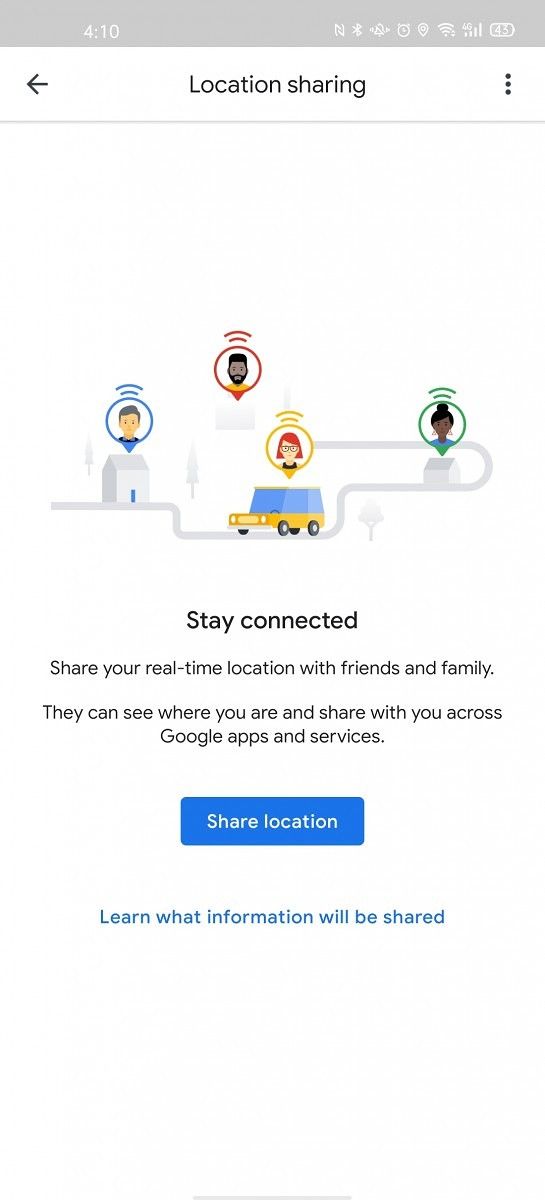
Real-time location sharing was introduced back in March 2017, allowing users to share their location with their contacts with just a few taps. People who have received a location share can open Maps on their phones to see the real-time location of the sender. The basic idea behind the function has remained the same, but the UI is now receiving a refresh. As reported by AndroidPolice, an update to Google Maps coupled with a server-side rollout has brought a new interface to the app’s location-sharing interface.

This new refresh brings along a new floating action button and surfaces more detailed information and makes them visible at a glance. Within the location sharing interface, the blue bar at the top is replaced by a white bar, while the contacts and links with their details are now present at the bottom in a vertically expanding list. The location sharing prompt has also been changed, now coming in with more rounded edges and a fake drop-down menu. Your own current location is also shown off in a floating card, along with your current address and the phone’s current charge level.

The new changes are rolling out through the Google Maps 10.40.2 update, coinciding with a server-side flag. If you would like to check out the new UI, you can try sideloading the latest update.


Maps - Navigate & Explore (Free, Google Play) →

Story Via: AndroidPolice

The post Google Maps is rolling out a redesigned real-time location sharing UI appeared first on xda-developers.


from xda-developers https://ift.tt/2xVfbWn
via IFTTT

Google Maps is rolling out a redesigned real-time location sharing UI

Google Maps is one of Google’s flagship services, having served countless users over the years. Features such as Live View AR navigation, new transit features such as crowdedness predictions, assisted public transit routes, and more — all work together to make Google Maps the de-facto navigation solution for so many users. The app has even adapted itself to the COIVD-19 era when more people are urged to stay home, by providing useful information such as food and night shelter information in India, as well as information on which local restaurants are still working. While COVID-19 advisories are still in place, Google is rolling out a redesigned UI for its real-time location sharing feature, in case you do need to move out.

Real-time location sharing was introduced back in March 2017, allowing users to share their location with their contacts with just a few taps. People who have received a location share can open Maps on their phones to see the real-time location of the sender. The basic idea behind the function has remained the same, but the UI is now receiving a refresh. As reported by AndroidPolice, an update to Google Maps coupled with a server-side rollout has brought a new interface to the app’s location-sharing interface.

This new refresh brings along a new floating action button and surfaces more detailed information and makes them visible at a glance. Within the location sharing interface, the blue bar at the top is replaced by a white bar, while the contacts and links with their details are now present at the bottom in a vertically expanding list. The location sharing prompt has also been changed, now coming in with more rounded edges and a fake drop-down menu. Your own current location is also shown off in a floating card, along with your current address and the phone’s current charge level.

The new changes are rolling out through the Google Maps 10.40.2 update, coinciding with a server-side flag. If you would like to check out the new UI, you can try sideloading the latest update.


Maps - Navigate & Explore (Free, Google Play) →

Story Via: AndroidPolice

The post Google Maps is rolling out a redesigned real-time location sharing UI appeared first on xda-developers.


from xda-developers https://ift.tt/2xVfbWn
via IFTTT

Google Translate 6.8.0 adds a COVID-19 info card and prepares to let you save transcripts

Earlier this year in March, Google finally rolled out real-time translation in Google Translate which allows users to record speech in one language and have them translated on your phone in near real-time. The feature, called Transcribe, differs from Google Translate’s older transcription feature that required you to input text or voice and then wait for the translation. However, despite its usefulness, the feature surprisingly didn’t allow users to save transcripts. But that might change soon, as a teardown of the latest version of Google Translate (v6.8.0) has revealed code which suggests that Google is working to include a save transcripts feature in the app.

An APK teardown can often predict features that may arrive in a future update of an application, but it is possible that any of the features we mention here may not make it in a future release. This is because these features are currently unimplemented in the live build and may be pulled at any time by the developers in a future build.

Once live, the save transcripts option in the real-time translation feature will bring up a prompt that will alert users to save their transcripts after the translation is completed. The new strings of code also reveal that users will be able to delete saved transcripts, rename them, and view all saved transcripts. In case a user tries to exit the Transcribe feature without saving the transcript, the app will also push an alert that states: “If you exit Transcribe, you will lose your current unsaved transcript. Are you sure you want to exit?”

<string name="delete_transcript">Delete transcript?</string>
<string name="hint_save_transcript">Name</string>
<string name="msg_delete_transcript">Are you sure to delete the transcript \"%s\"?</string>
<string name="msg_exit_session_transcribe">If you exit Transcribe, you will lose your current unsaved transcript. Are you sure you want to exit?</string>
<string name="rename_transcript">Rename transcript</string>
<string name="save_transcript">Save transcript</string>
<string name="saved_transcript_title">Saved transcripts</string>

Additionally, a few other strings hint at an upcoming option that will let you choose the audio input source for the real-time translation feature. With this option, users will be able to select either their phone’s microphone or the headset microphone for the real-time translation.

<string name="label_listen_choose_microphone">Choose microphone</string>
<string name="label_listen_headset_microphone">Headset</string>
<string name="label_listen_phone_microphone">Phone</string>

In terms of user-facing changes, Google Translate v6.8.0 adds a new COVID-19 card that will pop up whenever users translate a word related to the ongoing pandemic. As you can see in the screenshot below, translating the word coronavirus brings up the new card which includes a hyperlink to help users easily get the latest information on the pandemic.

Google Translate 6.8 COVID-19 warning card

While the new COVID-19 card is already live on the latest version of Google Translate, we currently have no information on when the other two features will be added to the app. We’ll update this post as soon as Google releases the feature in a future version of the app.


Thanks to PNF Software for providing us a license to use JEB Decompiler, a professional-grade reverse engineering tool for Android applications.

The post Google Translate 6.8.0 adds a COVID-19 info card and prepares to let you save transcripts appeared first on xda-developers.


from xda-developers https://ift.tt/2YWpdlg
via IFTTT

lundi 11 mai 2020

Google Translate 6.8.0 adds a COVID-19 info card and prepares to let you save transcripts

Earlier this year in March, Google finally rolled out real-time translation in Google Translate which allows users to record speech in one language and have them translated on your phone in near real-time. The feature, called Transcribe, differs from Google Translate’s older transcription feature that required you to input text or voice and then wait for the translation. However, despite its usefulness, the feature surprisingly didn’t allow users to save transcripts. But that might change soon, as a teardown of the latest version of Google Translate (v6.8.0) has revealed code which suggests that Google is working to include a save transcripts feature in the app.

An APK teardown can often predict features that may arrive in a future update of an application, but it is possible that any of the features we mention here may not make it in a future release. This is because these features are currently unimplemented in the live build and may be pulled at any time by the developers in a future build.

Once live, the save transcripts option in the real-time translation feature will bring up a prompt that will alert users to save their transcripts after the translation is completed. The new strings of code also reveal that users will be able to delete saved transcripts, rename them, and view all saved transcripts. In case a user tries to exit the Transcribe feature without saving the transcript, the app will also push an alert that states: “If you exit Transcribe, you will lose your current unsaved transcript. Are you sure you want to exit?”

<string name="delete_transcript">Delete transcript?</string>
<string name="hint_save_transcript">Name</string>
<string name="msg_delete_transcript">Are you sure to delete the transcript \"%s\"?</string>
<string name="msg_exit_session_transcribe">If you exit Transcribe, you will lose your current unsaved transcript. Are you sure you want to exit?</string>
<string name="rename_transcript">Rename transcript</string>
<string name="save_transcript">Save transcript</string>
<string name="saved_transcript_title">Saved transcripts</string>

Additionally, a few other strings hint at an upcoming option that will let you choose the audio input source for the real-time translation feature. With this option, users will be able to select either their phone’s microphone or the headset microphone for the real-time translation.

<string name="label_listen_choose_microphone">Choose microphone</string>
<string name="label_listen_headset_microphone">Headset</string>
<string name="label_listen_phone_microphone">Phone</string>

In terms of user-facing changes, Google Translate v6.8.0 adds a new COVID-19 card that will pop up whenever users translate a word related to the ongoing pandemic. As you can see in the screenshot below, translating the word coronavirus brings up the new card which includes a hyperlink to help users easily get the latest information on the pandemic.

Google Translate 6.8 COVID-19 warning card

While the new COVID-19 card is already live on the latest version of Google Translate, we currently have no information on when the other two features will be added to the app. We’ll update this post as soon as Google releases the feature in a future version of the app.


Thanks to PNF Software for providing us a license to use JEB Decompiler, a professional-grade reverse engineering tool for Android applications.

The post Google Translate 6.8.0 adds a COVID-19 info card and prepares to let you save transcripts appeared first on xda-developers.


from xda-developers https://ift.tt/2YWpdlg
via IFTTT

The OPPO Reno4 may have just leaked with a camera design like the LG Velvet

Towards the end of last year, OPPO launched the Reno3 and Reno3 Pro in China. These new mid-range devices from the company featured MediaTek’s Dimensity 1000L and Qualcomm’s Snapdragon 765G, respectively. However, the international variants of the devices that were launched earlier this year in March featured completely different specifications. Instead of the Dimensity 1000L chip, the OPPO Reno3 (global) packed in MediaTek’s Helio P90, while the Reno3 Pro (global) featured the Helio P95. The Chinese Reno3 Vitality Edition and Reno3 Pro, on the other hand, were recently launched as the Find X2 Lite and Find X2 Neo globally. Amid this confusion, OPPO has been working on the next-gen Reno smartphones and we now have our first look at the upcoming OPPO Reno4.

In a recent post on Chinese social media platform Weibo, renowned leakster Ice Universe has shared a leaked image of the OPPO Reno4. The image showcases the back panel of the OPPO Reno4, both in black and white color variants, featuring a quad-camera setup that looks quite a bit like the camera design we recently saw on the LG Velvet.

OPPO Reno4

Three out of the four cameras on the device have been arranged vertically, with the fourth smaller camera module placed to the right of the third camera. Unlike the LG Velvet, however, the three main cameras on the OPPO Reno3 look to be of the same size, and upon careful inspection, you can also see a border around the cameras. The device also has an LED flash, which resides to the right of the topmost camera sensor.

It’s also worth noting that there’s a very high chance of this Reno4 live image being a fake. As Gizmochina points out, OEMs under the BBK Electronics umbrella are known to skip the number 4 for their devices as it’s considered a bad omen in China. Since OPPO is also a part of BBK Electronics and has previously never launched a smartphone with the number 4 in the name, we’d request you to take this leak with a rather large grain of salt.


Source: Weibo

Featured image: OPPO Reno3 (global)

The post The OPPO Reno4 may have just leaked with a camera design like the LG Velvet appeared first on xda-developers.


from xda-developers https://ift.tt/2YWy1r8
via IFTTT