LightBlog

vendredi 6 mars 2020

Samsung Galaxy M31 Hands-on: Incremental Improvements on a Great Budget Smartphone

Samsung has had great success with its online-exclusive Galaxy M series in India. The Galaxy M30 that launched all the way back in February had a fantastic run and gave tough competition to the likes of the Redmi Note 7 Pro and Asus ZenFone Max Pro M2 in the budget segment. Six months later, the company followed up with the Galaxy M30s that brought even more improvements. Now, Samsung is refreshing the lineup once again with a new device called the Galaxy M31.

Launched late last month in India, the Galaxy M31 is an iterative upgrade with exactly the same internals as the Galaxy M30s — it’s an even smaller upgrade than the M30 to M30s. Those who recently bought the Galaxy M30s might not be pleased with the timing, but they are not missing out on anything major here. In particular, the Galaxy M31 brings four key changes to the table, namely, new primary and front cameras, a dedicated lens for Macro photography, and extra RAM to the base variant. These upgrades allow the Galaxy M series to close the gap with the competitors and also buy Samsung some time to work on a true successor that will likely arrive later this year. 

I have used the device since last week and here is my quick hands-on first impressions of the Samsung Galaxy M31. 

Note: The Samsung Galaxy M31 review unit was loaned to us by Samsung India. 

Samsung Galaxy M31: Specifications

Specification Samsung Galaxy M31
Dimensions and Weight 159.2 x 75.1 x 8.9mm; 191g
Display & Design
  • 6.4″ FHD+ (2280 x 1080) IPS LCD, 19:9
  • Waterdrop notch
  • Corning Gorilla Glass 3 (front)
SoC Exynos 9611:
  • 4x Performance cores @ 2.3GHz +
  • 4x Efficiency cores @ 1.8GHz

Mali-G72 MP3 GPU

RAM and Storage
  • 6GB+64GB
  • 6GB+128GB
  • UFS 2.1

Expandable through dedicated microSD card slot

Battery & Charging
  • 6,000mAh
  • USB Type C
  • USB 2.0
  • 15W fast charger (included inside the box)
Software  Android 10 with One UI Core 2.0
Camera
  • 64MP, f/1.8, primary camera; 0.8µm
  • 8MP f/2.2, 117-degree ultra-wide-angle; 1.12µm
  • 5MP f/2.4, 1.12µm depth sensor
  • 5MP Macro, f/2.2
  • 32MP f/2.0 front camera; 0.8µm
  • 4K@30fps (primary camera)
  • 240fps@ HD Sl0w-mo (Primary camera)
Audio
  • Mono speaker
  • Dolby Atmos
  • FM Radio
Connectivity
  • Bluetooth 5.0
  • 3.5mm audio jack
  • Wi-Fi 802.11, 2.4GHz + 5GHz
  • GPS, A-GPS, GLONASS, Galileo
  • 4G FDD LTE band: 1/2/3/4/5/7/8/12/13/17/20/26/28/66;
    TDD LTE band: 38/40/41

In terms of design, the Galaxy M31 is pretty basic. To retain affordability, Samsung had to cut corners and that’s pretty self-evident from an all-plastic build. Unlike Redmi and Realme phones, the Galaxy M31 doesn’t give you a premium feel when you’re holding it. That doesn’t mean to say the device feels flimsy or cheap. It’s still a good-looking device, but just know you’re getting exactly what you are paying for – there’s no surprise factor that we have come to expect from the budget phones in recent years. 
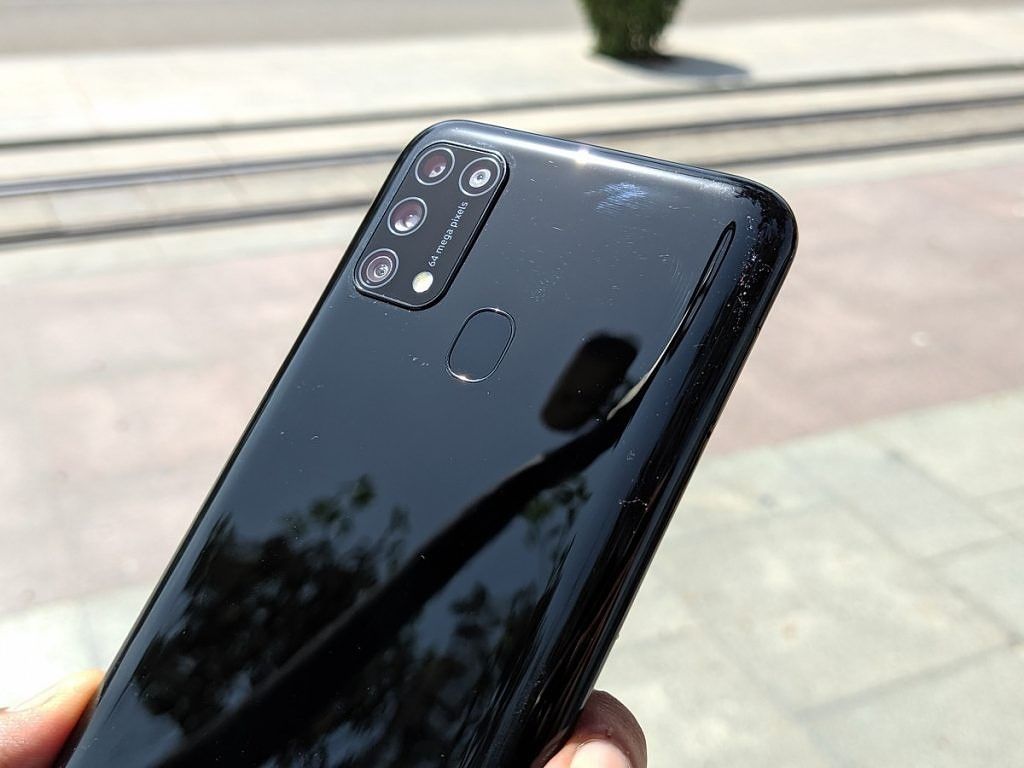
Samsung Galaxy M31

On the positive side, the plastic build allowed Samsung to pack a gigantic battery without making the device feel bulky. It’s surprising how lightweight it feels in hand despite that 6,000 mAh battery inside. Moreover, the plastic should also keep the durability concerns at bay. The back has a glossy finish — translation: it’s a fingerprint magnet. And Samsung hasn’t made the situation any better by not offering a case inside the box. Considering that pretty much every OEM throws in a TPU case with their phones nowadays, this is a little disappointing. The back picks up smudges and fingerprint grease in a matter of seconds so investing in a case is a must. 

Samsung Galaxy M31 vs Galaxy M30s

Galaxy M30s on the bottom – Galaxy M31 on the top

The power button and volume keys are on the right while the other side holds the SIM tray. The volume keys are placed a bit too high and despite my large hands, I found them a little uncomfortable to reach. But they do provide a nice clicking sound and don’t feel finicky despite being plastic. The bottom houses the headphone jack, the speaker grill, USB C port, and the microphone. 

On the back, we notice the new 64MP primary and macro sensors sitting alongside the wide-angle sensor, depth sensor, and an LED flash inside a rectangular camera module. The addition of the Macro camera serves here as the only visual distinction between the M31 and the M30s. And even then it’s easy to mistake them for twins if you’re not paying close attention. 

Samsung Galaxy M31

On the front, we find the 6.4-inch Super AMOLED panel with a FHD+ resolution and waterdrop notch. Being an AMOLED panel, the colors and contrast are far superior to the average LCD. However, the viewing angles are not as good and one can observe the loss in saturation when viewing the display from off-axis. The display offers 420nits of peak brightness and it’s capable of getting extra bright in the adaptive mode for better sunlight legibility. Comparing the Moto G8 Pro’s LCD panel side by side, we observed the Galaxy M31’s panel to be brighter and easier to read outdoors despite the former rated for having higher peaked brightness on paper. 
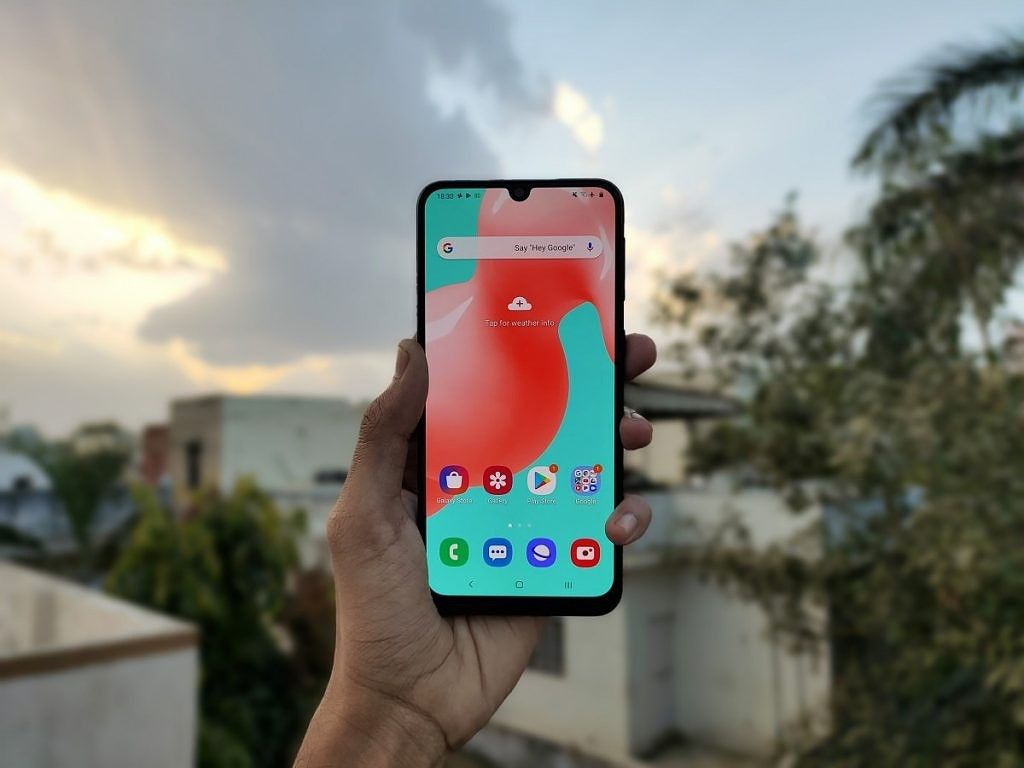
Samsung Galaxy M31

The display offers eye-pleasing colors in the default “Vivid” mode but you can also opt for the “Natural” mode which targets sRGB color space. Further, you can adjust the color temperature to your liking and set it to cool, warm, or neutral. You also get the system-wide dark mode and blue light filter which makes it easier to use the phone at night.

Samsung Galaxy M31 

The Galaxy M31 is powered by Samsung’s in-house Exynos 9611 SoC, employing 4x ARM Cortex-A73 cores (2.31GHz) and 4x ARM Cortex-A53 cores (1.74GHz) in an octa-core setup. The same SoC can also be found inside the Galaxy M30s, Galaxy A50, and Galaxy A51.  But one big change here is that, unlike the Galaxy M30s, Samsung is now pairing the chipset with 6GB of RAM on the base variant, bringing it on par with the competing phones. Our review unit is the top variant with 6GB RAM and 128GB of storage. 

Although the device is reasonably fast in day-to-day use, we observed noticeable stutters and glitches from time to time when switching between apps and opening the multitasking window. The app opening animations are also a tad slower but this can easily be fixed by scaling up the animation speed to 0.5x from the developer settings. For the most part, the performance was quite usable but we do hope Samsung iron out the above-mentioned fluidity issues in a future update. 

The bottom line here is that the Galaxy M31 isn’t a gaming phone. If it were to compete against the Snapdragon 730G on the Poco X2 or MediaTek Helio G90T on the Redmi Note 8 Pro, it won’t hold a candle. But we have to understand that’s not the audience Samsung is targeting. If your usage mostly comprises of using social media apps, taking photos, browsing the internet, and casual gaming, the Galaxy M31 will probably won’t disappoint you. Just don’t expect it to run hours-long gaming sessions on max graphics. 

The camera department is where we see the biggest upgrade. The primary 48MP sensor has been swapped for a 64MP one and there’s now a dedicated 2MP lens for Macro photography, bringing the total number of cameras to four. Just like the 48MP sensor, the new 64MP camera also uses a Quad Bayer a sensor, combining 6 pixels into 1 to produce a final 16MP shot. In theory, this should mean the photos will retain more details, show better dynamic range and capture more light in low-light compared to the 48MP sensor. 

The camera UI is well thought out and easy to navigate. You can swipe between the camera, Live Focus and Video mode from the main screen while other camera modes such as the Night mode, Pro mode, Food mode, etc are grouped together under More section. You can even drag any of these modes from the More section to the bottom tray for easier access. 

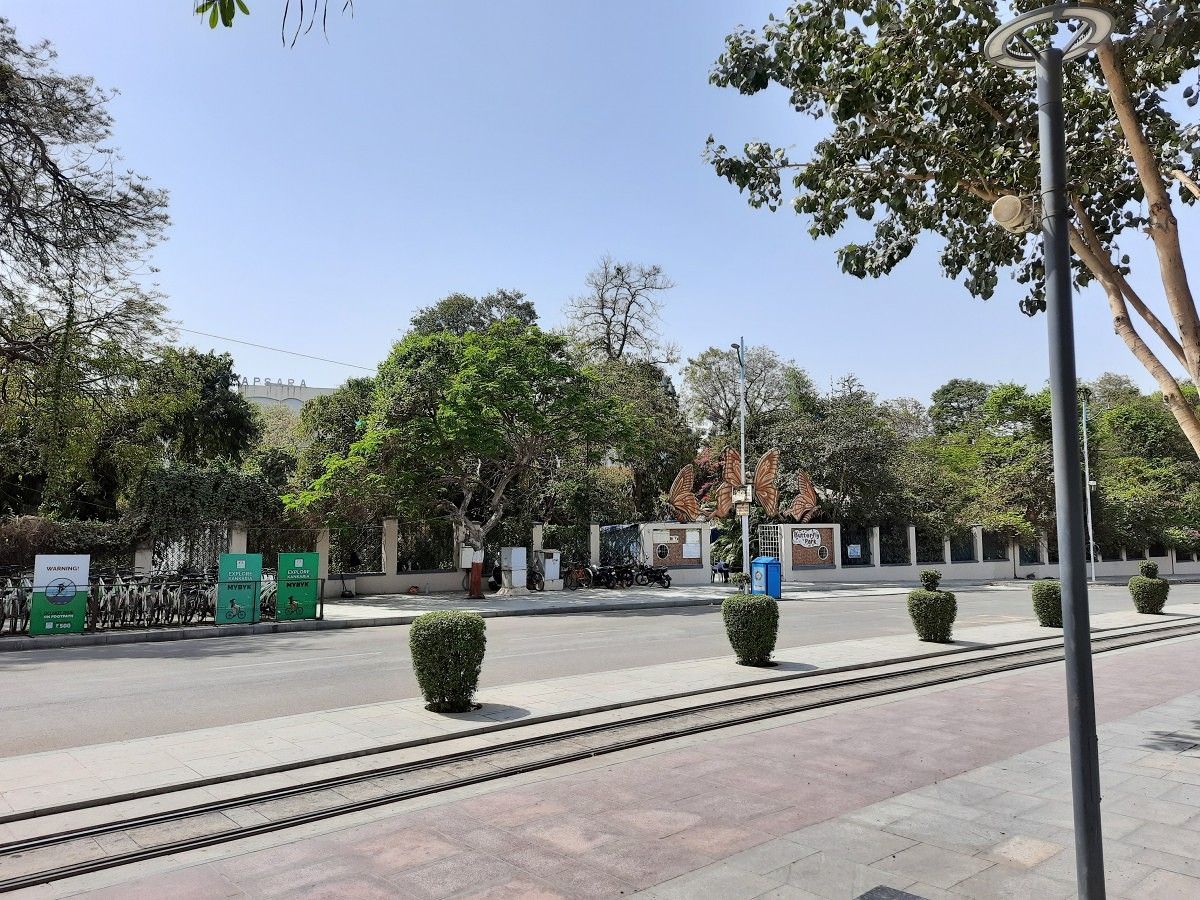
In daylight, the Galaxy M31 produces crisp photos with plenty of details. The dynamic range is also good and in high contrast scenes, the improvements of the new sensor are quite visible. Take for example the shots below and notice how the Galaxy M31 has managed to preserve the blue sky while it’s totally overblown in the Galaxy M30s. 


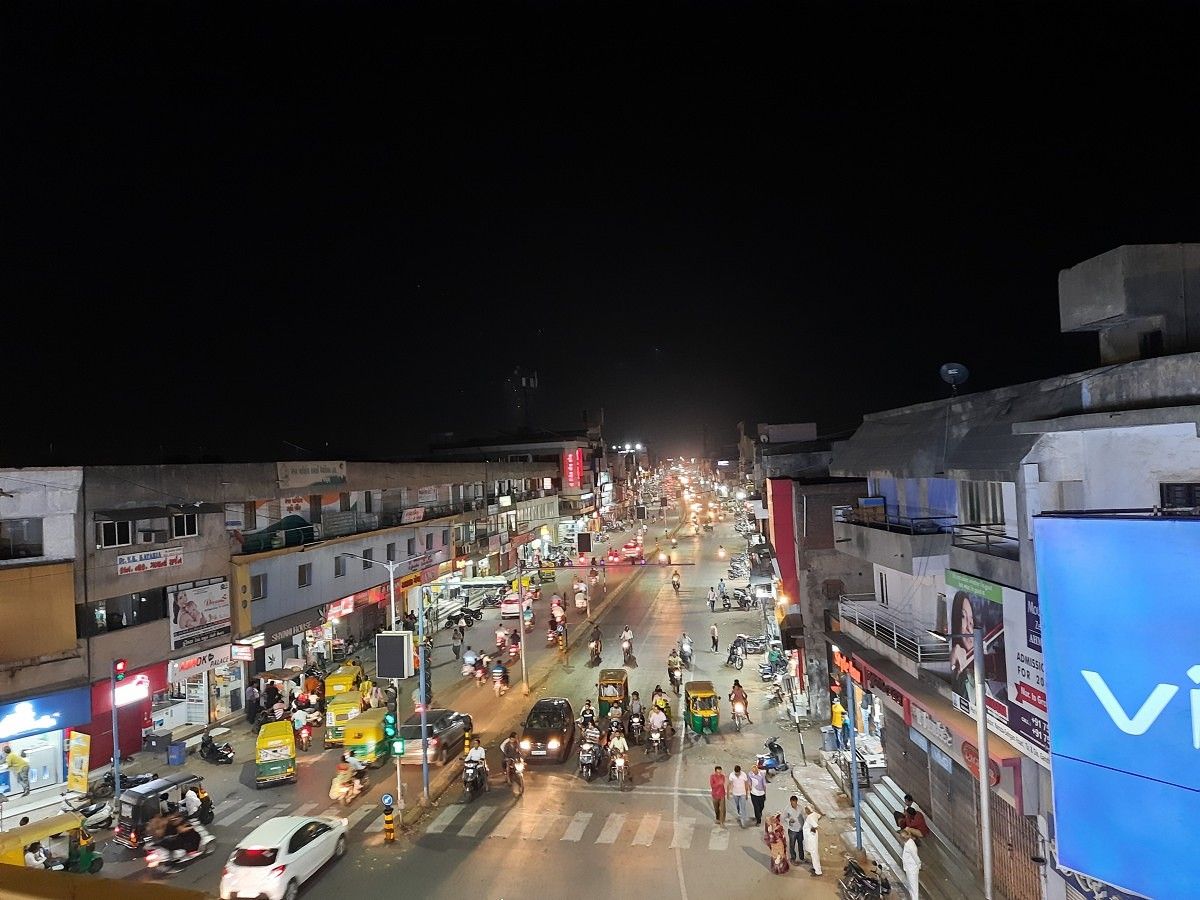
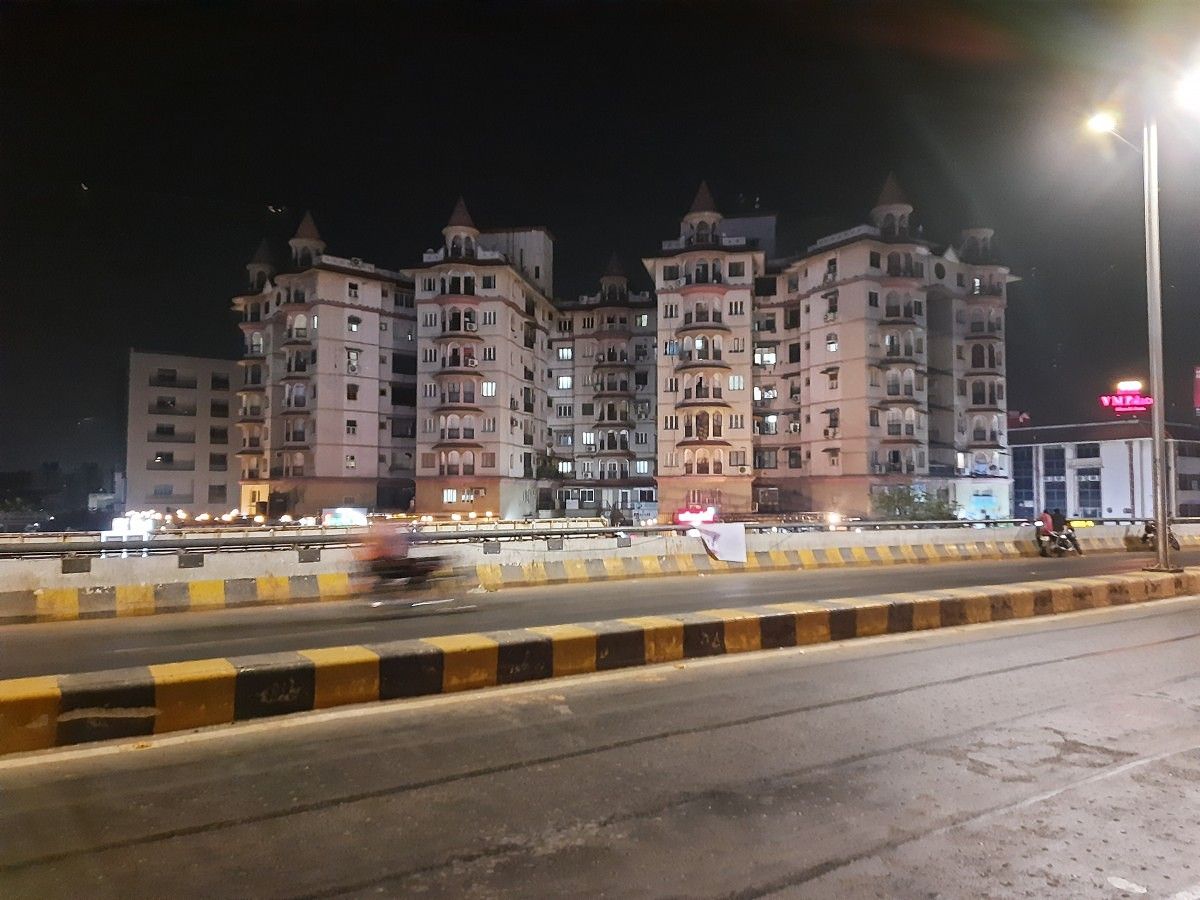
At night-time, the performance does take a slight hit but as long as you are surrounded by the strong artificial lighting the photos do come out well with sufficient details. 

The 8MP wide-angle lens is also capable of capturing great shots under good light conditions but it fails to impress in low-light, producing soft images with very little detail, reduced dynamic range and dull colors. 

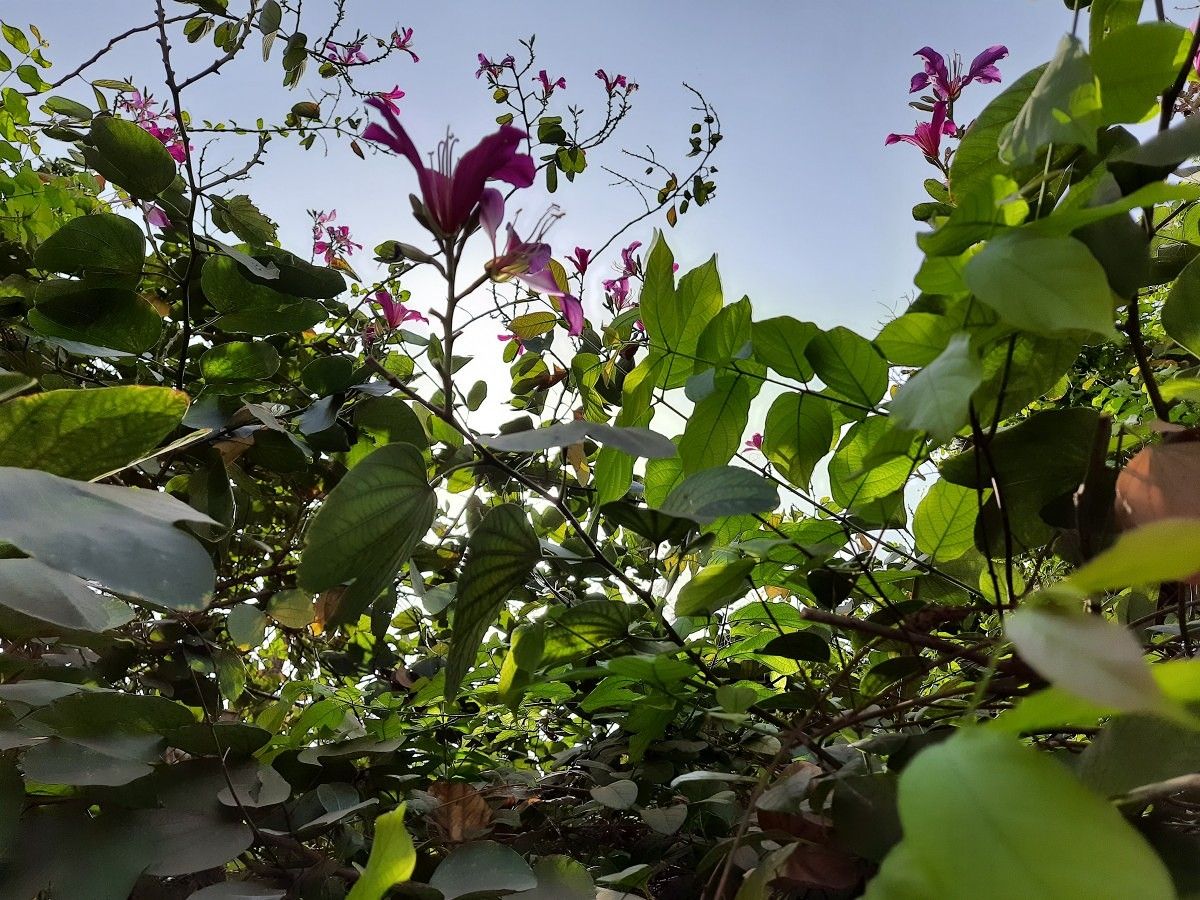
In line with the competition, the Galaxy M31 also has a 5MP macro lens for super close up shots. It’s a fixed focus sensor so keeping the subject under perfect focus is a struggle as you can’t control exactly where the camera should focus by tapping on the screen and this often leads to out of focus shots. But when everything aligns, you can capture some really amazing shots of the tiny matters. 

On the front, we now get a 32MP sensor that produces well-detailed selfies with accurate skin tone rendering. Compared to the Galaxy M30s 16MP selfie shooter, the Galaxy M31 photos preserve far more details and have much better contrast and dynamic range as you can see in the shots below. 

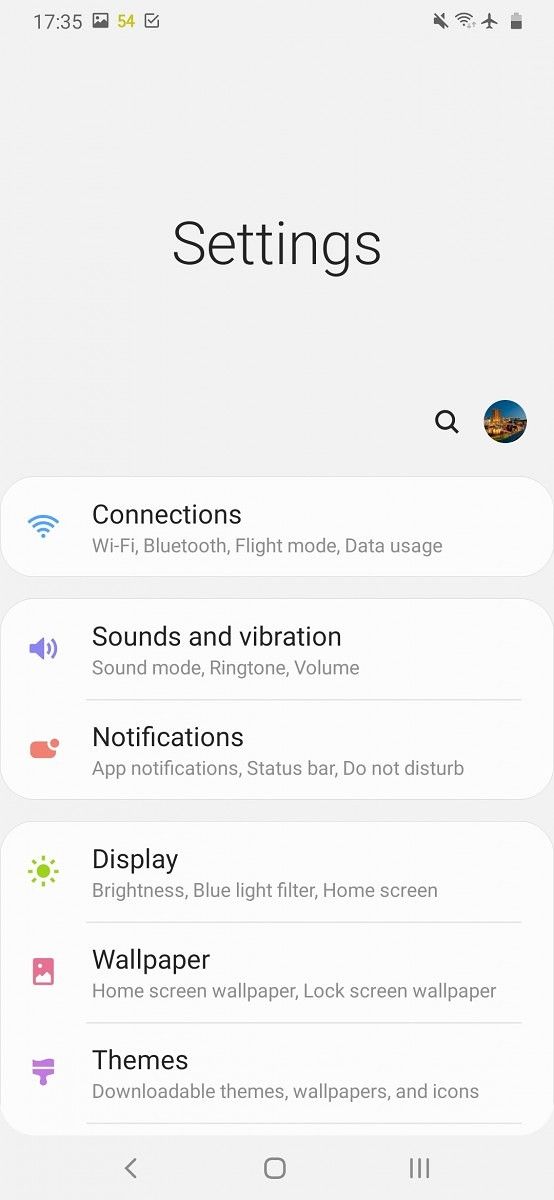
The Galaxy M31 runs Android 10 with One UI Core 2.0 on top. The One UI Core is a stripped-down version of the full One UI experience that Samsung ships on its premium mid-range and flagship phones. As such it lacks features like the built-in screen recorder, Samsung Pay, Secure Folder and some other small bits. But rest assured that you’ll not be missing anything major. All important features are still there including the standard Android 10 features such as system-wide dark mode, new navigation gestures, improved Digital Wellbeing tools with Parental controls as well as the One UI 2.0 specific improvements like the new One-Handed mode, redesigned camera app and much more. 

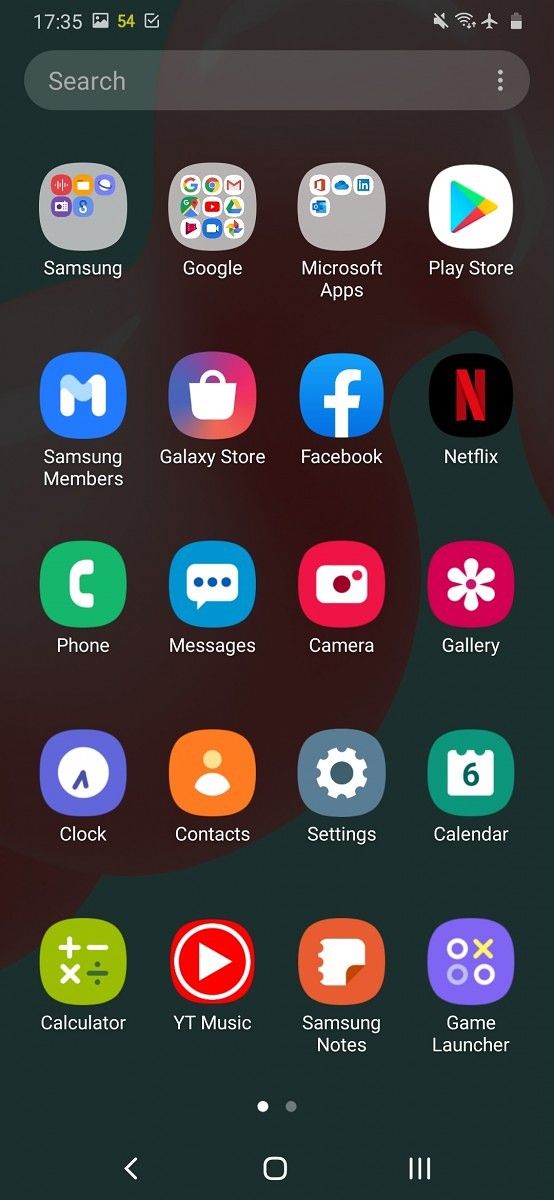
Just like MIUI and ColorOS, One UI also comes with its fair share of bloatware, ranging from Microsoft Office suite to the usual likes of Amazon, Facebook, Snapchat and a bunch of regional apps. If you aren’t careful and don’t specifically opt-out of Samsung’s recommendations at the time of first setting up the device, hastily keep on tapping Next and Continue when setting up the phone, you’ll end with even more apps and services. 

But for the most part, the One UI is a pleasure to use and offers a perfect balance between customizability and ease of use.  For a more detailed treatment of One UI 2.0 and the overall software experience check out our Galaxy S10 Lite review

Powering all things up is the showstopper 6,000 mAh battery, still the largest in the segment. The charger that comes inside the box is only 15W but with the battery this massive that’s a trade-off I will accept any day over a smaller size battery. In terms of charging speed, it takes the device well over 2 and a half hours to fully charge.  

The mono speaker at the bottom is plenty loud and doesn’t show much distortion at peak volumes. For improved sound quality, the device also offers Dolby Atmos enhancements when you’re listening to music over Bluetooth or wired headsets. The rear-mounted fingerprint scanner unlocks the phone in a jiffy while the face unlocks is also reliably quick and works even under really dark lighting albeit a little slower than usual. 

Concluding Note

The Galaxy M31 can be best described as a Pro variant of the Galaxy M30s. There aren’t many major improvements if at all. However, it’s only when we view the Galaxy M31 in contrast to the M30s do we feel disappointed. On its own, the Galaxy M31 makes the perfect case for an ideal budget smartphone for anyone who’s not a serious gamer. Not only is the Galaxy M31 one of the only few devices offering an AMOLED panel at this price, but it’s also the only one offering the largest battery in the segment. 

Speaking of the competition, the Galaxy M31 will go head to head against the recently released Realme 6, which provides far better design, a 90Hz display, and a similar camera package. The Redmi Note 8 Pro is another great option if you can look past the comparatively smaller battery and LCD panel as it has the same SoC and rear camera setup as the Realme 6. 

The Galaxy M31 may not provide the absolute bang for your buck but it still manages to hold its own. If you can look past the plastic build and average performance, the Galaxy M31 has plenty to offer, ranging from exceptional battery life and immersive display to the decent cameras and rich software experience.

Buy the Samsung Galaxy M31 from: Samsung India ||| Amazon India

The post Samsung Galaxy M31 Hands-on: Incremental Improvements on a Great Budget Smartphone appeared first on xda-developers.


from xda-developers https://ift.tt/2PUZ3Kb
via IFTTT

Samsung Galaxy M31 Hands-on: Incremental Improvements on a Great Budget Smartphone

Samsung has had great success with its online-exclusive Galaxy M series in India. The Galaxy M30 that launched all the way back in February had a fantastic run and gave tough competition to the likes of the Redmi Note 7 Pro and Asus ZenFone Max Pro M2 in the budget segment. Six months later, the company followed up with the Galaxy M30s that brought even more improvements. Now, Samsung is refreshing the lineup once again with a new device called the Galaxy M31.

Launched late last month in India, the Galaxy M31 is an iterative upgrade with exactly the same internals as the Galaxy M30s — it’s an even smaller upgrade than the M30 to M30s. Those who recently bought the Galaxy M30s might not be pleased with the timing, but they are not missing out on anything major here. In particular, the Galaxy M31 brings four key changes to the table, namely, new primary and front cameras, a dedicated lens for Macro photography, and extra RAM to the base variant. These upgrades allow the Galaxy M series to close the gap with the competitors and also buy Samsung some time to work on a true successor that will likely arrive later this year. 

I have used the device since last week and here is my quick hands-on first impressions of the Samsung Galaxy M31. 

Note: The Samsung Galaxy M31 review unit was loaned to us by Samsung India. 

Samsung Galaxy M31: Specifications

Specification Samsung Galaxy M31
Dimensions and Weight 159.2 x 75.1 x 8.9mm; 191g
Display & Design
  • 6.4″ FHD+ (2280 x 1080) IPS LCD, 19:9
  • Waterdrop notch
  • Corning Gorilla Glass 3 (front)
SoC Exynos 9611:
  • 4x Performance cores @ 2.3GHz +
  • 4x Efficiency cores @ 1.8GHz

Mali-G72 MP3 GPU

RAM and Storage
  • 6GB+64GB
  • 6GB+128GB
  • UFS 2.1

Expandable through dedicated microSD card slot

Battery & Charging
  • 6,000mAh
  • USB Type C
  • USB 2.0
  • 15W fast charger (included inside the box)
Software  Android 10 with One UI Core 2.0
Camera
  • 64MP, f/1.8, primary camera; 0.8µm
  • 8MP f/2.2, 117-degree ultra-wide-angle; 1.12µm
  • 5MP f/2.4, 1.12µm depth sensor
  • 5MP Macro, f/2.2
  • 32MP f/2.0 front camera; 0.8µm
  • 4K@30fps (primary camera)
  • 240fps@ HD Sl0w-mo (Primary camera)
Audio
  • Mono speaker
  • Dolby Atmos
  • FM Radio
Connectivity
  • Bluetooth 5.0
  • 3.5mm audio jack
  • Wi-Fi 802.11, 2.4GHz + 5GHz
  • GPS, A-GPS, GLONASS, Galileo
  • 4G FDD LTE band: 1/2/3/4/5/7/8/12/13/17/20/26/28/66;
    TDD LTE band: 38/40/41

In terms of design, the Galaxy M31 is pretty basic. To retain affordability, Samsung had to cut corners and that’s pretty self-evident from an all-plastic build. Unlike Redmi and Realme phones, the Galaxy M31 doesn’t give you a premium feel when you’re holding it. That doesn’t mean to say the device feels flimsy or cheap. It’s still a good-looking device, but just know you’re getting exactly what you are paying for – there’s no surprise factor that we have come to expect from the budget phones in recent years. 

Samsung Galaxy M31

On the positive side, the plastic build allowed Samsung to pack a gigantic battery without making the device feel bulky. It’s surprising how lightweight it feels in hand despite that 6,000 mAh battery inside. Moreover, the plastic should also keep the durability concerns at bay. The back has a glossy finish — translation: it’s a fingerprint magnet. And Samsung hasn’t made the situation any better by not offering a case inside the box. Considering that pretty much every OEM throws in a TPU case with their phones nowadays, this is a little disappointing. The back picks up smudges and fingerprint grease in a matter of seconds so investing in a case is a must. 

Samsung Galaxy M31 vs Galaxy M30s

Galaxy M30s on the bottom – Galaxy M31 on the top

The power button and volume keys are on the right while the other side holds the SIM tray. The volume keys are placed a bit too high and despite my large hands, I found them a little uncomfortable to reach. But they do provide a nice clicking sound and don’t feel finicky despite being plastic. The bottom houses the headphone jack, the speaker grill, USB C port, and the microphone. 

On the back, we notice the new 64MP primary and macro sensors sitting alongside the wide-angle sensor, depth sensor, and an LED flash inside a rectangular camera module. The addition of the Macro camera serves here as the only visual distinction between the M31 and the M30s. And even then it’s easy to mistake them for twins if you’re not paying close attention. 

Samsung Galaxy M31

On the front, we find the 6.4-inch Super AMOLED panel with a FHD+ resolution and waterdrop notch. Being an AMOLED panel, the colors and contrast are far superior to the average LCD. However, the viewing angles are not as good and one can observe the loss in saturation when viewing the display from off-axis. The display offers 420nits of peak brightness and it’s capable of getting extra bright in the adaptive mode for better sunlight legibility. Comparing the Moto G8 Pro’s LCD panel side by side, we observed the Galaxy M31’s panel to be brighter and easier to read outdoors despite the former rated for having higher peaked brightness on paper. 

Samsung Galaxy M31

The display offers eye-pleasing colors in the default “Vivid” mode but you can also opt for the “Natural” mode which targets sRGB color space. Further, you can adjust the color temperature to your liking and set it to cool, warm, or neutral. You also get the system-wide dark mode and blue light filter which makes it easier to use the phone at night.

Samsung Galaxy M31 

The Galaxy M31 is powered by Samsung’s in-house Exynos 9611 SoC, employing 4x ARM Cortex-A73 cores (2.31GHz) and 4x ARM Cortex-A53 cores (1.74GHz) in an octa-core setup. The same SoC can also be found inside the Galaxy M30s, Galaxy A50, and Galaxy A51.  But one big change here is that, unlike the Galaxy M30s, Samsung is now pairing the chipset with 6GB of RAM on the base variant, bringing it on par with the competing phones. Our review unit is the top variant with 6GB RAM and 128GB of storage. 

Although the device is reasonably fast in day-to-day use, we observed noticeable stutters and glitches from time to time when switching between apps and opening the multitasking window. The app opening animations are also a tad slower but this can easily be fixed by scaling up the animation speed to 0.5x from the developer settings. For the most part, the performance was quite usable but we do hope Samsung iron out the above-mentioned fluidity issues in a future update. 

The bottom line here is that the Galaxy M31 isn’t a gaming phone. If it were to compete against the Snapdragon 730G on the Poco X2 or MediaTek Helio G90T on the Redmi Note 8 Pro, it won’t hold a candle. But we have to understand that’s not the audience Samsung is targeting. If your usage mostly comprises of using social media apps, taking photos, browsing the internet, and casual gaming, the Galaxy M31 will probably won’t disappoint you. Just don’t expect it to run hours-long gaming sessions on max graphics. 

The camera department is where we see the biggest upgrade. The primary 48MP sensor has been swapped for a 64MP one and there’s now a dedicated 2MP lens for Macro photography, bringing the total number of cameras to four. Just like the 48MP sensor, the new 64MP camera also uses a Quad Bayer a sensor, combining 6 pixels into 1 to produce a final 16MP shot. In theory, this should mean the photos will retain more details, show better dynamic range and capture more light in low-light compared to the 48MP sensor. 

The camera UI is well thought out and easy to navigate. You can swipe between the camera, Live Focus and Video mode from the main screen while other camera modes such as the Night mode, Pro mode, Food mode, etc are grouped together under More section. You can even drag any of these modes from the More section to the bottom tray for easier access. 

In daylight, the Galaxy M31 produces crisp photos with plenty of details. The dynamic range is also good and in high contrast scenes, the improvements of the new sensor are quite visible. Take for example the shots below and notice how the Galaxy M31 has managed to preserve the blue sky while it’s totally overblown in the Galaxy M30s. 
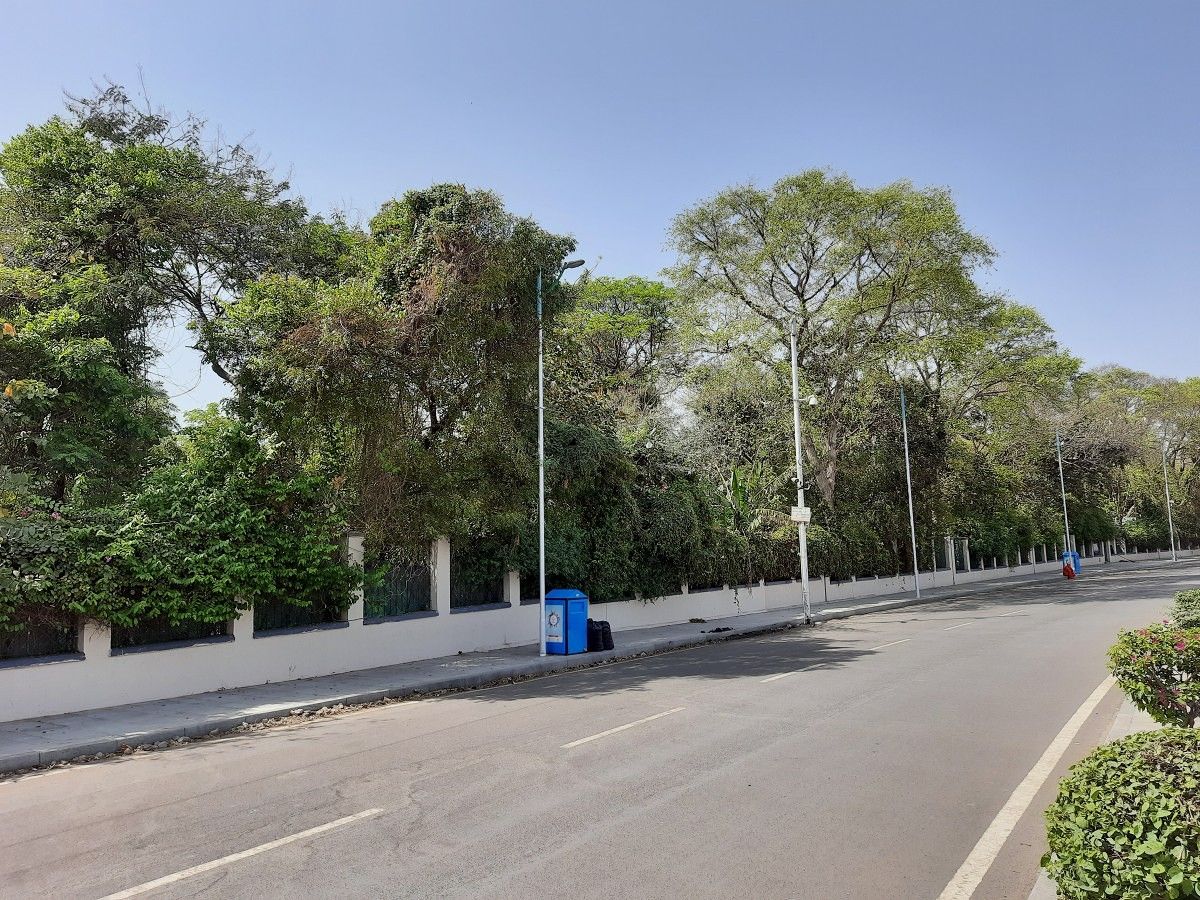
 

At night-time, the performance does take a slight hit but as long as you are surrounded by the strong artificial lighting the photos do come out well with sufficient details. 

The 8MP wide-angle lens is also capable of capturing great shots under good light conditions but it fails to impress in low-light, producing soft images with very little detail, reduced dynamic range and dull colors. 

In line with the competition, the Galaxy M31 also has a 5MP macro lens for super close up shots. It’s a fixed focus sensor so keeping the subject under perfect focus is a struggle as you can’t control exactly where the camera should focus by tapping on the screen and this often leads to out of focus shots. But when everything aligns, you can capture some really amazing shots of the tiny matters. 

On the front, we now get a 32MP sensor that produces well-detailed selfies with accurate skin tone rendering. Compared to the Galaxy M30s 16MP selfie shooter, the Galaxy M31 photos preserve far more details and have much better contrast and dynamic range as you can see in the shots below. 

The Galaxy M31 runs Android 10 with One UI Core 2.0 on top. The One UI Core is a stripped-down version of the full One UI experience that Samsung ships on its premium mid-range and flagship phones. As such it lacks features like the built-in screen recorder, Samsung Pay, Secure Folder and some other small bits. But rest assured that you’ll not be missing anything major. All important features are still there including the standard Android 10 features such as system-wide dark mode, new navigation gestures, improved Digital Wellbeing tools with Parental controls as well as the One UI 2.0 specific improvements like the new One-Handed mode, redesigned camera app and much more. 

Just like MIUI and ColorOS, One UI also comes with its fair share of bloatware, ranging from Microsoft Office suite to the usual likes of Amazon, Facebook, Snapchat and a bunch of regional apps. If you aren’t careful and don’t specifically opt-out of Samsung’s recommendations at the time of first setting up the device, hastily keep on tapping Next and Continue when setting up the phone, you’ll end with even more apps and services. 

But for the most part, the One UI is a pleasure to use and offers a perfect balance between customizability and ease of use.  For a more detailed treatment of One UI 2.0 and the overall software experience check out our Galaxy S10 Lite review

Powering all things up is the showstopper 6,000 mAh battery, still the largest in the segment. The charger that comes inside the box is only 15W but with the battery this massive that’s a trade-off I will accept any day over a smaller size battery. In terms of charging speed, it takes the device well over 2 and a half hours to fully charge.  

The mono speaker at the bottom is plenty loud and doesn’t show much distortion at peak volumes. For improved sound quality, the device also offers Dolby Atmos enhancements when you’re listening to music over Bluetooth or wired headsets. The rear-mounted fingerprint scanner unlocks the phone in a jiffy while the face unlocks is also reliably quick and works even under really dark lighting albeit a little slower than usual. 

Concluding Note

The Galaxy M31 can be best described as a Pro variant of the Galaxy M30s. There aren’t many major improvements if at all. However, it’s only when we view the Galaxy M31 in contrast to the M30s do we feel disappointed. On its own, the Galaxy M31 makes the perfect case for an ideal budget smartphone for anyone who’s not a serious gamer. Not only is the Galaxy M31 one of the only few devices offering an AMOLED panel at this price, but it’s also the only one offering the largest battery in the segment. 

Speaking of the competition, the Galaxy M31 will go head to head against the recently released Realme 6, which provides far better design, a 90Hz display, and a similar camera package. The Redmi Note 8 Pro is another great option if you can look past the comparatively smaller battery and LCD panel as it has the same SoC and rear camera setup as the Realme 6. 

The Galaxy M31 may not provide the absolute bang for your buck but it still manages to hold its own. If you can look past the plastic build and average performance, the Galaxy M31 has plenty to offer, ranging from exceptional battery life and immersive display to the decent cameras and rich software experience.

Buy the Samsung Galaxy M31 from: Samsung India ||| Amazon India

The post Samsung Galaxy M31 Hands-on: Incremental Improvements on a Great Budget Smartphone appeared first on xda-developers.


from xda-developers https://ift.tt/2PUZ3Kb
via IFTTT

OnePlus Launcher 4.3.3 essentially confirms the Verizon OnePlus 8 with NFC wallpaper customization

OnePlus rolled out OnePlus Launcher 4.3.3 to the Google Play Store today with a few user-facing changes such as the ability to hide icon labels and an AMOLED black theme for the Shelf. However, we analyzed the APK and came across a few interesting discoveries pertaining to the upcoming OnePlus 8 smartphone series.

An APK teardown can often predict features that may arrive in a future update of an application, but it is possible that any of the features we mention here may not make it in a future release. This is because these features are currently unimplemented in the live build and may be pulled at any time by the developers in a future build.

Verizon OnePlus 8 essentially confirmed

AndroidPolice has twice reported on Verizon’s plans to sell OnePlus phones. They first reported back in September of 2019 that Verizon inked a deal to carry OnePlus phones in 2020. Then in January of this year, they followed up with a more specific report claiming that the OnePlus 8 will be launching on Verizon with support for the carrier’s mmWave “Ultra WideBand” network. OnePlus first entered the U.S. market through a partnership with T-Mobile, and they expanded their presence last year by partnering with Sprint for the OnePlus 7 Pro 5G. Signing with Verizon is a logical next move for OnePlus, and assuming the rumors of the OnePlus 8’s impending launch are true, we could see the Verizon OnePlus 8 5G launched in just a few weeks.

While we don’t have any additional details to share on this partnership, our analysis of OnePlus Launcher version 4.3.3 essentially confirms that there will indeed be a Verizon SKU of the next OnePlus smartphone. There are multiple pieces of evidence we can point to in the latest OnePlus Launcher APK. First, OnePlus has added a new string for a Verizon folder, which suggests that pre-installed Verizon applications will appear in a separate folder on the home screen. (Hat tip to XDA Senior Member Some_Random_Username for bringing this one to our attention.)

<string name="verizon_folder_title">Verizon</string>

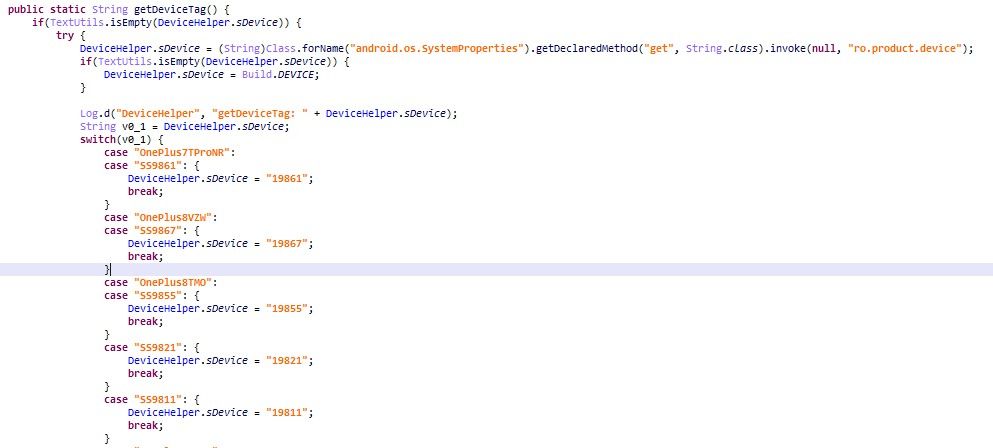
Next, in the “SkuHelper” class, we spotted a method called “isVerizon” that returns true if the software type is “Verizon.” This suggests the Verizon model will run separate software like the existing T-Mobile OnePlus 6T/7 Pro/7T Pro and Sprint OnePlus 7 Pro devices. Finally, a switch statement in the DeviceHelper class explicitly lists the “OnePlus8VZW” as one of the cases. This is alongside “OnePlus8TMO” and other OnePlus devices. This is the clearest evidence yet of the existence of a Verizon OnePlus 8.

OnePlus 8 in OnePlus Launcher

NFC Wallpapers Customization

Since this is just the launcher application, there’s not a lot of info about the actual device in it. However, we did spot a new in-development feature for the OnePlus 8. The feature will presumably let you scan an NFC tag to set a unique wallpaper. OnePlus Launcher 4.3.3 added two new strings, one that says “hey, you’ve found a brand new wallpaper!” that presumably appears when you scan a tag and another that says “set wallpaper” that presumably appears in the button that lets you set that image as your current wallpaper.

<string name="nfc_customization_wallpaper">Hey, you've found a brand new wallpaper!</string>
<string name="setting_nfc_customization_wallpaper">Set wallpaper</string>

There’s also a new broadcast receiver in the Manifest with the name net.oneplus.launcher.wallpaper.CustomizationWallpaperNFCReceiver and the intent action filter net.oneplus.launcher.action.CUSTOMIZATION_WALLPAPER_NFC_DETECTED. This receiver allows the OnePlus Launcher to detect when an NFC tag preformatted to send this intent has been scanned. In the CustomizationWallpaperNFCReceiver and LauncherSettings classes, we can see that this feature is limited to the new OnePlus 8 series (there are calls to a method in DeviceHelper called “isAtLeastOP8DeviceVersion”) and that there are a total of 3 wallpapers to choose from. Perhaps OnePlus will sell cases that have built-in NFC tags that, when scanned, change the wallpaper on the OnePlus 8 to match the case. Google used to do this with Live Cases a few years ago. We don’t know exactly how OnePlus plans to surface these wallpapers to users, but we’ll probably find out when the phone launches.

According to a set of credible leaks from @Onleaks, there will be 3 devices in the OnePlus 8 series: the OnePlus 8 Lite, the OnePlus 8, and the OnePlus 8 Pro. The 8 Lite is expected to have a 90Hz display and the MediaTek Dimensity 1000L processor while the 8 and 8 Pro are expected to have 120Hz displays and the Qualcomm Snapdragon 865. All three devices are expected to have hole-punch displays, and wireless charging may also finally be supported this time around. We’ll update you when we learn more about the OnePlus 8 series.


Thanks to PNF Software for providing us a license to use JEB Decompiler, a professional-grade reverse engineering tool for Android applications.

The post OnePlus Launcher 4.3.3 essentially confirms the Verizon OnePlus 8 with NFC wallpaper customization appeared first on xda-developers.


from xda-developers https://ift.tt/3aAlkVG
via IFTTT

OnePlus Launcher 4.3.3 lets you hide icon labels and adds an AMOLED black theme to Shelf

Earlier today, OnePlus released a new version of the OnePlus Launcher on the Google Play Store. The changelog for the update mentions that the launcher now supports hiding icon labels, and it also mentions that the UI has improved. Here’s what you need to know:

Hiding Icon Labels

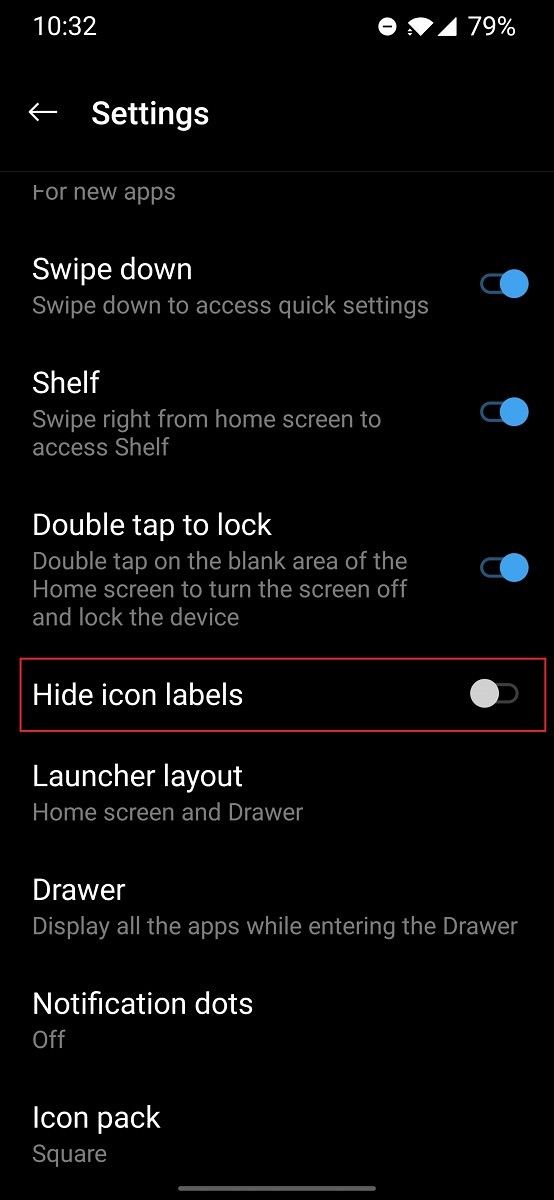
This feature is fairly straightforward. Open the OnePlus Launcher settings and you’ll find a new “hide icon labels” toggle in the main menu. Enable this and the text will disappear underneath app icons in the home screen and in folders. App icon labels will still appear when you open the app drawer, though. This feature will help make the home screen feel less cluttered if you’re going for a more immersive look. I personally like this feature since I’ve taken the time to group all the apps I use into folders in a single home screen page, and I’ve used this setup for long enough to know exactly where to go when I want to launch a certain app.

OnePlus Launcher 4.3.3 hide icon labels

AMOLED black theme for OnePlus Shelf

This change was spotted by Redditor /u/JelleZon_ over on the /r/OnePlus subreddit. Instead of a dark gray, the OnePlus Shelf now has an AMOLED black background. This makes the OnePlus Shelf match the rest of the dark themed interfaces in OxygenOS 10. As a reminder, the Shelf is the minus-one screen on international, EU, and Indian versions of OxygenOS; the Shelf is replaced with the Google Discover feed in U.S. carrier devices.

OnePlus Launcher 4.3.3 Shelf AMOLED black

Version 4.3.3 of the OnePlus Launcher is available now for OnePlus devices running OxygenOS 10 based on Android 10, which includes the OnePlus 6, OnePlus 6T, OnePlus 7, OnePlus 7 Pro, OnePlus 7T, and OnePlus 7T Pro. The OnePlus 5 and OnePlus 5T are expected to get the OxygenOS 10 update later this year. You can download the latest version from the Google Play Store. I received the update already on my OnePlus 7 Pro, but if the update hasn’t reached your device yet, you can skip the wait by sideloading the APK from APKMirror .

OnePlus Launcher (Free, Google Play) →

The post OnePlus Launcher 4.3.3 lets you hide icon labels and adds an AMOLED black theme to Shelf appeared first on xda-developers.


from xda-developers https://ift.tt/2IsySGI
via IFTTT

OnePlus Launcher 4.3.3 lets you hide icon labels and adds an AMOLED black theme to Shelf

Earlier today, OnePlus released a new version of the OnePlus Launcher on the Google Play Store. The changelog for the update mentions that the launcher now supports hiding icon labels, and it also mentions that the UI has improved. Here’s what you need to know:

Hiding Icon Labels

This feature is fairly straightforward. Open the OnePlus Launcher settings and you’ll find a new “hide icon labels” toggle in the main menu. Enable this and the text will disappear underneath app icons in the home screen and in folders. App icon labels will still appear when you open the app drawer, though. This feature will help make the home screen feel less cluttered if you’re going for a more immersive look. I personally like this feature since I’ve taken the time to group all the apps I use into folders in a single home screen page, and I’ve used this setup for long enough to know exactly where to go when I want to launch a certain app.

OnePlus Launcher 4.3.3 hide icon labels

AMOLED black theme for OnePlus Shelf

This change was spotted by Redditor /u/JelleZon_ over on the /r/OnePlus subreddit. Instead of a dark gray, the OnePlus Shelf now has an AMOLED black background. This makes the OnePlus Shelf match the rest of the dark themed interfaces in OxygenOS 10. As a reminder, the Shelf is the minus-one screen on international and Indian versions of OxygenOS; the Shelf is replaced with the Google Discover feed in U.S. carrier devices.

OnePlus Launcher 4.3.3 Shelf AMOLED black

Version 4.3.3 of the OnePlus Launcher is available now for OnePlus devices running OxygenOS 10 based on Android 10, which includes the OnePlus 5, OnePlus 5T, OnePlus 6, OnePlus 6T, OnePlus 7, OnePlus 7 Pro, OnePlus 7T, and OnePlus 7T Pro. You can download the latest version from the Google Play Store. I received the update already on my OnePlus 7 Pro, but if the update hasn’t reached your device yet, you can skip the wait by sideloading the APK from APKMirror .

OnePlus Launcher (Free, Google Play) →

The post OnePlus Launcher 4.3.3 lets you hide icon labels and adds an AMOLED black theme to Shelf appeared first on xda-developers.


from xda-developers https://ift.tt/2IsySGI
via IFTTT

Amazon Prime Video 3.0.264 adds Chromecast data usage options

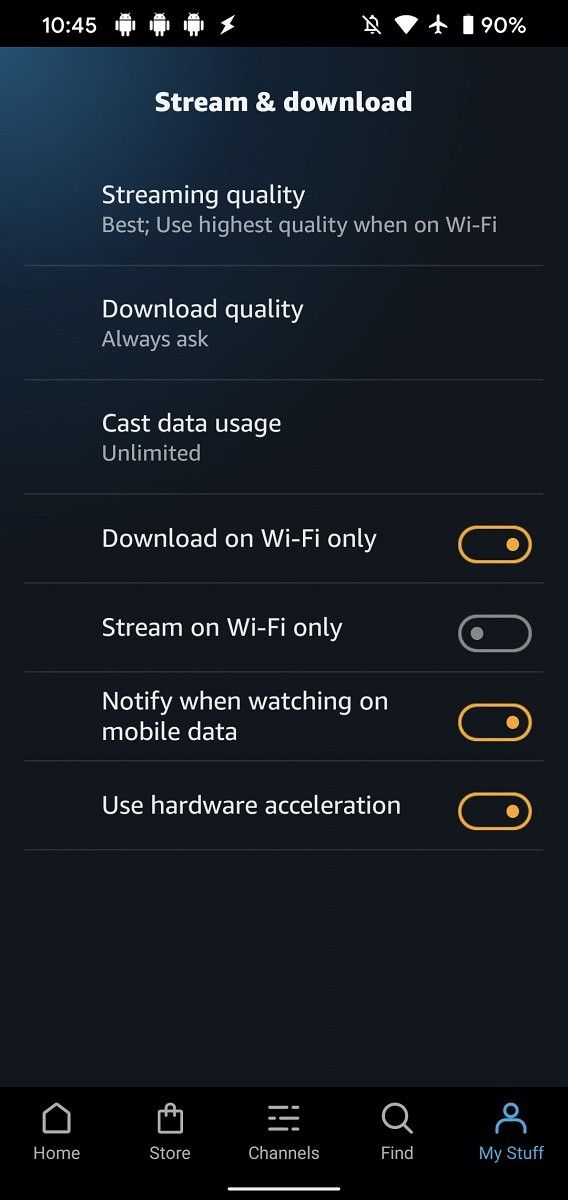
Amazon Prime Video is one of the best streaming services out there, but its Android app has been playing catch-up to Netflix. The Android app added support for Chromecast streaming in the middle of last year, but the Prime Video app didn’t have any associated settings to manage the streaming quality. Now with version 3.0.264 rolling out on the Google Play Store, you can select the Google Cast data usage under Stream & download settings.

Until version 3.0.264, users could only select the on-device streaming quality or download quality. For on-device streaming or downloads, users can pick from either “best” (1.82GB/hr), “better” (0.77GB/hr), “good” (0.27GB/hr), or “data saver” (0.14GB/hr). With the latest version, users can choose to stream videos to Chromecasts using the “unlimited”, “balanced” (1.80GB/hr), or “data saver” modes. In order to provide the best video quality, Amazon Prime Video tries to stream to your Chromecast at the maximum possible resolution and bitrate, but if your home Internet is metered, then you may want to lower the streaming quality to reduce data usage.

Amazon Prime Video Chromecast data usage Amazon Prime Video Chromecast data usage

The feature description states that changes to the data usage mode will be reflected in the currently playing video stream within a few minutes. Otherwise, whatever option you pick here should apply whenever you play another video on a Chromecast. You can download version 3.0.264 of the Prime Video app from the Play Store.

Amazon Prime Video (Free+, Google Play) →

The post Amazon Prime Video 3.0.264 adds Chromecast data usage options appeared first on xda-developers.


from xda-developers https://ift.tt/39sIY6k
via IFTTT

Amazon Prime Video 3.0.264 adds Chromecast data usage options

Amazon Prime Video is one of the best streaming services out there, but its Android app has been playing catch-up to Netflix. The Android app added support for Chromecast streaming in the middle of last year, but the Prime Video app didn’t have any associated settings to manage the streaming quality. Now with version 3.0.264 rolling out on the Google Play Store, you can select the Google Cast data usage under Stream & download settings.

Until version 3.0.264, users could only select the on-device streaming quality or download quality. For on-device streaming or downloads, users can pick from either “best” (1.82GB/hr), “better” (0.77GB/hr), “good” (0.27GB/hr), or “data saver” (0.14GB/hr). With the latest version, users can choose to stream videos to Chromecasts using the “unlimited”, “balanced” (1.80GB/hr), or “data saver” modes. In order to provide the best video quality, Amazon Prime Video tries to stream to your Chromecast at the maximum possible resolution and bitrate, but if your home Internet is metered, then you may want to lower the streaming quality to reduce data usage.

Amazon Prime Video Chromecast data usage Amazon Prime Video Chromecast data usage

The feature description states that changes to the data usage mode will be reflected in the currently playing video stream within a few minutes. Otherwise, whatever option you pick here should apply whenever you play another video on a Chromecast. You can download version 3.0.264 of the Prime Video app from the Play Store.

Amazon Prime Video (Free+, Google Play) →

The post Amazon Prime Video 3.0.264 adds Chromecast data usage options appeared first on xda-developers.


from xda-developers https://ift.tt/39sIY6k
via IFTTT