LightBlog

lundi 24 février 2020

Honor launches the View 30 Pro and 9X Pro globally

Mobile World Congress was scheduled to happen this week, but it was canceled. We were expecting a lot from the show and some companies are following through with their plans. Huawei already shared a few announcements and now it’s Honor’s turn. The company is launching the View 30 Pro and 9X Pro globally.

Honor 9X Pro XDA Forums | Honor View 30 XDA Forums

Honor View 30 Pro

The Honor View 30 Pro is a rebranding of the Honor V30 Pro that launched in China last year. The device features a 6.57-inch FHD+ LCD with dual-punch holes for the 32MP and 8MP front cameras. Speaking of cameras, on the rear is a triple camera setup consisting of a 40MP primary, 12MP wide-angle, and 8MP telephoto cameras.

Powering the View 30 Pro is the HiSilicon Kirin 990 processor with support for dual-mode 5G. It also features 8GB of RAM, 128/256GB of storage, and a 4,100 mAh battery. Charging the battery can be done quickly with the 40W wired charging and 27W wireless charging. It also features reverse wireless charging.

Honor has released phones with interesting back panel designs and the View 30 Pro is no different. The company talked about “multi-layer” glass and “Aurora Nano Texture” coating. The color shifts slightly when holding it at different angles.

Honor did not give specifics about pricing or availability. It will be available “soon” starting in Russia. The Honor V30 Pro was priced around $570-600, so we expect similar pricing for the View 30. It should also be noted that the Honor devices are not launching with Google Play Services and they are equipped with the Huawei AppGallery.

Specification Honor View 30 Pro
Display 6.57″ FHD+ (2400 x 1080) TFT LCD;
Dual punch-hole cutout, 91.46% screen-to-body ratio;
400 PPI
SoC Huawei Kirin 990:
2x Cortex-A76 (2.86GHz) + 2x Cortex-A76 (2.09GHz) + 4x Cortex-A55 (1.86GHz);
Mali-G76
RAM and Storage 8GB + 128GB;
8GB + 256GB
Battery 4,100 mAh
USB USB Type-C
Rear Camera 40MP, f/1.6 (AF+OIS) + 12MP wide-angle f/2.2 (AF) + 8MP telephoto f/2.4 (AF+OIS)
Front Camera 32MP f/2.0 (FF) + 8MP telephoto f/2.2 (FF)
Android Version Magic UI 3.0.1 based on Android 10

Honor 9X Pro

The Honor 9X Pro has been around for a while, but it has taken Honor some time to release it in all markets. Back in October, the company announced they would be releasing a different version of the Honor 9X Pro in Europe. It did make its way to a few European countries, but today Honor is announcing an even wider global availability.

The Honor 9X Pro features a 6.59-inch display, the Kirin 810 processor, 6GB of RAM, 256GB of storage, and has a 4,000mAh battery. The device features three rear cameras: 48MP, 8MP wide-angle, and 2MP depth sensor. The front 16MP camera is housed in a pop-up mechanism, creating very slim bezels on the front of the phone.

The Honor 9X Pro will be available in France, Germany, the Netherlands, Egypt, KSA (Kingdom of Saudi Arabia) and Malaysia in March for €249 ($270). As with the View 30 Pro, the 9X Pro is equipped with the Huawei AppGallery.

Specifications Honor 9X Pro
Dimensions and Weight
  • 163.1 x 77.2 x 8.8 mm
  • 206g
Display
  • 6.59-inches LCD
  • 2340 x 1080 resolution
SoC HiSilicon Kirin 810:
  • 2x ARM Cortex-A76 @ 2.27GHz +
  • 6x ARM Cortex-A55 @1.55GHz;
  • 7nm fabrication process
  • Mali-G52 MP6 GPU
RAM and Storage
  • 6GB + 256GB
Expandability Up to 512GB via microSD
Battery 4,000mAh
Fingerprint Sensor Yes, side-mounted
Rear Camera
  • 48MP primary sensor, f/1.8
  • 8MP, ultrawide
  • 2MP, depth sensor
Front Camera 16MP, f/2.2, pop-up
Android Version Android 9 Pie underneath EMUI 9.1

The post Honor launches the View 30 Pro and 9X Pro globally appeared first on xda-developers.


from xda-developers https://ift.tt/2Pi6fQ3
via IFTTT

Huawei announces the foldable Mate XS and MatePad Pro 5G tablet for global markets

MWC 2020 has been canceled, but that isn’t stopping companies from making announcements this week. We didn’t quite know what to expect from Huawei and it turns out they have announced their next foldable, the Mate XS, and the MatePad Pro 5G tablet. Both devices have been known for some time, but they have seen some changes and are now launching for global markets.

Huawei Mate XS

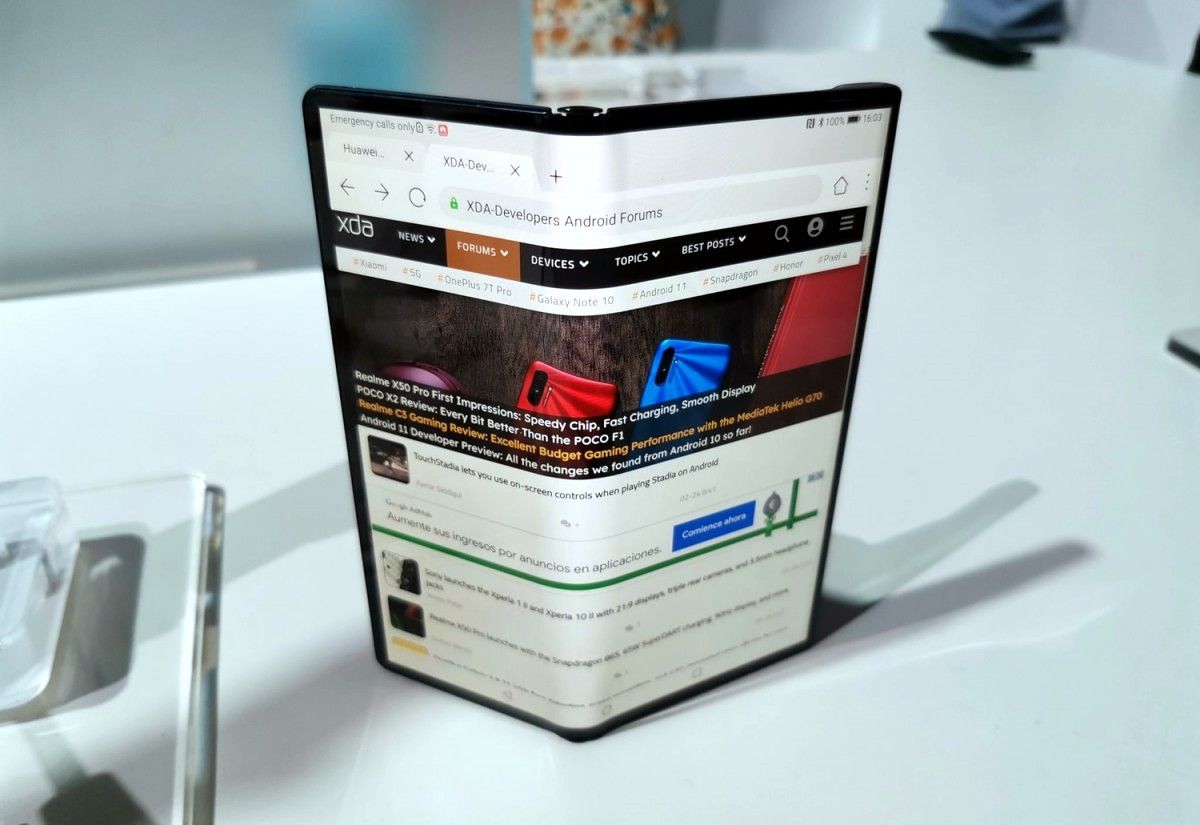
The Mate XS is the follow-up to last year’s Mate X, which never made it off the ground in a meaningful way. Huawei’s take on a foldable phone is different from others in that the display is on the outside when folded. There’s no need for a smaller secondary display as the full display wraps around the outside.

Of course, this poses some durability issues. As we’ve seen with foldable displays that fold inwards, it doesn’t take much to scratch plastic. Huawei claims the Mate XS has a more durable display and a redesigned hinge. The display uses “quad-layer” construction. The display is composed of two layers of polyamide film, followed by the flexible OLED display, a soft polymer for cushion, and finally a layer that connects the display to the body.

The hinge is said to feel smoother than the previous iteration and should be more durable as well. As expected, other improvements include the Kirin 990 processor and its integrated 5G modem. The Mate XS has 8GB of RAM, 512GB of storage, and a 4,500 mAh battery.

Camera-wise, the Huawei Mate XS is packing a main 40MP camera, an 8MP telephoto camera, a 16MP wide-angle camera, and a depth-sensing camera. All of these cameras are housed on the “rear,” but when the screen is folded they can face the user. Speaking of the display again, it’s 8-inches in tablet mode and 6.6-inches when folded.

The Mate XS does not have Google apps since Huawei is still on the US’s entity list. Instead, it includes Huawei Mobile Services, which is the company’s alternative to Google Play Services. You can read more about that here. The Mate XS will be released outside of China in March for €2,499 (~$2,700).

Huawei MatePad Pro 5G

Huawei launched the MatePad Pro in China last year. The device features very slim bezels, a 10.8-inch display, and an optional keyboard case and stylus. Today, the company has announced a 5G version of the tablet. Like the Mate XS, the MatePad Pro 5G does not ship with Google apps. Users are limited to using Huawei’s alternative.

Huawei is claiming the MatePad Pro 5G is the first tablet to support wireless charging, which is certainly not true, but it is rare. Wireless charging speeds can go up to 27W, plus it has reverse wireless charging up to 7.5W. The tablet can use reverse wireless charging to charge the keyboard case and stylus, which is handy.

The display has a resolution of 2560 x 1600 and there is a hole-punch in the top left corner for the front-facing camera. Powering everything is the Kirin 990 processor, 8GB of RAM, up to 512GB of storage, and a big 7,250mAh battery. Huawei is also selling WiFi-only and 4G models with 6GB of RAM, 128GB, and 256GB of storage options.

The Huawei MatePad Pro 5G will be available in June in China, Asia Pacific, EMEA, and Latin America. The WiFi and 4G models will go on sale in April in selected markets including Asia Pacific, EMEA, Russia, Japan, and Latin America. Pricing for the 5G model starts at €799 ($867), while the WiFi model starts at €549 ($596), and the 4G model starts at €599 ($650).

The post Huawei announces the foldable Mate XS and MatePad Pro 5G tablet for global markets appeared first on xda-developers.


from xda-developers https://ift.tt/2HTqkbE
via IFTTT

Huawei announces the foldable Mate XS and MatePad Pro 5G tablet for global markets

MWC 2020 has been canceled, but that isn’t stopping companies from making announcements this week. We didn’t quite know what to expect from Huawei and it turns out they have announced their next foldable, the Mate XS, and the MatePad Pro 5G tablet. Both devices have been known for some time, but they have seen some changes and are now launching for global markets.

Huawei Mate XS

The Mate XS is the follow-up to last year’s Mate X, which never made it off the ground in a meaningful way. Huawei’s take on a foldable phone is different from others in that the display is on the outside when folded. There’s no need for a smaller secondary display as the full display wraps around the outside.

Of course, this poses some durability issues. As we’ve seen with foldable displays that fold inwards, it doesn’t take much to scratch plastic. Huawei claims the Mate XS has a more durable display and a redesigned hinge. The display uses “quad-layer” construction. The display is composed of two layers of polyamide film, followed by the flexible OLED display, a soft polymer for cushion, and finally a layer that connects the display to the body.

The hinge is said to feel smoother than the previous iteration and should be more durable as well. As expected, other improvements include the Kirin 990 processor and its integrated 5G modem. The Mate XS has 8GB of RAM, 512GB of storage, and a 4,500 mAh battery.

Camera-wise, the Huawei Mate XS is packing a main 40MP camera, an 8MP telephoto camera, a 16MP wide-angle camera, and a depth-sensing camera. All of these cameras are housed on the “rear,” but when the screen is folded they can face the user. Speaking of the display again, it’s 8-inches in tablet mode and 6.6-inches when folded.

The Mate XS does not have Google apps since Huawei is still on the US’s entity list. Instead, it includes Huawei Mobile Services, which is the company’s alternative to Google Play Services. You can read more about that here. The Mate XS will be released outside of China in March for €2,499 (~$2,700).

Huawei MatePad Pro 5G

Huawei launched the MatePad Pro in China last year. The device features very slim bezels, a 10.8-inch display, and an optional keyboard case and stylus. Today, the company has announced a 5G version of the tablet. Like the Mate XS, the MatePad Pro 5G does not ship with Google apps. Users are limited to using Huawei’s alternative.

Huawei is claiming the MatePad Pro 5G is the first tablet to support wireless charging, which is certainly not true, but it is rare. Wireless charging speeds can go up to 27W, plus it has reverse wireless charging up to 7.5W. The tablet can use reverse wireless charging to charge the keyboard case and stylus, which is handy.

The display has a resolution of 2560 x 1600 and there is a hole-punch in the top left corner for the front-facing camera. Powering everything is the Kirin 990 processor, 8GB of RAM, up to 512GB of storage, and a big 7,250mAh battery. Huawei is also selling WiFi-only and 4G models with 6GB of RAM, 128GB, and 256GB of storage options.

The Huawei MatePad Pro 5G will be available in June in China, Asia Pacific, EMEA, and Latin America. The WiFi and 4G models will go on sale in April in selected markets including Asia Pacific, EMEA, Russia, Japan, and Latin America. Pricing for the 5G model starts at €799 ($867), while the WiFi model starts at €549 ($596), and the 4G model starts at €599 ($650).

The post Huawei announces the foldable Mate XS and MatePad Pro 5G tablet for global markets appeared first on xda-developers.


from xda-developers https://ift.tt/2HTqkbE
via IFTTT

10 Easy Ways to Boost Your Brand Image on a Budget

For any business, developing a strong brand is important. The way you present your company will affect how people perceive your value and even your competence. Paying for professional help in this area is beyond the budget of many startups and freelancers. But, with these tools at the XDA Developers Depot, you can boost your brand image on a budget.

Designs.ai Logomaker Premium Plan

It takes just two minutes to create a stunning new brand with Logomaker. You simply put in your company name, choose your colors and select your fonts. From there, you can download your logo in a range of formats. Order now for $18.99 to jump on the Premium plan, worth $99.

My Brand New Logo: Automatic Logo Generator

Following design principles developed by top branding agencies, this platform uses AI to create a unique logo for your brand. You can customize any of the provided options, and My Brand New Logo offers full commercial copyright. Worth $12,500, lifetime access is now just $39.99.

Design Wizard: Stock Video Bundle

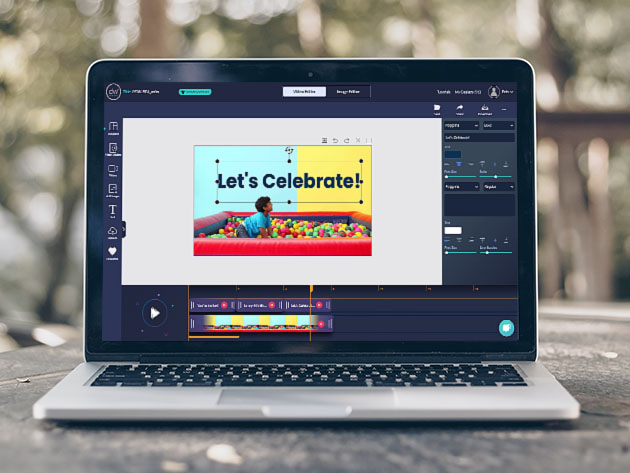
Video is a powerful platform for marketing, and Design Wizard gives you access to a huge library of HD stock clips. The selection includes slick animations and real-world footage, which you can download and use in any project. Order now for $49 to get 50 HD video credits, worth $999.50.

PixTeller PRO Online Editor: 1-Yr Subscription

From social media posts to blog headers, PixTeller helps you create visual content with minimal effort. As a PRO user, you get access to 134,000 templates, 1.5 million photos, and 100,000 shapes inside an easy-to-use editor. Normally priced at $108, one-year subscriptions are now just $19.99.

Blocs 3: Website Builder for Mac

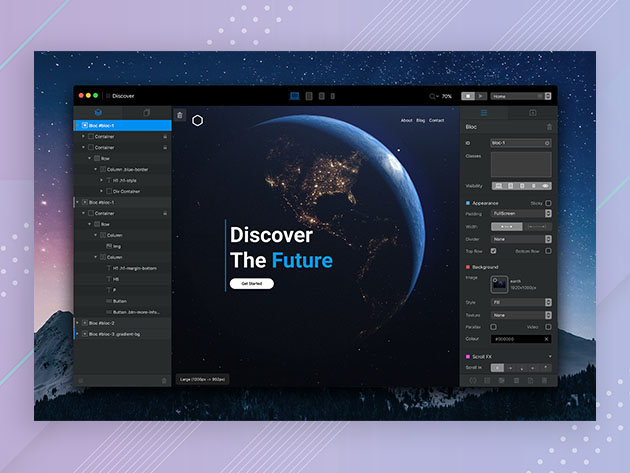
To build a brand, you need a strong online presence. Blocs 3 allows you to create a beautiful responsive site without coding. The app combines simple WYSIWYG controls with powerful features, including animations and CMS support. Normally priced at $99.99, the app is now $39.99.

Dragify Website Builder: 1-Yr Subscription

An alternative to the above option is Dragify. This online platform offers a range of search-optimized templates, along with custom fonts and useful integrations. Hosting is also provided, with SSL and unlimited traffic. One year of service is worth $72, but you can sign up now for $29.99

The Modern Digital Copywriting & Marketing Playbook Bundle

If you have a product to promote or services to sell, creating a solid pitch is pretty important. Through 55 hours of training, this bundle shows you how to hook potential customers using words alone. Worth $2,000 in total, the courses are now only $35.

Audials One 2020: Audio Recording Software for Windows

When someone mentions your brand online, you will probably want to capture the moment. Audials One 2020 helps you record audio from virtually any source, including TV and streaming sites. The software is currently 66% off full price at $19.99.

The Creativity Bundle Ft. Clip Studio DEBUT

Want to make your brand stand out with unique visuals? The Creativity Bundle can help. It includes one of the most popular apps for digital art, plus useful assets and two hours of world-class training. The bundle is worth $179.95, but you can get it now for just $25.

Super Vectorizer 2: Lifetime License

If your brand assets are stored as regular image files, you might need to convert them for high-res displays and print. Super Vectorizer 2 makes the process easy, with simple tracing tools that anyone can use. Normally priced at $60, the app is currently $19 on Mac.

Prices subject to change  

The post 10 Easy Ways to Boost Your Brand Image on a Budget appeared first on xda-developers.


from xda-developers https://ift.tt/2Vi1yd6
via IFTTT

10 Easy Ways to Boost Your Brand Image on a Budget

For any business, developing a strong brand is important. The way you present your company will affect how people perceive your value and even your competence. Paying for professional help in this area is beyond the budget of many startups and freelancers. But, with these tools at the XDA Developers Depot, you can boost your brand image on a budget.

Designs.ai Logomaker Premium Plan

It takes just two minutes to create a stunning new brand with Logomaker. You simply put in your company name, choose your colors and select your fonts. From there, you can download your logo in a range of formats. Order now for $18.99 to jump on the Premium plan, worth $99.

My Brand New Logo: Automatic Logo Generator

Following design principles developed by top branding agencies, this platform uses AI to create a unique logo for your brand. You can customize any of the provided options, and My Brand New Logo offers full commercial copyright. Worth $12,500, lifetime access is now just $39.99.

Design Wizard: Stock Video Bundle

Video is a powerful platform for marketing, and Design Wizard gives you access to a huge library of HD stock clips. The selection includes slick animations and real-world footage, which you can download and use in any project. Order now for $49 to get 50 HD video credits, worth $999.50.

PixTeller PRO Online Editor: 1-Yr Subscription

From social media posts to blog headers, PixTeller helps you create visual content with minimal effort. As a PRO user, you get access to 134,000 templates, 1.5 million photos, and 100,000 shapes inside an easy-to-use editor. Normally priced at $108, one-year subscriptions are now just $19.99.

Blocs 3: Website Builder for Mac

To build a brand, you need a strong online presence. Blocs 3 allows you to create a beautiful responsive site without coding. The app combines simple WYSIWYG controls with powerful features, including animations and CMS support. Normally priced at $99.99, the app is now $39.99.

Dragify Website Builder: 1-Yr Subscription

An alternative to the above option is Dragify. This online platform offers a range of search-optimized templates, along with custom fonts and useful integrations. Hosting is also provided, with SSL and unlimited traffic. One year of service is worth $72, but you can sign up now for $29.99

The Modern Digital Copywriting & Marketing Playbook Bundle

If you have a product to promote or services to sell, creating a solid pitch is pretty important. Through 55 hours of training, this bundle shows you how to hook potential customers using words alone. Worth $2,000 in total, the courses are now only $35.

Audials One 2020: Audio Recording Software for Windows

When someone mentions your brand online, you will probably want to capture the moment. Audials One 2020 helps you record audio from virtually any source, including TV and streaming sites. The software is currently 66% off full price at $19.99.

The Creativity Bundle Ft. Clip Studio DEBUT

Want to make your brand stand out with unique visuals? The Creativity Bundle can help. It includes one of the most popular apps for digital art, plus useful assets and two hours of world-class training. The bundle is worth $179.95, but you can get it now for just $25.

Super Vectorizer 2: Lifetime License

If your brand assets are stored as regular image files, you might need to convert them for high-res displays and print. Super Vectorizer 2 makes the process easy, with simple tracing tools that anyone can use. Normally priced at $60, the app is currently $19 on Mac.

Prices subject to change  

The post 10 Easy Ways to Boost Your Brand Image on a Budget appeared first on xda-developers.


from xda-developers https://ift.tt/2Vi1yd6
via IFTTT

TouchStadia lets you use on-screen controls when playing Stadia on Android

Cloud-based game streaming is purported to be the next point of focus for tech innovation, with major players like Microsoft, Sony, NVIDIA, and Google gearing up to provide a way to seamlessly play and experience games without a focus on hardware. Google Stadia gets a chunk of attention in this space, mainly because of Google’s name behind it. Reception on Stadia has been quite mixed, notwithstanding the fact that a lot of people could not even use Stadia without needing root or Xposed modules. Only recently did Stadia extend support to more devices beyond Google Pixels, namely those in the Samsung Galaxy S series, Samsung Galaxy Note series and gaming phones like Razer Phone series and ASUS ROG Phone series. While you can play with Stadia on these devices, you still need a wired controller for playing games, which in turn affects how easily and where you can game. If you were itching for an alternative that would make Stadia much more accessible, check out TouchStadia — a JavaScript snippet that adds on-screen controls for playing Stadia on Android!

TouchStadia is a JavaScript snippet that needs to be manually loaded into Google Chrome for Android. Once loaded in, users can access Stadia and play games using on-screen controls. This massively lowers the accessibility and convenience barrier for Stadia, as you no longer need a wired controller to play games. You don’t need to install any additional apps or mods for this — TouchStadia works off as a Google Chrome extension on Desktop, but since Google Chrome for Android does not support extensions, you just have to manually paste the snippet code into Chrome every time you want to stream a game. There’s also support for joysticks — just drag your finger across on the sides where there are no buttons to activate the joystick action.

Granted, using on-screen controls is an inferior experience to using a dedicated hardware controller. But having the option itself is a massive plus point, and Google failed to provide this option. Imposing limitations was the theme around Stadia’s rollout, so this wasn’t entirely surprising.

If you would like to try out TouchStadia, follow along the instructions on GitHub. You can provide feedback to the developer in the TouchStadia Reddit Thread.

The post TouchStadia lets you use on-screen controls when playing Stadia on Android appeared first on xda-developers.


from xda-developers https://ift.tt/2vblvri
via IFTTT

TouchStadia lets you use on-screen controls when playing Stadia on Android

Cloud-based game streaming is purported to be the next point of focus for tech innovation, with major players like Microsoft, Sony, NVIDIA, and Google gearing up to provide a way to seamlessly play and experience games without a focus on hardware. Google Stadia gets a chunk of attention in this space, mainly because of Google’s name behind it. Reception on Stadia has been quite mixed, notwithstanding the fact that a lot of people could not even use Stadia without needing root or Xposed modules. Only recently did Stadia extend support to more devices beyond Google Pixels, namely those in the Samsung Galaxy S series, Samsung Galaxy Note series and gaming phones like Razer Phone series and ASUS ROG Phone series. While you can play with Stadia on these devices, you still need a wired controller for playing games, which in turn affects how easily and where you can game. If you were itching for an alternative that would make Stadia much more accessible, check out TouchStadia — a JavaScript snippet that adds on-screen controls for playing Stadia on Android!

TouchStadia is a JavaScript snippet that needs to be manually loaded into Google Chrome for Android. Once loaded in, users can access Stadia and play games using on-screen controls. This massively lowers the accessibility and convenience barrier for Stadia, as you no longer need a wired controller to play games. You don’t need to install any additional apps or mods for this — TouchStadia works off as a Google Chrome extension on Desktop, but since Google Chrome for Android does not support extensions, you just have to manually paste the snippet code into Chrome every time you want to stream a game. There’s also support for joysticks — just drag your finger across on the sides where there are no buttons to activate the joystick action.

Granted, using on-screen controls is an inferior experience to using a dedicated hardware controller. But having the option itself is a massive plus point, and Google failed to provide this option. Imposing limitations was the theme around Stadia’s rollout, so this wasn’t entirely surprising.

If you would like to try out TouchStadia, follow along the instructions on GitHub. You can provide feedback to the developer in the TouchStadia Reddit Thread.

The post TouchStadia lets you use on-screen controls when playing Stadia on Android appeared first on xda-developers.


from xda-developers https://ift.tt/2vblvri
via IFTTT