LightBlog

lundi 10 février 2020

WiZmote Remote Control Review: The only reason Smart Lights are useful

WiZ smart lights are some of the coolest smart lights I’ve ever used. They have great integration with apps like Samsung SmartThings and Google Assistant. Smart bulbs are great for controlling your lights from anywhere, but they do leave something to be desired. There is no physical light switch equivalent that helps control the lights. WiZ looks to solve this with the WiZmote, a wireless controller for your smart home system.

The smart lights from WiZ are really my first real adventure into the world of the smart home ecosystem. Until now, all I’ve had around my house is Google Home devices. I have never had a smart TV or smart lights or something like a Nest thermostat. So getting WiZ, I was really excited because this was my first real adventure into the smart home jungle.

It was great at first. I absolutely loved playing with the lights and changing colors of the lights from down the street and watching the lights change through the window. That fun sort of wears off over time as you start using them in day-to-day life. A lot of people love that you can control smart lights from your phone, but to me, they actually become pretty annoying for that reason.

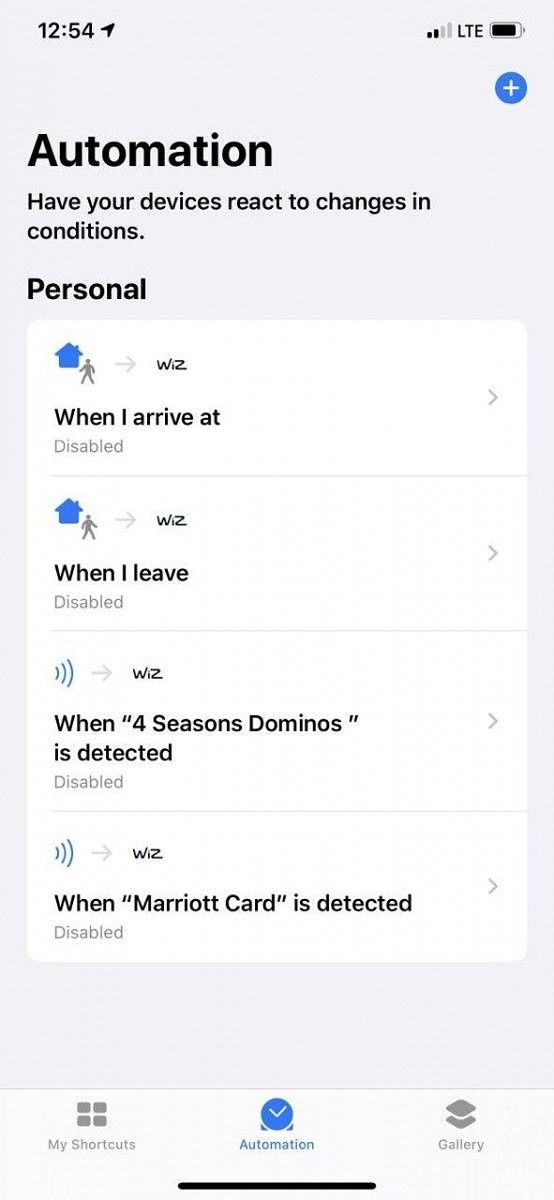
With a normal lightbulb, controlling the lights is simple. You flip the switch up to turn them on and down to turn them off. They immediately turn on and off. We all know this. With smart lights, the same thing happens, you can still flip the switch to turn them on and off. You can also use the smartphone app, Google Assistant, Bixby, SmartThings, NFC tags through Siri automation, and more to control the lights.
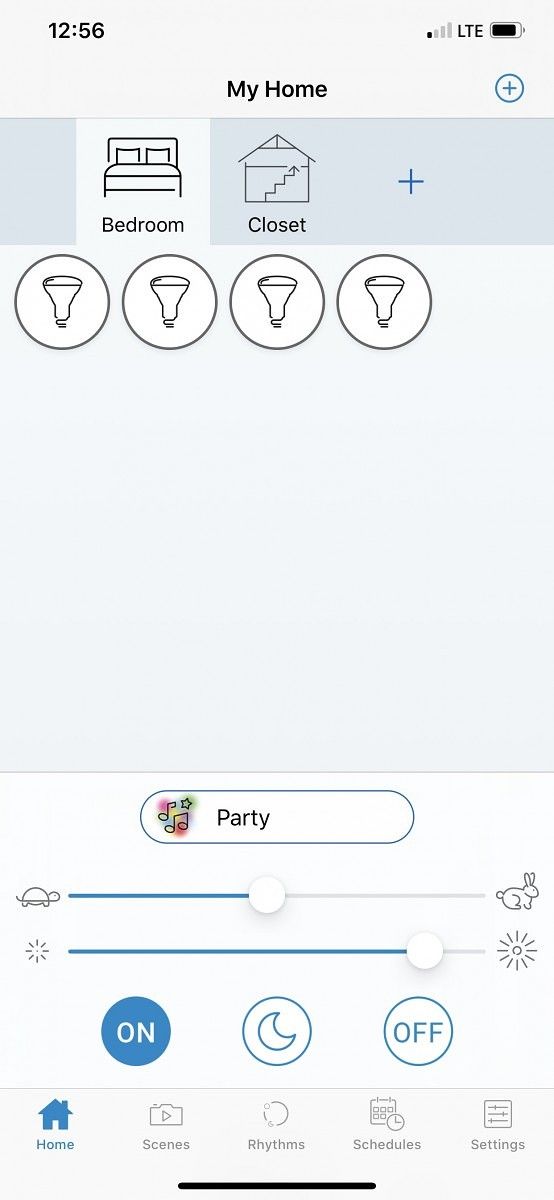
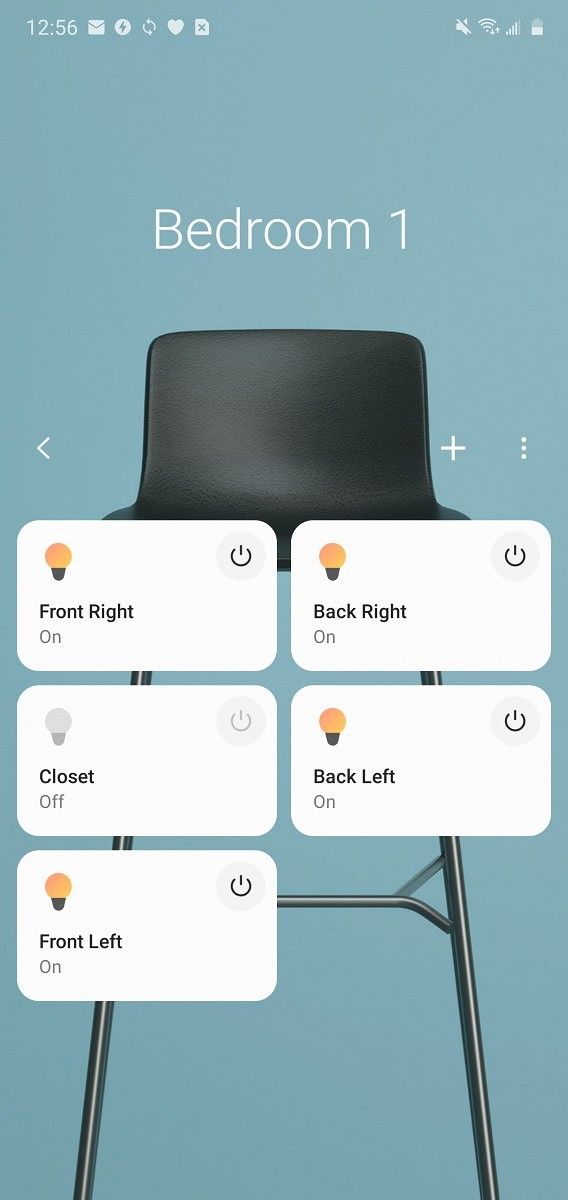
However, all these ways to control the lights adds another layer to them which honestly makes them feel inconvenient at times. This isn’t just talking about WiZ lights, which are absolutely amazing lights, but just smart lights in general. There are just too many ways to control the lights to the point at which I found myself just going back to flipping the switch. That was until I remembered WiZ sent me the WiZmote with the smart lights.

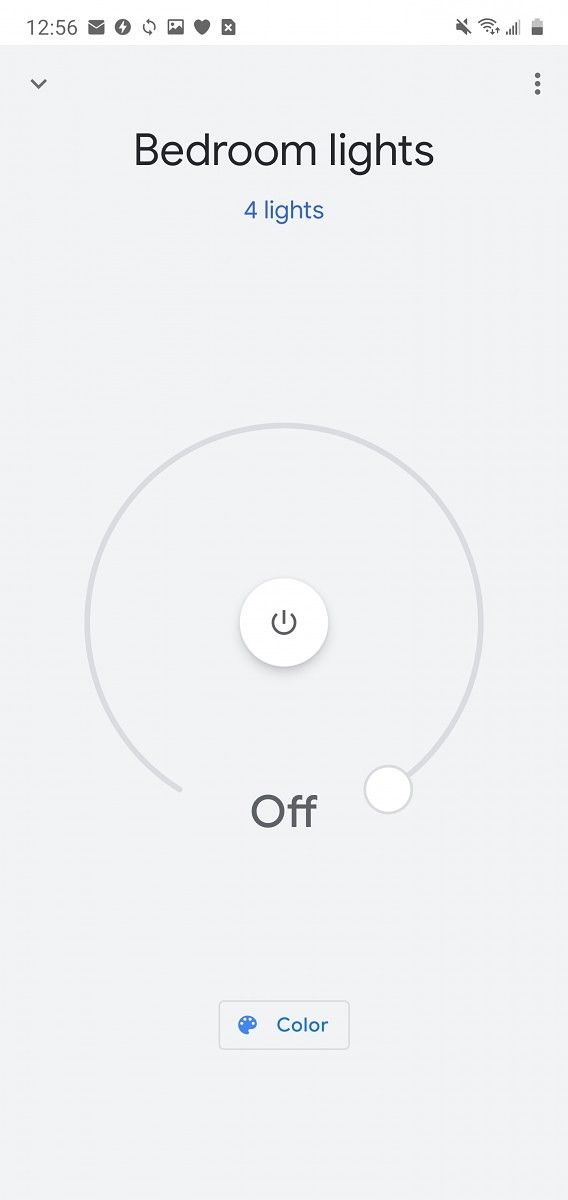
The cool thing about the WiZ smart lights is the color options. These colors are fun to just swap and have at random colors. I love just yelling at my Google Home “Hey Google, set the lights to lime green” and moments later I’m bathing in lime green light. You can also use the WiZ app and control the specific color or set it to one of the more fun presets. Some of my favorites are Party, Deep dive, and Ocean. They might not be in any way useful, but fun things really aren’t meant to be useful. They do have an actual useful one called “Plant growth,” which aids in the growth of indoor plants.

The WiZmote is what made the lights actually usable and smart for me. Instead of having to tell Google Assistant to turn on/off the lights or change the color, I just press a button on a wireless remote. It’s arguably easier than flipping a light switch. It makes these lights actually viable as smart lights.

WiZmote in its glory

The remote can do a couple of different things. It can turn on and off the lights, of course, swap between 4 different color profiles, change the light brightness, and enable night light. It’s just a single button for each different option. It’s simple and a perfect replacement for a light switch.

Party Mode on 4 lights

The night light, on, off, and brightness buttons are all set to those specific functions and cannot be changed, as expected. What can be changed are the 4 color profile buttons, and change them I did. I set mine to warm white (which is the closest to an incandescent bulb I could find), daylight, cozy, and party. The first three are more generic modes and are comfortable for daily use. I would use the party mode on weekends to get the experience of the parties I wasn’t invited to.

Using the controller to control the lights made it 100x more useful to have smart lights in the first place. Sometimes using Google Assistant or having to open the app just isn’t as fast as pressing a button. It really does make having smart lights an actually viable solution for your home. If you were going to get smart lights, I would highly recommend the WiZ lights with the WiZmote. The WiZmote really does make the smart home system feel complete.

Purchase WiZmote with Starter Lights || WiZ Smart Lights on Amazon

The post WiZmote Remote Control Review: The only reason Smart Lights are useful appeared first on xda-developers.


from xda-developers https://ift.tt/2SCZo4C
via IFTTT

[Update: LTE models] Samsung brings Galaxy Watch Active 2 features to the Galaxy Watch & Watch Active

Update (2/10/20 @ 11:05 AM ET): The Galaxy Watch LTE models on AT&T, T-Mobile, Sprint, and Verizon are finally getting this update.

For the past few years, Samsung smartwatches have had physical rotating bezels as a way to control their watch UI. Sadly, Samsung removed it with this years’ Galaxy Watch Active and Galaxy Watch Active 2. Luckily, with the new Watch Active 2, Samsung introduced its new touch bezel. This touch bezel emulated the rotating bezel by allowing users to slide their finger around the display as though there was a physical bezel, even though there wasn’t one. In the latest Galaxy Watch Active update, Samsung was able to backport the touch bezel, along with a few other features, back to the first Galaxy Watch Active.

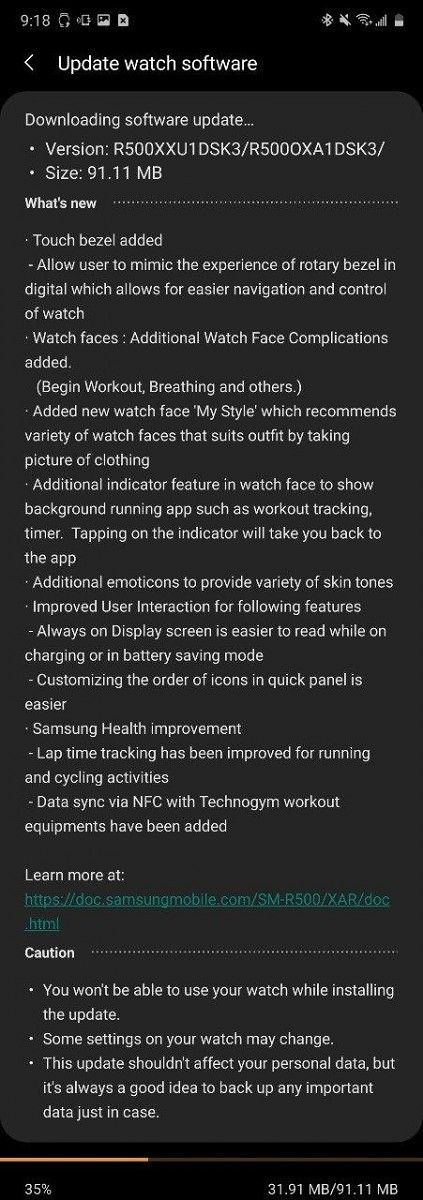
In a new update, which should be rolling out now, Samsung was able to backport the touch bezel to the Galaxy Watch Active. This lets you rotate your finger around the bezel to control the watch. You can switch between widgets, scroll through notifications, or scroll through pages. It makes using the watch easier and more natural.

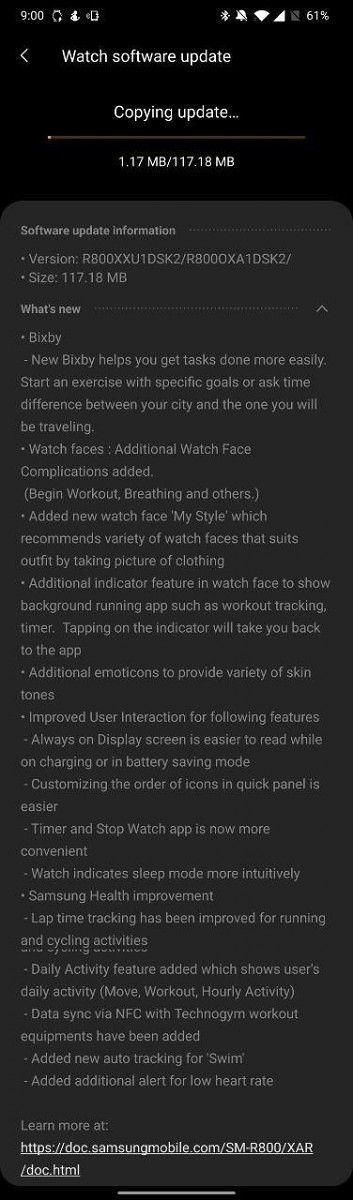
While the Galaxy Watch didn’t get the touch bezel because it has a physical one, Samsung still brought the rest of the feature set back to the regular Watch and the Watch Active. These improvements include a few changes in apps like Samsung Health, like lap time tracking for running and cycling and data sync via NFC for Technogym workout equipment. They also improved the always-on display while charging or in power saver and improved the customization of the quick settings.

Samsung brought back One UI 1.5 to the Galaxy Watch and Galaxy Watch Active. With this, Samsung added a few new watch complications like a “Begin Workout” button, breathing, and more. In addition to this, Samsung added their “My Style” feature. This lets you take a picture of your clothes in the Galaxy Wearables app and the background of the watch face will match with the clothes you are wearing. Samsung has also added a new indicator to show when an app is running in the background. Clicking the icon will open the running app, letting you interact with it. Samsung has also added a few new emojis and finally added skin tones to the emojis on the watch.

It’s great to see Samsung backporting features like this. It really helps consumers not feel left out when new updates and devices are released. With these devices ranging from being from 6 months to 1 year old, getting regular updates with new features is great to see, and something very few other companies are reliably doing.


Update: LTE models

Two months after the initial rollout for the WiFi-only models, the Galaxy Watch on AT&T, T-Mobile, Sprint, and Verizon is finally getting this big update. It started rolling out on T-Mobile and Verizon last week and today it’s arriving on AT&T and Sprint. This is the exact same update that rolled out in November. Both 42 and 46mm models are getting it.

Source: Android Police

The post [Update: LTE models] Samsung brings Galaxy Watch Active 2 features to the Galaxy Watch & Watch Active appeared first on xda-developers.


from xda-developers https://ift.tt/37eXhuB
via IFTTT

[Update: LTE models] Samsung brings Galaxy Watch Active 2 features to the Galaxy Watch & Watch Active

Update (2/10/20 @ 11:05 AM ET): The Galaxy Watch LTE models on AT&T, T-Mobile, Sprint, and Verizon are finally getting this update.

For the past few years, Samsung smartwatches have had physical rotating bezels as a way to control their watch UI. Sadly, Samsung removed it with this years’ Galaxy Watch Active and Galaxy Watch Active 2. Luckily, with the new Watch Active 2, Samsung introduced its new touch bezel. This touch bezel emulated the rotating bezel by allowing users to slide their finger around the display as though there was a physical bezel, even though there wasn’t one. In the latest Galaxy Watch Active update, Samsung was able to backport the touch bezel, along with a few other features, back to the first Galaxy Watch Active.

In a new update, which should be rolling out now, Samsung was able to backport the touch bezel to the Galaxy Watch Active. This lets you rotate your finger around the bezel to control the watch. You can switch between widgets, scroll through notifications, or scroll through pages. It makes using the watch easier and more natural.

While the Galaxy Watch didn’t get the touch bezel because it has a physical one, Samsung still brought the rest of the feature set back to the regular Watch and the Watch Active. These improvements include a few changes in apps like Samsung Health, like lap time tracking for running and cycling and data sync via NFC for Technogym workout equipment. They also improved the always-on display while charging or in power saver and improved the customization of the quick settings.

Samsung brought back One UI 1.5 to the Galaxy Watch and Galaxy Watch Active. With this, Samsung added a few new watch complications like a “Begin Workout” button, breathing, and more. In addition to this, Samsung added their “My Style” feature. This lets you take a picture of your clothes in the Galaxy Wearables app and the background of the watch face will match with the clothes you are wearing. Samsung has also added a new indicator to show when an app is running in the background. Clicking the icon will open the running app, letting you interact with it. Samsung has also added a few new emojis and finally added skin tones to the emojis on the watch.

It’s great to see Samsung backporting features like this. It really helps consumers not feel left out when new updates and devices are released. With these devices ranging from being from 6 months to 1 year old, getting regular updates with new features is great to see, and something very few other companies are reliably doing.


Update: LTE models

Two months after the initial rollout for the WiFi-only models, the Galaxy Watch on AT&T, T-Mobile, Sprint, and Verizon is finally getting this big update. It started rolling out on T-Mobile and Verizon last week and today it’s arriving on AT&T and Sprint. This is the exact same update that rolled out in November. Both 42 and 46mm models are getting it.

Source: Android Police

The post [Update: LTE models] Samsung brings Galaxy Watch Active 2 features to the Galaxy Watch & Watch Active appeared first on xda-developers.


from xda-developers https://ift.tt/37eXhuB
via IFTTT

This Portable Music Player Is a Must-Have for Audiophiles on the Go

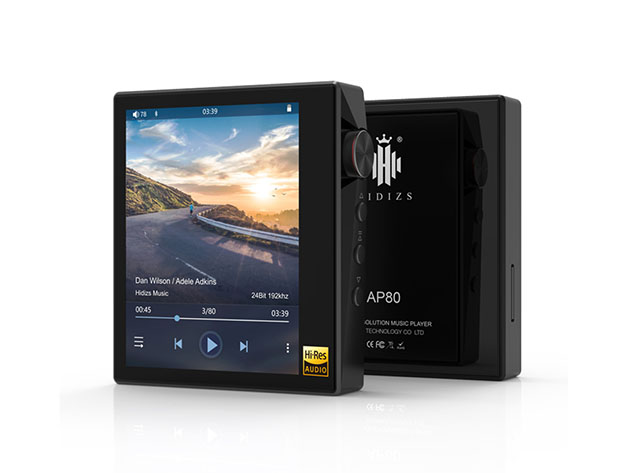
You can stream music on pretty much any phone or tablet nowadays. However, the audio quality delivered by Spotify and Apple Music isn’t good enough to please true audiophiles. Thanks to a high-end chip, the AP80 Portable Music Player offers much more satisfying sound via headphones or a speaker. You can get it now for $125.10 at the XDA Developers Depot.

Unlike your smartphone, the AP80 has been designed specifically for music. The device runs on HiBy 3.0 OS, a variant of Linux that offers lossless playback and great audio features. Sounds are processed by a high-end chip from ESS, which delivers a SNR of up to 126dB and THD+N down to -113dB.

If all of those specs went over your head, it basically makes your music audio sound significantly clearer than what you’re used to.

You can connect the AP80 to headphones and speakers via Bluetooth or using the 3.5 jack. The music player also has aptX technology for better wireless sound, while Mage Sound 8-Ball Tuning provides a custom mix.

Measuring just 2.3 inches tall, the AP80 is genuinely small enough to take anywhere. You get 15 hours of playback on a full charge, and the memory can be expanded up to 1TB.

Normally priced at $139, this pocket music player is now only $125.10 with this deal.

 
AP80 Portable Music Player – $125.10

See Deal

Prices subject to change

The post This Portable Music Player Is a Must-Have for Audiophiles on the Go appeared first on xda-developers.


from xda-developers https://ift.tt/39oFq4E
via IFTTT

OPPO VP confirms the Find X2 will have a QHD 120Hz display but warns the phone may face production issues

We have been hearing about OPPO’s next flagship, the Find X2, for some time now. Last month, the device passed through Thailand’s NBTC certification website while a leak from Ice Universe shed light on some of the possible specifications of the device. In the most recent round of leaks, live images and screenshots of the OPPO Find X2 were leaked on Weibo which gave us our first look at the design of the device and also revealed some of the display features.

Now OPPO VP Brian Shen has taken to Twitter to reveal the resolution, screen refresh rate, and other display properties of the OPPO Find X2. According to Shen, the OPPO Find X2 will feature a QHD+ display with a screen refresh rate of 120Hz. Moreover, the display will be capable of reaching 1200 nits of brightness in HDR‌ mode and will also support upscaling SDR‌ content to HDR.

Although the tweet didn’t mention other specifications of the device, we do know that the device will be powered by the Qualcomm Snapdragon 865 SoC, will feature Sony’s new image sensor, and will support 65W SuperVOOC fast charging.

But OPPO may not be able to produce enough units to meet the initial demand. In a separate post on Weibo, Mr. Shen warned that the ongoing Cornovirus outbreak will likely impact the production capacity of the OPPO Find X2 as the factories and manufacturing plants in Hubei and other Chinese provinces are still under lockdown. How severe the impact will be, we don’t know yet but this could mean the international release may get delayed.

We expect to learn more about the OPPO Find X2 including its full specifications, pricing and international availability at OPPO’s MWC 2020 press conference which is still scheduled to take place on Feb 23.


Source (1): @BrianShenYiRen Source (2): Weibo

The post OPPO VP confirms the Find X2 will have a QHD 120Hz display but warns the phone may face production issues appeared first on xda-developers.


from xda-developers https://ift.tt/2tJ9zfB
via IFTTT

This Portable Music Player Is a Must-Have for Audiophiles on the Go

You can stream music on pretty much any phone or tablet nowadays. However, the audio quality delivered by Spotify and Apple Music isn’t good enough to please true audiophiles. Thanks to a high-end chip, the AP80 Portable Music Player offers much more satisfying sound via headphones or a speaker. You can get it now for $125.10 at the XDA Developers Depot.

Unlike your smartphone, the AP80 has been designed specifically for music. The device runs on HiBy 3.0 OS, a variant of Linux that offers lossless playback and great audio features. Sounds are processed by a high-end chip from ESS, which delivers a SNR of up to 126dB and THD+N down to -113dB.

If all of those specs went over your head, it basically makes your music audio sound significantly clearer than what you’re used to.

You can connect the AP80 to headphones and speakers via Bluetooth or using the 3.5 jack. The music player also has aptX technology for better wireless sound, while Mage Sound 8-Ball Tuning provides a custom mix.

Measuring just 2.3 inches tall, the AP80 is genuinely small enough to take anywhere. You get 15 hours of playback on a full charge, and the memory can be expanded up to 1TB.

Normally priced at $139, this pocket music player is now only $125.10 with this deal.

 
AP80 Portable Music Player – $125.10

See Deal

Prices subject to change

The post This Portable Music Player Is a Must-Have for Audiophiles on the Go appeared first on xda-developers.


from xda-developers https://ift.tt/39oFq4E
via IFTTT

OPPO VP confirms the Find X2 will have a QHD 120Hz display but warns the phone may face production issues

We have been hearing about OPPO’s next flagship, the Find X2, for some time now. Last month, the device passed through Thailand’s NBTC certification website while a leak from Ice Universe shed light on some of the possible specifications of the device. In the most recent round of leaks, live images and screenshots of the OPPO Find X2 were leaked on Weibo which gave us our first look at the design of the device and also revealed some of the display features.

Now OPPO VP Brian Shen has taken to Twitter to reveal the resolution, screen refresh rate, and other display properties of the OPPO Find X2. According to Shen, the OPPO Find X2 will feature a QHD+ display with a screen refresh rate of 120Hz. Moreover, the display will be capable of reaching 1200 nits of brightness in HDR‌ mode and will also support upscaling SDR‌ content to HDR.

Although the tweet didn’t mention other specifications of the device, we do know that the device will be powered by the Qualcomm Snapdragon 865 SoC, will feature Sony’s new image sensor, and will support 65W SuperVOOC fast charging.

But OPPO may not be able to produce enough units to meet the initial demand. In a separate post on Weibo, Mr. Shen warned that the ongoing Cornovirus outbreak will likely impact the production capacity of the OPPO Find X2 as the factories and manufacturing plants in Hubei and other Chinese provinces are still under lockdown. How severe the impact will be, we don’t know yet but this could mean the international release may get delayed.

We expect to learn more about the OPPO Find X2 including its full specifications, pricing and international availability at OPPO’s MWC 2020 press conference which is still scheduled to take place on Feb 23.


Source (1): @BrianShenYiRen Source (2): Weibo

The post OPPO VP confirms the Find X2 will have a QHD 120Hz display but warns the phone may face production issues appeared first on xda-developers.


from xda-developers https://ift.tt/2tJ9zfB
via IFTTT