LightBlog

dimanche 9 février 2020

Microsoft’s dual screen Surface Duo gets shown off on video

One of the biggest tech surprises in 2019 was Microsoft’s announcement of the Surface Duo in October. The Surface Duo launched alongside other Surface products at a big Microsoft hardware launch event. The Surface Duo is the culmination of the long-rumored “Surface Phone”. Don’t call it a phone, though. Microsoft wants to call it a new type of dual-screen device, even if it can make phone calls. It’s not a traditional slate phone. It’s also not a foldable phone like the Samsung Galaxy Fold. That’s because it has dual 5.6-inch displays connected by a hinge. They are the flagship feature of the device, as Microsoft has an ambitious vision of dual screens helping increase productive output in the same way dual monitors are beneficial for productivity. The Surface Duo, despite being a Microsoft Surface hardware product, is powered by a customized variant of Android that looks like Windows 10X. At its launch, it generated a lot of curiosity, but its release was still a year away. According to Microsoft’s schedule, the device is on track for a launch in Holiday 2020. Now, it has been shown off in a hands-on video for the first time.

The video shows a person, likely a Microsoft employee, using the Surface Duo in both portrait and landscape orientations. He folds the device, showing off the hinge. The video also shows a flash for the front camera. This wasn’t there in the prototype Surface Duo that was shown off in the October Microsoft event. The front-facing flash indicates that the final Surface Duo may skip a proper rear camera, opting to go only with a front camera. The front camera can double-up as a rear camera, of course, but it shouldn’t be expected to match modern smartphone cameras from the likes of Google, Samsung, Huawei, Apple, and others.

Zac Bowden from Windows Central said that he is hearing the Surface Duo might launch sooner than expected. According to him, Microsoft is now seeding Surface Duo devices to more employees internally, encouraging them to use and test the product.

We still don’t know anything about the Surface Duo’s internal specifications. It’s rumored to pack in a Qualcomm Snapdragon 855, but that’s it. It has two 5.6-inch displays, but their resolution is still unknown. The specific changes that Microsoft made to Android to make it look more like Windows 10X haven’t been detailed. We expect to learn more about the product in the time leading up to its launch.


Source: (1), (2) | Via: Windows Central

The post Microsoft’s dual screen Surface Duo gets shown off on video appeared first on xda-developers.


from xda-developers https://ift.tt/37f5j5g
via IFTTT

Microsoft’s dual screen Surface Duo gets shown off on video

One of the biggest tech surprises in 2019 was Microsoft’s announcement of the Surface Duo in October. The Surface Duo launched alongside other Surface products at a big Microsoft hardware launch event. The Surface Duo is the culmination of the long-rumored “Surface Phone”. Don’t call it a phone, though. Microsoft wants to call it a new type of dual-screen device, even if it can make phone calls. It’s not a traditional slate phone. It’s also not a foldable phone like the Samsung Galaxy Fold. That’s because it has dual 5.6-inch displays connected by a hinge. They are the flagship feature of the device, as Microsoft has an ambitious vision of dual screens helping increase productive output in the same way dual monitors are beneficial for productivity. The Surface Duo, despite being a Microsoft Surface hardware product, is powered by a customized variant of Android that looks like Windows 10X. At its launch, it generated a lot of curiosity, but its release was still a year away. According to Microsoft’s schedule, the device is on track for a launch in Holiday 2020. Now, it has been shown off in a hands-on video for the first time.

The video shows a person, likely a Microsoft employee, using the Surface Duo in both portrait and landscape orientations. He folds the device, showing off the hinge. The video also shows a flash for the front camera. This wasn’t there in the prototype Surface Duo that was shown off in the October Microsoft event. The front-facing flash indicates that the final Surface Duo may skip a proper rear camera, opting to go only with a front camera. The front camera can double-up as a rear camera, of course, but it shouldn’t be expected to match modern smartphone cameras from the likes of Google, Samsung, Huawei, Apple, and others.

Zac Bowden from Windows Central said that he is hearing the Surface Duo might launch sooner than expected. According to him, Microsoft is now seeding Surface Duo devices to more employees internally, encouraging them to use and test the product.

We still don’t know anything about the Surface Duo’s internal specifications. It’s rumored to pack in a Qualcomm Snapdragon 855, but that’s it. It has two 5.6-inch displays, but their resolution is still unknown. The specific changes that Microsoft made to Android to make it look more like Windows 10X haven’t been detailed. We expect to learn more about the product in the time leading up to its launch.


Source: (1), (2) | Via: Windows Central

The post Microsoft’s dual screen Surface Duo gets shown off on video appeared first on xda-developers.


from xda-developers https://ift.tt/37f5j5g
via IFTTT

Samsung SmartThings 1.7.43-22 adds a new “Virtual Home” feature and at-a-glance dashboard for connected devices

Samsung SmartThings is Samsung’s platform for smart home devices. The app is the replacement for over 40 apps that performed bits-and-pieces of the functionality it currently has. SmartThings received a major overhaul in March 2018, letting users handle SmartThings-connected devices. The SmartThings ecosystem is a competitor to the Google Assistant-powered Nest and the Alexa-powered smart home ecosystems. With SmartThings, users can control their smart home devices such as air conditioners, air purifiers, bulbs, TVs, refrigerators, and more. It’s all integrated in a single app. Now, the app has received an update on the Play Store that brings new functionality.

Samsung SmartThings

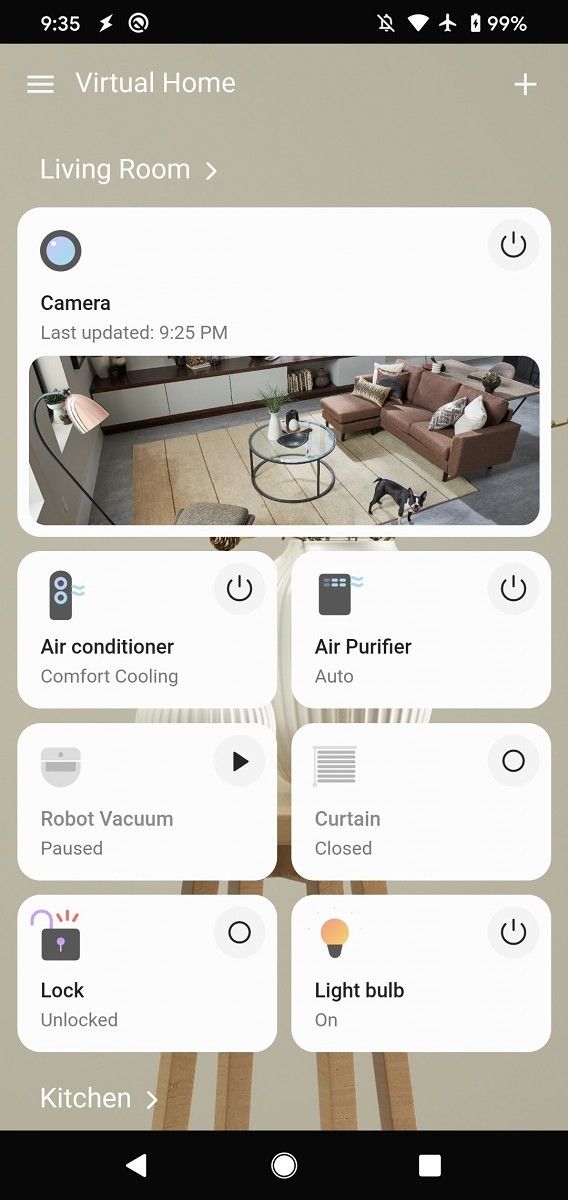
At a glance dashboard in Samsung SmartThings

Samsung SmartThings 1.7.43-22 now lets users view the status of their connected devices at a glance. This acts as dashboard of all the devices that are currently connected to the app. It includes phones, ear buds, living room devices, and more. The aim of this feature is that users can quickly check the status of all their connected devices.

Samsung SmartThings

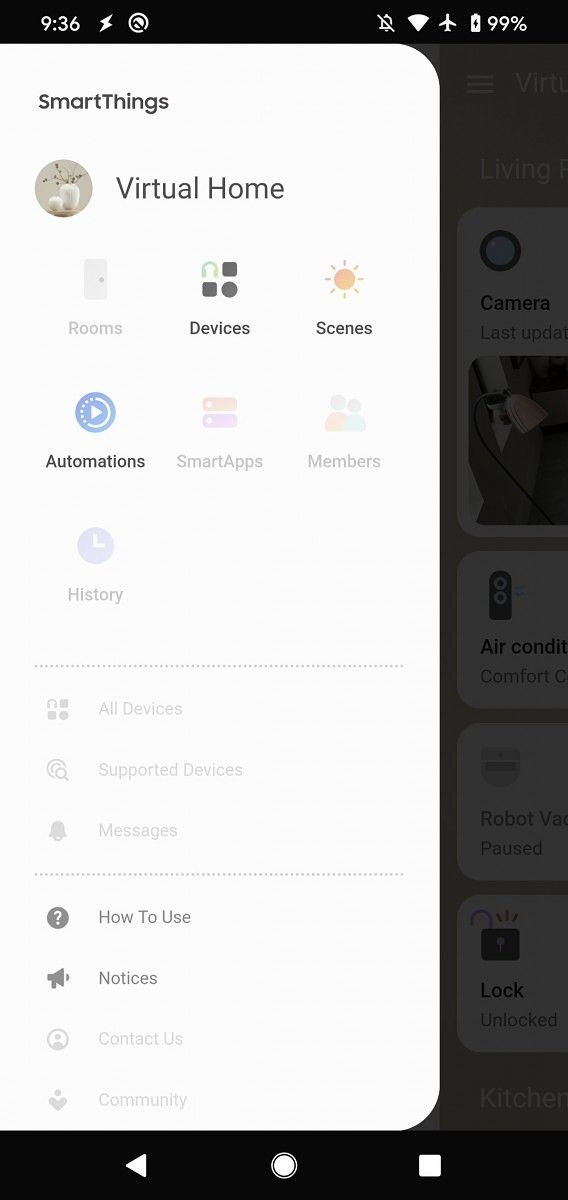
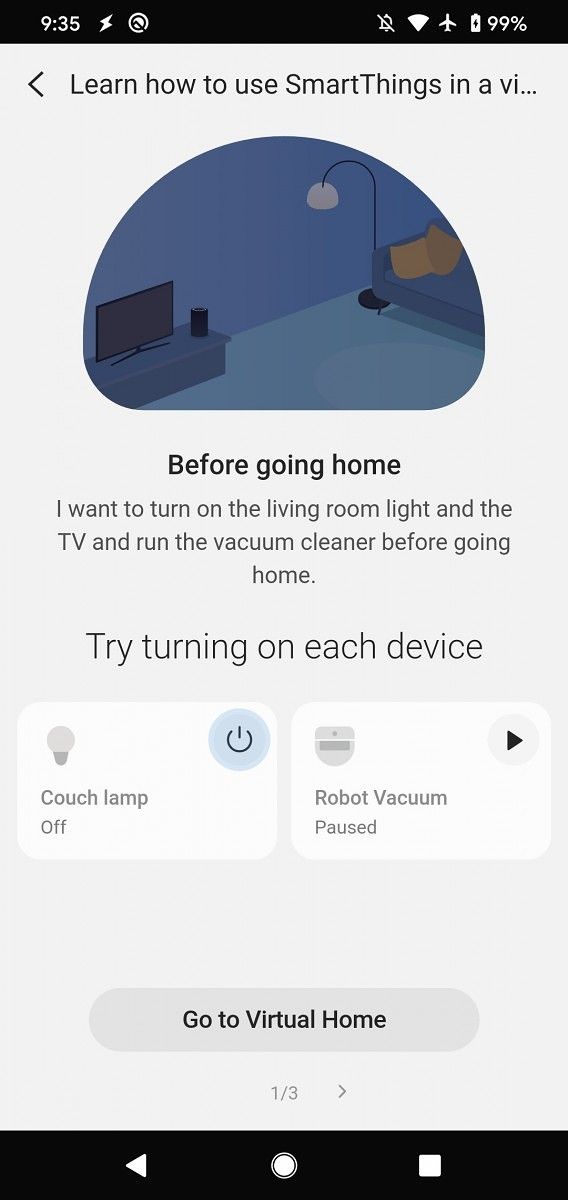
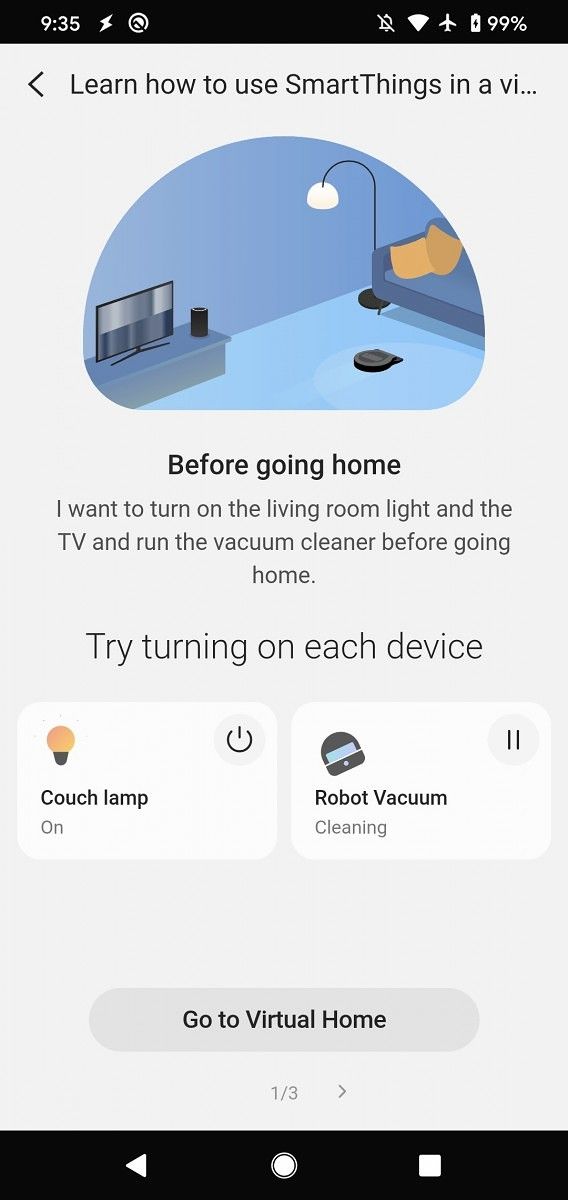
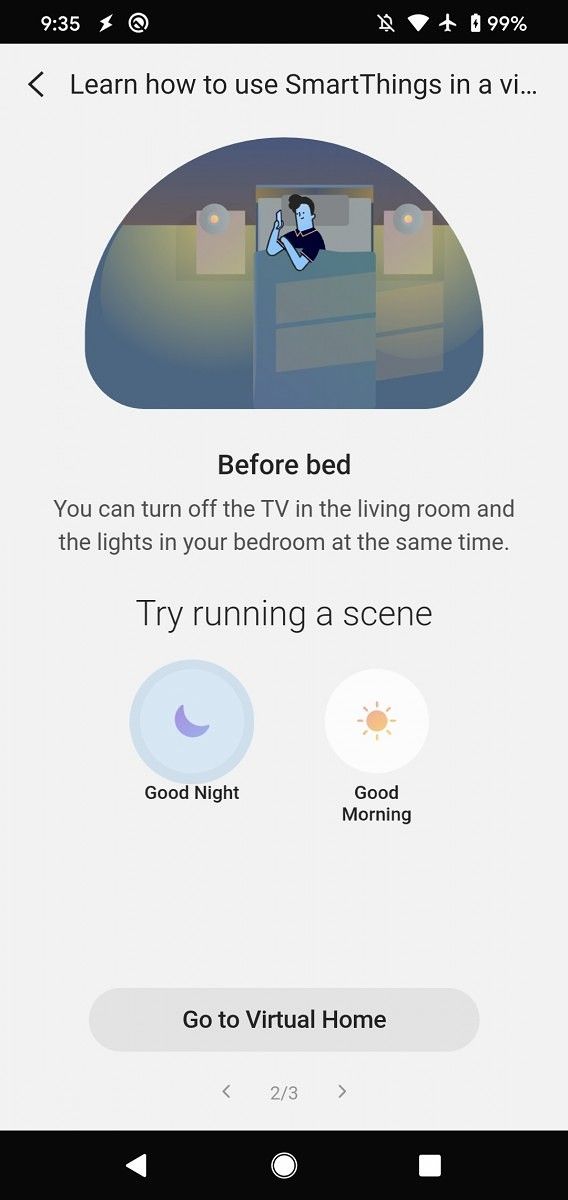
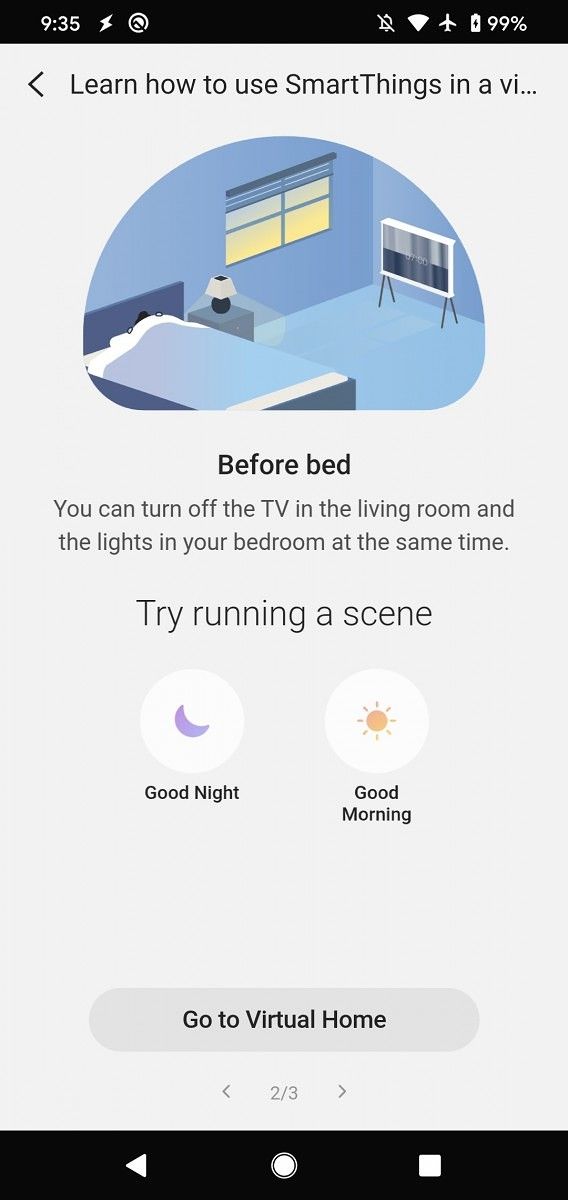
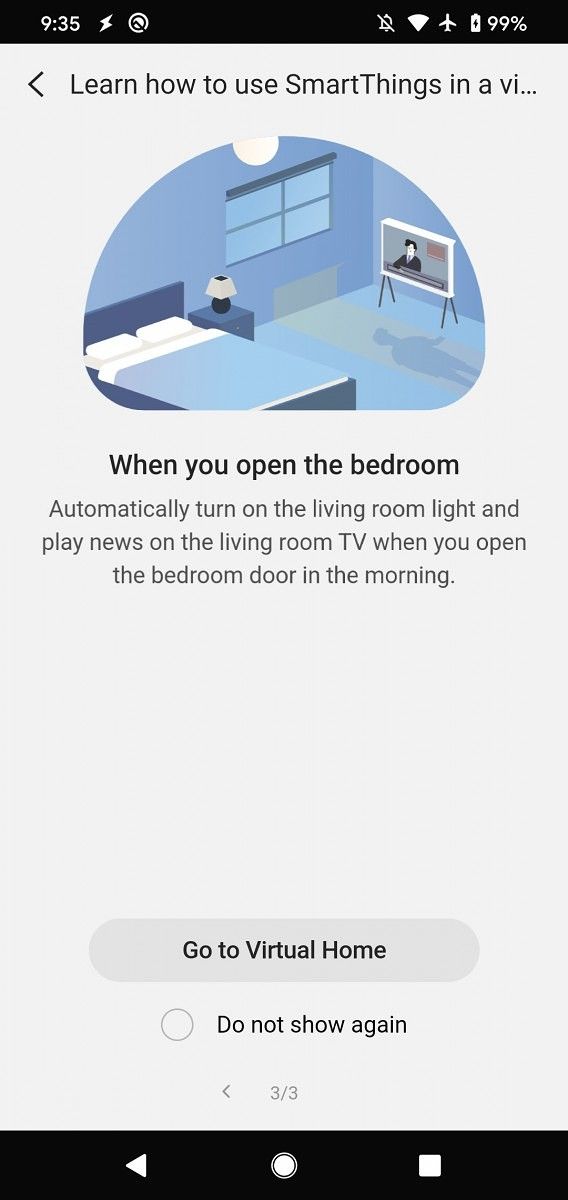
The second major functionality addition is something that Samsung calls “Virtual Home”. This lets users try out the features of SmartThings and control devices in simulation even when they don’t actually have connected devices. It’s aimed to make users aware of the features of the SmartThings platform, and if they like the Virtual Home feature, at least some of them will be compelled to buy devices that are connected to it. Samsung notes that supported devices and services may differ depending on region. Samsung SmartThings itself as a platform is available in select regions because of different laws applicable in different regions.

The change-log of the update is noted below:

– Easily view the status of your connected devices at-a-glance
– Explore SmartThings through our “Virtual Home” – even you do not have connected devices
(*Supported devices and services may differ depending on your region)

Screenshots thanks to Max Weinbach.

SmartThings (Free, Google Play) →

The post Samsung SmartThings 1.7.43-22 adds a new “Virtual Home” feature and at-a-glance dashboard for connected devices appeared first on xda-developers.


from xda-developers https://ift.tt/39j1jCg
via IFTTT

Samsung SmartThings 1.7.43-22 adds a new “Virtual Home” feature and at-a-glance dashboard for connected devices

Samsung SmartThings is Samsung’s platform for smart home devices. The app is the replacement for over 40 apps that performed bits-and-pieces of the functionality it currently has. SmartThings received a major overhaul in March 2018, letting users handle SmartThings-connected devices. The SmartThings ecosystem is a competitor to the Google Assistant-powered Nest and the Alexa-powered smart home ecosystems. With SmartThings, users can control their smart home devices such as air conditioners, air purifiers, bulbs, TVs, refrigerators, and more. It’s all integrated in a single app. Now, the app has received an update on the Play Store that brings new functionality.

Samsung SmartThings

At a glance dashboard in Samsung SmartThings

Samsung SmartThings 1.7.43-22 now lets users view the status of their connected devices at a glance. This acts as dashboard of all the devices that are currently connected to the app. It includes phones, ear buds, living room devices, and more. The aim of this feature is that users can quickly check the status of all their connected devices.

Samsung SmartThings

The second major functionality addition is something that Samsung calls “Virtual Home”. This lets users try out the features of SmartThings and control devices in simulation even when they don’t actually have connected devices. It’s aimed to make users aware of the features of the SmartThings platform, and if they like the Virtual Home feature, at least some of them will be compelled to buy devices that are connected to it. Samsung notes that supported devices and services may differ depending on region. Samsung SmartThings itself as a platform is available in select regions because of different laws applicable in different regions.

The change-log of the update is noted below:

– Easily view the status of your connected devices at-a-glance
– Explore SmartThings through our “Virtual Home” – even you do not have connected devices
(*Supported devices and services may differ depending on your region)

Screenshots thanks to Max Weinbach.

SmartThings (Free, Google Play) →

The post Samsung SmartThings 1.7.43-22 adds a new “Virtual Home” feature and at-a-glance dashboard for connected devices appeared first on xda-developers.


from xda-developers https://ift.tt/39j1jCg
via IFTTT

samedi 8 février 2020

Leaked LG V60 promo images show quad rear cameras, 5000mAh battery, and headphone jack

LG’s mobile business struggled in 2019 due to lagging sales outside of its home market of South Korea, but the company aims to make its mobile business profitable by next year by meeting the growing demand for premium 5G smartphones. To that end, the company was seeking to make a big splash at MWC 2020 with the launch of the LG V60 ThinQ, the successor to the late 2019 LG V50S ThinQ (also known as the LG G8X). Unfortunately, we won’t be seeing the V60 ThinQ at MWC 2020 as LG decided to skip the event due to concerns over the spread of the 2019 novel Coronavirus. Still, since we know the company had planned to launch the V60 at MWC, we expect that LG has already prepared marketing material for the event. Indeed, thanks to Evan Blass (@evleaks), we’re getting an early look at the device through images pulled from a leaked video that was likely intended to be promotional material for MWC 2020.

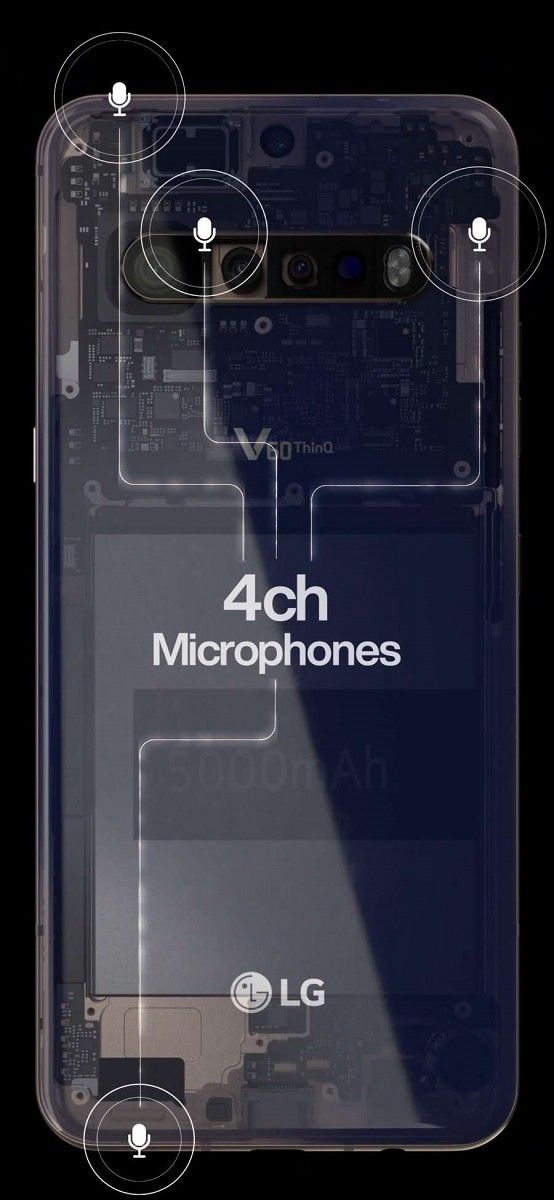
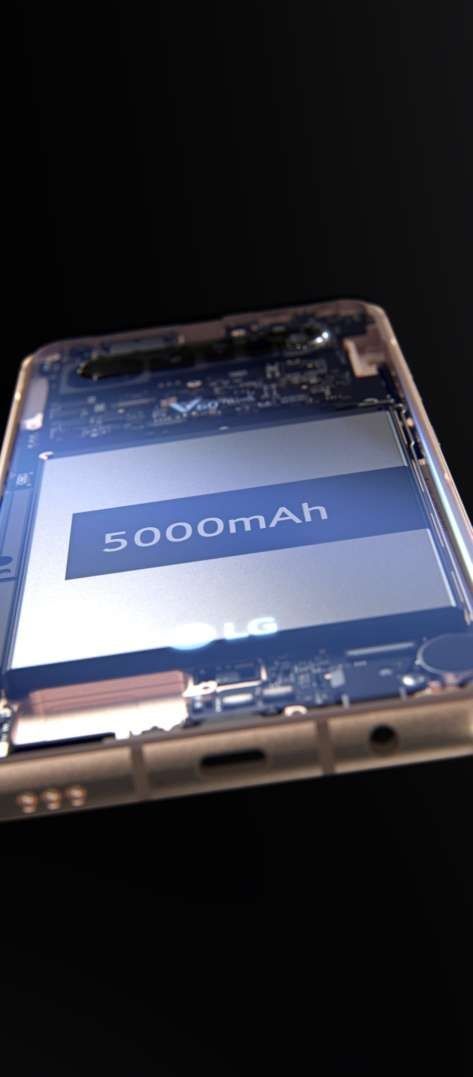
The two images shared by Evan Blass reveal some of the key features of the device. Despite what the images below show, the actual device won’t have a transparent back—that’s just a way for LG to point to the important features of the device without inserting a bunch of text into the video. From the images, we can see that the LG V60 ThinQ will have four microphones, quad rear cameras, a 5000mAh battery, a USB Type-C port, a 3.5mm headphone jack (which fellow Korean brand Samsung has ditched on its latest Galaxy S20 series), and bottom-firing speakers. We assume the device will have an under-display fingerprint scanner since there isn’t a rear-mounted physical fingerprint scanner and the power button sticks out of the body. On the left side of the device, we can faintly see what I assume are the volume buttons and the dedicated Google Assistant button. If so, this matches the button placement of the LG G8X/V50S ThinQ.

Leaked LG V60 promotional images. Source: Evan Blass (@evleaks)

The device shown in these images looks similar to the alleged “LG G9 ThinQ” that @OnLeaks revealed last month. Those renders show a similar camera setup and bottom component placement. I believe that the “LG G9” that @OnLeaks posted about last month is actually the LG V60 ThinQ. First, @OnLeaks himself wasn’t sure of the branding; he assumed what he was posting was the successor to the LG G8, a reasonable assumption based on the timing. Furthermore, we haven’t seen any evidence that LG is planning to launch the G9 at MWC 2020. Rather, we’ve seen specific evidence that the LG V60 ThinQ, code-named “timelm,” is launching soon with Android 10. Furthermore, David Ruddock of Android Police claims that LG is altering its release schedule; he states the V series will be released alongside Samsung’s Galaxy S series this year while the G series “may be effectively phased out.” Samsung is launching the Galaxy S20 series on February 11th and LG was expected to launch the V60 ThinQ at MWC, so this information seems accurate. However, Ruddock is unsure about the details of LG’s new device series for the fall, so it’s possible that the G series may simply be postponed rather than canceled.

Assuming the LG G9 that @OnLeaks posted about is actually the LG V60, we can see that the V60 will have a U-shaped notched and flat display that measures about 6.7-6.9-inches diagonally. The “Hand ID” module from the G8 isn’t present, which doesn’t necessarily mean it won’t return in a future phone—it just won’t be on this device. Finally, we can assume the device will be powered by the Qualcomm Snapdragon 865 since it’s undoubtedly a flagship smartphone. Even though LG won’t be at MWC 2020 this year, we can expect to see the V60 launch pretty soon. If LG can keep the pricing competitive and launch with the right carrier partners, the V60 could be a successful device for LG’s struggling mobile business.

The post Leaked LG V60 promo images show quad rear cameras, 5000mAh battery, and headphone jack appeared first on xda-developers.


from xda-developers https://ift.tt/2OF3Bnf
via IFTTT

Leaked LG V60 promo images show quad rear cameras, 5000mAh battery, and headphone jack

LG’s mobile business struggled in 2019 due to lagging sales outside of its home market of South Korea, but the company aims to make its mobile business profitable by next year by meeting the growing demand for premium 5G smartphones. To that end, the company was seeking to make a big splash at MWC 2020 with the launch of the LG V60 ThinQ, the successor to the late 2019 LG V50S ThinQ (also known as the LG G8X). Unfortunately, we won’t be seeing the V60 ThinQ at MWC 2020 as LG decided to skip the event due to concerns over the spread of the 2019 novel Coronavirus. Still, since we know the company had planned to launch the V60 at MWC, we expect that LG has already prepared marketing material for the event. Indeed, thanks to Evan Blass (@evleaks), we’re getting an early look at the device through images pulled from a leaked video that was likely intended to be promotional material for MWC 2020.

The two images shared by Evan Blass reveal some of the key features of the device. Despite what the images below show, the actual device won’t have a transparent back—that’s just a way for LG to point to the important features of the device without inserting a bunch of text into the video. From the images, we can see that the LG V60 ThinQ will have four microphones, quad rear cameras, a 5000mAh battery, a USB Type-C port, a 3.5mm headphone jack (which fellow Korean brand Samsung has ditched on its latest Galaxy S20 series), and bottom-firing speakers. We assume the device will have an under-display fingerprint scanner since there isn’t a rear-mounted physical fingerprint scanner and the power button sticks out of the body. On the left side of the device, we can faintly see what I assume are the volume buttons and the dedicated Google Assistant button. If so, this matches the button placement of the LG G8X/V50S ThinQ.

Leaked LG V60 promotional images. Source: Evan Blass (@evleaks)

The device shown in these images looks similar to the alleged “LG G9 ThinQ” that @OnLeaks revealed last month. Those renders show a similar camera setup and bottom component placement. I believe that the “LG G9” that @OnLeaks posted about last month is actually the LG V60 ThinQ. First, @OnLeaks himself wasn’t sure of the branding; he assumed what he was posting was the successor to the LG G8, a reasonable assumption based on the timing. Furthermore, we haven’t seen any evidence that LG is planning to launch the G9 at MWC 2020. Rather, we’ve seen specific evidence that the LG V60 ThinQ, code-named “timelm,” is launching soon with Android 10. Furthermore, David Ruddock of Android Police claims that LG is altering its release schedule; he states the V series will be released alongside Samsung’s Galaxy S series this year while the G series “may be effectively phased out.” Samsung is launching the Galaxy S20 series on February 11th and LG was expected to launch the V60 ThinQ at MWC, so this information seems accurate. However, Ruddock is unsure about the details of LG’s new device series for the fall, so it’s possible that the G series may simply be postponed rather than canceled.

Assuming the LG G9 that @OnLeaks posted about is actually the LG V60, we can see that the V60 will have a U-shaped notched and flat display that measures about 6.7-6.9-inches diagonally. The “Hand ID” module from the G8 isn’t present, which doesn’t necessarily mean it won’t return in a future phone—it just won’t be on this device. Finally, we can assume the device will be powered by the Qualcomm Snapdragon 865 since it’s undoubtedly a flagship smartphone. Even though LG won’t be at MWC 2020 this year, we can expect to see the V60 launch pretty soon. If LG can keep the pricing competitive and launch with the right carrier partners, the V60 could be a successful device for LG’s struggling mobile business.

The post Leaked LG V60 promo images show quad rear cameras, 5000mAh battery, and headphone jack appeared first on xda-developers.


from xda-developers https://ift.tt/2OF3Bnf
via IFTTT

Chrome OS could get macOS’ “hot corners” feature

The desktop functionality of Chrome OS has incrementally improved since its introduction as a web-focused operating system back in 2010. However, it’s undeniable that Windows and macOS still have more desktop-focused features as their philosophy has been different from the beginning. After Google revealed it was getting out of the tablet hardware business, the focus has turned back on competing with Windows and macOS on the desktop keyboard-and-mouse front. To that end, Google has been adding new features and conveniences to make Chrome OS a head-to-head competitor with the established giants. Now, Google may be about to add its own version of the “hot corners” feature.

This feature exists in macOS, lettings Mac users trigger different actions by moving their mouse cursor to a corner of the desktop screen. It also exists in the GNOME desktop environment (which is the default desktop environment for Ubuntu, and many other Linux distributions). Windows, on the other hand, doesn’t have such a feature. On the Mac, hot corners turns each of the four corners of a user’s display into actions. When a user moves their cursor to the top right corner, for example, the action that is assigned to the top right corner will be launched. They can access the Notification Center by moving their cursor to the top left corner, and access screensavers at the bottom right corner, for instance.

A new commit has been submitted to the Chromium Gerrit, which shows that Google may be preparing to add its own version of Hot Corners by adding a Chrome flag for the same. Its description states: “If enabled, the user can configure actions for corners of the display.” As of now, the commit is under review, and it hasn’t been merged yet. Right now, the commit doesn’t state any details about Google’s version of Hot Corners. However, the description makes it clear that it will function similarly to macOS’ and GNOME’s implementations of the feature. What kind of actions will be triggered is something that we don’t know yet.

This isn’t the first time Google has lifted features from other operating systems to make its own better. Chrome OS users now have the feature of a second virtual desktop, which is known as virtual desk. Apple’s Look Up feature was brought to Chrome OS in the form of the Google Assistant-powered Quick Answers.

If the commit is merged, Chrome OS users can expect to see the feature arrive as a flag in future Chrome OS versions, such as Chrome OS 82 or version 83.


Via: 9to5Google

The post Chrome OS could get macOS’ “hot corners” feature appeared first on xda-developers.


from xda-developers https://ift.tt/2vcRSpc
via IFTTT